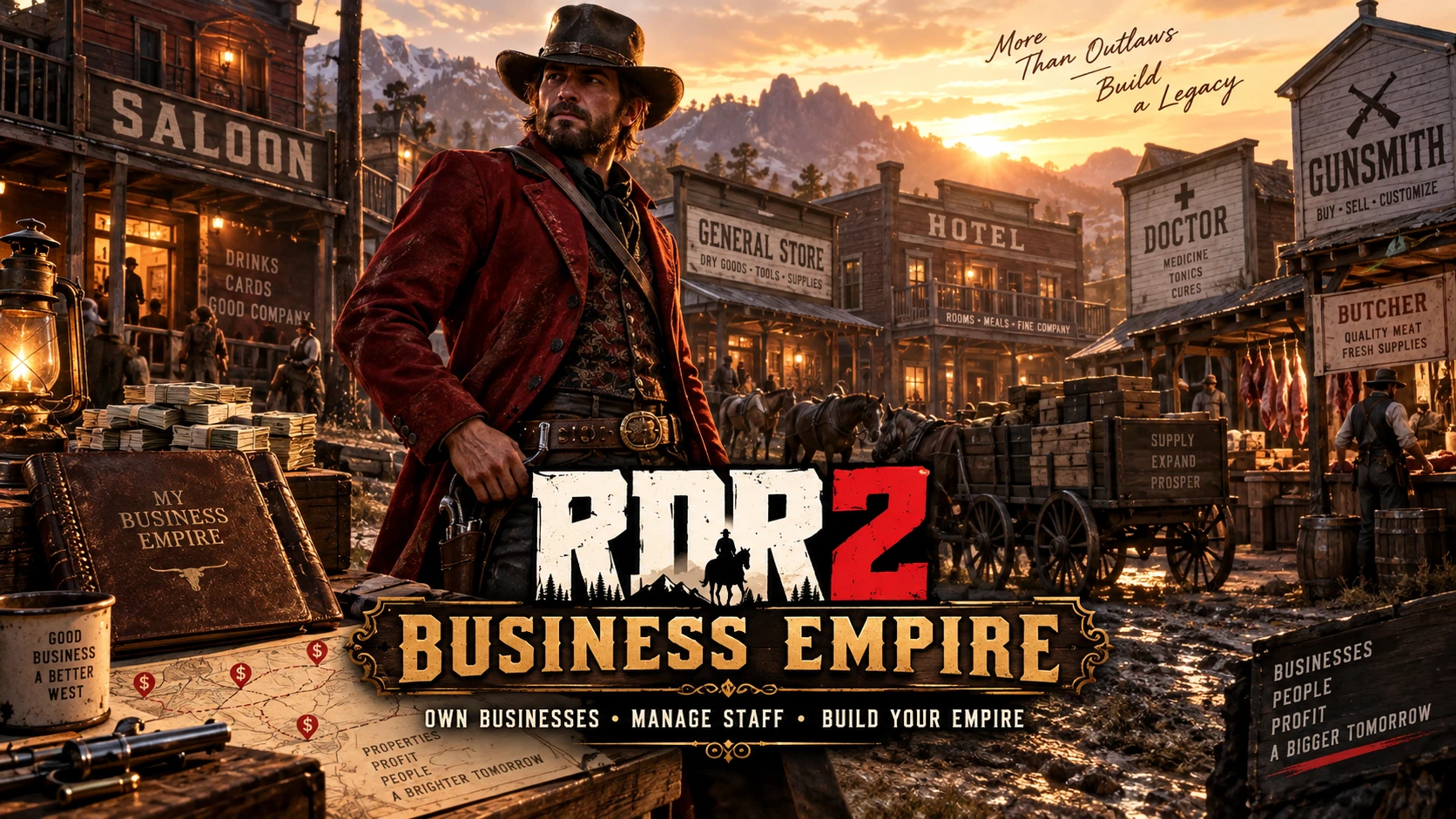
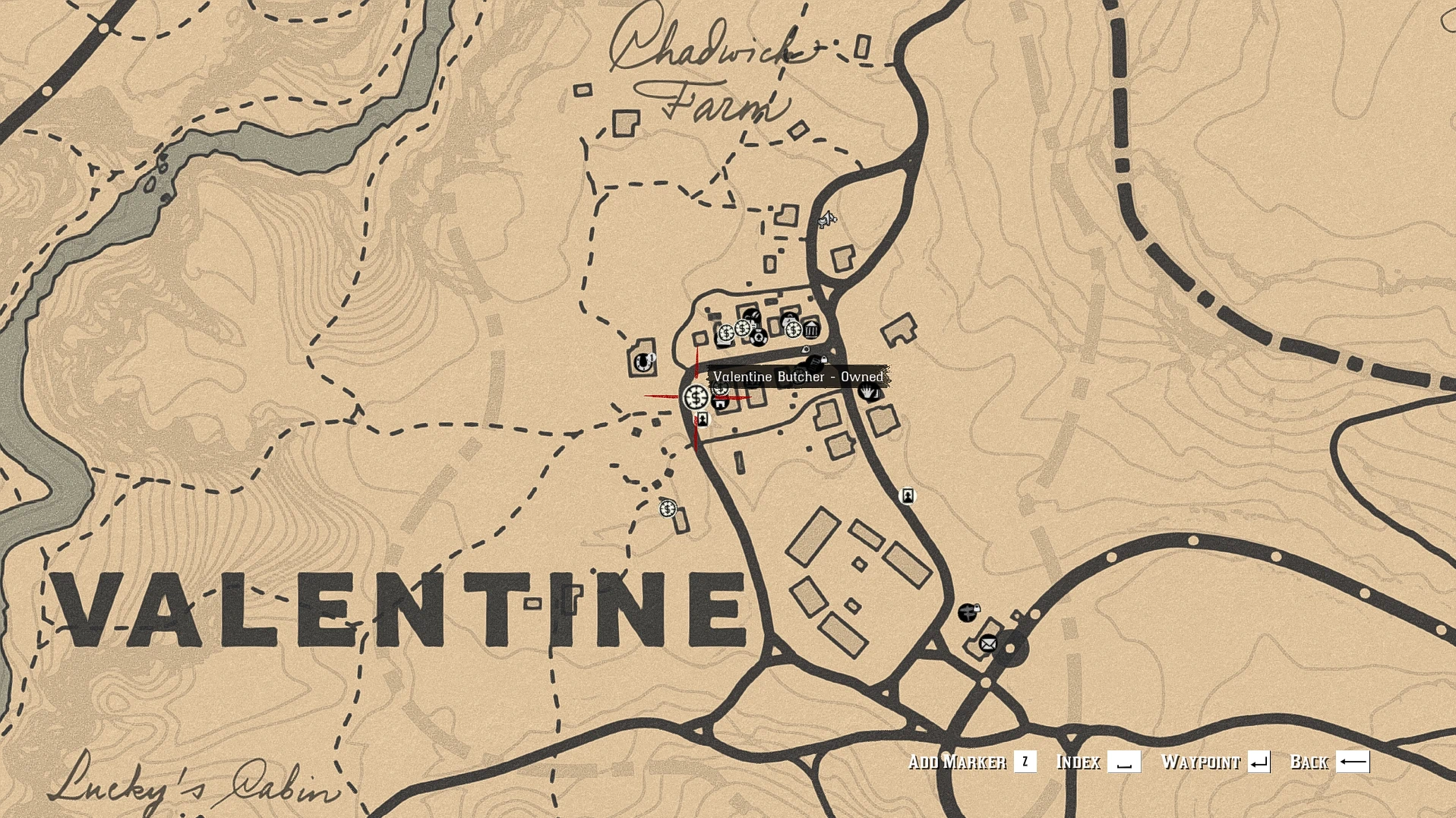
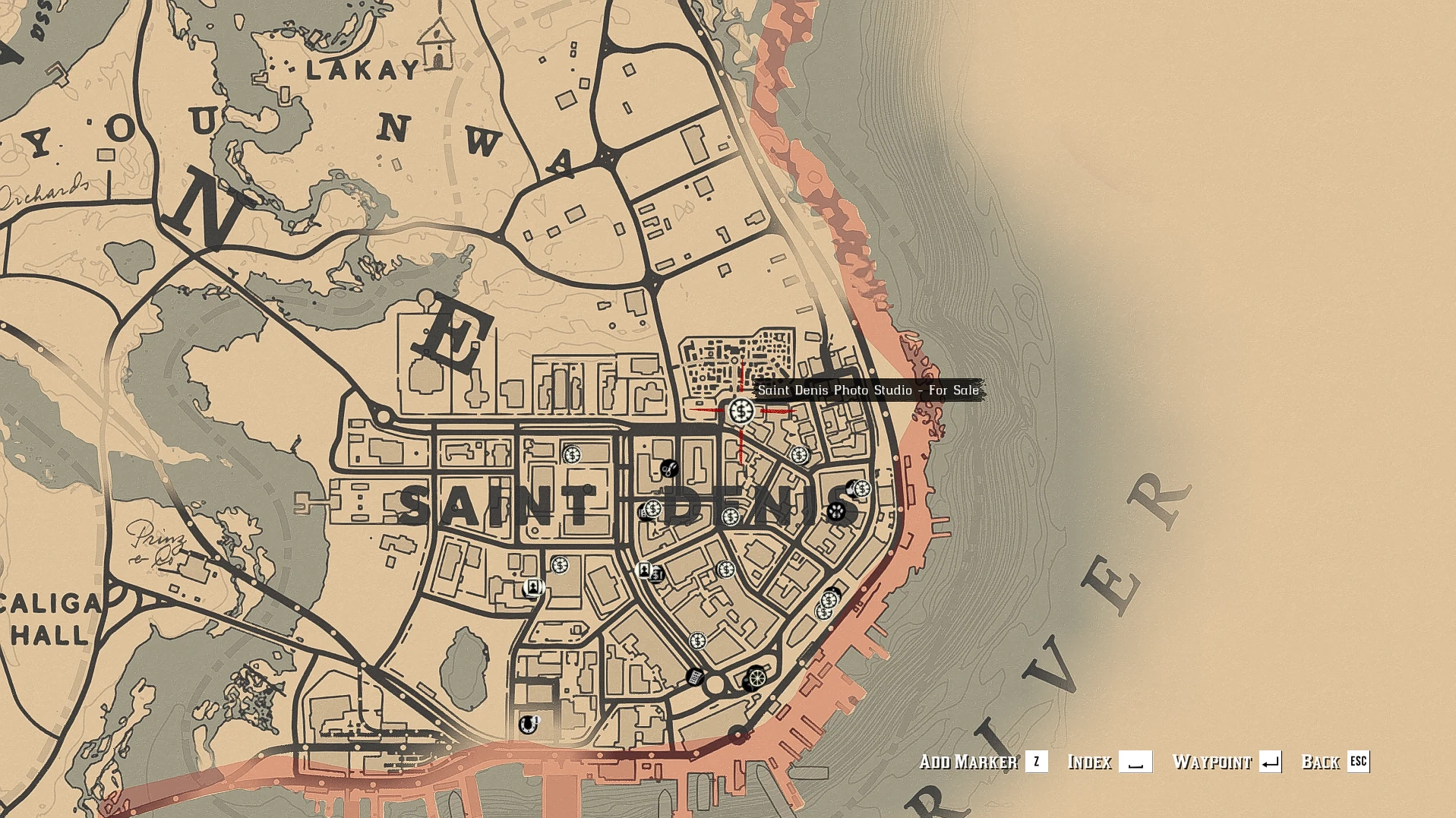
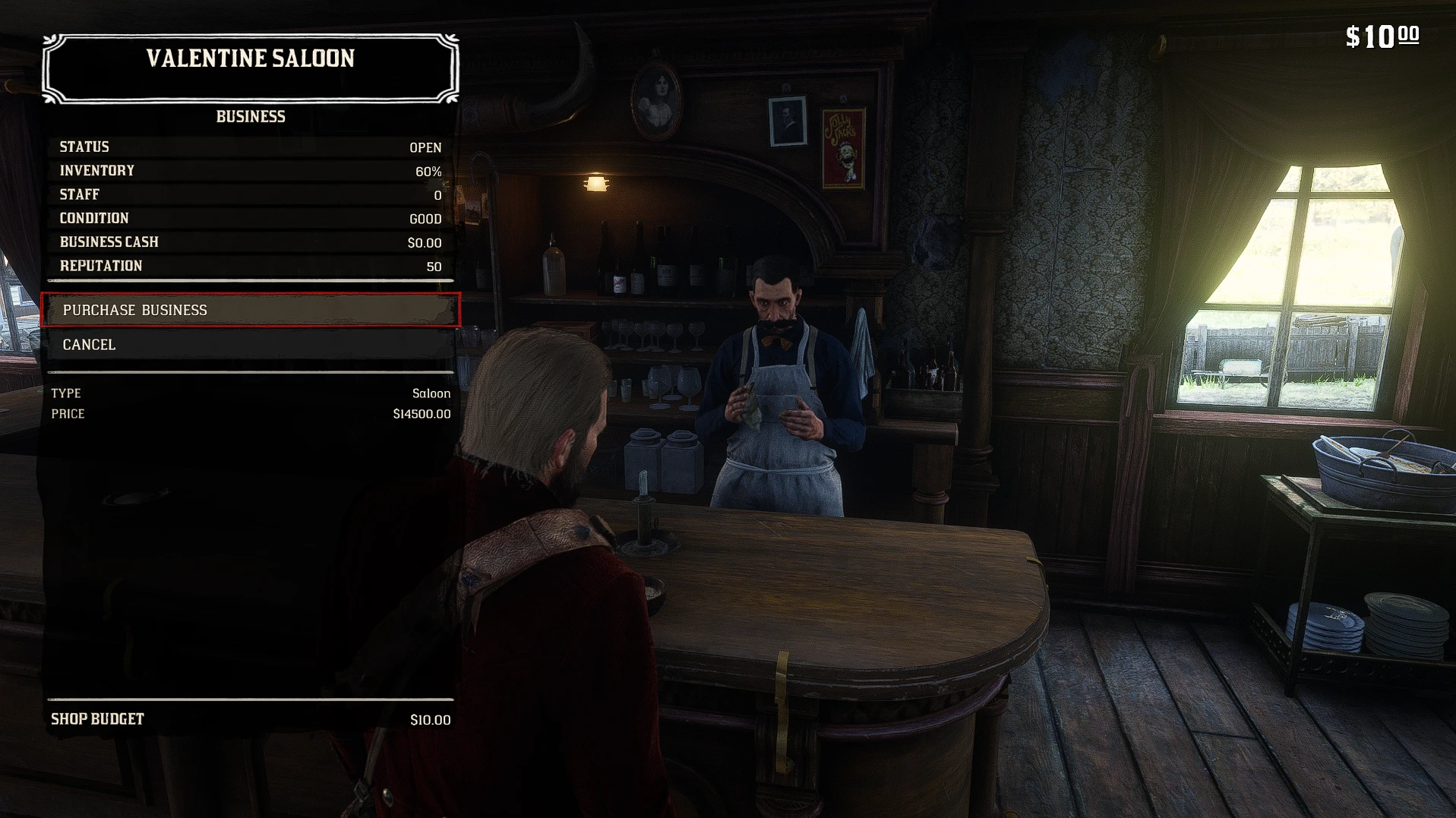
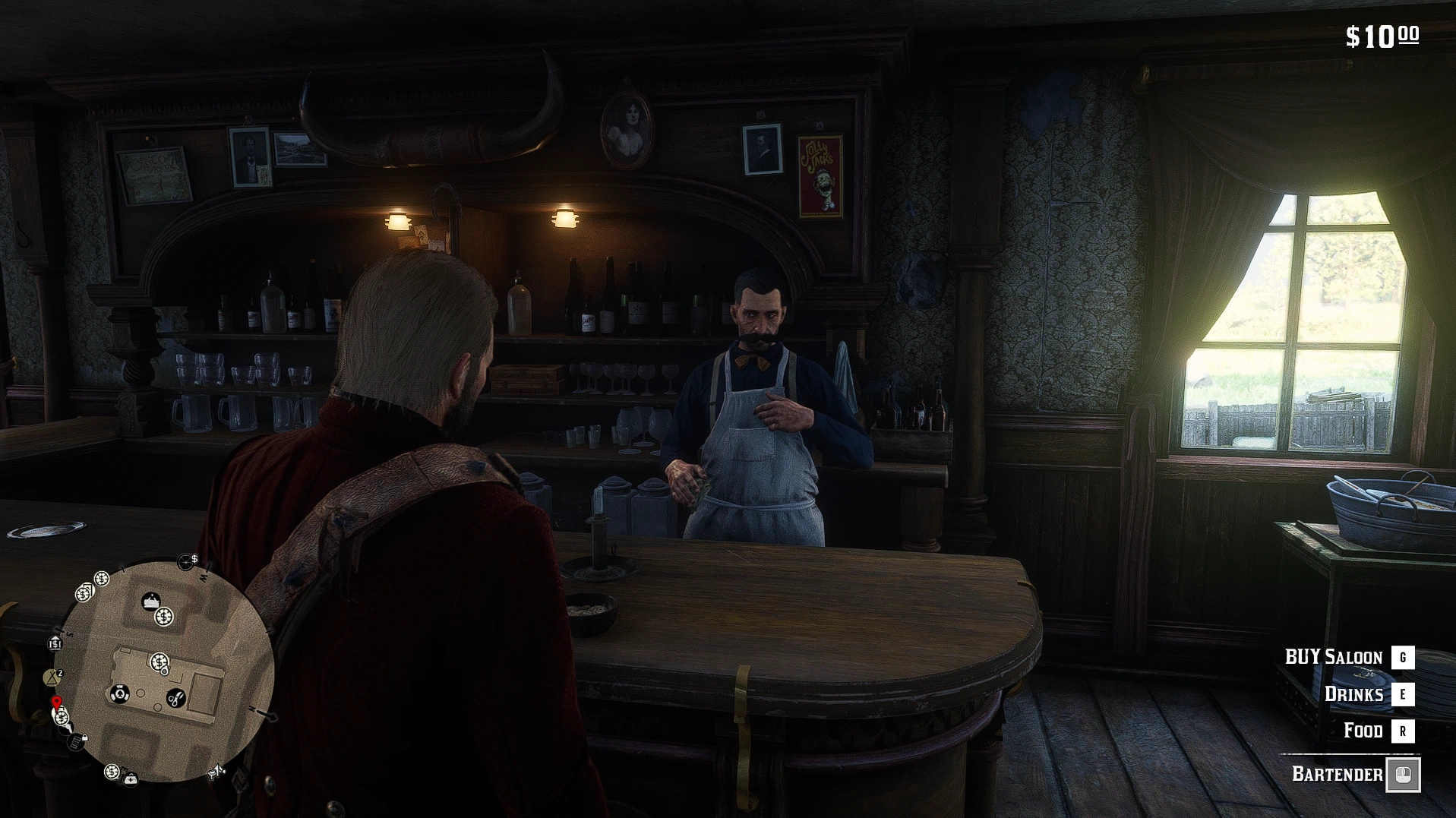
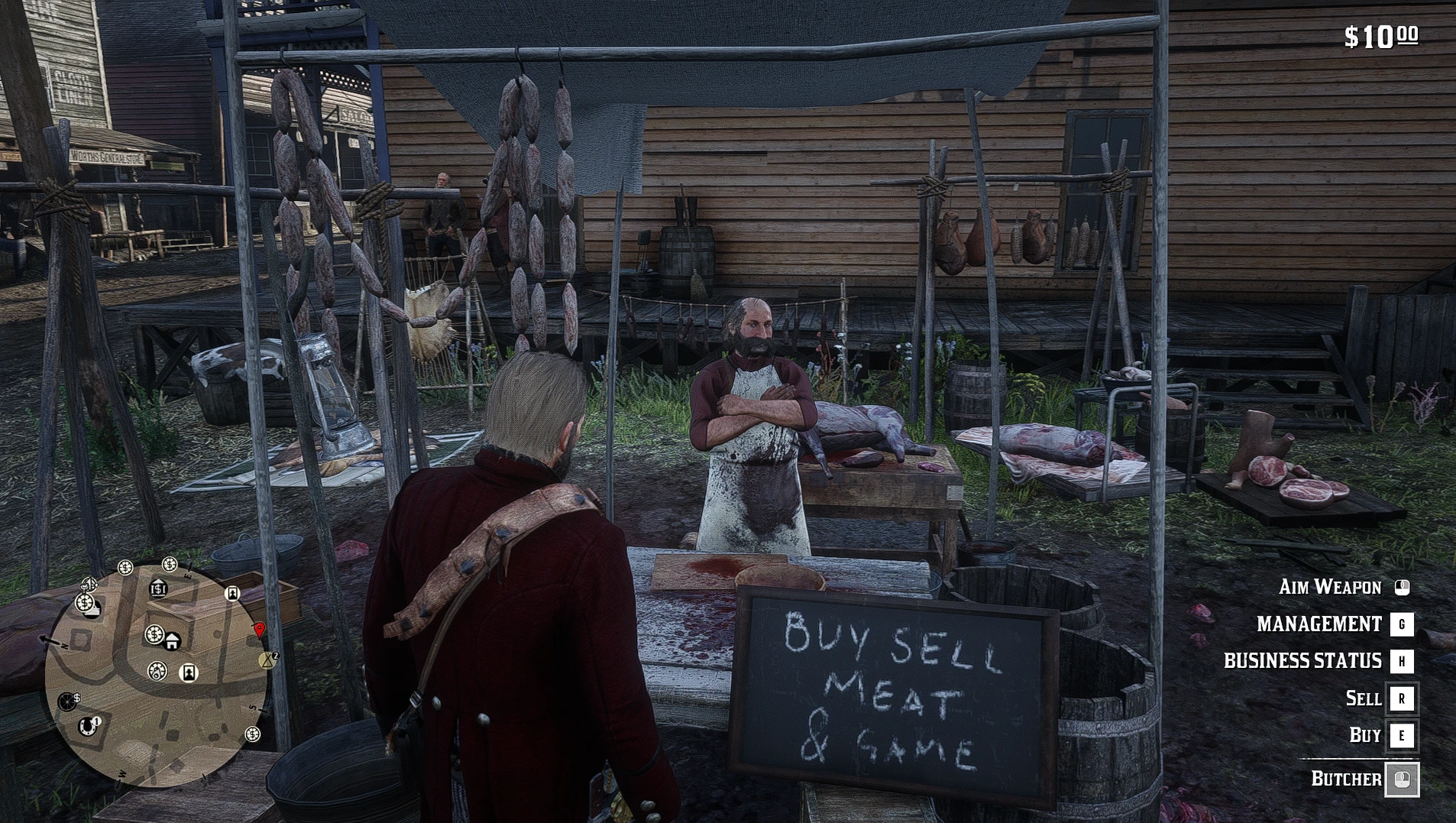
Buy and manage businesses across the RDR2 world with native-style interactions, dynamic revenue, staff, managers, supplies, pricing, upgrades, business cash, expenses, reputation, map markers, and persistent ownership. Built for immersive single-player RP.
RDR2 BUSINESS EMPIRE
Own businesses. Hire employees. Manage your finances. Complete business missions. Build your empire across the Wild West.
RDR2 Business Empire is an ambitious business ownership and economic expansion mod for Red Dead Redemption 2 Story Mode.
Instead of earning money only to spend it on weapons, horses, outfits and supplies, you can invest in businesses throughout the game world, hire staff, manage inventory, improve your properties, collect profits and complete jobs associated with your businesses.
The expanded development version also introduces a persistent banking system, with savings, loans, business transfers and financial management.
The goal is to turn RDR2’s towns and businesses into a living economic network that gives players more reasons to explore the world, earn money and build long-term wealth.
2. BUSINESS OWNERSHIP — 10 BUSINESS TYPES, 37 LOCATIONS
Purchase and manage properties throughout the RDR2 world.
Each registered business has its own location, owner NPC, purchase price and economic settings.
| Business type | Number of locations |
|---|---|
| Saloon | 7 |
| General Store | 7 |
| Doctor | 2 |
| Hotel | 2 |
| Butcher | 5 |
| Fence Vendor | 4 |
| Gunsmith | 5 |
| Tailor | 1 |
| Photo Studio | 1 |
| Show | 3 |
| Total | 37 |
Businesses are physically located in the game world. Visit an existing business owner to purchase a property, then return to manage its operations.
The business ownership system is separate from the game’s ordinary Story Mode purchases and provides persistent financial progression.
Business management
After buying a business, you can manage its operations through the business interaction menu.
Features include:
- Hire and manage employees.
- Employ managers.
- Purchase supplies and maintain inventory.
- Upgrade your business.
- Adjust product prices.
- Open or close your business.
- Monitor revenue and expenses.
- Review profits and financial statistics.
- Monitor customer and transaction totals.
- Collect money from your business register.
Every business has its own financial records. Business cash is separate from the player’s personal wallet.
Employees and managers
Employees support the day-to-day operation of your business. Different business types have different staffing limits.
Managers help supervise operations and can automatically restock businesses that require inventory.
Manager information displays the manager’s operating role and salary.
Supplies and inventory
Inventory-based businesses require stock to continue serving customers.
Purchase supplies, monitor inventory and balance restocking costs against income.
A well-managed business can continue operating and generating revenue over time, while poor inventory management or operating decisions can affect its financial performance.
Service-oriented businesses, such as Hotels, Photo Studios and Shows, have different operating requirements from inventory-based businesses.
Business upgrades
Invest money into your properties to improve their operations.
Depending on the business type, available upgrades include:
- Decoration: Improve the appearance and attractiveness of the business.
- Security: Improve security and customer confidence.
- Storage: Increase inventory capacity where applicable.
- Business Improvement: Improve the business’s services or products.
Upgrades allow you to develop individual locations rather than treating every business as identical.
Dynamic business economy
Businesses generate revenue and incur operating expenses over in-game time.
Your decisions about staffing, supplies, upgrades and pricing affect their operations.
Track revenue, expenses, profits, customer activity and cash reserves through the business management system.
Instead of receiving a single fixed income from every property, you build an interconnected collection of businesses with different operating requirements.
3. BUSINESS MISSIONS
RDR2 Business Empire includes a framework for 49 authored business mission concepts, covering hunting, procurement, deliveries, escorts, rescues, investigations, recovery, defense and other activities.
Five missions have been completed and enabled for normal gameplay in v1.0b Final.
The remaining missions are part of the continuing development roadmap. They are not advertised as playable in the current build.
Mission 1: Hunting Contract — Butcher
Take hunting contracts from an owned Butcher.
The Butcher requests a particular animal for his business, and you must travel to a selected hunting area to obtain it.
Gameplay sequence:
- Accept a hunting job from the Butcher.
- Travel to the marked hunting area using the map and GPS route.
- Find and kill the requested animal.
- Preserve the whole carcass.
- Stow the carcass on your horse.
- Return to the original Butcher.
- Deliver the carcass and collect your payment.
The mission uses location-specific animal spawning, search areas, objective markers and carcass delivery tracking.
This is the completed mission included in the public v1.0a release.
Mission 2: Predator Problem — Butcher
Hunt dangerous predators and bring back their valuable hides.
Travel to a selected predator territory, track the assigned animal, eliminate it and obtain its skin.
Unlike Hunting Contract, this mission requires delivery of the animal’s hide instead of its whole carcass.
The mission supports legendary animal encounters and the associated hunting, skinning and transport objectives.
After securing the mission hide, return to the originating Butcher with your horse and use the native handover interaction to complete the contract.
The later Predator Problem updates also introduced additional handling for legendary animal streaming and horse cargo.
Mission 3: Fetch Herbs — Doctor
Your Doctor needs medicinal plants to replenish supplies.
Travel to a selected herb-gathering location and search for the requested herb.
Collect the required number of tracked mission herb items, then return to the Doctor and deliver them.
The mission uses designated herb regions, collection progress, objective updates and return navigation.
It introduces gathering gameplay as a business activity rather than focusing exclusively on hunting or combat.
Mission 4: Rare Material Hunt — Tailor
The Tailor needs special animal materials for a customer commission.
Travel to the assigned hunting territory, locate the required animal and make a clean kill.
Skin the correct animal, preserve the pelt and transport the material back to the Tailor.
Unlike Predator Problem, this mission emphasizes obtaining an undamaged pelt.
It provides another purpose for exploring the wilderness and using RDR2’s hunting mechanics.
Mission 5: Rare Item Procurement — General Store
Find rare merchandise requested by an owned General Store.
Travel to a selected traveling-merchant location, find the merchant and acquire the requested item.
Purchase or bargain for the merchandise, collect the physical mission item and transport it back to the General Store.
Your reward is calculated using the item’s purchase price.
This mission introduces merchant interactions, item acquisition and procurement as part of business management.
Mission navigation and progression
The mission framework includes:
- Multiple objective stages.
- Native interaction prompts.
- Mission map markers and objective blips.
- Navigation and GPS support.
- Mission progress information.
- Cash rewards.
- Persistent mission history.
- Protection against duplicate rewards.
- Mission failure and abandonment cleanup.
- Protection against starting multiple active missions simultaneously.
Temporary mission entities, objects and markers are tracked so that mission cleanup does not indiscriminately remove ordinary game-world entities.
Daily mission cooldown
In v1.0b Final, all five available missions use a consistent 24 in-game-hour cooldown.
A newly purchased business’s jobs are available immediately.
Completing, failing or abandoning a mission starts its cooldown. After one full in-game day has passed, the mission becomes available again.
This allows players to alternate between different businesses, complete jobs and return later for new contracts.
The cooldown is separate from a mission time limit.
4. BANKING SYSTEM — v1.0b FINAL
Expand your business empire with a persistent personal banking system.
The expanded development release integrates with existing bank clerks at three locations:
- Valentine
- Rhodes
- Saint Denis
All three branches provide access to a shared bank account.
The mod uses existing vanilla bank clerks rather than spawning duplicate tellers.
The shortcuts open the appropriate menus. Transactions require selecting an amount and confirming the action.
Deposits and withdrawals
Deposit money from your personal wallet into your bank account and withdraw it when needed.
The banking system supports preset and custom transaction amounts, balance validation and transaction records.
Bank savings remain separate from the cash held by individual businesses.
Daily savings interest
Earn 1.5% per eligible in-game day on qualifying savings with the default banking configuration.
Savings interest is calculated through the banking system and credited to your account.
The default NET_OF_DEBT rule reduces the eligible savings balance by outstanding loan principal. This helps prevent borrowing money at a lower interest rate simply to deposit it and earn higher savings interest.
Interest settings can be customized through the banking configuration.
Loans
Apply for loans to obtain additional money for your adventures and business expansion.
Default loan settings include:
- Daily loan interest: 0.2%
- Minimum loan: $50
- Maximum loan: $5,000
The banking system supports loan applications, partial repayments, scheduled installments, early repayment and full loan settlement.
Automatic loan repayments
Automatic repayments can deduct scheduled loan payments from your deposited bank balance.
Track remaining principal, interest and any overdue payment amounts through the banking menu.
This creates an additional financial commitment to consider when expanding your business empire.
Transaction history
Review a persistent record of your banking activity.
The banking system tracks deposits, withdrawals, interest, loan activity and supported financial transfers.
You can inspect your account’s financial history rather than relying only on its current balance.
Savings goals
Create personal savings goals and track your progress toward major purchases or future business investments.
Savings goals measure progress against a target amount without creating additional money or locking funds unnecessarily.
Business and bank transfers
The banking system can connect to the existing business economy.
Available features include:
- Business-to-bank transfers.
- Automatic fixed daily business transfers.
- Optional percentage-based profit sweeps.
- Independent transaction records.
These features allow you to move available business cash into your personal financial system while continuing to manage operating expenses.
Financial safety
The banking implementation uses integer cents for monetary calculations and persistent transaction records.
Its safeguards include transaction journaling, account backup recovery, balance validation and protections against duplicated or interrupted operations.
If banking data cannot be safely recovered, the system is designed to prevent further transactions rather than silently resetting the account.
Banking remains a relatively new part of the mod, so reports of transaction, persistence or compatibility issues are especially useful.
5. RESPONSIVE USER INTERFACE
The v1.0b Final update introduces a major revision of the custom UI renderer.
Menus now use a shared responsive layout system designed to accommodate different resolutions and aspect ratios.
Supported layout targets include:
- 16:9
- 16:10
- 4:3
- Ultrawide displays
- Resolutions from 720p through 4K
The responsive rendering changes apply across business menus, purchase screens, banking, mission interfaces, settings and developer diagnostics.
UI improvements
- Improved positioning and scaling of financial values.
- Separate menu label and value columns.
- Protection against clipped purchase prices.
- Better handling of long menu entries.
- Two-line wrapping when required.
- Correctly sized selection highlights.
- Improved scrolling and selection alignment.
- Improved confirmation screens.
- Better information-panel layouts.
- Improved bank history pagination.
- Native-style banking notifications.
These changes address reports of prices and menu elements displaying incorrectly at resolutions other than 1920×1080.
Display compatibility can still vary with game settings and other installed mods, so screenshots of remaining UI problems are welcome.
6. DEVELOPMENT TOOLS AND DIAGNOSTICS
RDR2 Business Empire also includes developer tools used to test and improve the business and mission systems.
The expanded F6 diagnostics can display information such as:
- Current mission and objective stage.
- Player and objective coordinates.
- Nearby entities.
- Target entity model hashes.
- Entity health, visibility and collision.
- Objective blip and navigation state.
- Asset-streaming failures.
- Ground and road probe information.
- Nearest registered business.
Diagnostic captures can be exported to:
%APPDATA%\RDR2RPBusiness\F6_MissionCapture.txtThe F12 developer interface also supports mission diagnostics and other development testing.
These tools support location-specific mission development and help identify problems with entity spawning, navigation and other gameplay mechanics.
The new Public Edition of RDR2 Business Empire is here!
Hello everyone!
I’m happy to announce the release of RDR2 Business Empire v1.0b Rework Final (Public Edition)!
Over the past several days, I’ve been working hard on improving the Business Empire experience, fixing bugs, refining the banking system, and making the mod more stable and enjoyable.
This public update brings several important improvements from the latest Members Edition, including the updated banking system, improved business management, and all five Group 1 missions!
🏦 Updated Banking System
The banking system has received major improvements!
✅ Arthur Morgan and John Marston now have separate bank accounts.
✅ Arthur’s bank balance is preserved when progressing into John’s story.
✅ John maintains his own independent bank balance.
✅ Business ownership continues through the normal Arthur-to-John story progression.
✅ Improved daily interest calculations.
✅ Fixed the issue that could generate excessive interest when transitioning between Arthur’s and John’s timelines.
✅ Improved banking stability and persistence.
Important: Business Empire uses its own global progression system, independent of individual Rockstar save files. Loading an older Story Mode save will not automatically roll back your businesses or banking progress.
If you want to start your Business Empire progression fresh, use the F12 reset menu.
🏪 Full Business Management
The Public Edition includes the full Business Management system!
Manage your businesses with features such as:
- Business ownership and purchasing
- Employee and manager management
- Supplies and inventory
- Business upgrades and improvements
- Pricing and profit management
- Business reputation
- Security and maintenance
- Customer history
- Business storage
- Open/closed management
Build your own business empire across the world of Red Dead Redemption 2!
🎯 All 5 Group 1 Missions Included!
The Public Edition now includes all five Group 1 business missions:
🥩 Butcher
- Hunting Contract
- Predator Problem
💊 Doctor
3. Fetch Herbs
👔 Tailor
4. Rare Material Hunt
📦 General Store
5. Rare Item Procurement
These missions let you participate directly in your businesses instead of simply collecting passive income.
🛠️ Fixes and Improvements
This release also includes numerous refinements from the latest development cycle:
✅ Improved business interaction prompts.
✅ Improved banking interactions.
✅ Better support for Arthur and John.
✅ More responsive management UI.
✅ Improvements to mission interactions and cleanup.
✅ Various stability and gameplay fixes.
I’ve tested the release as much as possible, but I cannot guarantee every gameplay situation will be completely bug-free.
If you experience any issues, please report them with as much detail as possible so I can investigate.
⭐ Public vs Members Edition
🟢 Public — v1.0b Rework Final (FREE)
- Full Business Management
- Updated Banking System
- Arthur and John support
- 5 Group 1 missions
- Latest core fixes and improvements
🟡 Members — v1.1 Final
Includes everything in the Public Edition, PLUS:
- Group 2 — 11 additional cargo and delivery missions
- Group 3 — 3 wagon escort missions
- 19 total missions
My long-term goal is to complete 49 unique business missions and continue expanding the Business Empire experience with more immersive gameplay and deeper business mechanics.
Members get access to the additional missions while supporting continued development.
📥 Download & Installation
Download: RDR2_Business_Empire_v1.0b_Rework_Final_Public.zip
- Make sure ScriptHookRDR2 and a compatible ASI loader are installed.
- Extract the downloaded ZIP file.
- Copy the required mod files into your RDR2 game directory.
- Follow the included installation guide.
- Launch Red Dead Redemption 2 Story Mode and enjoy!
This mod is designed for Single Player / Story Mode only. Do not use it in Red Dead Online.
9. FUTURE DEVELOPMENT
The larger mission registry contains 49 authored mission concepts. Five are currently playable in the expanded development build, with 44 additional missions remaining in development.
The next development priority is Group 2 — Cargo Pickup & Delivery.
Planned activities include merchandise collection, supply transport and deliveries for different business types.
The wider roadmap includes wagon escorts, stolen-goods investigations, NPC escorts and rescues, property defense, specialized business activities and dynamic events.
Planned content is not included in the current playable mission roster unless specifically announced in a release changelog.
The 40 authored dynamic business-event concepts remain disabled in the production configuration while their gameplay is developed.
10. REQUIREMENTS AND INSTALLATION
Requirements
- Red Dead Redemption 2 — Story Mode.
- A compatible ScriptHookRDR2 installation.
- A compatible ASI loader, according to the release’s installation instructions.
Installation
- Back up your existing mod files and saved business data.
- Extract the downloaded RDR2 Business Empire archive.
- Install the supplied mod files according to the release’s included README.
- Place the required ASI and configuration files in the RDR2 installation directory alongside
RDR2.exe, where specified.
- Start RDR2 Story Mode and visit a supported business owner.
Do not install two RDR2 Business Empire versions simultaneously.
Existing persistent data may be stored under:
%APPDATA%\RDR2RPBusiness\Keep a backup of this folder before upgrading or switching between versions.
This mod is intended for Story Mode only, not Red Dead Online.
11. COMPATIBILITY AND BUG REPORTING
Because this mod uses native NPC interaction prompts, business locations, scripted entities, menus and persistent financial data, compatibility can vary with other ASI mods and game installations.
If you experience a problem, please report:
- Your installed RDR2 Business Empire version.
- Your game version.
- Your ScriptHookRDR2 and ASI loader versions.
- The town, business or mission involved.
- What happened and what you expected.
- Any screenshots or relevant logs.
- Your screen resolution if the issue involves the UI.
- Your operating environment, particularly if using Steam Deck or Proton.
Windows development and testing do not automatically guarantee compatibility with every Steam Deck or Proton configuration.
Please report reproducible problems so they can be investigated and addressed.
Credits:
NIGAMDAS89
Downloads
| Name | Format | Size |
|---|---|---|
| RDR2_Business_Empire_v1.0b_Rework.zip | ZIP | 445.42 KB |
To start download click the filename. To open archive files use one of these programs: WinRAR, 7-Zip, WinZip. Some mod archives may need to be extracted before the mods will work.