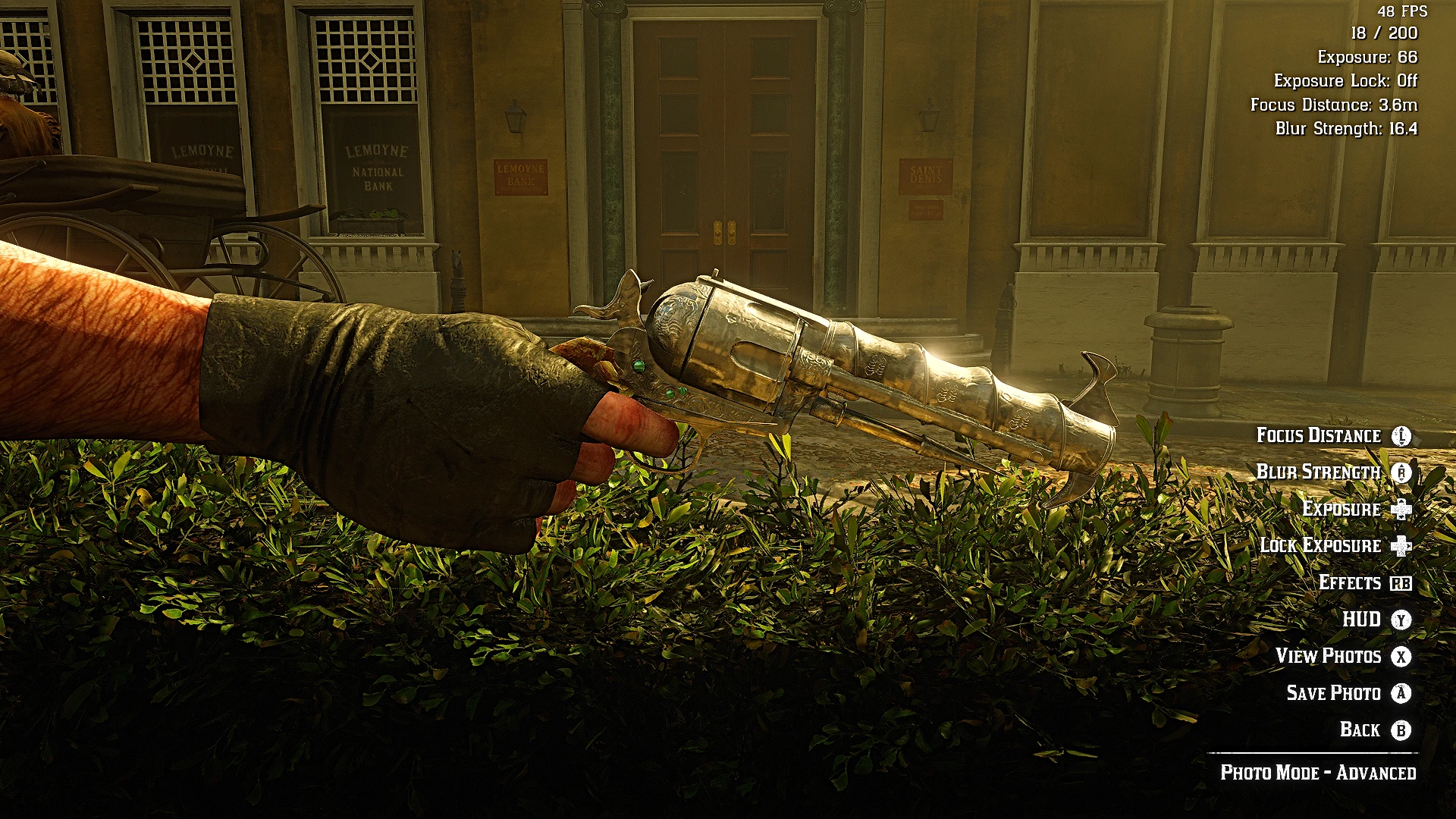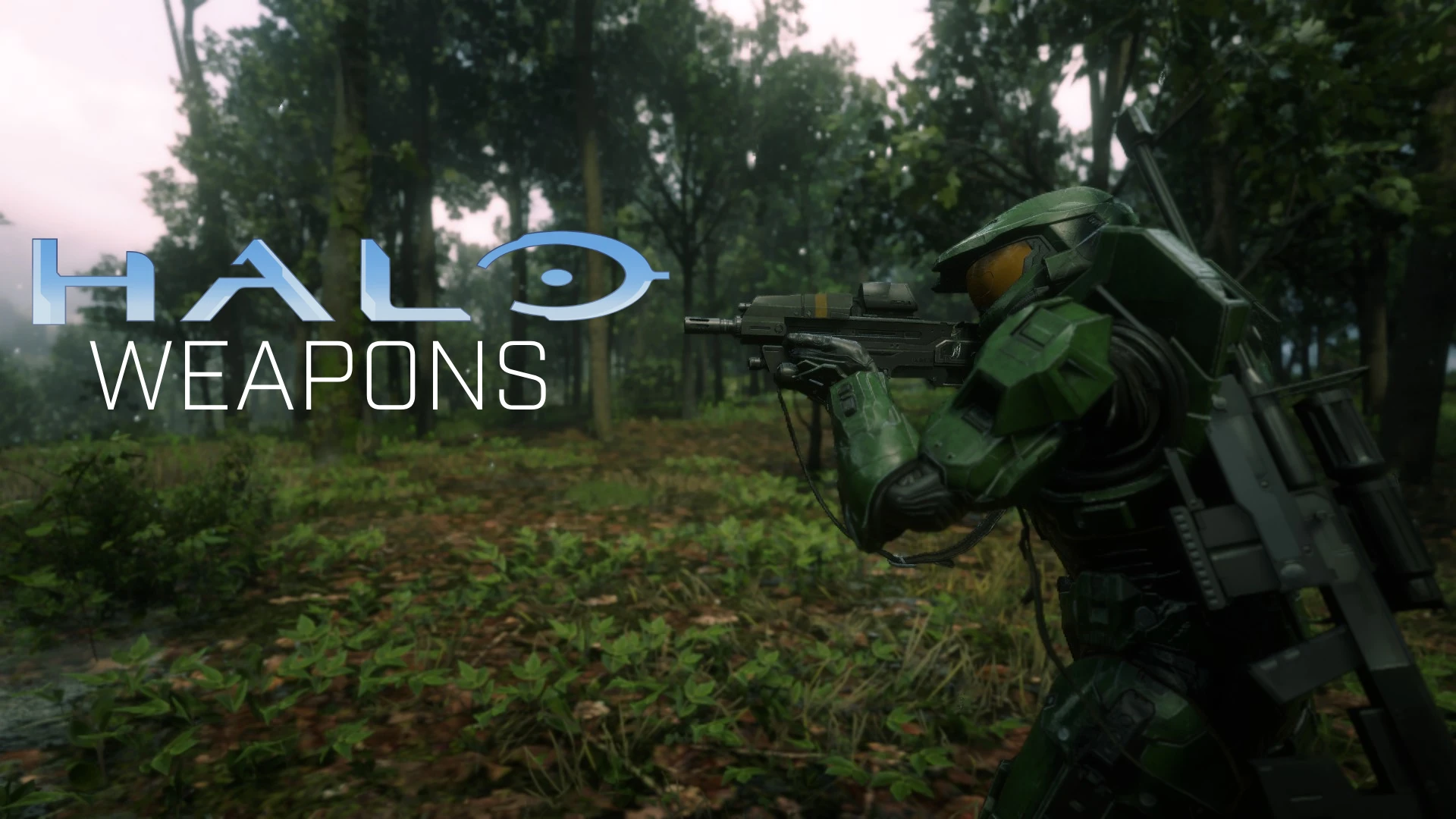
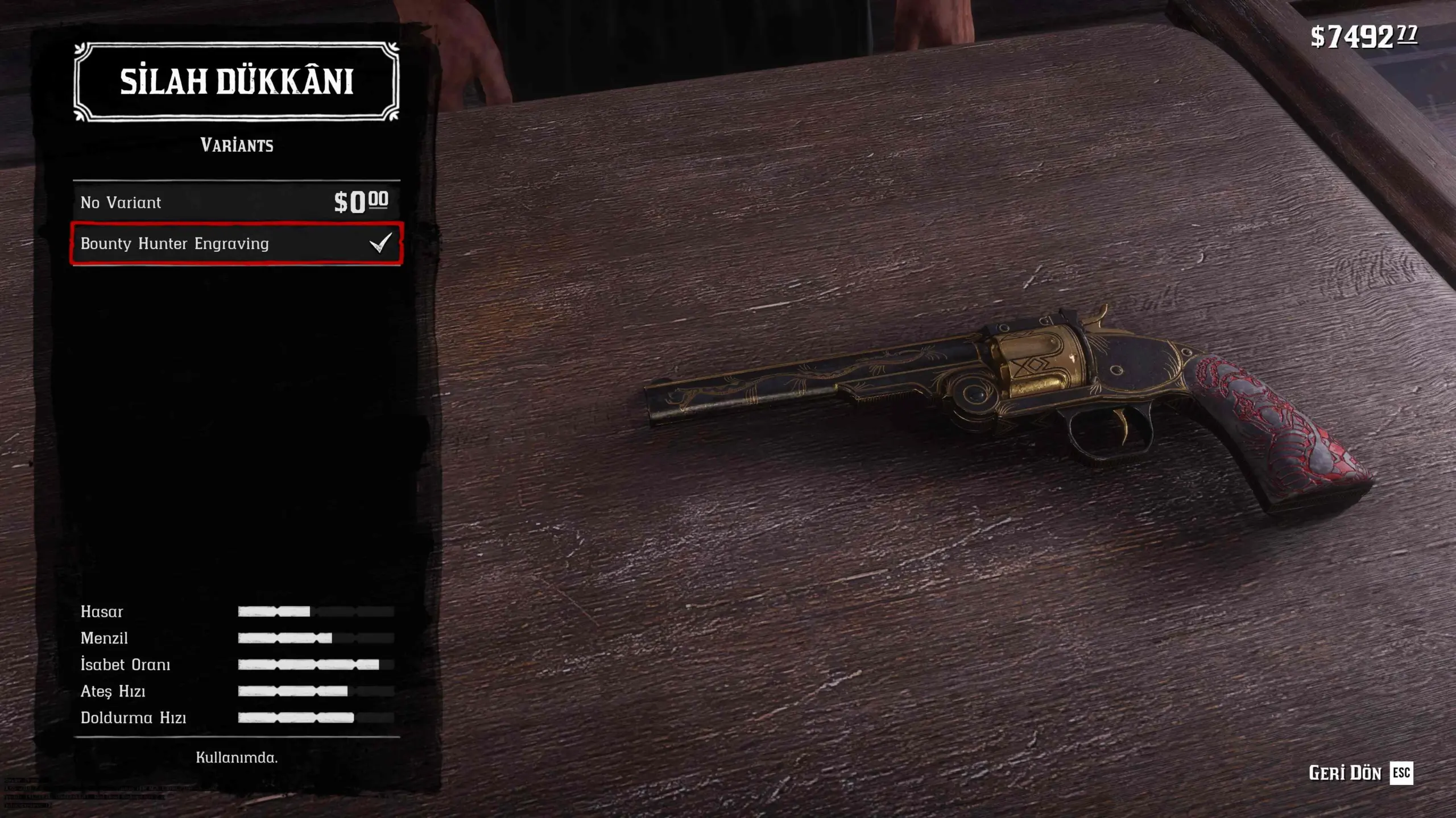
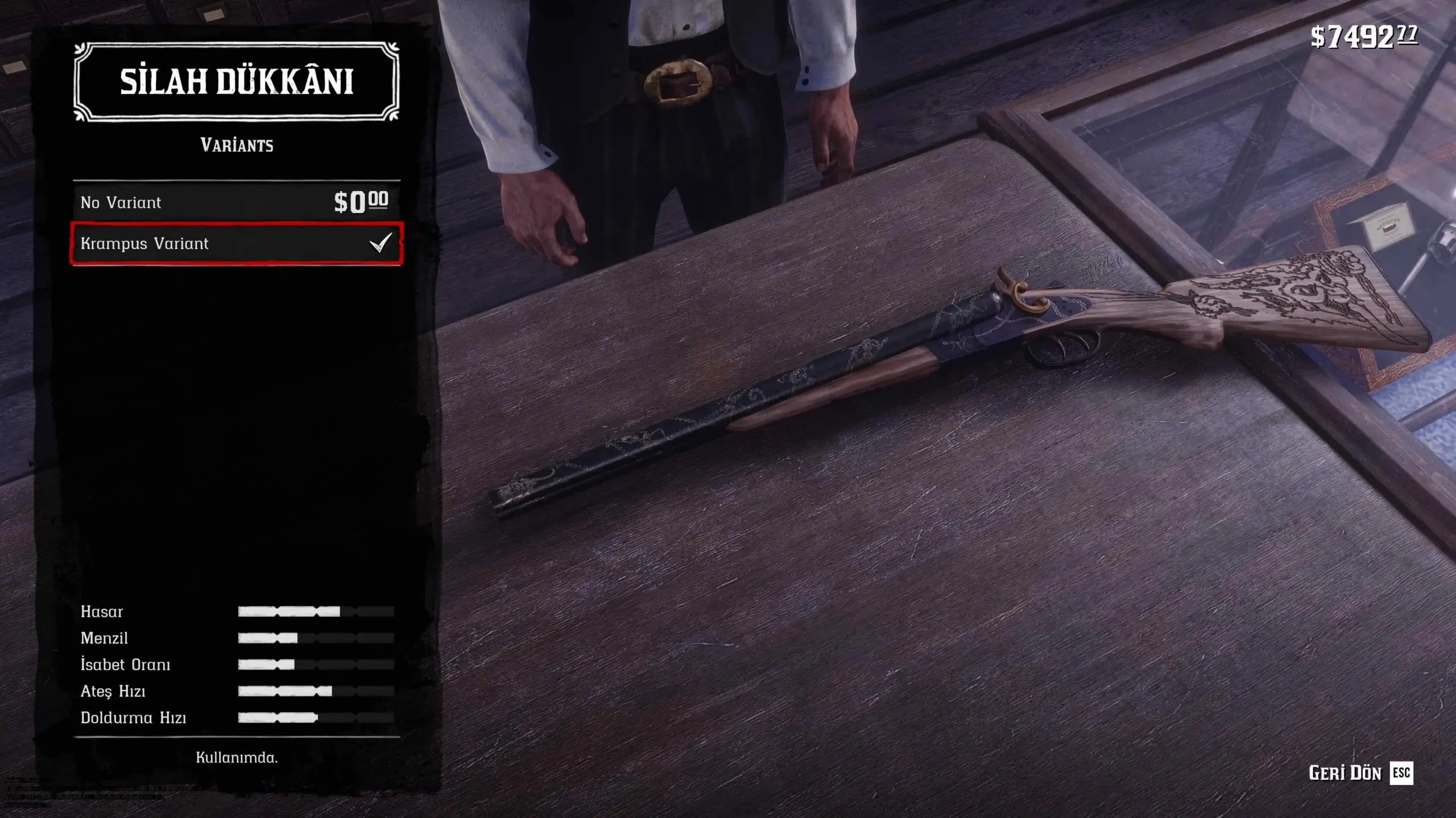
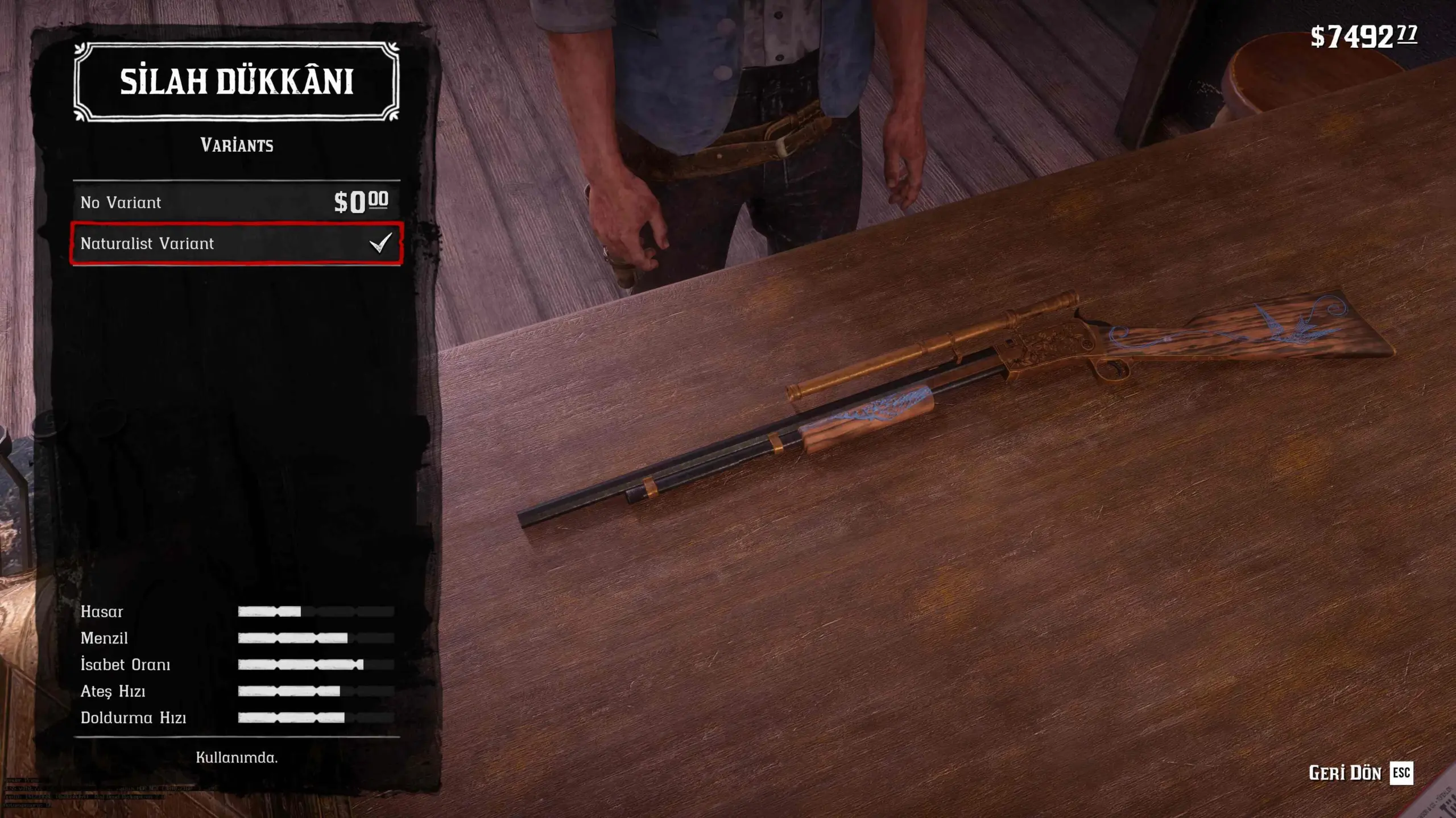
Adds 13 fully selectable Red Dead Online weapon variants to 12 weapons through the Gunsmith Variants menu, complete with a functional No Variant option. Built specifically for Catalogue Improvements 1.3. Lowry’s Revolver is not included.
This is a completely rebuilt edition of CI Online Weapon – Texture Addon Pack.
Unlike the previous release, which applied Online designs directly to supported weapons, this edition introduces a proper, native-style Variants section at the Gunsmith.
You can apply an Online variant, switch between available variants, or select No Variant to return the weapon to its previous normal customized appearance – all directly from the Gunsmith menu.
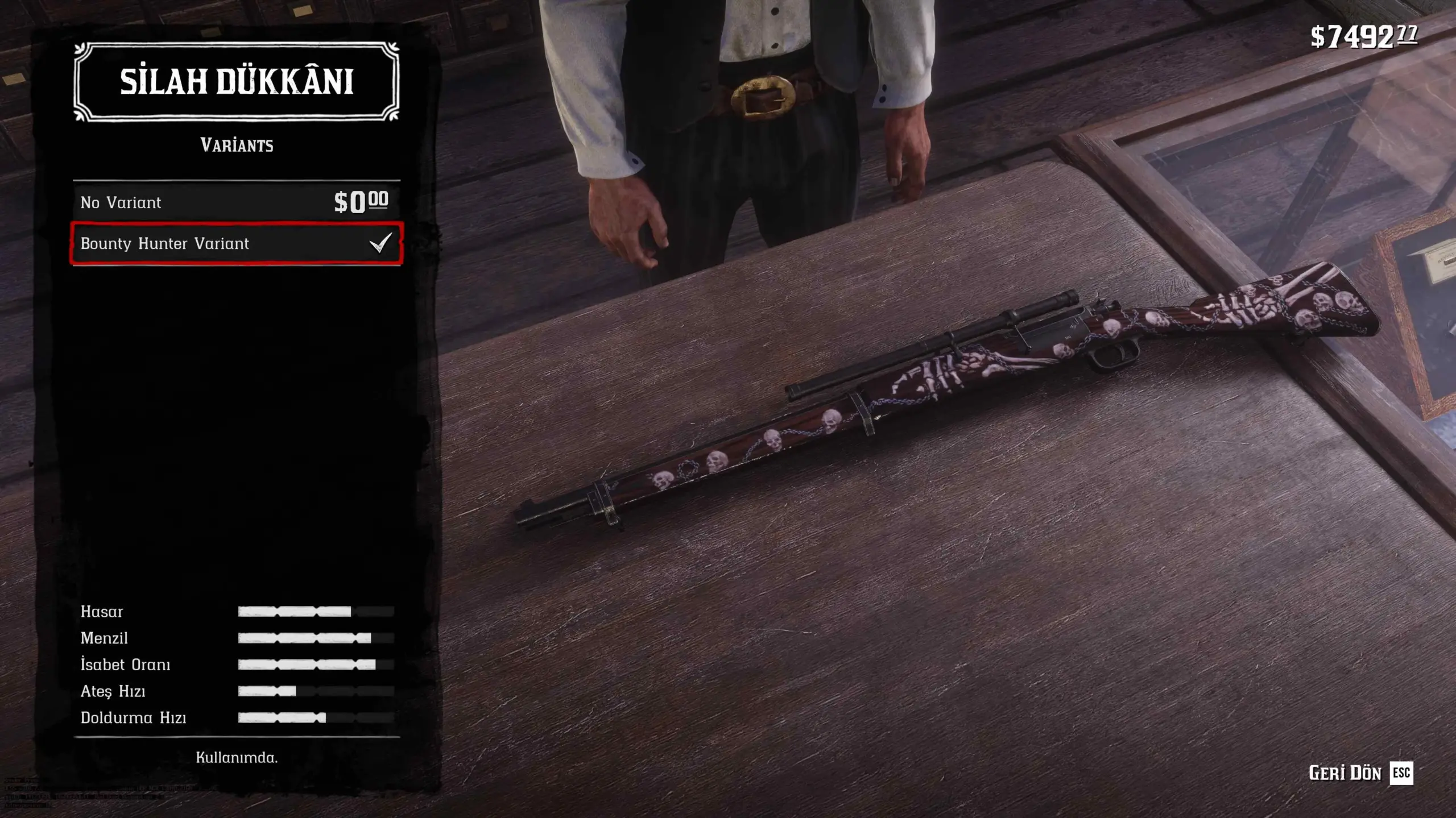
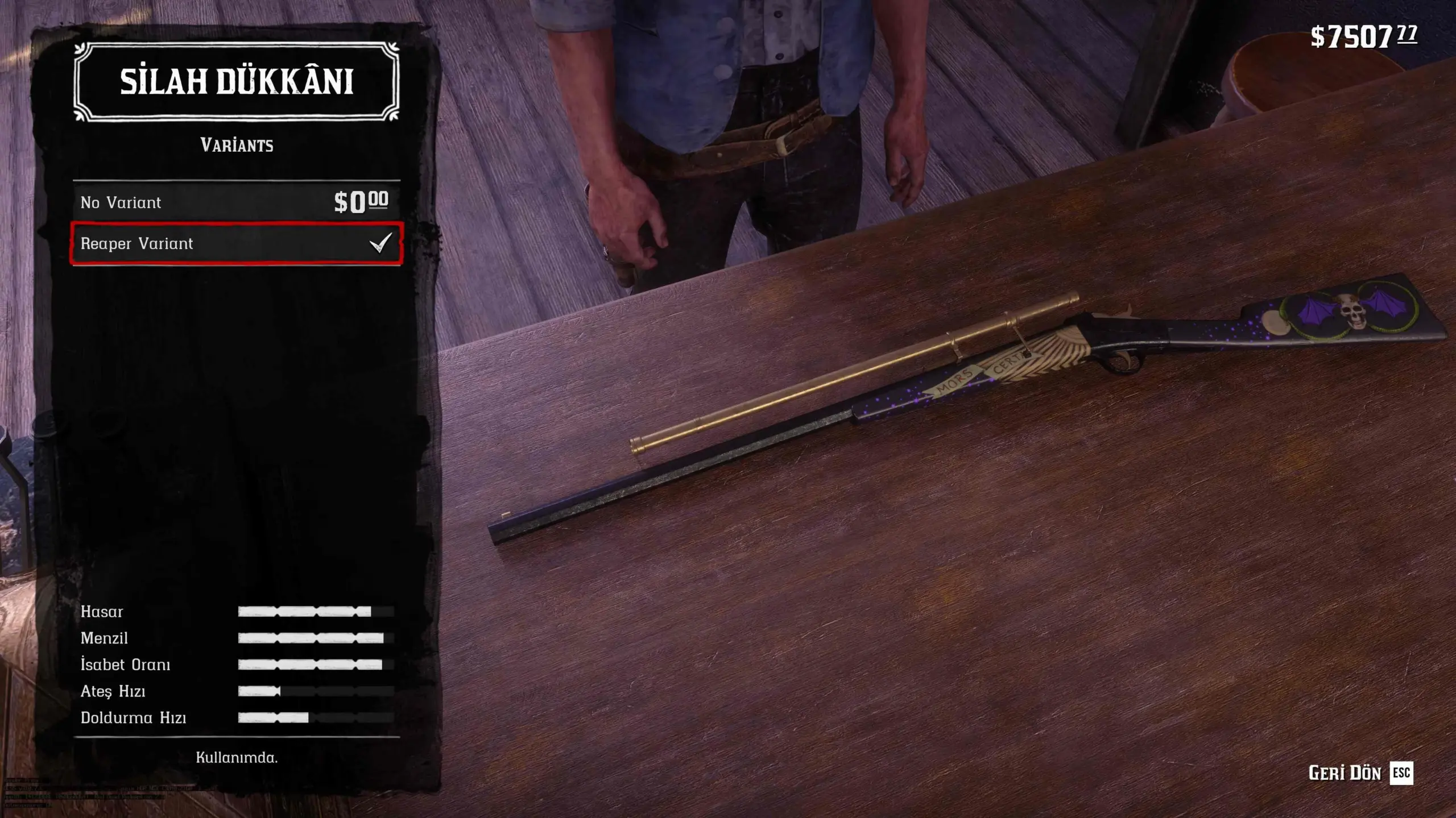
The mod includes 13 complete Red Dead Online weapon variants for 12 weapons. Their correct models, physical components, engravings, materials and weapon parts are displayed both at the Gunsmith counter and during normal gameplay.
This mod is designed specifically for Catalogue Improvements 1.3.
Main Features
13 complete Red Dead Online weapon variants.
12 supported weapons.
Native-style Variants menu at the Gunsmith.
Functional No Variant option for every supported weapon.
Variants can be changed without reinstalling or replacing mod files.
Correct weapon models and physical components at the Gunsmith counter.
Correct appearance while held, holstered or carried on the shoulder.
Preserves the weapon’s normal barrel, grip, sight and other component choices when returning to No Variant.
Variants are applied only to the player character.
Standard NPC weapons are not modified.
Does not permanently overwrite supported weapons with one fixed design.
Lowry’s Revolver is not included.
Included Variants
LeMat Revolver – Bounty Hunter Variant
Volcanic Pistol – Collector Variant
Cattleman Revolver – Whitchurch Variant
Schofield Revolver – Bounty Hunter Variant
Bolt Action Rifle – Bounty Hunter Variant
Lancaster Repeater – Collector Variant
Varmint Rifle – Naturalist Variant
Pump-Action Shotgun – Trader Variant
Pump-Action Shotgun – Halloween Variant
Sawed-Off Shotgun – Moonshiner Variant
Double-Barreled Shotgun – Krampus Variant
Rolling Block Rifle – Reaper Variant
Mauser Pistol – Aztec Variant
What Changed From the Previous Release?
The previous release applied Online designs directly to the supported weapons. Those designs were not managed as complete, selectable Gunsmith variants.
This edition uses a completely different system:
Every supported weapon receives a proper Variants menu.
Online variants are selected directly at the Gunsmith.
Complete physical variant component sets are applied dynamically.
Selecting No Variant restores the weapon’s previous normal component configuration.
Variants can be changed without reinstalling or replacing mod files.
PlayerWeaponVariantToggle.asi manages the variant components and their restoration.
Lowry’s Revolver is not included in this edition.
Why Is Lowry’s Revolver Not Included?
Lowry’s Revolver is a separate unique weapon rather than a standard Gunsmith variant.
Because it does not fit the new Variants/No Variant system, it is intentionally not included in this edition. There is no separate Lowry package.
Requirements
Make sure the following are installed before using this mod:
Lenny’s Mod Loader (LML)
ScriptHookRDR2
Catalogue Improvements 1.3
OCU or LITE Multiplayer Asset Enabler, depending on the version required by your Catalogue Improvements installation
This mod is intended for Red Dead Redemption 2 Story Mode.
Do not use it in Red Dead Online.
Installation
Extract the downloaded archive.
Copy the main mod folder into: Red Dead Redemption 2\lml
Copy PlayerWeaponVariantToggle.asi into the main Red Dead Redemption 2 directory – the folder containing RDR2.exe
Open Lenny’s Mod Loader Mod Manager.
Place this mod below Catalogue Improvements in the load order.
Make sure the mod is enabled and allowed to overwrite the required Catalogue Improvements files.
Launch the game and visit a Gunsmith.
Do not place PlayerWeaponVariantToggle.asi inside the lml folder. It must be placed in the main game directory next to RDR2.exe
Manual installation is recommended so that the LML folder and ASI file are placed correctly.
How to Use
Visit any Gunsmith.
Select one of the supported weapons.
Enter the weapon customization menu.
Open the Variants section.
Select the desired Online variant.
Exit the customization menu normally.
To remove the Online appearance, return to the Variants section and select No Variant.
No mod files need to be replaced or reinstalled when changing variants.
About PlayerWeaponVariantToggle.asi
PlayerWeaponVariantToggle.asi manages the physical components required by the Online weapon variants.
It ensures that:
Complete weapon models are displayed at the Gunsmith counter.
The same complete appearance is used while the weapon is held, holstered or carried.
Conflicting normal and Online components are not active simultaneously.
No Variant can restore the weapon’s previous normal component configuration.
Variants are applied only to the player character.
Standard NPC weapons are not affected.
The ASI automatically creates a PlayerWeaponVariantToggle.ini file in the main game directory when required.
This file stores the player’s normal weapon component configuration and should not be copied from another installation.
Important Notes
The mod package does not include a preconfigured PlayerWeaponVariantToggle.ini
The INI file is created automatically when required.
Do not download or copy another player’s INI file.
A weapon may refresh once when switching between its normal configuration and an Online variant. This is expected while the component set is being changed.
Other mods that overwrite catalog_sp.ymt, weaponcomponents.meta, or the same Catalogue Improvements weapon files may conflict.
Make sure this mod loads below Catalogue Improvements.
This release contains one main package.
Lowry’s Revolver is not included.
Compatibility
This mod is built specifically for Catalogue Improvements 1.3.
It may conflict with:
Other mods that replace catalog_sp.ymt
Other mods that replace weaponcomponents.meta
Other mods that edit the same supported weapons.
Other mods that overwrite the same Catalogue Improvements files.
For the required files to load correctly, this mod must be placed below Catalogue Improvements in the LML load order.
Uninstallation
Before uninstalling, it is recommended to visit a Gunsmith and select No Variant for any supported weapons currently using an Online variant.
Then:
Remove the main mod folder from the lml directory.
Remove PlayerWeaponVariantToggle.asi from the main game directory.
You may remove PlayerWeaponVariantToggle.ini after uninstalling the mod.
Troubleshooting
The Variants Menu Does Not Appear
Confirm that Catalogue Improvements 1.3 is installed.
Make sure this mod is below Catalogue Improvements in the LML load order.
Confirm that the mod is enabled.
Confirm that it is allowed to overwrite the required CI files.
Make sure there is only one copy of this mod in your lml folder.
A Variant Appears Incomplete
Confirm that PlayerWeaponVariantToggle.asi is placed next to RDR2.exe
Make sure ScriptHookRDR2 is installed and working.
Check for other mods replacing the same weapon catalogue or component files.
Confirm that this mod is loading below Catalogue Improvements.
No Variant Does Not Restore the Expected Appearance
The mod stores the normal weapon component configuration before applying an Online variant.
Make sure PlayerWeaponVariantToggle.ini has not been copied from another player or another installation. If the file belongs to a different installation, it may contain component information that does not match your weapons.
Credits:
graphspider
Downloads
| Name | Format | Size |
|---|---|---|
| CI-1.3-Complete-Online-Weapon-Variants-1.1.zip | ZIP | 825.12 KB |
To start download click the filename. To open archive files use one of these programs: WinRAR, 7-Zip, WinZip. Some mod archives may need to be extracted before the mods will work.