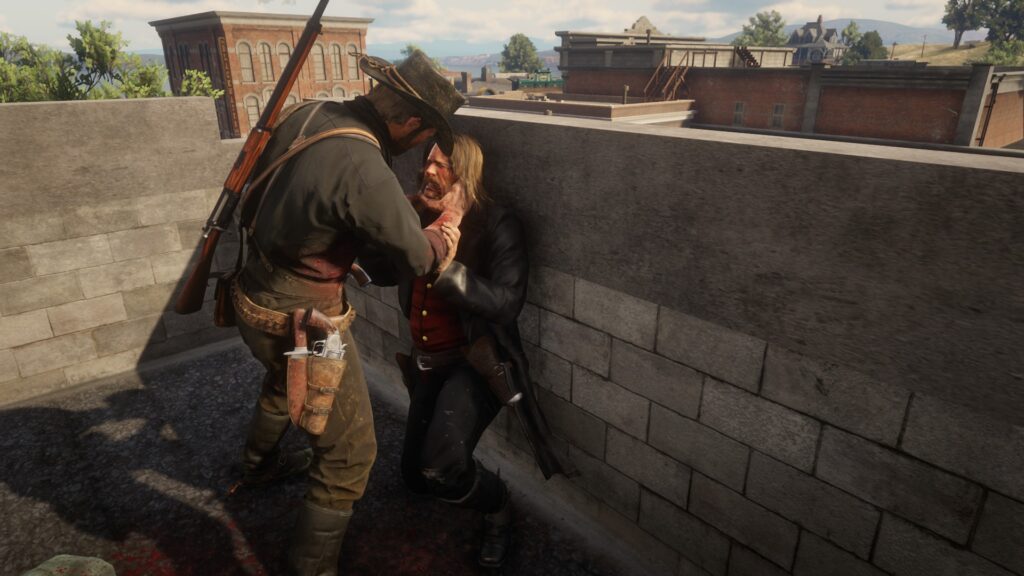
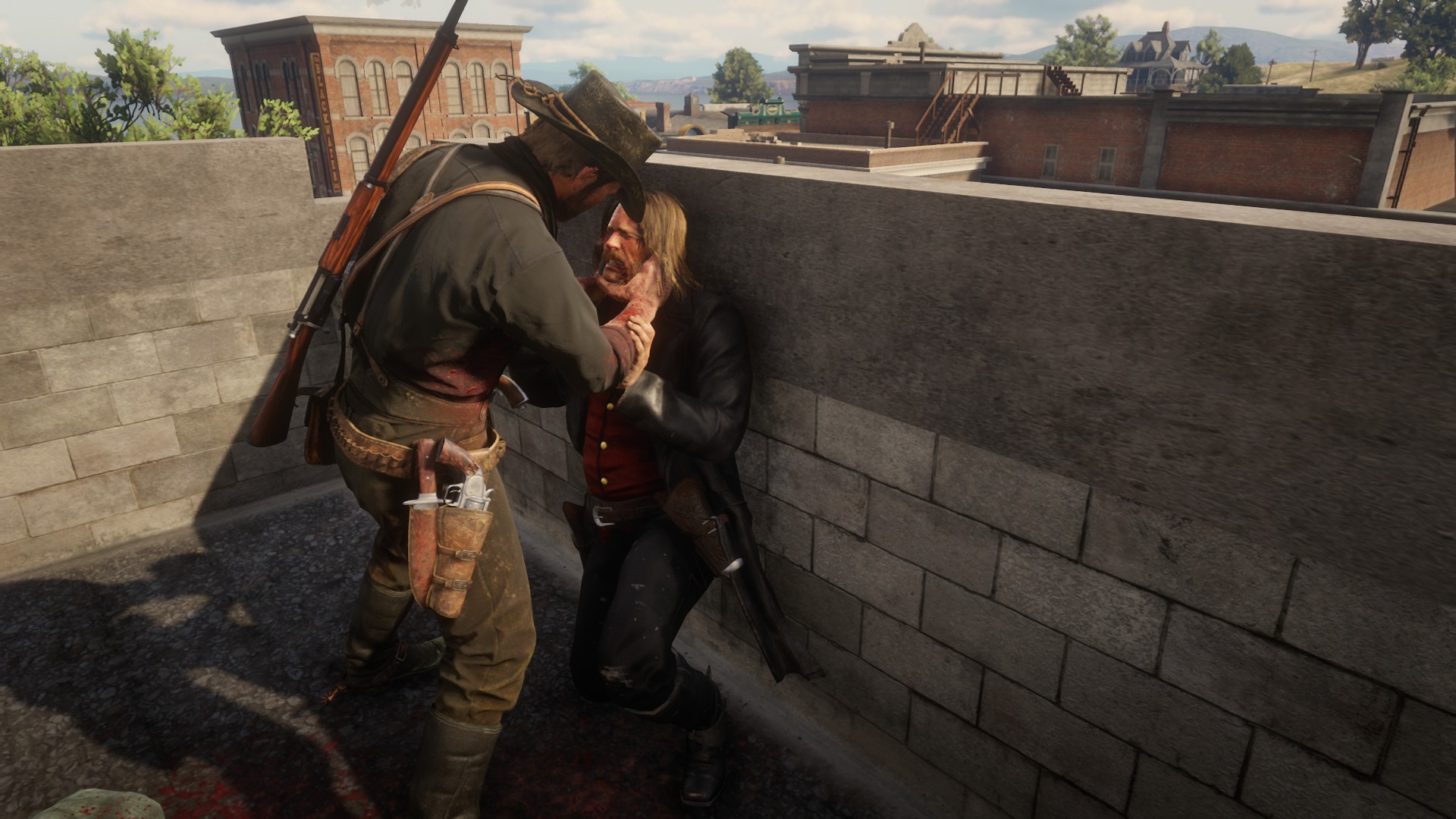
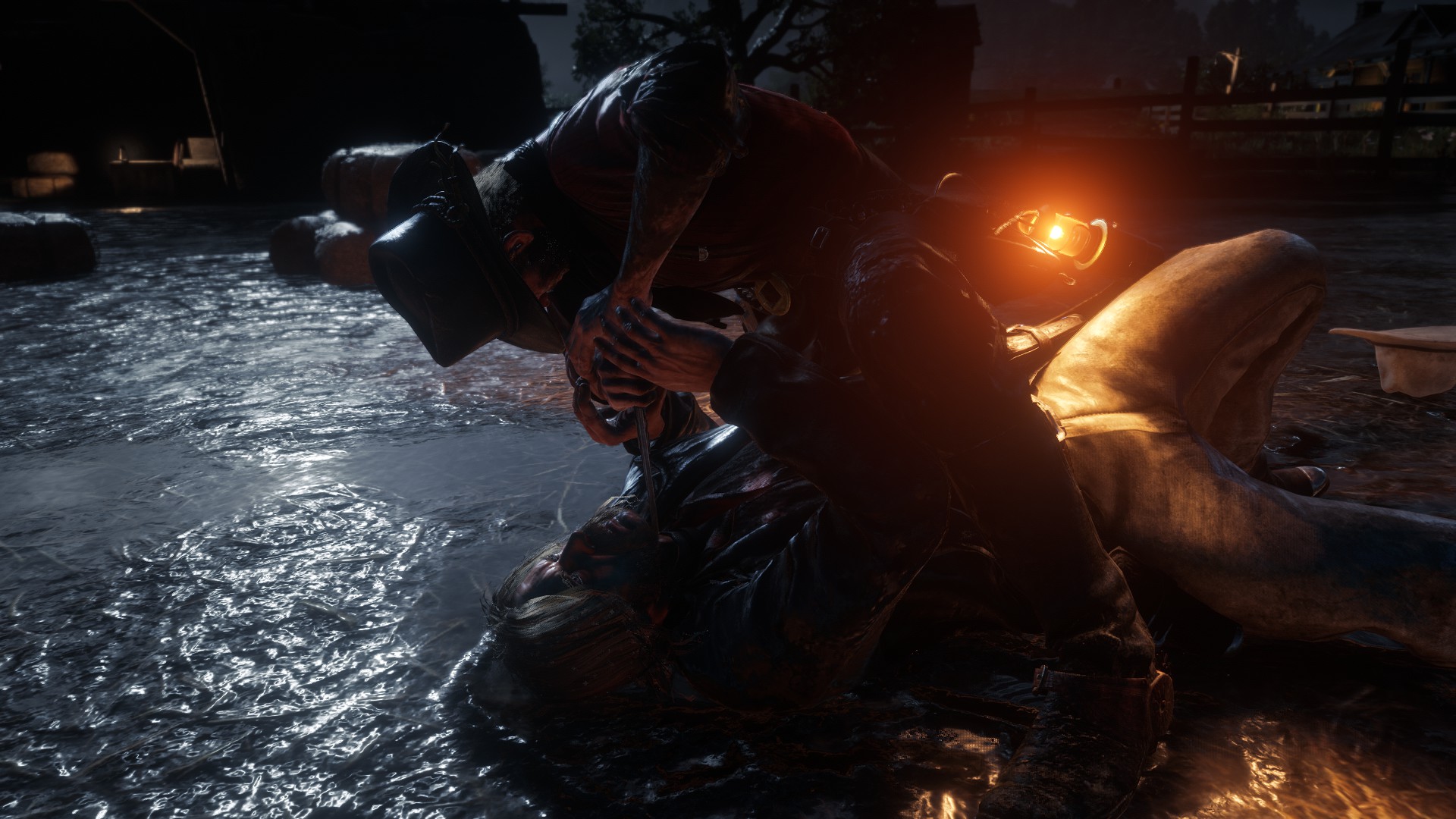
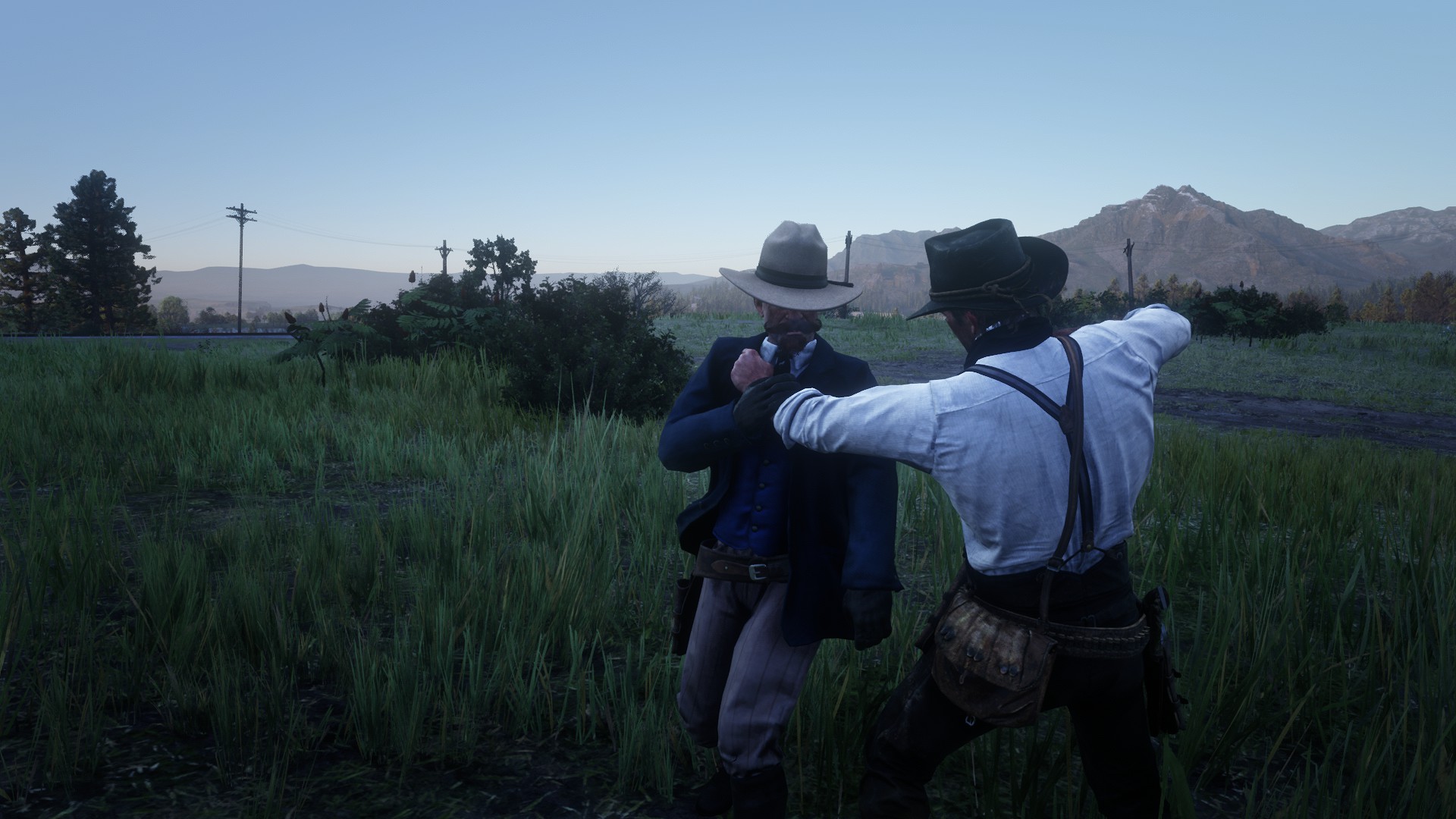
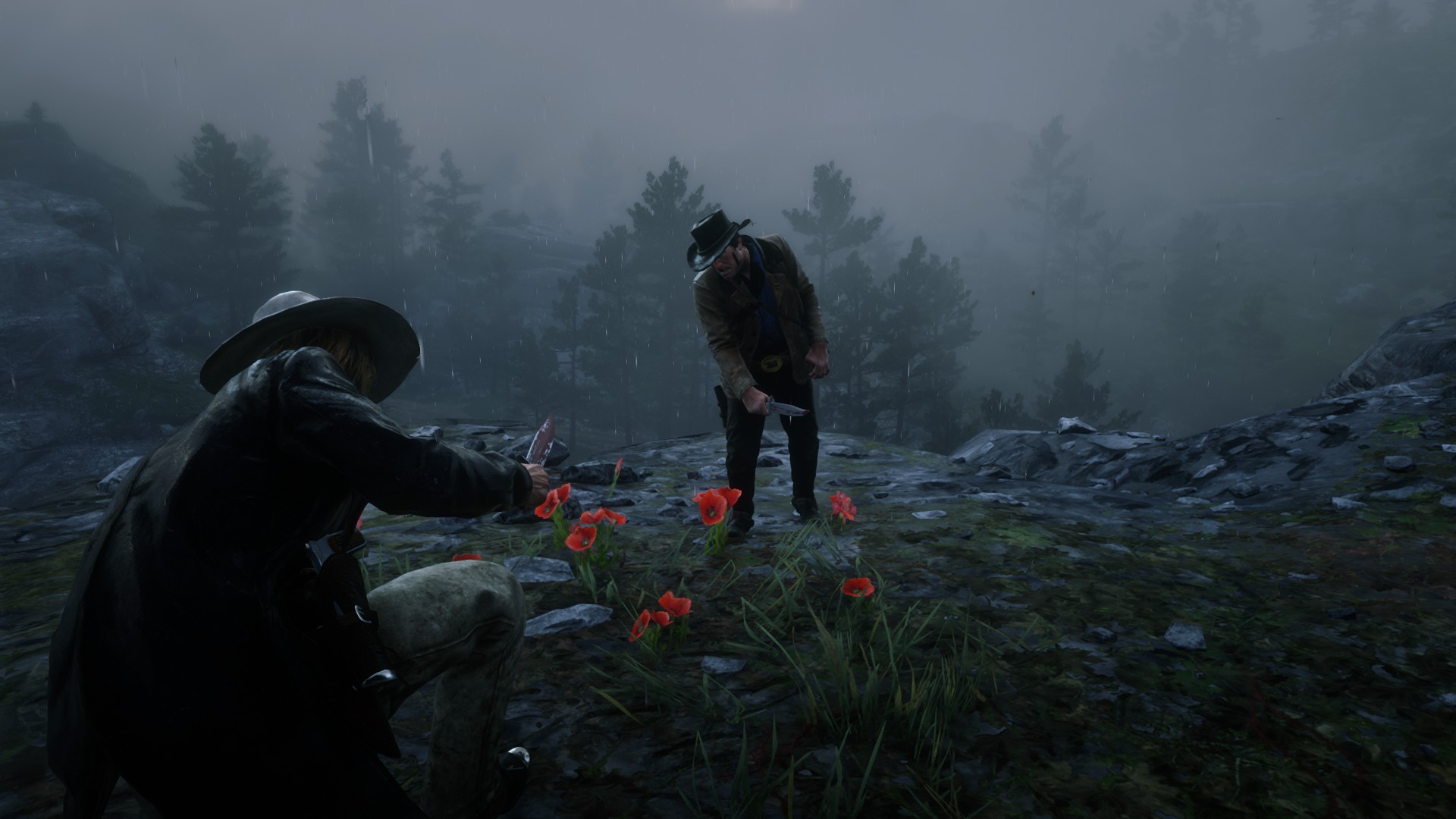
This mod contains all of my works that aimed to improve melee combat only in one file. (Grapple Sequences, subdue animations, 5 brawling styles, struggle challenge and a grapple position switching for back and front grapple)
Version 4.5.8
– Option to disable GrappleThrowStun and RunningExecutionDismemberment is added to the config file.
– Another homing fix for melee moves.
Version 4.5.7
– Grapple stun feature is added. NPCs will get stunned if they hit an object when thrown.
– Running executions with machetes and axes now will dismember the NPCs.
– Broken homing for walking hook is fixed.
– Knife takedown fail causing FFF error is fixed.
Version 4.5.6
– AIChoking is added to the AIGrappleActions section.
– AIGrappleAction chances being set to 0 not disabling them is fixed.
– AIChoking is added to the AIGrappleActions section.
– AIGrappleAction chances being set to 0 not disabling them is fixed.
Version 4.5.5
– Animation loading is reverted back to 4.5.3.
– Unarmed walking hook broken homing is fixed.
– Intimidation on ass and on knees attack animation homings and weapon types to work is fixed.
– Animation loading is reverted back to 4.5.3.
– Unarmed walking hook broken homing is fixed.
– Intimidation on ass and on knees attack animation homings and weapon types to work is fixed.
– Reuplaod fix: Speech related functions getting blocked is fixed
Version 4.5.4
– Bullets not hitting the head when performing AR_TAKEDOWN_FRONT_ARMED_ENTER_V2 is fixed.
– The bullets now will hit the head when performing AR_TAKEDOWN_FRONT_BLEEDOUT.
– Front and tackle grapple chances are reduced.
– Table smash performed by AI now will deal more damage and it won’t happen instantly when you get grappled.
– Mud2 back struggle being not winable when tap assist is off is fixed.
–
– Melee sync code is improved to include custom struggle animations. If one side is interrupted other side won’t be stuck in the loop and will also ragdoll.
– Performance improvements for Bar Brawls. The mod is also updated not to conflict with Bare Knuckle Fight Club mod.
– AIGrappleActions is updated not to conflict with Bare Knuckle Fight Club mod.
– Config file is updated to avoid crashes or unexpected behaviours in case of there is an error made in the config file.
– Small improvements to the main code and changes.
– Bullets not hitting the head when performing AR_TAKEDOWN_FRONT_ARMED_ENTER_V2 is fixed.
– The bullets now will hit the head when performing AR_TAKEDOWN_FRONT_BLEEDOUT.
– Front and tackle grapple chances are reduced.
– Table smash performed by AI now will deal more damage and it won’t happen instantly when you get grappled.
– Mud2 back struggle being not winable when tap assist is off is fixed.
–
– Melee sync code is improved to include custom struggle animations. If one side is interrupted other side won’t be stuck in the loop and will also ragdoll.
– Performance improvements for Bar Brawls. The mod is also updated not to conflict with Bare Knuckle Fight Club mod.
– AIGrappleActions is updated not to conflict with Bare Knuckle Fight Club mod.
– Config file is updated to avoid crashes or unexpected behaviours in case of there is an error made in the config file.
– Small improvements to the main code and changes.
Version 4.5.3
– Missing StartUpStyle is added to the config.
– RunningShove now disabled R2 or LMB shoving while RunningShoveControllerAssist is added and enables melee buttons to shove.
– Small changes.
– Missing StartUpStyle is added to the config.
– RunningShove now disabled R2 or LMB shoving while RunningShoveControllerAssist is added and enables melee buttons to shove.
– Small changes.
Version 4.5.2
– Added StartUpBrawlingStyle option.
– Made BS_MICAH_FINALE mounted takedown animation end quicker to prevent delayed stomp audio playing.
– Added StartUpBrawlingStyle option.
– Made BS_MICAH_FINALE mounted takedown animation end quicker to prevent delayed stomp audio playing.
Version 4.5.1
– Custom texts not working is fixed and certain prompts not working is fixed.
– Mission StandGrappleSwitch input is added to config.
– Front to back grapple animation not playing is fixed.
– New 6 counter attacks are edited to feel more impactful.
– Custom texts not working is fixed and certain prompts not working is fixed.
– Mission StandGrappleSwitch input is added to config.
– Front to back grapple animation not playing is fixed.
– New 6 counter attacks are edited to feel more impactful.
Version 4.5
[Push Over Takedowns]
Ability to push NPCs over railings is added. (Fun fact: this is the only takedown animation that I purely used a script for, instead of the meleesystem).
[Pull Down Takedown]
New “pull down” takedown prompt is added. If an NPC is above you and standing on something, you can pull them down and knock them out by pressing this button.
[Scenario Takedowns]
Now you can perform front crouch and rear crouch takedowns on all kinds of sitting scenarios, either by locking on and pressing X or just pressing any melee button without locking on.
[Charge at NPCs]
Left, right, and rear execution animations are added for long blades, and left and right only for small blades.
[New Animations]
6 new counter attacks are added. (These animations have two animations blending at the same time).
[Config File]
Option to change stand grapple switch input is added. It accepts both in game input or key codes.
Front grapple and tackle is separated from each other into: AIFrontStandGrapple, AIFrontTackle.
New translation options are added for new takedown prompts: PullDownText, PushOverText
[Fixes & Changes]
– Some MUD2 rear takedowns are removed from rear takedowns as they’re supposed to be used for front takedowns.
– AI Grapple chances are reduced and certain grapple moves are edited to happen less often or in specific conditions.
– Setting RunningShove to 0 not disabling running shove is fixed. (It canbe still performed by pressing R2 or Left Mouse click regardless.
– FrontArmedTakedownV2 can be only performed with one armed weapons now.
– DisableInMainMission or DisableInSideMissions not disabling custom animations etc. is fixed. Custom counter escapes, AI grapple attacks andsuch will be disabled in missions whether or not they’re enabled in config.
– If DisableInMainMissions is enabled, only the following will work: KickNPCs, Knife Charge, Lasso Execution, Crouch andSeated Executions, Grapple Window Throw or Table Smash, Robbery GrappleFix, Ledge Pull and Ledge Push, sitting scenario takedowns, RDO Brawl Scenario Points (table smash and window throw points), Brawling Style Switching and Menu, Subdue Controller Shake, and Config Reload.
[Push Over Takedowns]
Ability to push NPCs over railings is added. (Fun fact: this is the only takedown animation that I purely used a script for, instead of the meleesystem).
[Pull Down Takedown]
New “pull down” takedown prompt is added. If an NPC is above you and standing on something, you can pull them down and knock them out by pressing this button.
[Scenario Takedowns]
Now you can perform front crouch and rear crouch takedowns on all kinds of sitting scenarios, either by locking on and pressing X or just pressing any melee button without locking on.
[Charge at NPCs]
Left, right, and rear execution animations are added for long blades, and left and right only for small blades.
[New Animations]
6 new counter attacks are added. (These animations have two animations blending at the same time).
[Config File]
Option to change stand grapple switch input is added. It accepts both in game input or key codes.
Front grapple and tackle is separated from each other into: AIFrontStandGrapple, AIFrontTackle.
New translation options are added for new takedown prompts: PullDownText, PushOverText
[Fixes & Changes]
– Some MUD2 rear takedowns are removed from rear takedowns as they’re supposed to be used for front takedowns.
– AI Grapple chances are reduced and certain grapple moves are edited to happen less often or in specific conditions.
– Setting RunningShove to 0 not disabling running shove is fixed. (It canbe still performed by pressing R2 or Left Mouse click regardless.
– FrontArmedTakedownV2 can be only performed with one armed weapons now.
– DisableInMainMission or DisableInSideMissions not disabling custom animations etc. is fixed. Custom counter escapes, AI grapple attacks andsuch will be disabled in missions whether or not they’re enabled in config.
– If DisableInMainMissions is enabled, only the following will work: KickNPCs, Knife Charge, Lasso Execution, Crouch andSeated Executions, Grapple Window Throw or Table Smash, Robbery GrappleFix, Ledge Pull and Ledge Push, sitting scenario takedowns, RDO Brawl Scenario Points (table smash and window throw points), Brawling Style Switching and Menu, Subdue Controller Shake, and Config Reload.
Version 4.4.6
– Scripted ragdolls now can be grappled.
– Animation Loading system is changed. The animation now will only load when you’re close to somone.
– Takedown and Breakout text can now be changed through the config file.
– New mount grapple knockout animation is added.
Version 4.4.5
– Config file settings are changed. GrappleThrow and GrappleSwitch changes are set to 50 – 50 while GrappleSequenceChance is set to 0 as it’s buggy. DisableInSideMissions is also set to 0 by default since it can cause the mod to stop working while roaming around.
– Reset key function is improved.
– Armed Takedown V2 playing with every kind of weapon is fixed.
– NPCs being able to stealth kill the player is fixed.
– Config file settings are changed. GrappleThrow and GrappleSwitch changes are set to 50 – 50 while GrappleSequenceChance is set to 0 as it’s buggy. DisableInSideMissions is also set to 0 by default since it can cause the mod to stop working while roaming around.
– Reset key function is improved.
– Armed Takedown V2 playing with every kind of weapon is fixed.
– NPCs being able to stealth kill the player is fixed.
Version 4.4.4
– NPCs still choking when being hogtied after lassoed while the hangman ability is fixed.
– Custom subdue moves “execute prompt” is updated. Now there is no need to press both struggle and execute button at the same time to perform a execution. Only pressing left mouse click is enough.
– NPCs still choking when being hogtied after lassoed while the hangman ability is fixed.
– Custom subdue moves “execute prompt” is updated. Now there is no need to press both struggle and execute button at the same time to perform a execution. Only pressing left mouse click is enough.
4.3.1 fix: Crouch and seated takedowns not working fixed.
Version 4.3
– Whole code is optimized carefully from begging to the end for less bugs and better performance.
– AR_TAKEDOWN_REAR_TACKLE_GRAPPLE is removed as it took too long and played too often. It can be added back manually.
– AR_ATTACK_KNIFE_PARRY_KILL is removed.
– AI being able to execute you when you’re crouched or seated is fixed.
– AR_DEFENSIVE_THROW animations can be performed as parry attacks if you’re using BS_MICAH_FINALE style.
– New melee pairing system is created so that custom animations now can get interrupted without any problems. Previously any custom animation that got interrupted resulted in one side still playing the animation.
– Kick NPCs code has been improved to work longer with mods that edit gameconfigs.xml. However, there is no complete solution to this other than removing any mod that edits gameconfig.xml or find which value changed inside of it that breaks the KickNPCs function. KickNPCs will work without any problems if gameconfig mods are removed.
– BarBrawls is updated to V1.8 version.
– EnableRDOSaloonEnvironmentalFinishers=1 is added to the config file. This enables all custom scenario points (environmental flourishes) that is used in RDO bar brawl mission. For example fighting near rails of Valentine saloon will result in throw anim.
– Brawl Style Menu can also be used by Keyboard & Mouse users by pressing X + G.
– Certain custom animations still working even when the lite mod is on is fixed.
– Subdue prompt will behave like default prompts. When you’re doing a grapple entry or something that disable the prompt, it will be just grayed out.
– Reverse and Kill prompts sometimes resulting in regular escapes is fixed.
– This standalone mod is now also included in Enhanced Brawling. This mod fixes a leftover bug that Rockstar didn’t fix or notice. I don’t think many users notice this bug, but for some reason while using keyboard and mouse on PC, pressing ‘F’ during an armed grapple result in an execution. While controller players can safely press the melee button to perform grapple attack and intimidate targets during a robbery, when same thing is done on Keyboard & Mouse player just performs and execution. This mod fixes this problem.
– AI can perform environmental moves on you when they’re grappling you near objects now. These moves won’t kill you but deal a good amount of damage. Try not to get grappled near windows or tables.
– File structure of lml > Enhanced Brawling is changed. Delete your previous “stream” folder and “installOnlineAnims.xml”. These files are now inside of the Enhanced Brawling folder.
Version 4.2
Brawling Style Switching and Kick NPCs not working for some users should be fixed.
Reversal and Kill prompts not completing before a breakout is fixed.
Mashed prompts now will be harder to fill.
You can now perform table smash animation anywhere you want with Z+WASD / LB+AnyDirection
A-Pose issue is fixed. If you’re still having that issue try to remove any physic (ragdoll) mod you have.
Option to disable custom subdue animations is added.
Option to disable Front Armed Takedown V2 is added.
New struggle reverse kill move is added.
Latest version of Charge at NPCs is added to the mod.
Unused GTA V swim attack animations are restored.
BS_MIXED now also includes BS_CHARLES moves.
Version 4.1.5
Custom armed takedown not working is fixed.
Knife struggle knockout animation will end in knife getting correctly placed in the sheath.
Improvements on melee system and code.
Mod is updated to the latest version of Trough Drowning.
Version 4.1.1
Controller users can change brawling style now by holding Sprint button and then pressing right direction pad.
Fixes:
AI not punching in combat is fixed and AI Grapple Actions and Random AI Brawling Style codes has been optimized.
New melee action system optimizations. This should fix moves some times not resulting in knockout or deaths.
Left Mouse Click not resulting in a running shove when RunningShove is set to 0 is fixed.
Dynamic Shove & Throw part of the mod will also not block any other part of the code anymore.
Version 4.1
[Config File] – Config file structrue has been changed and every option is put under their own catagory.
[Aerial Takedown] One aerial takedown animation is added. There are two ways to perform it. You can either lock on to a NPC while standing above them and press the takedown button that pops. Second way you can perform that animation is just basically jumping on to a NPCs and pressing the fire button. This feature can be disabled in the config file.
[Bar Brawls] – Bar Brawls have been updated to latest version. – An option to disable or enable bar brawls is added. – Option to disable female brawlers is added.
[KickNPCs] – Option to change controller kick key is added “RandomKickInputController=INPUT_COVER”. – ControllerRBKick and ControllerRBKickInput is removed and changed with just RandomKickInputController. Just write -1 to RandomKickInputController to disable that feature. – RandomKickInputKeyboard is added for keyboard users. It does the same thing as RandomKickInputController. This feature isn’t limited to controller now.
[Prompts] – “Kill” prompt is added. It’ll pop up when you’re being subded with a knife on the ground. If you successfully win the button mash mini game, you’ll reverse the move and stab them. Previously this animation would play randomly. – Block and Reverse prompts resetting and disappearing when the melee target isn’t attacking is fixed.
[Changes & Fixes] – Trying to parry BS_MICAH_FINALE’s grapple attacks resulting in the animation not playing is fixed. – AR_TAKEDOWN_REAR_DUTCH & AR_TAKEDOWN_REAR_BOTTLE & AR_GRAPPLE_KNOCKOUT_UNARMED_FRONT_V7 animations not loading is fixed. – Robbery attack and dismiss animations playing for back grapple is removed. – RB causing player to kick peds after doing a defenestration is fixed. – Micah Finale Wall Grapple Sequence not ending in some cases is fixed. – AI not being able to tackle or grapple from behind when using sharp weapons is fixed. – Front grapple challenge moves not working when using BS_MICAH_FINALE is fixed. – Sadie’s neck stab animation will play smoke grenade death reaction instead of melee stumble. and more fixes and changes in both scripts and all files.
[Melee] – Hosea’s rifle execution can also be performed as a stealth front takedown skipping the execution part. – Wall takedowns can be performed with fists now. Press left mouse click to push NPCs against the wall and then either press F or Left Mouse click to knockout. – – Front stealth takedowns can be performed with knives now.
[Performance & Optimization] – Created a new melee action system for the custom moves. This will allow multiple custom takedowns to be performed at the same time withot one blocking the other moves blend outs, ptfx sounds etc or any part of the mod. – AnimationDictLoadingTimes is added to config file. It’s set to 0 by default. Change it drastically if you have non responsive AI issue. For example, set it to 500ms. Leave it at 0 if you have no problems.
[AI Brawling Styles & Grapple Actions] – AIGrappleActions is added. AI now has a chance of doing various grapple moves against you such as grapple switches, grapple throws, subdues and grapple sequences. This feature can be toggled on or off from the config file. You can also change how often each move happens. This feature is disabled in main story missions. – RandomAIBrawlingStyles is added. Enabling this gives your melee target’s random brawling styles. Brawling styles that are included are BS_MICAH_FINALE, BS_CHARLES, BS_BRUISER and BS_TIMID. Each has their unique moves and difficulty. This feature can be disabled and is disabled by default in main story missions.
Version 4.0
An option to toggle LITE version of the mod is added. It disables most of the moves that are not meant to be used in melee combat, but keeps alternative moves and other subdue, choke, seated and crouch takedown animations etc. I specially made it so that it’s can be toggled on or of by editing the config file for easier use.
Missing John Marston’s crouched armed execution animation is added back.
Files changed: definitions.meta and EnhancedBrawling.asi
Version 3.9
Animation loading improvements and other optimizations. Huge thanks to UngaWungaBunga for testing all the animation loading scripts I prepared. He spent many hours to test all the scripts I prepared for him.
Grapple throws performed by X+WASD won’t deal any damage to the victim now. They can still die from the fall damage if their health is low. Also, regular window throws still can kill the enemy.
Grapple Counter escape in mounted position when using BS_MICAH_FINALE will result in a ragdoll since the original animation is incomplete.
An option to disable AISubdues is added.
An option to disable RunningShove is added.
AR_FINALE_KNOCKOUT killing the player is fixed. Finale1 mission should work without any problems now.
Low and High honor knife counter attacks are added back.
Seated armed and crouched armed takedowns resulting in NPCs dying is fixed
Kick NPCs shouldn’t work when the camp script is active. (Basically, it shouldn’t work in story mode camps)
Trough Drowning should work on kid NPCs now.
More optimizations and small fixes.
Version 3.8
Ability to execute hogtied enemies just like in RDR1. When close to a hogtied enemy choose your knife and you’ll get the “execute” prompt.
Fights can end in an intimidation now. There are 4 unique animations that you can get that will put your enemies into intimidation.
Unfinished trough grapple actions are restored. Now, you’ll get a pro when you’re near a trough and grappling enemy to start drowning your enemy in the trough. The feature is not only just restored as it is and includes fixes and new things.
DrownInput=INPUT_OPEN_WHEEL_MENU can be changed from the config file.
Optional new brawling style BS_PLAYER_MOONSHINER is added. You can enable it through the config file. It will get activated when you’re drunk. You can slap people with F and Hug them with E. There are many animations of slapping and hugging depending on your position.
Reverse prompt is added for the struggle moves you can reverse by rapidly pressing E.
2 new wall grapple knockout + 3 alternative animations.
Back & wall grapple sequences are made easier for players who don’t use tap assist.
New grapple animation is added for AI to use. One of them is rear tackle that ends in front grapple position and other one is grapple back from front animation.
Seated grapple animation will also play on the crouching enemies.
AI can grapple back from front now. It’s an unused animation.
Automatically blocking AI’s back grapples is removed.
Collision checks for grapple enter breakout is removed. You can shove an enemy mounting you to left or right even if there is an object.
RT/X+S includes a new throw animation.
Both player and AI will drop their weapons when tackled. This can be disabled from the config file.
Overall of 7 new unarmed takedowns + 3 new counter escapes + New armed takedown animation for one handed weapons are added. You can either execute or knock them out.
With this update E/Triangle/Y is only for grappling, F/Circle/B is for melee and Left Mouse Click/R2/RT2 is for running shove. Running and pressing F will result in a running melee attack.
Quick knife wall execution can be performed with left mouse click, or you can press F and decide to knockout by pressing F or kill by pressing left mouse click.
AR_EXECUTION_FRONT_COMBAT_MICAH, AR_EXECUTION_FRONT_COMBAT_DUTCH, AR_EXECUTION_FRONT_COMBAT_BILL, AR_EXECUTION_FRONT_COMBAT_HOSEA moves blend out times are improved.
Most of the takedowns, struggle action and choking is stealth move now.
Headbutt animation now can be performed as a counter attack.
Certain counter attacks moves from leftside are now can be performed after dodging to rightside.
Armed seated takedown animations’ homing is improved.
Unused walking left hook animation is added to BS_BRUISER. Alongside rightside far variation for all styles.
AI won’t be able to do knife combos. This will prevent the player from doing automatic dodges. This feature can be enabled back from the config fi
AI can perform all of the takedowns that player can do now. These takedowns will include every ptfx and sound effect that’s been added to them too.
You can change the Subdue, Reverse, Execute, Exit strings from the config file.
Animation loading code has been improved for better performance.
Tommy trying to leave the fight is fixed.
No Armed Executions option not workig is fixed.
Option to disable or enable BS_PLAYER_MOONSHINER.
Option to enable tackling dropping currently held weapon for both player and NPCs.
Takedown ragdoll reaction will be disabled in certain missions to avoid getting detected while in stealth.
An option to disable AI from doing knife combos is added.
BS_MIXED animations not loading is fixed.
Subdue prompt not appearing when there are already 4 prompts is fixed and subdue prompt on controller is changed to right d-pad.
V3.7
Melee moves will have smoother blend outs
If you performed these moves in stealth mode, you’ll return back to crouching after the move ends.
Small fixes and changes.
Re-upload change: Custom animations not working is fixed. I uploaded the wrong file.
V3.3
New animations, Grapple Reversals, Struggle Exits, Window Throw Fix, AI Improvments, Alternative Animations and more.
[Version 2.2]
– BS_BRUISER can perform wall grapple sequence now.
– Now you can throw enemies to every direction you want even if you are too close to an object.
– Fixed the issue that caused player to dismiss enemies to other directions instead of front.
-You can perform bs_player_winter1 dismiss animations with every weapon now.
– Window throw animations can be performed with every weapon.
– Small changes.
[Version 2.0]
– Now you’ll be able to shove NPCs just like in online mode. Just run at them and press left mouse click or R2 on your
controller.
– An attemp to fix the issue which new combat animations were not working for some players.
– Also updated Shove NPCs mod.
[Version 1.9]
-AI will be able to perform environmental attacks
-AI can perform armed executions on players if you get too close to them.
-AI and player can counter armed executions (NPCs mostly counter it if they’re using a melee weapon)
And more.
[Version 1.8]
– New breakfree animation. (Press [K] while grappling a NPCs or being grappled by an NPC, might cause some problems while two or more enemies are targetting you at the same time [Numpad0 or Z to stop it] | Showcase)
– New counter escape, execution and knockout fail animation. (Only works for knife and fists | Showcase)
– New unarmed takedown animation to be used on seated enemies. (Approach them from left or right | Showcase)
– Knife wall executions will work just like rifle and pistol wall executions. (While near a wall press F or Left Mouse click. Then either press F (knockout) or left mouse click (execution)
– When you try to activate wall grapple sequence, brawling style will automatically switch to bs_micah_finale now.
– Minor changes.
[Version 1.3]
[NumPad Keys]
Numpad1 = bs_player
Numpad2 = bs_player_winter1
Numpad3 = bs_bruiser
Numpad4 = bs_micah_finale
Numpad5 = bs_player_finale
Numpad6 = Wall subdue sequence (For animation to start you should press any NPC against to wall and hit them atleast once and switch your brawlingStyle to bs_micah_finale.)
Numpad7 = Back grapple subdue sequence (If you want NPCs to do that to you let them grapple you from behind press the button and press N (subdue
button or just set their brawling style to bs_player or bs_bruiser to if you don’t want to press N everytime.)
Numpad8 = Struggle challenge
Numpad0 = (Remove the effects of grapple sequence, if you don’t you won’t be able to grapple anyone)
B = Front grapple to back grapple (If NPCs grapple you you can use same keys to make them do the same move but they need to use bs_player or bs_bruiser)
G = Back grapple to front grapple (If NPCs grapple you you can use same keys to make them do the same move but they need to use bs_player or bs_bruiser)
N = (Knife Subdue (mounted), unarmed subdue (mounted), unarmed subdue (grapple from behind), unarmed subdue and unarmed (back grapple
subdue from front [requires bs_bruiser]).
Up Arrow = Kick
Down Arrow = Punch to the head
Z = Trough drowning animation (You have to press shove them or dismiss them to the ground (intimidate them
first) and while shoving them press Z and F together rapidly or just
try to press Z while the animation is playing.)
R = Charge at NPCs with a knife (Run any NPCs while pressing R and F rapidly and you’ll stab them.)
X + WASD = (Defenestration, window throw animations)
Brawl animations (video of old version of my Brawling Style Switcher mod but still the same animations + this pack doesn’t include notifications)
All subdue animations with every outcome + Back grapple from front
Wall grapple sequence
Back grapple sequence (subdue fail)
Back grapple sequence (subdue success)
Grapple position switches
bs_player_winter1 = Allows you to use interrogation dismiss animations if you gonna use
guns you have to grapple them with bs_player first.(Bashing their head
to the wall, slapping them, hitting them with the guns but etc.)
bs_player_finale = Knife animations.
[Function Keys]
F1 = bs_player
F2 = bs_player_winter1
F3 = bs_bruiser
F7 = bs_micah_finale
F8 = bs_player_finale
F9 = Wall subdue sequence (For animation to start you should press any NPC against to wall and hit them atleast once and switch your brawlingStyle to bs_micah_finale.)
F10 = Back grapple subdue sequence (If you want NPCs to do that to you let them grapple you from behind press the button and press N (subdue
button or just set their brawling style to bs_player or bs_bruiser to if you don’t want to press N everytime.)
F11 = Struggle challenge
Z = (Remove the effects of grapple sequence, if you don’t you won’t be able to grapple anyone)
B = Front grapple to back grapple (If NPCs grapple you you can use same keys to make them do the same move but they need to use bs_player or bs_bruiser)
G = Back grapple to front grapple (If NPCs grapple you you can use same keys to make them do the same move but they need to use bs_player or bs_bruiser)
N = (Knife Subdue (mounted), unarmed subdue (mounted), unarmed subdue (grapple from behind), unarmed subdue and unarmed (back grapple
subdue from front [requires bs_bruiser]).
Up Arrow = Kick
Down Arrow = Punch to the head
Z = Trough drowning animation (You have to press shove them or dismiss them to the ground (intimidate them
first) and while shoving them press Z and F together rapidly or just
try to press Z while the animation is playing.)
R = Charge at NPCs with a knife (Run any NPCs while pressing R and F rapidly and you’ll stab them.)
X + WASD = (Defenestration, window throw animations)
bs_player_winter1 = Allows you to use interrogation dismiss animations if you gonna use guns you
have to grapple them with bs_player first.(Bashing their head to the
wall, slapping them, hitting them with the guns but etc.)
bs_player_finale = Knife animations.
Requires: Alexander Blade’s Script Hook RDR2
Credits:
14N001st
Downloads
To start download click the filename. To open archive files use one of these programs: WinRAR, 7-Zip, WinZip. Some mod archives may need to be extracted before the mods will work.