Supported simulators:
Assetto Corsa
Assetto Corsa Competizione
Assetto Corsa Evo (partially)
Assetto Corsa Rally (partially)
Automibilista
Automobilista 2
Rfactor 2
Le Mans Ultimate (with plugins)
RaceRoom Racing Experience
F1 Games
Forza Motorsport 7 & 8
Dirt Rally 2
Project Motor Racing
Future supported simulators (Work in progress):
Richard Burns Rally
WRC
BeamNG
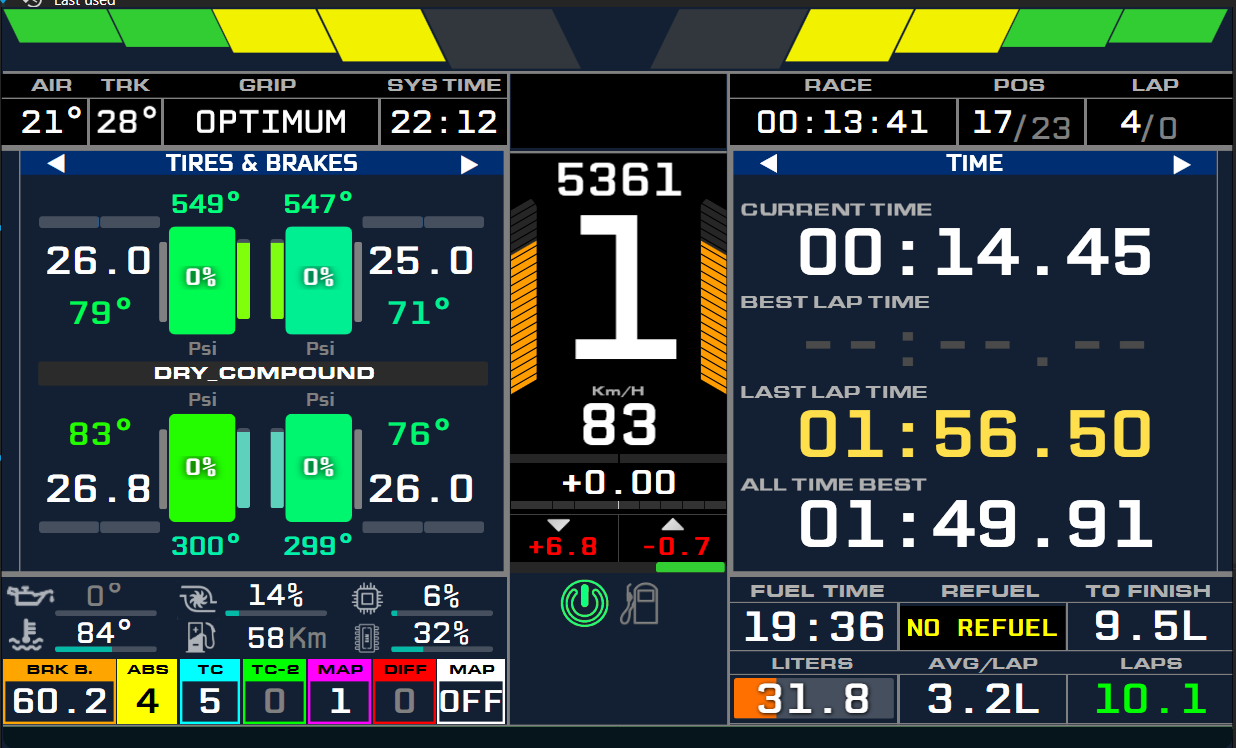
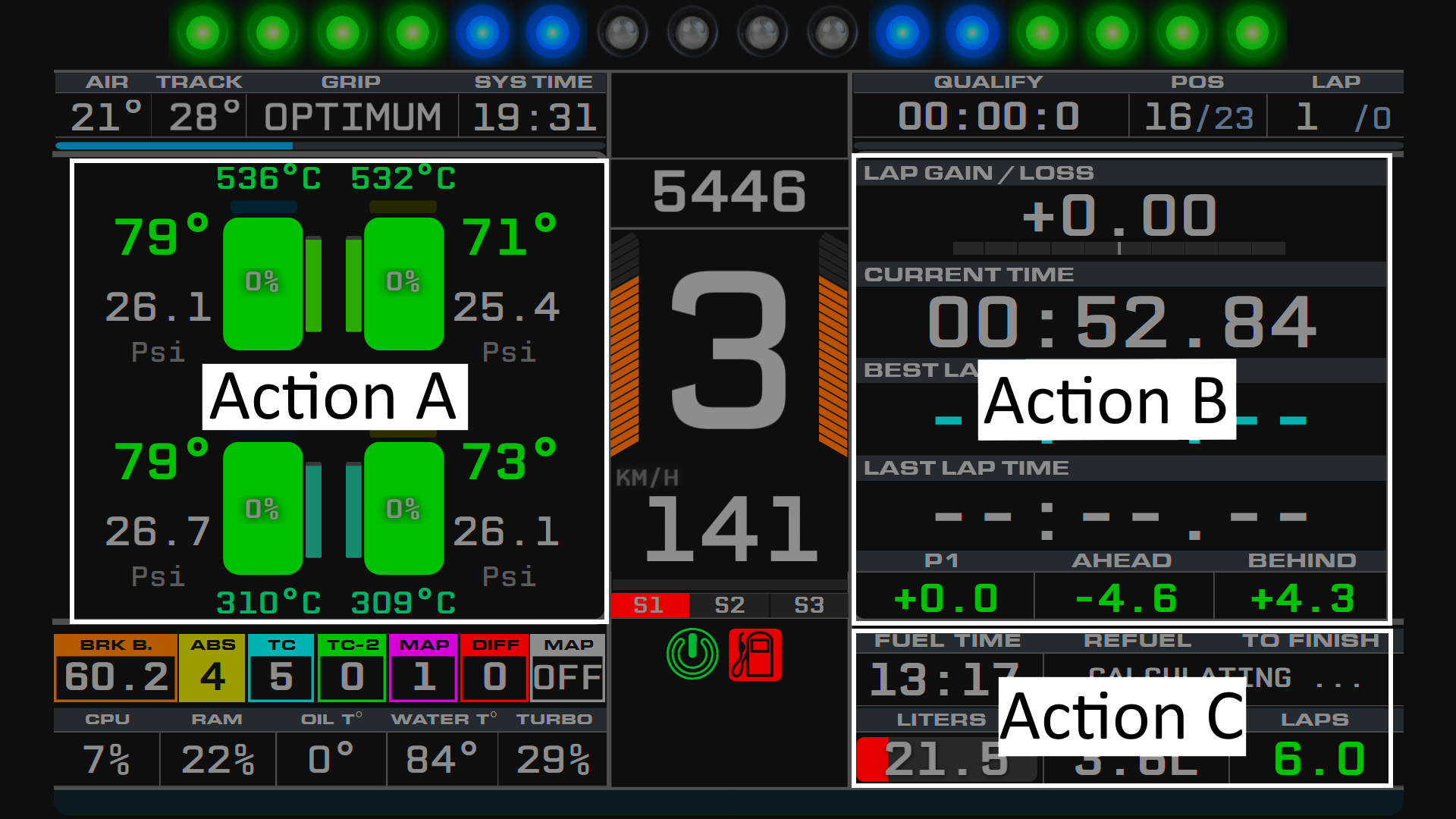
3 screens:
1/ The first screen contain 3 widgets triggered by action A, B and C:
Action A and B : 13 widgets :
Lap delta + Time infos + Opponents gaps,
Sectors infos,
Relative gaps,
Standings gaps,
Map,
Tires infos,
Telemtry,
On track and in class gaps,
Pace,
Pit screen,
Tires analysis
Radar,
Damage infos
Action C : Fuel, car and PC temps.
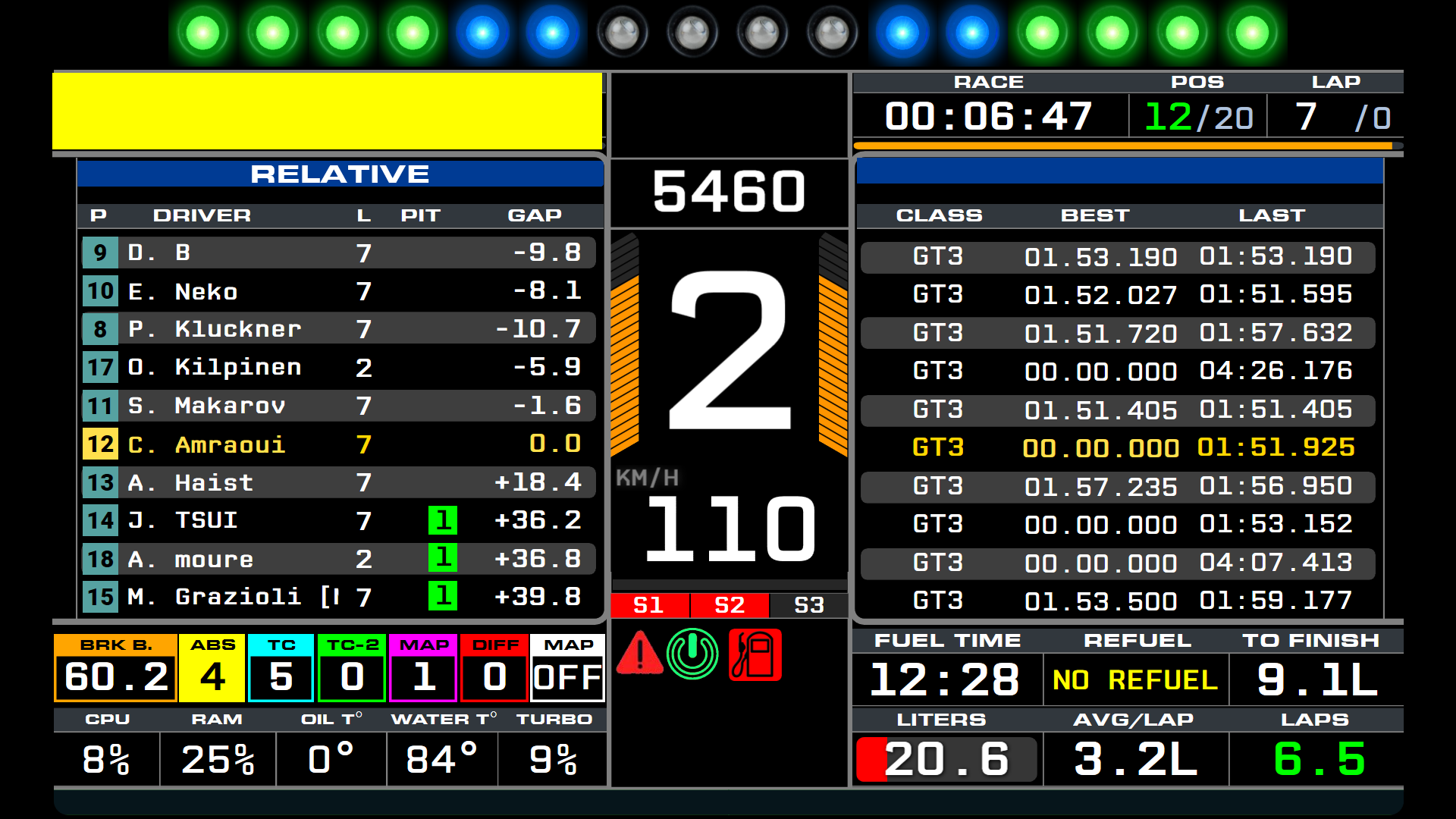
2/ The second screen contains relative opponents lap times, class and laps times:
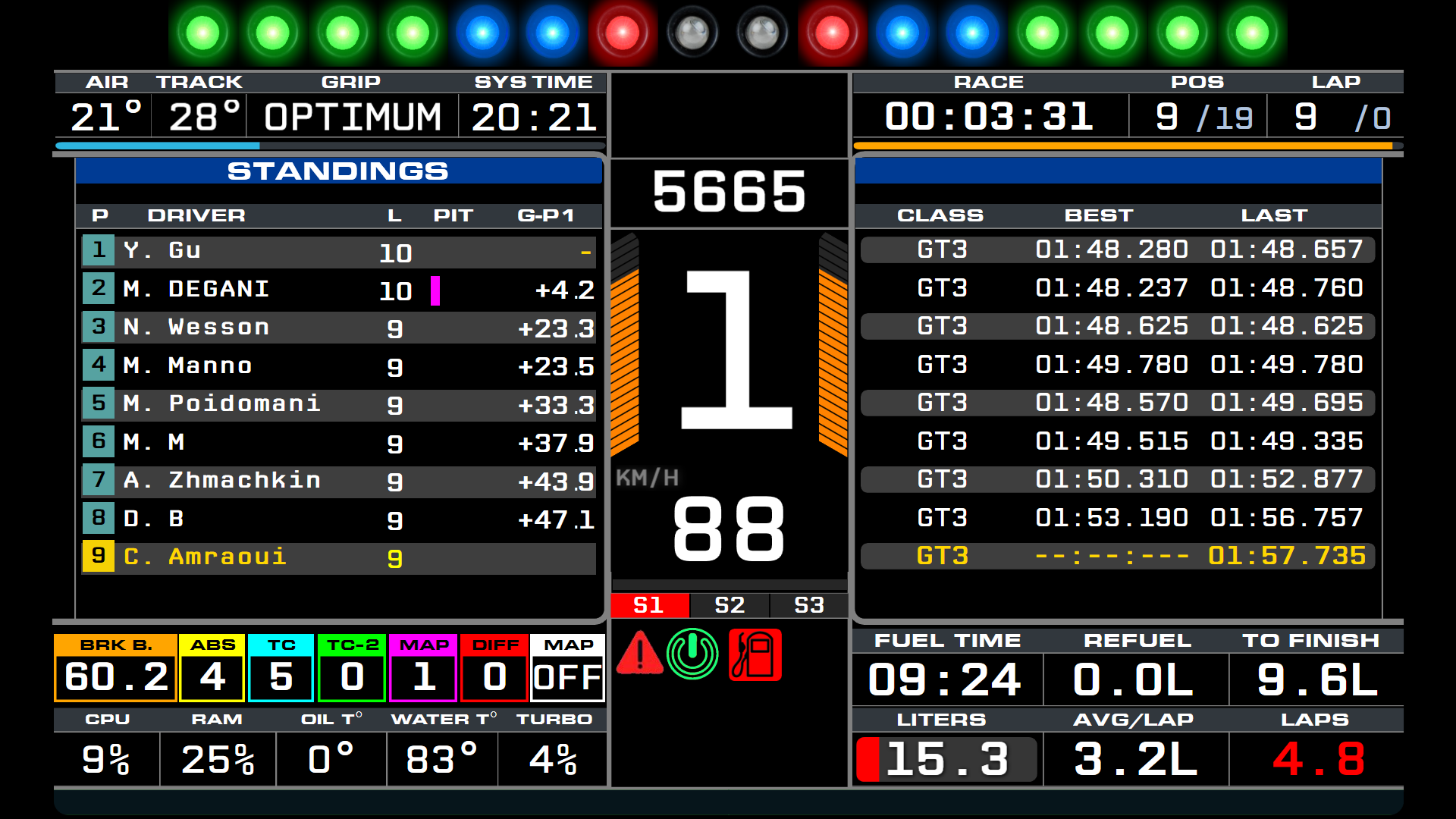
3/ The third screen contains standings opponents lap times, class and laps times:
AIO Dashboard_Leds: The dashboard with an RPM leds
AIO Dashboard_No_Leds: The dashboard without an RPM Leds
1/ Please download the latest version of SIMHUB: https://www.simhubdash.com/download-2/
2/ Download the latest “AIO DASHBOARD” from the release section
3/ Install the dashbords by double clicking on the files
4/ Assign action and show next/previous screen buttons in SIMHUB: Go to Dash Studio -> Controls -> scroll down to “Default dashbord controls” and assign trigger action and show next/previous screen buttons to you liking
Latest LMU update (1.2.0.1) broke the telemtry link between Simhub and LMU. My LMU data are heavely based on NeoRed plugin. Please update NeoRed plugin to the latest version and follow the instructions indicated by Haagel
Download and install the Redadeg plugin and files by following the instructions at the link below: https://www.lmu-dashboards.com/index.html#categories (click on “Resources” -> “Plugin Collection”) and download the 3 plugins
To install:
1/ Copy “Redadeg.lmuDataPlugin.dll” to the main SimHub folder ( should be C:\Program Files (x86)\SimHub\ ) and activate it in SimHub.
2/ Copy “LMU_SharedMemoryMapPlugin64.dll” to ..\Le Mans Ultimate\Plugins\
3/ Copy “CustomPluginVariables.JSON” to ..\Le Mans Ultimate\UserData\player\
4/ Copy “NeoRed.lmuDataPlugin.dll” to the main SimHub folder ( should be C:\Program Files (x86)\SimHub\ ) and activate it in SimHub.
5/ Copy “LMU_SessionDataPlugin.dll” to the main SimHub folder ( should be C:\Program Files (x86)\SimHub\ ) and activate it in SimHub.
Please always check the links to have the latest and updated versions This plugins are only required for LMU. No third pary plugins are needed for other games.
Download and install the Viper4gh plugin for calculating wheels slip/lock ( place the *.dll file in main simhub directory and activate it in Simhub) https://github.com/viper4gh/SimHub-Plugin-CalcLngWheelSlip/releases/
6/ Copy “Viper.PluginCalcLngWheelSlip.dll” to the main SimHub folder ( should be C:\Program Files (x86)\SimHub\ ) and activate it in SimHub.
Haagel for the NeoRed plugin for LMU
Redadeg, Shaun86 and geims12 for the excellent plugins they made
Viper4gh for the great Slip/Lock plugin
Hope you like it, I will continue to try to improve it. Bug reports, comments, suggestions and even well-mannered criticism will be much appreciated!
Credits:
thekingm249
Downloads
| Name | Format | Size |
|---|---|---|
| AIO-DASHBOARD-v7.8.rar | RAR | 36.53 MB |
To start download click the filename. To open archive files use one of these programs: WinRAR, 7-Zip, WinZip. Some mod archives may need to be extracted before the mods will work.