
Este mod está basado en la App “Pacenote Pal” del amigo Koenvh1, al cual le agradezco muchísimo por haberla creado.
La verdad es que la aplicación estaba muy buena, pero no pude evitar cambiarle y agregarle cosas y bueno, se termino transoformando casi por completo.
Esta descarga incluye una copia de la Mozilla Public License 2.0.
Repositorio completo en Github
Los cambios que le hice:
Agregué voces de un copiloto Argentino, traido de un mod de E-Rally de Asseto Corsa, que la verdad que me pareció copado. Están las voces adaptadas al Pacenote, y otras varias voces con nombre en español, que se pueden agregar al editar, para generar algún cambio.
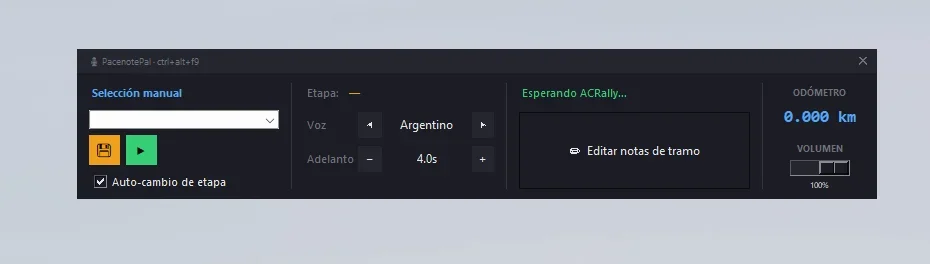
Esta versión, tiene un ejecutable, que permite abrir un “overlay” dentro del juego, con las teclas Ctrl+Alt+F9. Con selector de idioma.
Dentro del juego o en cualquier espacio apretando el atajo de teclado “Ctrl+Alt+F9” se nos abre el overlay.
El overlay no quita el foco del juego, así que nos permite interactuar en tiempo real mientras evitamos salir del juego. Si jode la interface lo podemos minimizar.
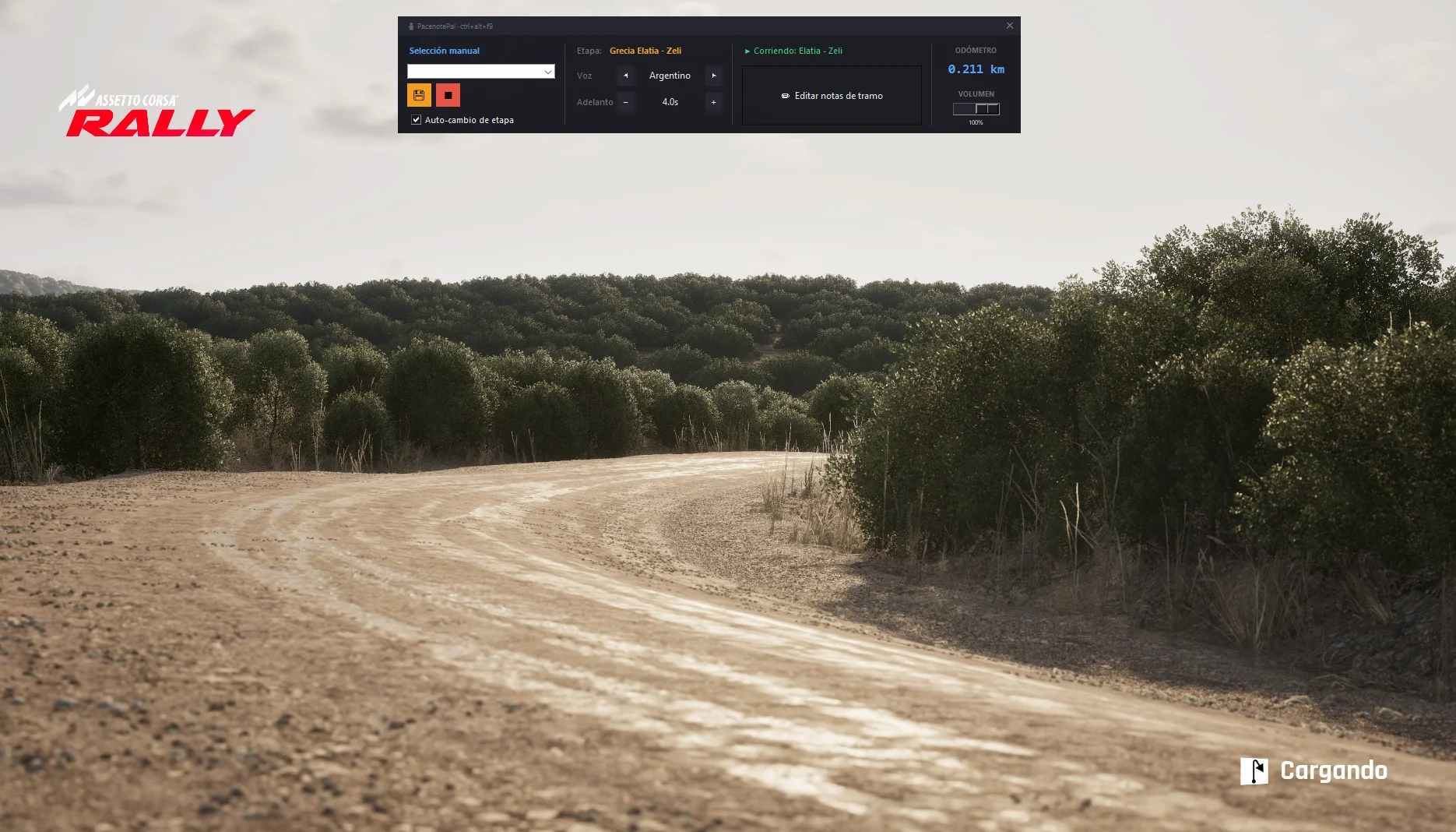
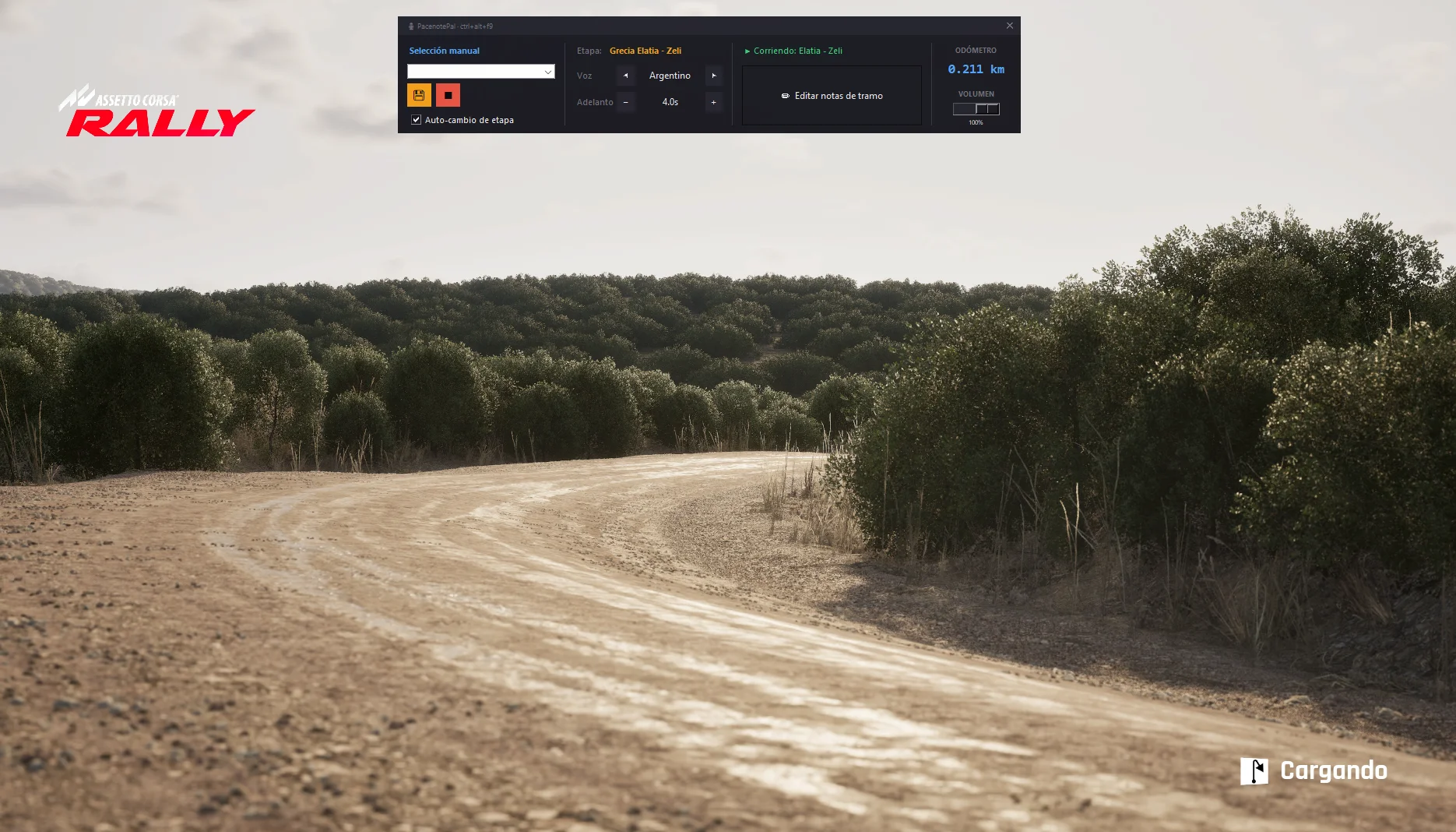
Una vez que el juego está corriendo y entramos a cualquier etapa, el overlay en la columa centrarl nos va a mostrar en que etapa estamos corriendo, por detección automática.
Si esta detección matchea con el stage que está almacenado, va a activar de manera automática el copiloto, sin necesidad de ejecutar nada.
En caso de que por razones de idioma, el stage salga con otro nombre, lo que hacemos es seleccionar de manera manual el tramo correspondiente y ponemos en guardar. De esta manera generamos que se asocie el tramo detectado y se guarde en el stage_map para que en el futuro cuando corramos el mismo tramo, el copiloto ya funcione atutomáticamente.
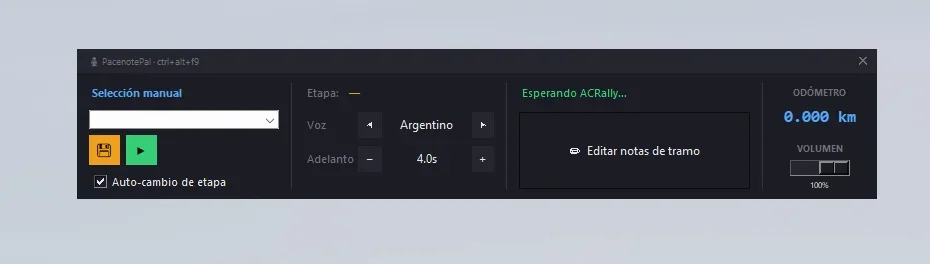
Overlay layout
Primera columna
Tiene la selección manual de la etapa para correr, con el botón play ejecutable, para hacerlo de forma manual, en caso de que quisieramos corroborar que la etapa es la correcta.
Segunda columna
El detector de tramo, con el nombre, la selección del idioma del copiloto, y el tiempo de notas (que todavía no logro que me guste su funcionamiento, tengo que corregirlo).
Tercera columna
Nos muestra que pacenote de etapa nos va a cantar el copiloto, y debajo está el editor clasico de la app para corregir las pacenotes. Dato importante, al abrir el editor, ya nos carga automáticamente el tramo detectado, esto no ahorra tener que buscarlo
La cuarta columna
Tiene el odometro en tiempo real, para poder editar el tramo en el kilometraje exacto, sin tener que estar adivinando o perdiendo tiempo en buscar que curva era. Y debajo el control de volúmen del copiloto.
Esta versión. incluye detección y cambio automático de etapa, no hace falta buscarla, por lo tanto al iniciar el juego, si ya seteamos todas las etapas en los stage, es cuestión de entrar a jugar y la aplicación se va a encargar del resto, y solo nos vamos a dedicar a jugar.
Tengo que aclarar, que en otros idiomas, si o si van a tener que mappear cada etapa y asociarla de forma manual por primera vez para que quede guardada en el stage_map.
Espero que les guste y la disfruten tanto como yo!
Dienqn
——————————————————————
In English:
This mod is based on the Pacenote Pal app created by Koenvh1, whom I’d like to sincerely thank for developing the original application.
The app was already very good, but I couldn’t resist changing a few things and adding new features. Eventually, it ended up becoming an almost completely different version.
A copy of the Mozilla Public License 2.0 is included with this download.
Complete repository on Github
Main changes
I added the voice of an Argentine co-driver, taken from an E-Rally mod for Assetto Corsa, which I really liked. The voice files have been adapted to work with Pacenote Pal. I also included several additional calls with Spanish filenames, which can be added through the editor to create more variety.
This version includes an executable that opens an in-game overlay by pressing Ctrl + Alt + F9. The overlay also includes a co-driver language selector.
You can press Ctrl + Alt + F9 either in-game or from anywhere else to open the overlay.
The overlay does not take focus away from the game, allowing you to interact with it in real time without having to Alt-Tab or leave the game. If the interface gets in the way, you can collapse it so that only the title bar remains visible.
Automatic stage detection
Once the game is running and you enter a stage, the center column of the overlay automatically detects and displays the stage you are currently driving.
If the detected name matches a stage already stored in the database, the co-driver will start automatically. There is no need to launch anything manually.
If the stage is displayed under a different name because of the game’s language, you can manually select the corresponding stage and click Save. This associates the detected name with the correct stage and stores the relationship in the stage_map file.
The next time you drive that stage, the co-driver will be loaded automatically.
Overlay layout
First column
The first column contains the manual stage selector and a Play button. This lets you launch a stage manually, which can also be useful for checking whether you selected the correct one.
Second column
The second column contains:
The automatic stage detector and detected stage name
The co-driver language selector
The pacenote timing setting
I am still not completely satisfied with how the timing setting works, so this feature may need further improvements.
Third column
The third column shows the next pacenote that the co-driver is going to call.
Below it is the app’s classic pacenote editor, which can be used to correct or customize the calls. An important improvement is that opening the editor now automatically loads the detected stage, saving you from having to search for it manually.
Fourth column
The fourth column includes a real-time odometer. This makes it possible to edit a stage at the exact distance where a pacenote should be placed, without having to guess or waste time searching for the correct corner.
Below the odometer, you will find the co-driver volume control.
Fully automatic operation
This version includes automatic stage detection and switching, so you no longer need to search for and launch each stage manually.
Once every stage has been correctly mapped, you can simply start the game and drive. The application will take care of everything else, allowing you to focus entirely on the rally.
Please note that if you use the game in a different language, you will need to manually map and associate each stage the first time you drive it. After that, the associations will remain saved in the stage_map file and will be detected automatically in future sessions.
I hope you enjoy it as much as I do!
Credits:
Neudie
Downloads
| Name | Format | Size |
|---|---|---|
| ACRally-Pacenote-Overlay-V0.2.1.rar | RAR | 258.29 MB |
To start download click the filename. To open archive files use one of these programs: WinRAR, 7-Zip, WinZip. Some mod archives may need to be extracted before the mods will work.