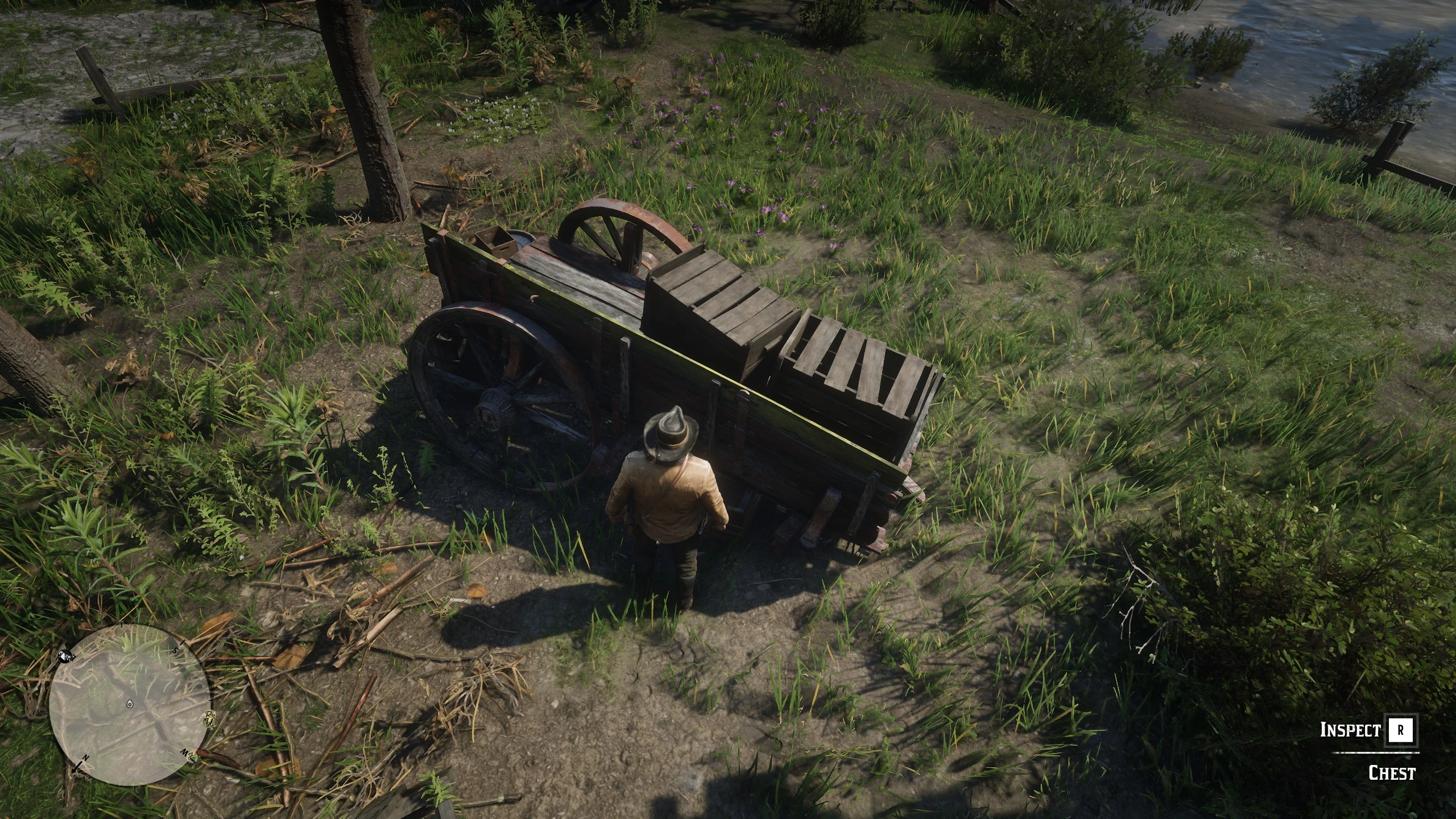
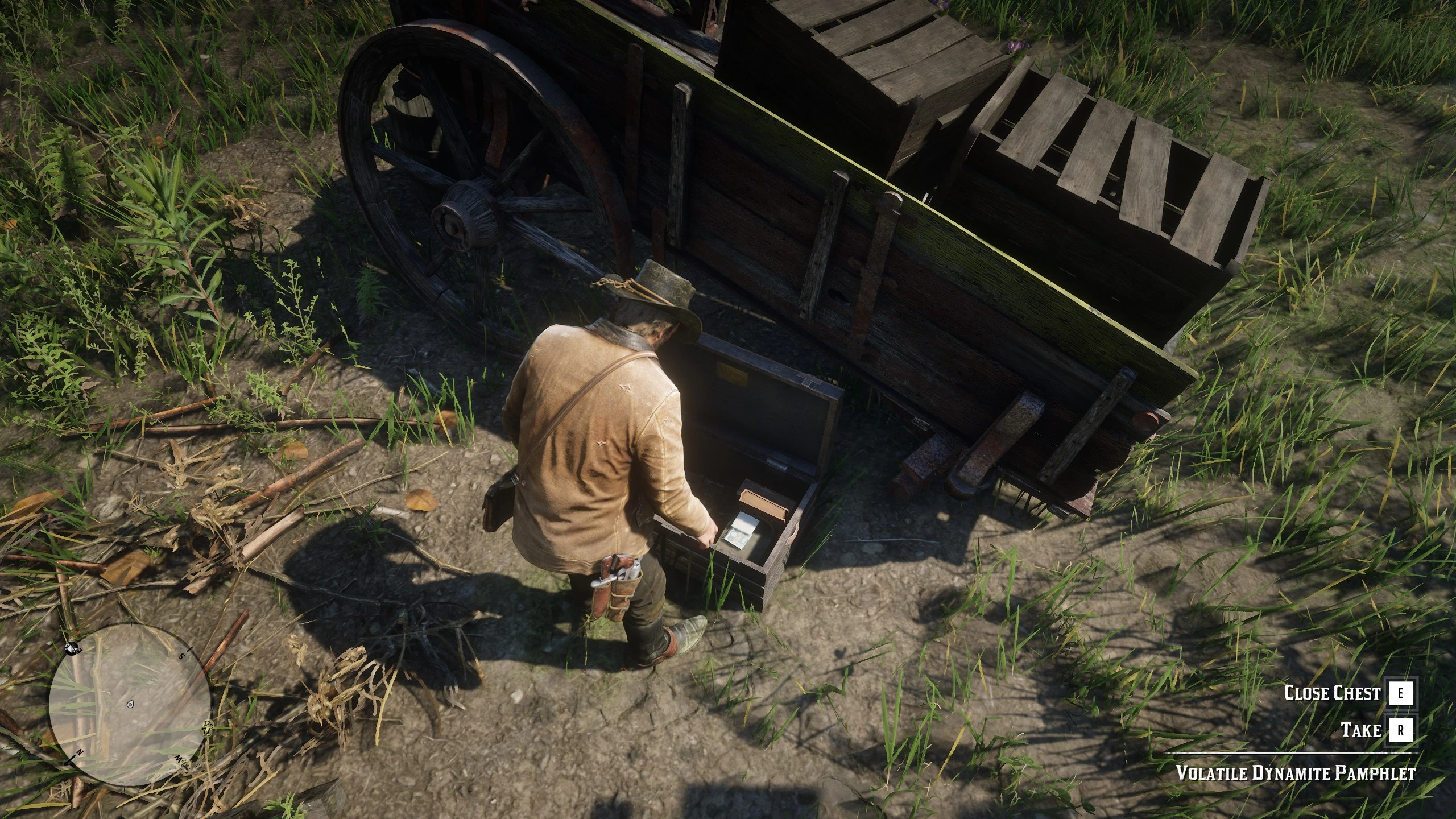
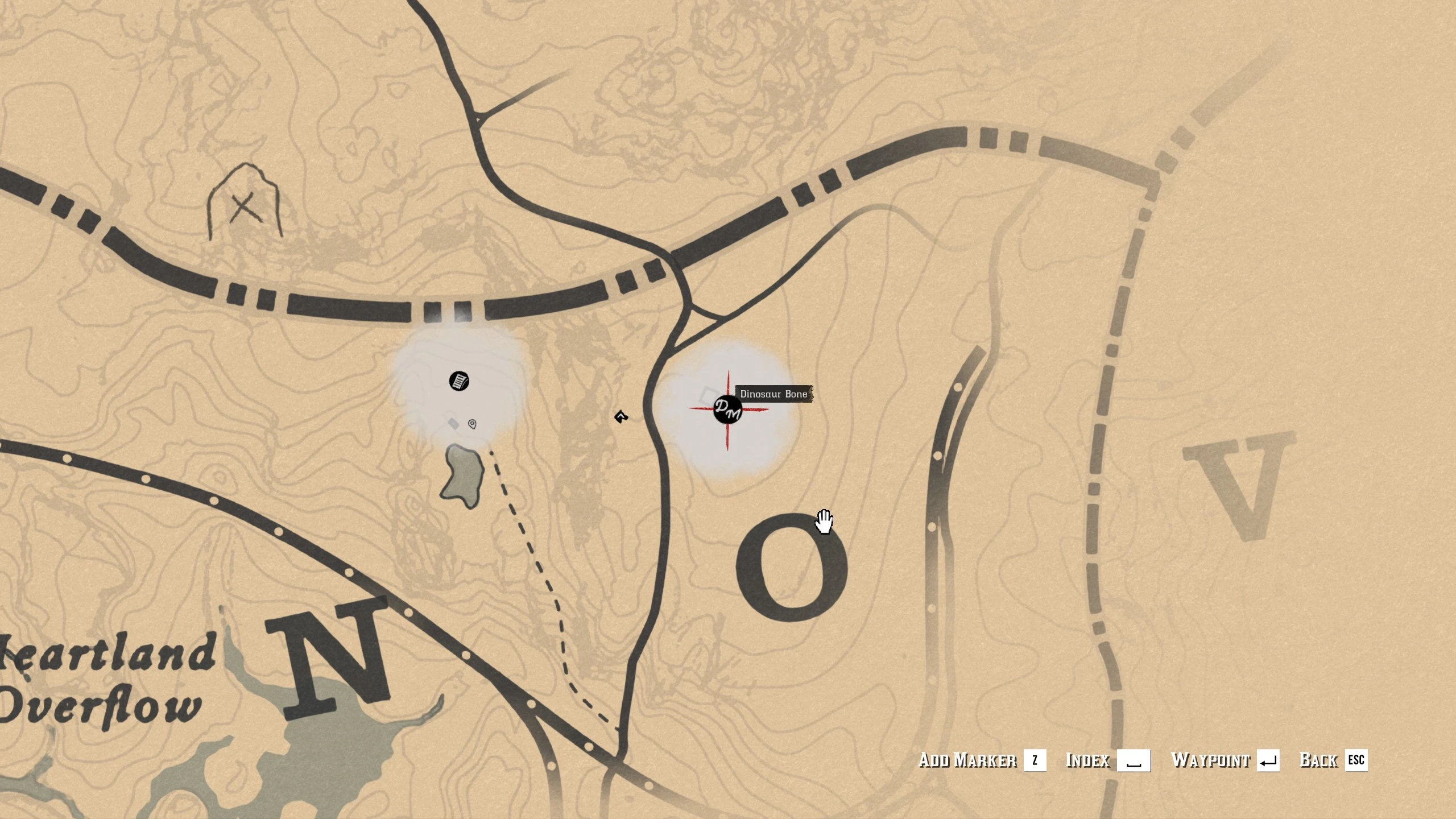
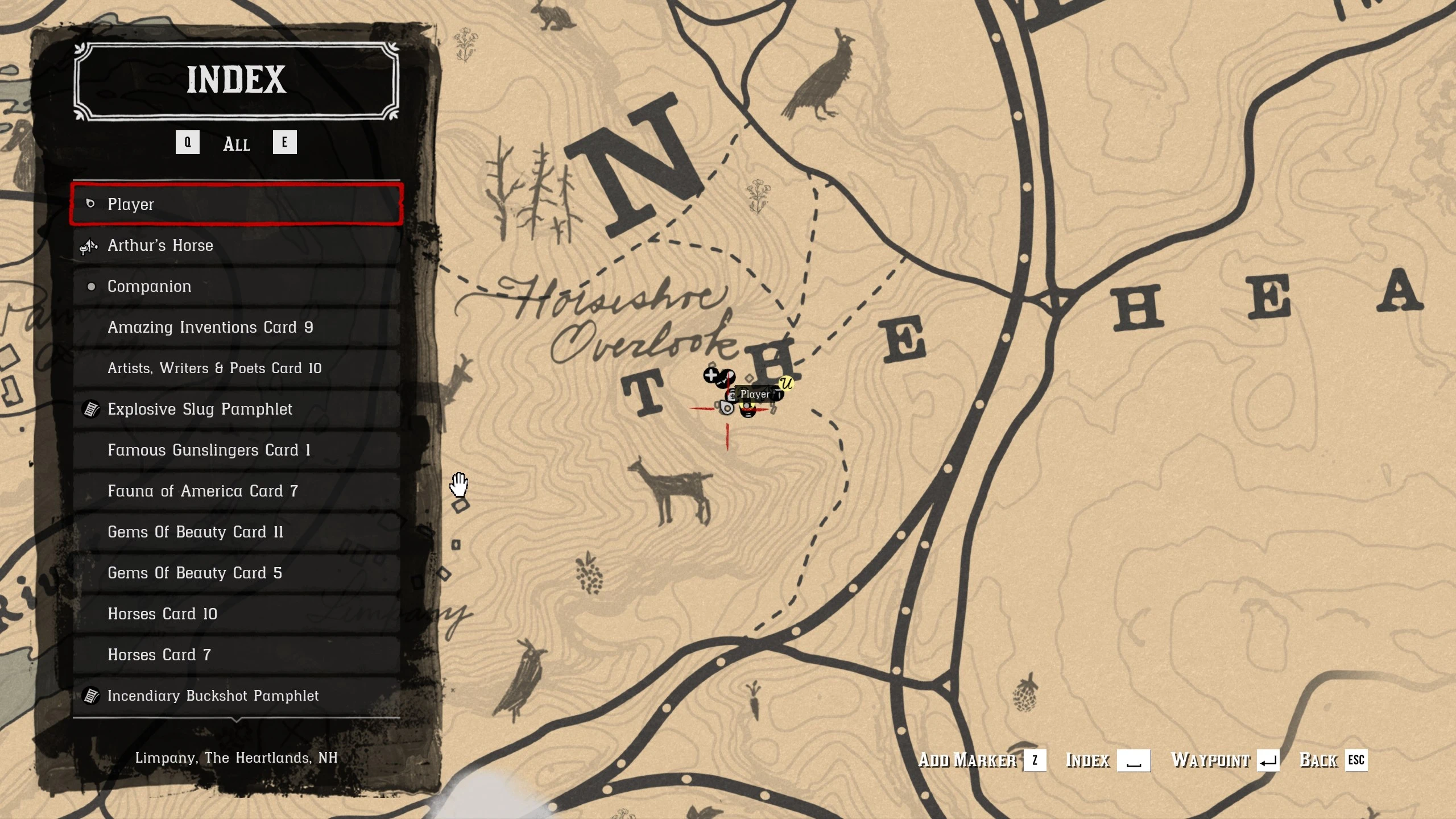
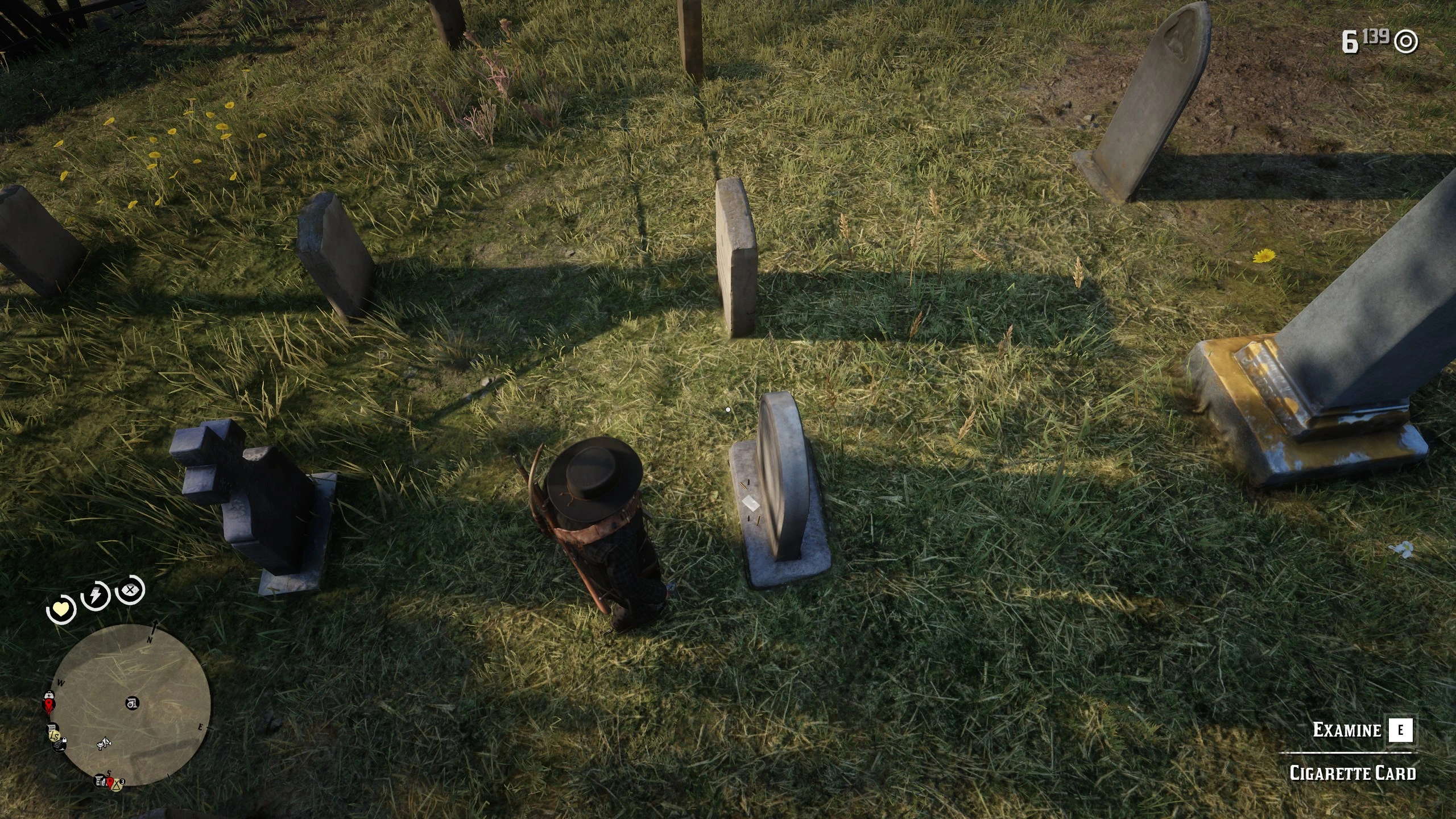
Map and minimap markers for the collectibles you haven’t found yet. A marker disappears a moment after you study or pick up the item.
Made as a companion: just play, pick things up on the way, or don’t if you are in a hurry, you will get them eventually.
This isn’t a cheating mod (although depending on the settings you choose, it can be).
- Nearby only: markers appear when you’re within range.
- No spoilers: each collection stays hidden until you find its first item yourself.
- Hints, not answers: most markers are circles that contain the item, not pins on the exact spot. Small or hard-to-spot things (cigarette cards, Mysterious Writings, vampire clues, XP tonics) use pins by default, since a circle would create more problems than it solves.
- Stay in the game: no alt-tabbing to maps or Excel lists, and no realizing you skipped the bone on top of that mountain you just climbed.
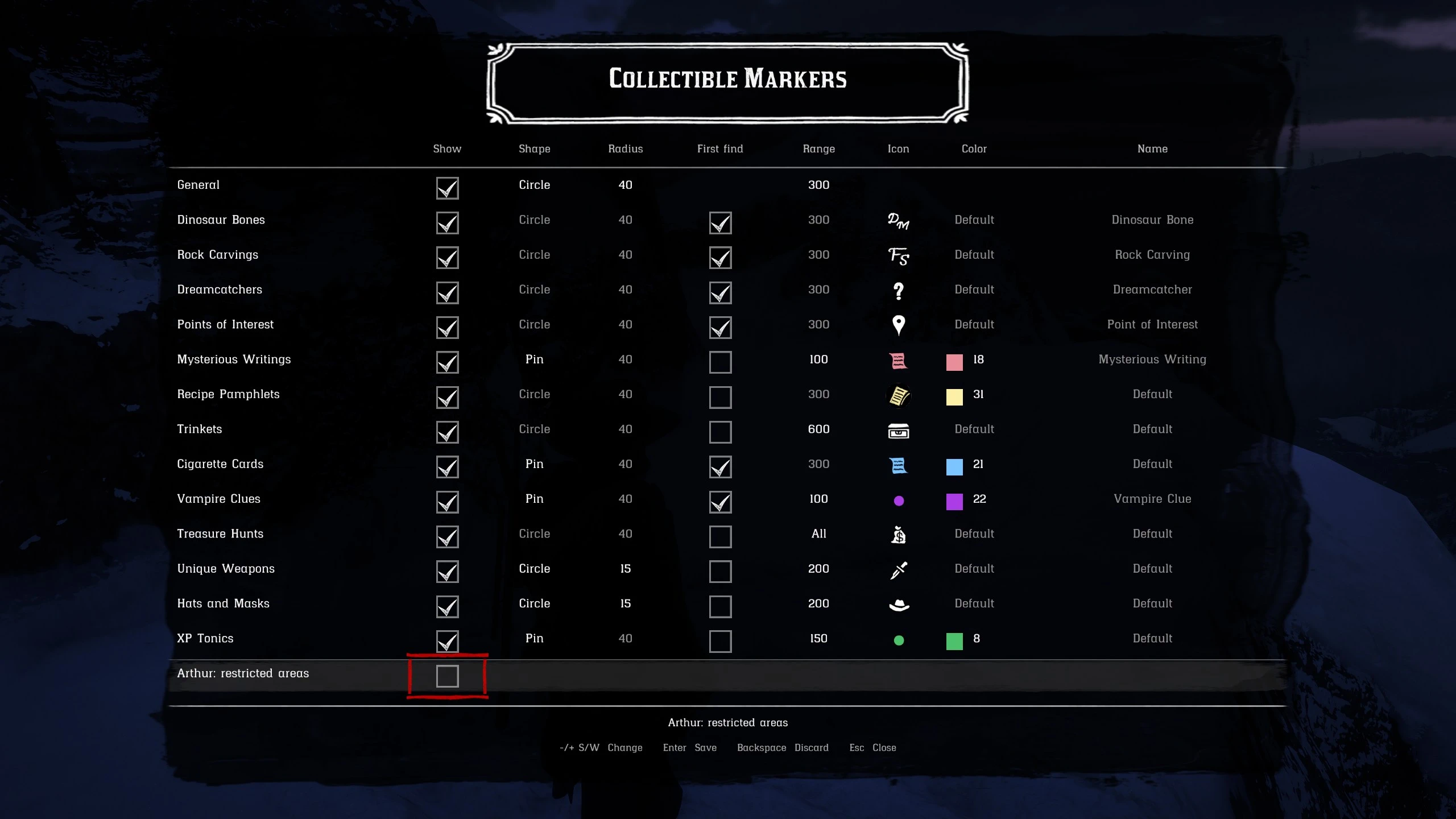
- Your rules: an in-game menu (F7) sets how each collection is shown. The defaults are just my suggestion.
The mod reads the game’s own progress (the same data your save uses), so it only shows what is still missing.
What it marks
- Dinosaur Bones (30)
- Rock Carvings (10)
- Dreamcatchers (20)
- Points of Interest (48): the sites Arthur or John sketch in the journal and on the map
- Mysterious Writings (7): Coal Mine Writing and the six Aztec writings
- Vampire Clues (5): the Saint Denis graffiti, shown at night only (new in v4)
- Recipe Pamphlets (15): the ones found in the world
- Trinkets (6): Cat Eye, Hawk Talon, Shark Tooth, Turtle Shell, plus the talisman materials Cobalt Petrified Wood and Abalone Shell Fragment
- Cigarette Cards (144): every card in all 12 sets, on 147 markers (three cards can be found in two places)
- Treasure Hunts: Jack Hall Gang, High Stakes, Poisonous Trail, Le Trésor des Morts, Landmarks of Riches, Elemental Trail, The Sketched Map and the Torn Treasure (Otis Miller’s revolver). Only the next step of each hunt is marked (new in v5)
- Unique Weapons (11): Ancient Tomahawk, Viking Hatchet, Civil War Knife, Antler Knife, Wide-Blade Knife, Broken Pirate Sword and the five hatchets stuck in trees (new in v5)
- Hats and Masks (15): the scarecrow hats, Morion Helmet, Nevada Hat, Viking Helmet, Civil War Hardee, Miner’s Hat, Tricorn, Chinese Skull Cap and the Pagan, Pig, Ram and Cat masks (new in v5)
- XP Tonics (59): Aged Pirate Rum (Stamina), Ginseng Elixir (Health) and Valerian Root (Dead Eye) found in the world (new in v5)
The menu (new in v5)
Press F7 to open it. The game pauses while it is open.
- One row per collection, with the same columns for each: show or hide, pin or circle, circle radius, wait for the first find, range, map icon, marker color and legend name. A General row holds the defaults the collections inherit, and the switch for all markers at once. One more row decides whether Arthur gets markers in New Austin, the Great Plains and Tall Trees.
- You see the real icon in its real color before you choose it.
- Values a collection inherits from General are shown in grey; changed values in gold until you save.
- Keys: arrows to move, – / + (or S / W) to change a value, Enter to save, Backspace to undo your changes, Esc or F7 to close. On the legend name, – or + opens the game’s text box.
- Controller: hold LB + D-pad down to open it; D-pad to move, LB / RB to change, A to save, B to undo or close. I don’t use a controller; this should work, but it’s untested.
- Saving writes the INI file and the markers change as soon as you close the menu.
- The menu is in your game’s language (13 languages), the same as the rest of the mod.
How it works
- Every 1.5 seconds it checks your position and the game’s progress. There is no world scan and no event hooks, so it costs next to nothing. It keeps a list of what is still missing and checks only that; the list is rebuilt from scratch after anything that could change your progress (loading a save, death, sleeping, fast travel, a teleport…).
- “Done” means what the game considers done:
- Bones, carvings, dreamcatchers and POIs: studied or inspected.
- Mysterious Writings and Vampire Clues: read (the entry is in your journal, Arthur’s or John’s).
- Cigarette cards: in your compendium. Selling a card, mailing it to Phineas or completing the set does not bring the marker back.
- Pamphlets and trinkets: in your inventory. It doesn’t matter how you got them (found, bought or mission reward), or whether a pamphlet has been read.
- The two talisman materials count as done if you have them or once the talisman is crafted.
- Treasure hunts: each map and treasure as the game records it. The Torn Treasure is done once you own Otis Miller’s revolver.
- Unique weapons, hats and masks: in your inventory (weapons: carried, on the horse or in the locker). Once you have one, dropping it does not bring the marker back.
- XP tonics: taken, as the game records it for each spot (at any distance, and across save and reload).
- Circles: the item is always inside the circle but never at its center, and the circle doesn’t move while you play.
- Pins show the game’s up/down arrow when the item is on a floor, ledge or cliff above or below you (HeightIndicator).
- Items within range announce themselves on the edge of the minimap, so you can decide whether a detour is worth it. Only the closest ones (5 by default, BlipEdgeMax) use the edge; the rest stay on the pause map and on the minimap once they’re inside its area.
- Default range: 300 m (the General row); 600 m for trinkets (often far from the usual routes); 200 m for unique weapons, hats and masks; 150 m for XP tonics; 100 m for Mysterious Writings and Vampire Clues; the whole map for treasure hunts.
- Cigarette card placements come from the game’s own files: 147 spots for 144 cards. Three cards (one each from Famous Gunslingers, Breeds of Horses and Prominent Americans) have two possible spots on the mainland, and both are marked; once you have the card, both markers go away. The Guarma placements are skipped; every one of those cards can also be found on the mainland.
No spoiling the collections
- Bones, carvings, dreamcatchers, POIs, cigarette cards and vampire clues stay hidden until you’ve found the first one yourself.
- Bones also wait until Arthur has talked to Deborah MacGuiness. She is right next to Horseshoe Overlook, so it’s easy to meet her as soon as chapter 2 starts, and her collection runs all the way to the epilogue: Arthur can’t finish it on his own. The game won’t let you study the last bone before talking to her anyway.
- Rock carvings: the last one can’t be inspected until you have Francis Sinclair’s mission Geology for Beginners. The markers don’t wait for it: Francis is out of the way, and you can start on the carvings right away.
- Cigarette cards: some cards don’t appear in the world until you have Phineas T. Ramsbottom’s mission Smoking and Other Hobbies, so before that a marker can point at an empty spot. The markers don’t wait for it: Phineas only shows up after other missions are done.
- Vampire clue markers only show at night, 10 PM to 4 AM game time.
- Treasure hunts: only the next map or the treasure of each hunt is marked, once you have the previous map. First maps with a fixed spot (Poisonous Trail, Landmarks of Riches, Elemental Trail, The Sketched Map and the two Torn Treasure pieces) are marked once you have completed 4 ranks of the Explorer challenge (ExplorerRank). The Jack Hall Gang and High Stakes first maps come from people, and Le Trésor des Morts’ first map is yours to find.
- The Sketched Map treasure is not marked while you carry a gold ingot: the game won’t let you pick it up then.
- XP tonics are marked only while you still need them: once the tonics in your satchel are enough to max out that stat, its markers go away.
- Mysterious Writings, pamphlets, trinkets, unique weapons, hats and masks are shown from the start.
- As Arthur, nothing in New Austin, the Great Plains (Blackwater) or Tall Trees is marked, since he can’t normally go there (the menu’s last row, or ArthurNewAustin=1, marks them anyway). John gets them all.
- No markers at all during chapter 1 (until Eastward Bound is done), on Guarma, or for John before Motherhood.
All of this (except the story pauses) can be changed per collection, in the menu or the INI.
Settings (CollectibleMarkers.ini)
The menu covers how each collection looks. Everything else is in the INI file, which is fully documented. It reloads by itself when you save it, so you can tweak settings with the game running.
- Legend names: by default (Name= empty) cards, pamphlets, trinkets, treasure maps, weapons, hats and tonics show their own name from the game, in your game’s language (“Flora of North America, No. 8”, “Special Horse Reviver”…). The other collections take their name from the language file. Write any text in Name= to use your own instead.
- Marker color (MarkerColor, 1 to 32): handy to tell similar icons apart.
- Circles: size (AreaRadius, general or per collection), offset, color style, and the collection’s icon in the middle.
- An empty value means “use the General one”: Shape=, AreaRadius= and Range= inherit from [General].
- Minimap: shown only inside the minimap, or announced on its edge; how many markers use the edge (BlipEdgeMax).
- Vampire clues: night-only on/off and the hours (NightOnly / NightStart / NightEnd).
- Treasure hunts: the Explorer challenge ranks needed for first-map markers (ExplorerRank).
- Menu: its key (MenuKey), whether the game pauses (MenuPause), the keys that change values (MenuValueDown / MenuValueUp).
- Log: LogLevel for CollectibleMarkers.log if something doesn’t look right. A log bigger than LogSizeLimit (1 MB) is kept as .log.bak at the next game start.
The INI is read as UTF-8, so names in any language are fine.
Languages
Item names come from the game itself, in your game’s language. The menu and the names of the collections without a game name (bones, carvings, dreamcatchers, POIs, writings, vampire clues) come from CollectibleMarkers.lang, with a section for each of the game’s 13 languages. Those translations are machine-made (German reviewed by GrafVonFalkenstein): corrected versions are welcome, and you can fix any line yourself in the file (it reloads like the INI). Reviewed translations are published under Optional files (see Installation).
Requirements
- ScriptHookRDR2 (V2) with its ASI loader
- Story Mode only
- Built for game version 1491.50. The dreamcatcher, Aztec writing, Torn Treasure and Deborah checks read save data whose addresses can change with a game update; they’re configurable in the INI.
Installation
Copy CollectibleMarkers.asi, CollectibleMarkers.ini and CollectibleMarkers.lang to the game folder (next to ScriptHookRDR2.dll).
Reviewed translations: when a language is reviewed, the updated CollectibleMarkers.lang is published under Optional files. Download it and overwrite the one from the main file. It holds all 13 languages, so it’s safe whatever language you play in. The next version of the mod includes it.
CollectibleMarkers.ini.default is an untouched copy of the INI: keep it next to yours to compare, or copy it over yours to go back to the defaults.
To uninstall, delete those files. The mod never writes to your save; the menu writes only to its own INI.
Updating: replace the files. An older INI still loads (ToggleKey becomes the menu key, EnabledAtStart becomes Show), but it lacks the newer settings, so they fall back to built-in defaults. If you changed your old INI, copy your values into the new one, or set them again in the menu.
Not included
Credits
- Alexander Blade, for ScriptHookRDR2
- alloc8or, for the RDR3 native database
- femga, for rdr3_discoveries (blip styles, modifiers and icons)
- Halen84, for the RDR2 Native Menu Base: the menu draws with its approach and textures (MIT)
- brofield, for SimpleIni (MIT)
- GrafVonFalkenstein, for reviewing the German translation
- Locations were recorded in game one by one, or taken from the game’s own files.
- rengren
Downloads
| Name | Format | Size | Description |
|---|---|---|---|
| CollectibleMarkers-V6.zip | ZIP | 110.00 KB | |
| Reviewed-translations-of-CollectibleMarkers.lang-V2.zip | ZIP | 9.50 KB | Included on V6 of main mod. Overwrite CollectibleMarkers.lang from the main file (all 13 languages included). Requires v5. German translation reviewed by GrafVonFalkenstein. |
To start download click the filename. To open archive files use one of these programs: WinRAR, 7-Zip, WinZip. Some mod archives may need to be extracted before the mods will work.