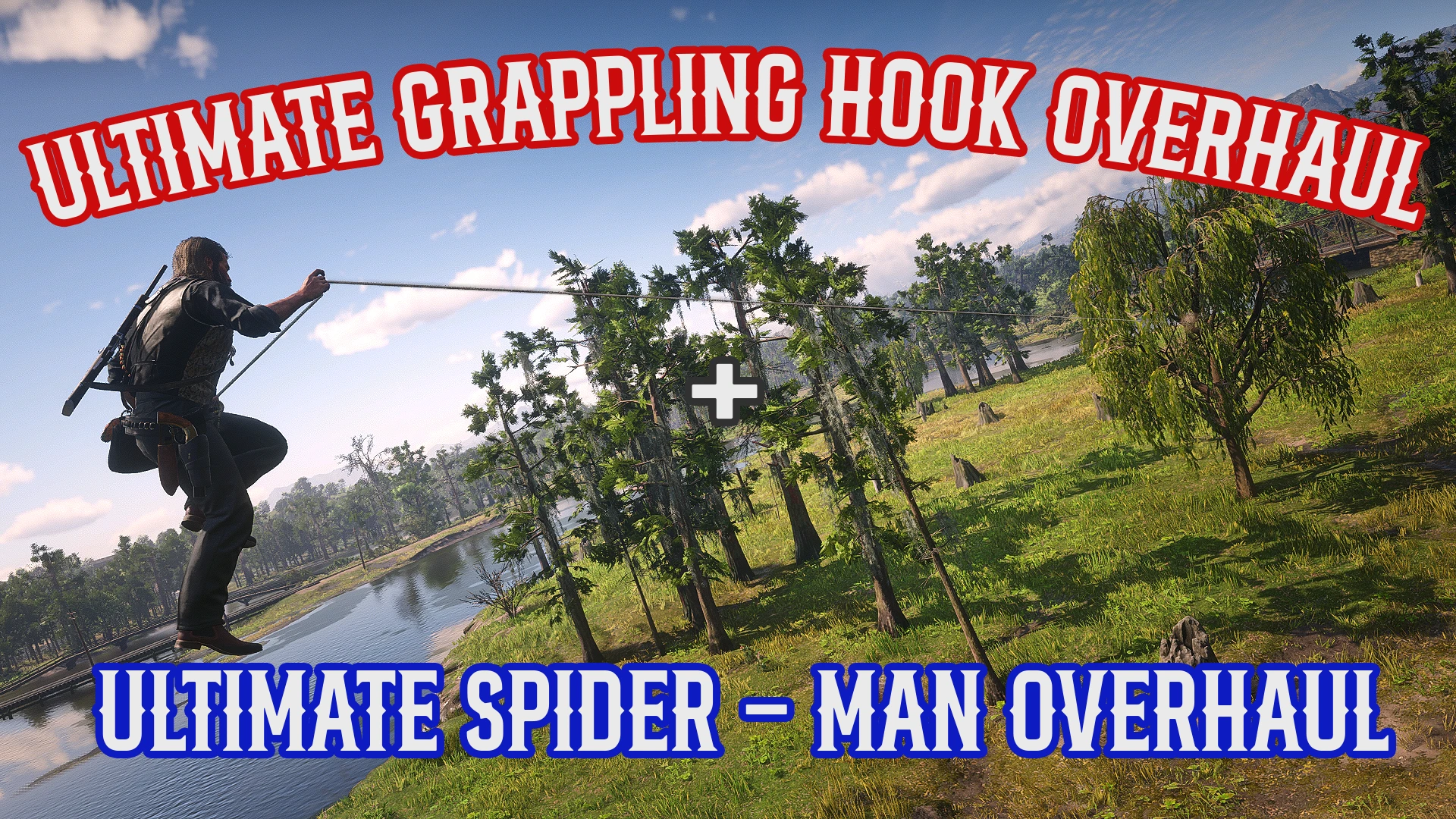
Shoot a Grapple Hook or Web, then you can swing around on these ropes with full physics! Freely enter a glide mode while swinging. Combat features, and you can even a fly a bird!
This mod replaces a weapon of your choice with of a web shooter, or a grappling hook gun. With this new weapon you can freely shoot at anything. Attaching a rope and pulling yourself to that location. You can then swing on the rope with full physics, gaining momentum to launch yourself in that direction. Allowing you to glide, or continue swinging.
Here is a quick breakdown of all the features you can find in this mod
[HOW TO ACTIVATE]
Equip the firearm selected in the INI and press the ActivationPromptKey to fire a rope.
[GRAPPLING HOOK]
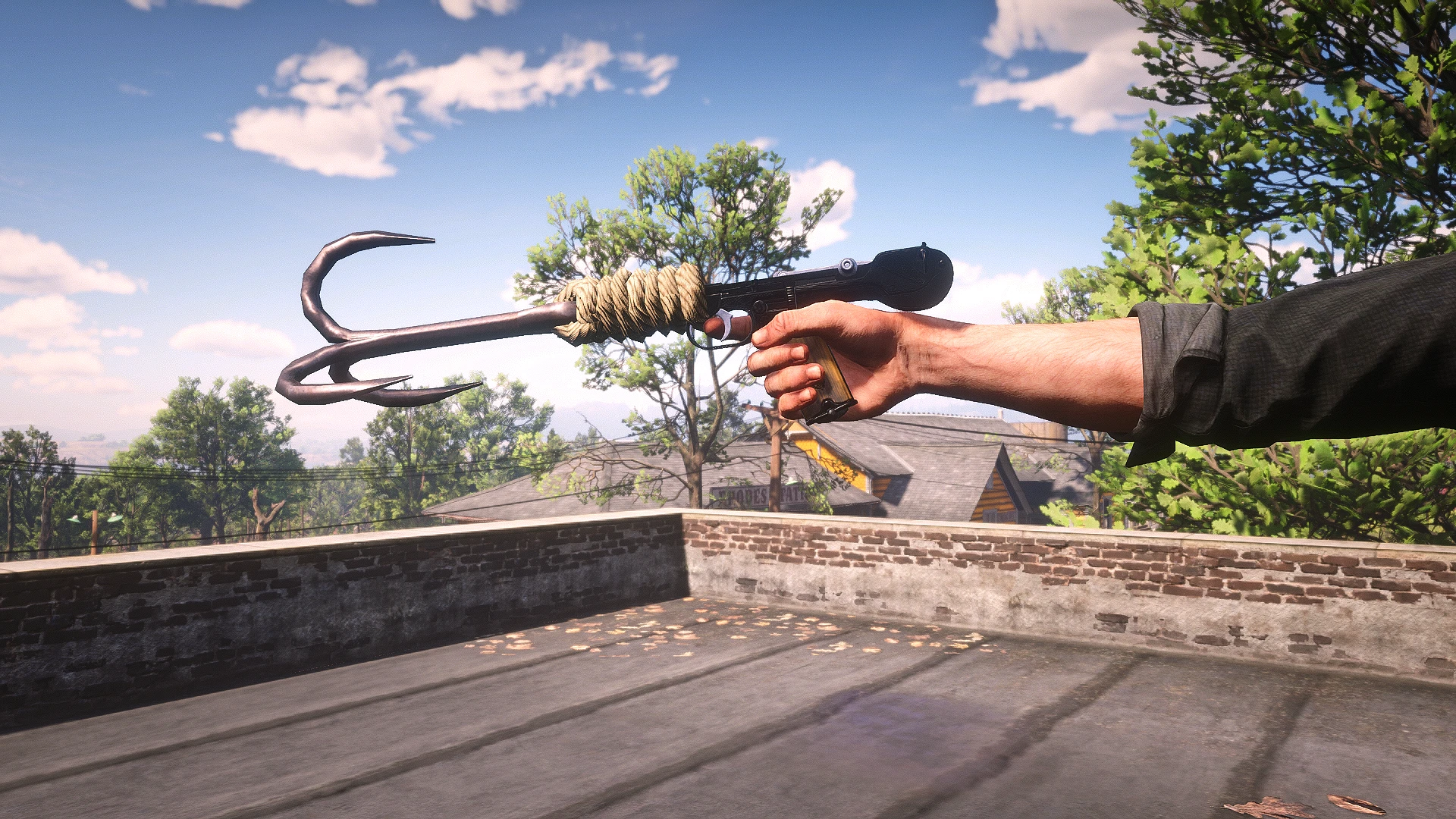
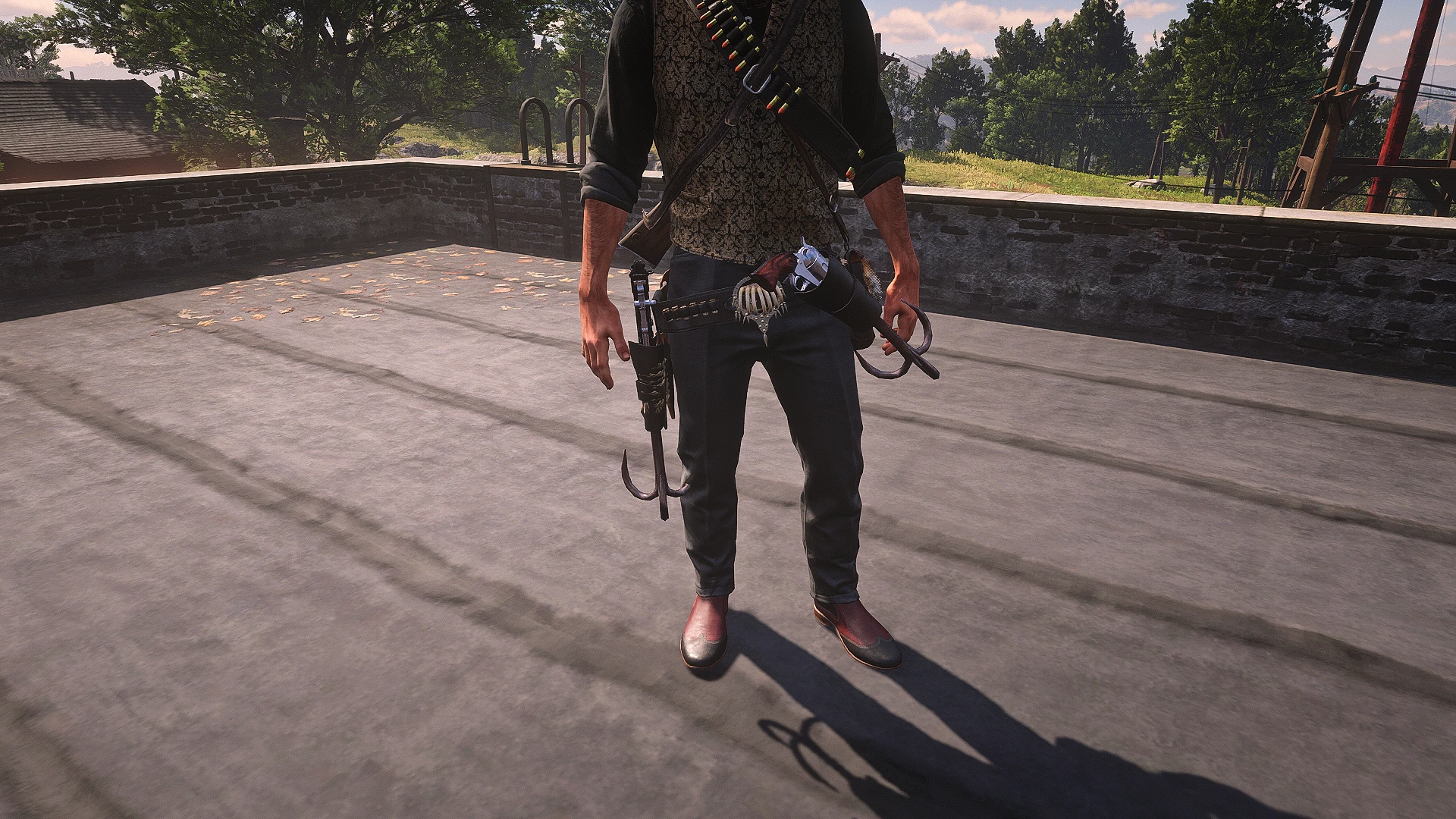
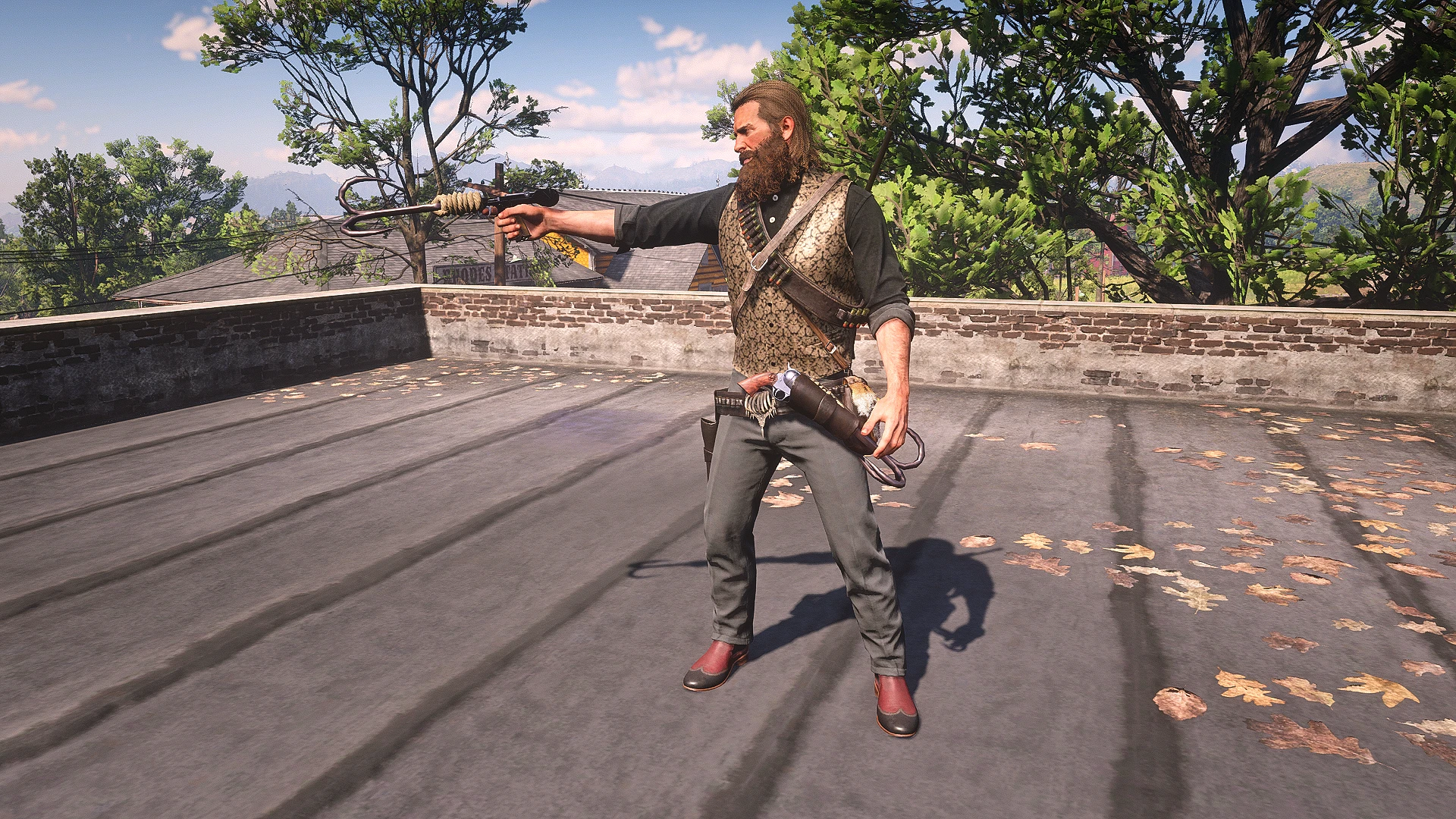
Provides a more realistic grappling-hook version. Enable the required INI options and use a supported upgraded firearm to display the grappling hook.
[PENDULUM SWING]
Fire a rope and pull yourself towards the anchor point, when you enter a certain distance you begin physically swinging Movement inputs build and control momentum, while jumping launches you from the rope.
[CLIMBING UP]
Hold the brake button to slow your swing, then use Up or Down to climb the rope. Shorten or extend the rope and climb onto nearby ledges when positioned correctly.
[WEBZIP]
Double-tap the activation button to pull directly toward an anchor and automatically launch past it. You can reposition yourself during the pull to control your launch direction.
[WEBWINGS / GLIDER]
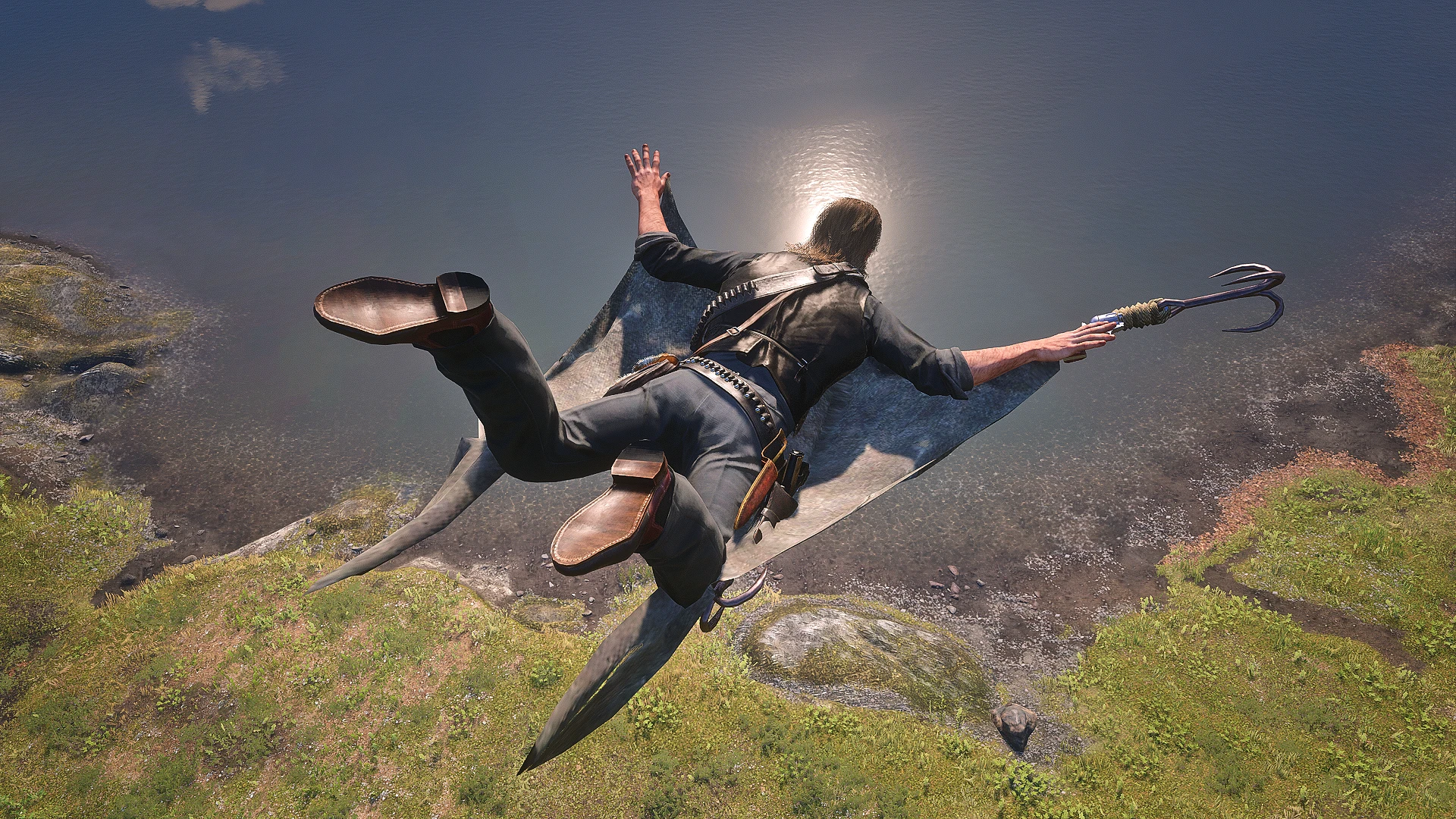
Activate Web Wings while IN THE AIR to glide. Dive to gain speed, rise to lose speed, barrel roll around obstacles, use fire for updrafts, and brake to exit gliding.
[PHYSICS]
Momentum carries between swinging, launching, and gliding. Pump your swing to build speed, but collisions with terrain or objects can reduce or completely stop your momentum.
[BIRD SURFING]
Attach a pendulum swing to a bird and either swing from it or take control of its flight. Steer, accelerate, brake, climb the rope, or jump away from the bird.
[COMBAT]
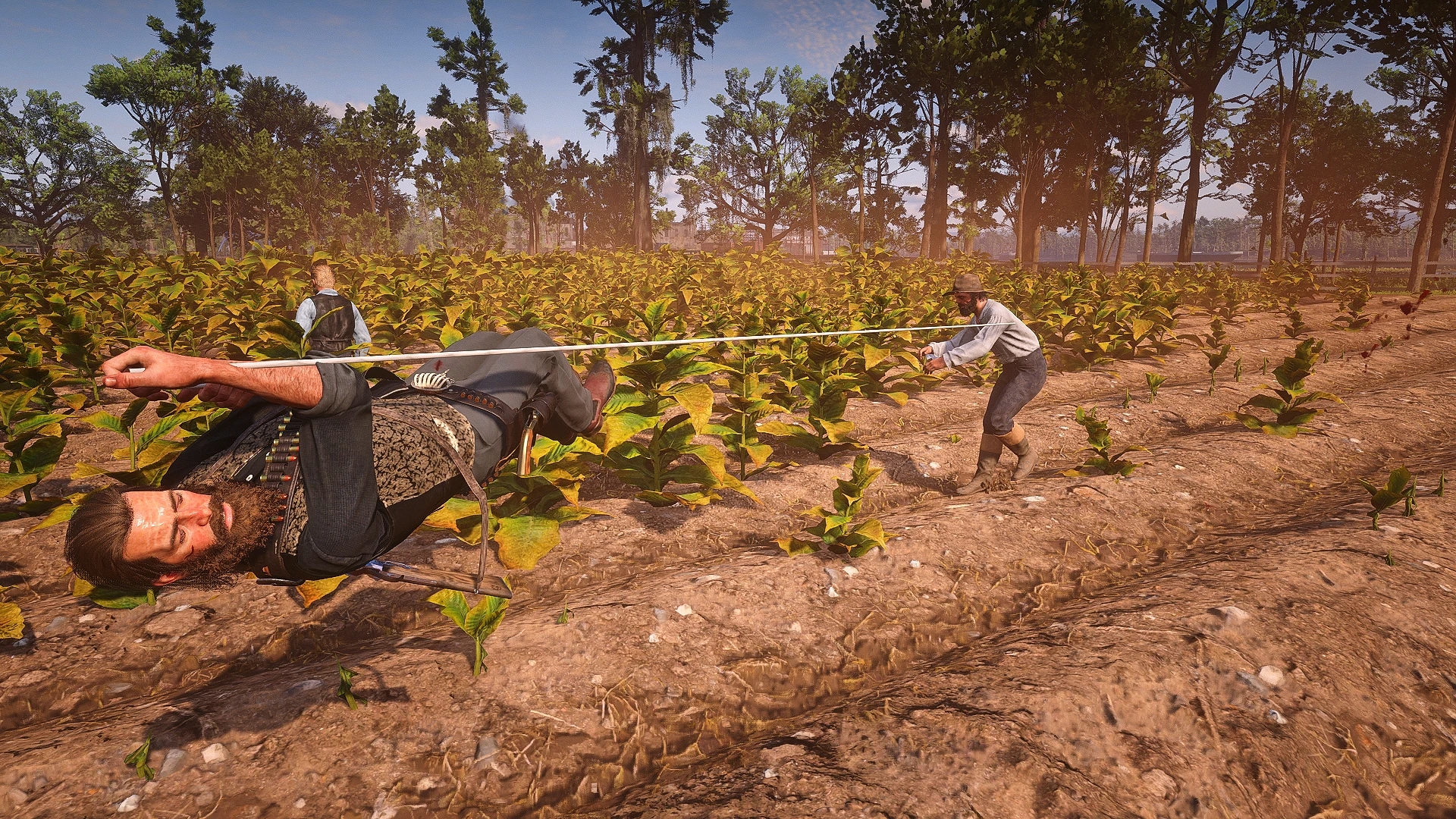
Use ropes against enemies and vehicles. Snare and fling people, hang enemies upside down, webzip into dive kicks, automatically hogtie targets, and knock enemies away through aerial collisions.
[STAMINA]
Swinging, webzipping, and gliding can drain stamina. Running out causes the player to release the rope, but the drain amount and affected features can be customized or disabled.
[SPIDER SENSE]
Replaces Dead Eye while the selected weapon is equipped. Slows time while still allowing movement, combat, swinging, gliding, and bird surfing, while still consuming the Dead Eye meter.
[SOUND EFFECTS]
Adds custom firing and movement sounds. The included audio files can be replaced or removed as long as replacement files use the required names.
[CONTROLS]
Lists every keyboard and controller input used by the mod. All major controls can be changed through the INI file.
[HOW TO INSTALL]
MAIN FILE
*Ensure you have ScriptHook V2 installed properly (This works with Alexander Blades Scripthook as well)*
Download the current version of UGHO.
Open the ZIP file and drag UGHO.ASI , UGHO.INI, and Ultimate Sounds into your main RDR2 directory where you installed ScriptHook.
OPTIONAL FILES
*ENSURE YOU HAVE LENNY’S MOD LOADER INSTALLED FOR ALL OF THESE OPTIONAL FILES.*
There are 3 optional files you can choose from: Grappling Hook Models, Grappling Hook Gun Weapon Name, and Web Shooter Weapon Name.
Inside each .zip file the folders will be separated by the weapon type, you want to select the weapon you are using as the PrimaryWeapon selected for this mod.
Open the weapon folder and drag the lml folder inside into your main RDR2 Directory.
Each of the three optional files all share the same install.xml. So you will be prompted to overwrite that file, always say yes, it does not matter they are all the same.
ONLY USE ONE OF THE FILES FROM EITHER THE GRAPPLING HOOK GUN WEAPON NAME OR THE WEB SHOOTER WEAPON NAME. YOU CAN NOT HAVE BOTH OF THESE ACTIVE THEY WILL OVERWRITE EACH OTHER.
THE Infinite Ammo Weapons.ymt Merge.txt. IS A TUTORIAL ON HOW TO CHANGE YOUR WEAPON TO HAVE INFINTE AMMO AND ONLY ONE BULLET TYPE. THIS IS PURELY A VISUALY MOD AND SERVES NO GAMEPLAY FUNCTION.
[HOW TO ACTIVATE]
HOTKEYS :
ActivationPromptKey
Keyboard : Tap Left Mouse Button (Configurable in the ini)
Controller : Tap Right Trigger (RT / R2) (Configurable in the ini)
JumpPromptKey
Keyboard : Tap Space Bar (Configurable in the ini)
Controller : Tap X Button (Square) (Configurable in the ini)
THIS MOD IS TIED SPECIFICALLY TO A WEAPON OF YOU CHOICE (DEFAULT = CATTLEMAN REVOLVER). (Configurable in the ini)
While you have this PrimaryWeapon equipped you are now able to freely shoot onto any surface, upon a actual impact you will then be pulled into that anchor point.
While you are pulling yourself in or after a swing arc you can press the JumpPromptKey at any time and you will jump off the rope entering a new mode called IN THE AIR. While you are IN THE AIR you will carry over your momentum from swinging. You can then engage in another swing or glide continuing your movement.
[GRAPPLING HOOK]
For players who prefer more realism and do not want to use this mod like Spider-Man, there is a fully intergraded GRAPPLING HOOK GUN.
NOTE: ONLY SEVERAL PISTOLS AND REVOLVERS CURRENTLY HAVE PROPER MESHES FOR THE GRAPPLE HOOK GUN (COMMENT YOUR GUN YOU WANT AND I MIGHT DO IT)
There are several options within the ini that you need to toggle on, WeaponVisibility = true, GrapplingHookGun = true, and preferably RopeTypes = 3.
Make sure you have your PrimaryWeapon in the ini set to the same weapon you installed the Grappling Hook Gun for.
Go to any gunsmith and upgrade the PrimaryWeapon you have set to have the long barrel, it will automatically attach a grappling hook to your gun now.
[PENDULUM SWING]
HOTKEYS :
ActivationPromptKey
Keyboard : Tap Left Mouse Button (Configurable in the ini)
Controller : Tap Right Trigger (RT / R2) (Configurable in the ini)
The base and primary function of this mod, when the player fires their PrimaryWeapon and you are being pulled into the anchor point. At exactly 8.0 m from the anchor point the player will enter the PENDULUM mode.
From this mode the rope will no longer extend and the player will swing in a arc based on their entry arrival point, as well as momentum that they were carrying.
While you are in the PENDULUM mode your MOVEMENT INPUTS will cause the player to swing in that direction. You can use the JumpPromptKey to launch yourself into that direction carrying all the same momentum you had from swinging.
[CLIMBING UP]
HOTKEYS :
BrakePromptKey
Keyboard : Hold Q (Configurable in the ini)
Controller : Hold LB (L1) (Configurable in the ini)
ClimbUpPromptKey
Keyboard : Tap E (Configurable in the ini)
Controller : Tap Y Button (Triangle) (Configurable in the ini)
While the player is in a PENDULUM swing at any point you can hold the BrakePromptKey, this will begin to slow your momentum down.
The player will naturally fall down to the zero angle of their anchor point, once you are within a 25 degree angle or if you are caught on a object holding UP or Down inputs will make you climb the rope.
By climbing up or down the rope, you will physically extend or shorten it’s length. This allows you to extend the rope for larger swing arcs, or shorten it if you are too close to the ground.
This also allows you to climb down the rope from high places, as well as climb up to ledges that are near your anchor point.
TO BEST UTILIZE THE CIMB UP FEATURE, MAKE SURE THAT YOU ARE SHOOTING AS CLOSE TO THE ROOFS EDGE AS YOU CAN. THE ANCHOR POINT OF WHERE YOU SHOOT IS THE EXACT POSITION THE PLAYER WILL TRY TO PULL THEMSELVES UP FROM. NOT EVERY ROOF IS DESIGNED FOR THE PLAYER TO CLIMB UP, YOU MAY STILL FALL EVEN AFTER PERFORMING A CLIMB UP.
[WEBZIP]
HOTKEYS :
ActivationPromptKey
Keyboard : Double Tap Left Mouse Button (Configurable in the ini)
Controller : Double Tap Right Trigger (RT / R2) (Configurable in the ini)
If the player presses the ActivationPromptKey twice in quick succession they will perform a different type of movement option called the WEBZIP.
This pulls the player into the anchor point directly and will launch you past it, allow you to gain a a direct momentum in any direction you are going. You can even change your direction in a complete 180 while still maintaining the same speed you had before.
WEBZIPS are always automatic in the sense that you will always let go and launch yourself once your position goes past the anchor point that you had shot.
While you are being pulled into the anchor point you can freely move in any direction to reposition the angle you launch at.
[WEBWINGS / GLIDER]
HOTKEYS :
WebWingsPromptKey
Keyboard : Tap E (Configurable in the ini)
Controller : Tap Y Button (Triangle) (Configurable in the ini)
BarrelRollPromptKey
Keyboard : Tap Left Shift + A / D (Configurable in the ini)
Controller : Tap A Button (X) + Left / Right (Configurable in the ini)
WebWingsBrakePromptKey
Keyboard : Hold Q (Configurable in the ini)
Controller : Hold LB (L1) (Configurable in the ini)
At any point after the player jumps out of a swing, or is launched from a web zip they are now considered to be IN THE AIR. This is a specific mode my mod uses that you can defer when the player crouches down while in the air.
At any point when the player is IN THE AIR they are able to press the WebWingsPromptKey which will transition you into GLIDING mode.
While the player is in GLIDING mode your movement will be different, as well as the way that you gain and loss momentum. The more the player dives downward the faster they will go, while if the player flies up they will begin to lose their momentum. Once you have lost enough momentum and are flying too slow you will be forced into a downward arc until you gain proper speed again. THE IDEA IS TO SWOOP!
All the speed that you gain from GLIDING mode will translate right back into your next swing, at any point you can freely activate the ActivationPromptKey to continue your swinging!
While flying your mobility to turn left and right is extremely limited, GLIDING mode is designed to increase your forward distance. To compensate for this and help the player avoid hitting obstacles you can perform a aerial maneuver. By pressing the BarrelRollPromptKey and holding either a LEFT or RIGHT input, the player will quickly spin in that direction allowing you to easily juke obstacles in your path.
If the player flies over any type of fire source you will get a updraft and gain a altitude boost from that fire source.
At any point during the GLIDING mode you can activate the WebWingsBrakePromptKey by holding that button down. This will pull the player up and slow their momentum immediately to a halt. Once you are stopped then the IN THE AIR mode is fully canceled and the player will fall with regular game physics.
When the player makes contact with the ground while in GLIDING mode you will not immediately be brought out of it. The player will slide on the ground for a distance based on the momentum you had from flying. If the player slides off a ledge before the friction stops their momentum fully you will then continue into your GLIDING mode.
[PHYSICS]
This mod has it’s own physics system that you can fully configure. You can increase the drag or lift you gain when you jump while swinging.
When the player begins a swing the actual speed and momentum they had is calculated and carried over between each swing or glide. There is no cap or limit to how much speed you can store up by doing this, as long as you do not hit a object or the ground.
While you are in a PENDULUM swing you can swing back and forth to increase your momentum, this will allow you to gain a higher arc, and eventually you can even loop in circles gaining insane speed.
While swinging you will have FULL CONTACT WITH EVERY OBJECT, BULDING, TREE, ETC. Hitting a object while IN THE AIR will cancel that mode and end your momentum. While you are swinging you will be able to slide around on the obstacle allowing you to swing still.
[BIRD SURFING]
HOTKEYS :
BirdSurfingPromptKey
Keyboard : Tap E (Configurable in the ini)
Controller : Tap RB (R1) (Configurable in the ini)
BirdSurfingSprintPromptKey
Keyboard : Hold Left Shift (Configurable in the ini)
Controller : Hold A Button (X) (Configurable in the ini)
BirdSurfingBrakePromptKey
Keyboard : Hold Q (Configurable in the ini)
Controller : Hold LB (L1) (Configurable in the ini)
This mod adds a completely new feature never before seen introducing BIRD SURFING! When the player activates a PENDULUM swing on a bird. They will get pulled into the birds location and the rope will be attached to the bird.
You can freely swing, climb up/down, or jump from the bird. If you press the BirdSurfingPromptKey you will then gain full control of the birds movements, this is the active BIRD SURFING.
While the player is in the active BIRD SURFING mode, your movement inputs will steer the bird, all birds will have a base speed that they always fly at.
If the player holds the BirdSurfingSprintPromptKey they will increase the birds speed up to a max speed. Holding the BirdSurfingBrakePromptKey will slow them back down to the base speed.
If the bird makes contact with any object or terrain it will automatically die, and BIRD SURFING will be canceled.
NOTE: ACTIVELY HITTING A BIRD IN THE AIR WHLIE ITS FLYING WILL TAKE A LOT OF SKILL, AND PRACTICE. USING THE SPIDER SENSE MODE HELPS A LOT TO MAKE THOSE SHOTS, JUST MAKE SURE YOU HAVE A SLIGHT LEAD FOR THE BULLETS DELAY.
[COMBAT]
HOTKEYS :
ActivationPromptKey (Web Snare)
Keyboard : Tap Left Mouse Button On Ped / Vehicle (Configurable in the ini)
Controller : Tap Right Trigger On Ped / Vehicle (RT / R2) (Configurable in the ini)
ActivationPromptKey (Dive Kick)
Keyboard : Double Tap Left Mouse Button On Ped / Vehicle (Configurable in the ini)
Controller : Double Tap Right Trigger On Ped / Vehicle (RT / R2) (Configurable in the ini)
ActivationPromptKey (Web Bullets / Web Tie)
Keyboard : Hold Left Mouse Button On Ped / Vehicle (Configurable in the ini)
Controller : Hold Right Trigger On Ped / Vehicle (RT / R2) (Configurable in the ini)
WebSnareSwingPromptKey
Keyboard : Hold F + Any Directional Input On Ped / Vehicle (Configurable in the ini)
Controller : Hold B + Any Directional Input On Ped / Vehicle (Configurable in the ini)
This mod also offers a variety of combat options for the player to execute while they are holding their PrimaryWeapon. Most of these actions will require you to have to be aiming at a valid PED or VEHICLE.
When the player shoots and presses the ActivationPromptKey at a HUMAN PED ONLY, they will attach a tether to that ped’s foot. This is called the WEB SNARE, you can attach a tether to as many peds as you like all at once.
While you have a ped tethered with your WEB SNARE you can execute two different attacks. The first is by shooting anywhere above the ground. This will cause the peds to then swing and hang upside down from that point, you can not target or loot these peds any more. You can attach multiple peds onto the same point if you like There is also a max limit to how many peds you can hang, with it capping at 15.
While you have a ped tethered with your WEB SNARE, by holding the WebSnareSwingPromptKey you can input any direction and then pull the attached peds forcibly in that direction. Pressing Up will fling them into the air, Down will fling them towards the player, Left or right will fling them in those directions based on the tethers position. You can fling peds into each other, and into objects, the force will deal damage based on their physics.
If the player performs a WEBZIP onto a ped or vehicle they will initiate a DIVE KICK. While the player is in a DIVE KICK your anchor point will follow that ped or vehicle until you home into your target. Once you reach your target your kick will apply a force and launch the ped or vehicle based on your direction. The kick applies a base amount of damage, as well as any extra damage they take from impacts onto another object.
When you are are aiming over a ped and are HOLDING the ActivationPromptKey you will then fire a piece of rope / web at that target, once the rope reaches them it will automatically hogtie that victim for you. While you are holding down this input you can continue to hold it and aim at new targets to shoot more rope / web bullets at them.
While the player is in a a PENDULUM swing, WEBZIP, GLIDING, or IN THE AIR, any contact they make with other peds will apply a force and knock those peds back based on your position.
[STAMINA]
By default this mod is set up to consume the player’s stamina while you are in a a PENDULUM swing, WEBZIP, or GLIDING mode.
When the player runs out of stamina they will automatically let go of the rope and fall to the ground. Shooting a rope / web does not consume stamina, so you can always get a small pull in always with no stamina.
THESE OPTIONS ARE FULLY CUSTOMIZABLE AND YOU CAN TURN THEM OFF. AS WELL AS ADJUST THE STAMINA DRAIN AMOUNT OR RATE.
[SPIDER SENSE]
HOTKEYS :
Spider Sense
Keyboard : Tap Middle Mouse Button
Controller : Tap RS (R3)
While you are holding the PrimaryWeapon deadeye will be deactivated and replaced with the “Spider Sense”. This mode functionally works like deadeye minus being able to paint targets.
You can instead use all of your combat features from this mod, as well as swing, glide, and bird surf while in slow motion. The player will still have faster movement then most people around them when using these features.
This feature is useful for when you also need to slow down time to aim your next swing mid air, dodge a tree while gliding, or to shoot a bird thats flying in the air.
THIS MODE WILL DRAIN YOUR DEADEYE WHLIE ACTIVE, AND AUTOMATICALLY DEACTIVATE WHEN YOUR DEADEYE RUNS OUT. YOU CAN FULLY CUSTOMIZE THE OPTIONS FOR THE AMOUNT AND RATE YOU LOSE DEADEYE. YOU CAN ALSO FULLY DEACTIVATE THIS OPTION IN THE INI.
[SOUND EFFECTS]
This mod offers custom sound effects that can be played when the player fires their PrimaryWeapon. Currently only Spider-Man web sounds are supported. More sound effect packs will be added in the future. LET ME KNOW WHAT SOUND EFFECTS YOU WOUD LIKE, YOU CAN LINK A VIDEO TO YOUR SOUNDEFFCT.
However you can simply replace over these files with any sound effect you like as long as you rename the file to be the same. You can also remove any sound effect file you do not like with no issue at all.
[CONTROLS]
IT MIGHT SEEM LIKE THRE ARE A LOT OF CONTROLS, BUT MOST OF THE DEFAULT CONTROLS FEEL SEAMLESS IN IMPLEMENTAION. YOU CAN ALSO CUSTOMIZE EACH ONE.
HOTKEYS :
ActivationPromptKey (Pendulum)
Keyboard : Tap Left Mouse Button (Configurable in the ini)
Controller : Tap Right Trigger (RT / R2) (Configurable in the ini)
ActivationPromptKey (WebZip)
Keyboard : Double Tap Left Mouse Button (Configurable in the ini)
Controller : Double Tap Right Trigger (RT / R2) (Configurable in the ini)
JumpPromptKey
Keyboard : Tap Space Bar (Configurable in the ini)
Controller : Tap X Button (Square) (Configurable in the ini)
BrakePromptKey
Keyboard : Hold Q (Configurable in the ini)
Controller : Hold LB (L1) (Configurable in the ini)
ClimbUpPromptKey
Keyboard : Tap E (Configurable in the ini)
Controller : Tap Y Button (Triangle) (Configurable in the ini)
WebWingsPromptKey
Keyboard : Tap E (Configurable in the ini)
Controller : Tap Y Button (Triangle) (Configurable in the ini)
BarrelRollPromptKey
Keyboard : Tap Left Shift + A / D (Configurable in the ini)
Controller : Tap A Button (X) + Left / Right (Configurable in the ini)
WebWingsBrakePromptKey
Keyboard : Hold Q (Configurable in the ini)
Controller : Hold LB (L1) (Configurable in the ini)
BirdSurfingPromptKey
Keyboard : Tap E (Configurable in the ini)
Controller : Tap RB (R1) (Configurable in the ini)
BirdSurfingSprintPromptKey
Keyboard : Hold Left Shift (Configurable in the ini)
Controller : Hold A Button (X) (Configurable in the ini)
BirdSurfingBrakePromptKey
Keyboard : Hold Q (Configurable in the ini)
Controller : Hold LB (L1) (Configurable in the ini)
ActivationPromptKey (Web Snare)
Keyboard : Tap Left Mouse Button On Ped / Vehicle (Configurable in the ini)
Controller : Tap Right Trigger On Ped / Vehicle (RT / R2) (Configurable in the ini)
ActivationPromptKey (Dive Kick)
Keyboard : Double Tap Left Mouse Button On Ped / Vehicle (Configurable in the ini)
Controller : Double Tap Right Trigger On Ped / Vehicle (RT / R2) (Configurable in the ini)
ActivationPromptKey (Web Tie)
Keyboard : Hold Left Mouse Button On Ped / Vehicle (Configurable in the ini)
Controller : Hold Right Trigger On Ped / Vehicle (RT / R2) (Configurable in the ini)
WebSnareSwingPromptKey
Keyboard : Hold F + Any Directional Input (Configurable in the ini)
Controller : Hold B + Any Directional Input (Configurable in the ini)
Spider Sense
Keyboard : Tap Middle Mouse Button
Controller : Tap RS (R3)
[BUGS]
For some reason it is def caused by this mod but when you load into the game the players reticle will be extremely enlarged. There seems to be no way to restore it other then having to reload your game. This bug happens pretty rarely, but def is persistent once it happens.
Player may stay grounded stuck in the IN THE AIR animation even though they are on the ground. So after a successful swing when you get near the ground you should always cancel out of IN THE AIR mode. However there seems to be a leak somewhere that causes the player to not get up all the time. Just fire another rope / web to cancel it out. This bug is not that consistent.
If the player is using WebWings – 2 the wings may appear skewed or out of position when you initially enter GLIDING mode.
[Q&A]
Q: Is this Mod compatible with XYZ?
A: I have tested and used this mod during my own playthrough which is heavily modded, and includes majority of the most popular mods. With that said it should be compatible with MOST MODS, but this is not a guarantee that it will work with ALL MODS. So far I have found zero compatibility issues.
Q: Can you add this to work with the lasso?
A: Yes I believe I can do that 100%, if enough people ask for it then I will implement it to work on the lasso throw.
Q: Why can I not toggle the PrimaryWeapon to be holstered?
A: Pretty much most of your inputs are disabled when you have the PrimaryWeapon equipped
Q: What other mods would you recommend with this one?
A: Ultimate Free Climbing Overhaul, Ultimate Camping – Cooking – Gardening Overhaul, and Ultimate Paraglider Overhaul. I highly recommend using my Ultimate Free Climbing mod as it will allow you to climb up anything, and give you 100% pure freedom of wherever you want to go. My camping mod will also allow you to place campfires anywhere to gain updrafts as well.
Credits:
alejahH
Downloads
| Name | Format | Size | Description |
|---|---|---|---|
| UGHO1.2.zip | ZIP | 1.26 MB | |
| GrapplingHookSoundEffects.zip | ZIP | 855.53 KB | *PLACE THIS FILE IN YOUR MAIN RDR2 DIRECTORY* *THESE ARE GRAPPLING HOOK SOUND EFFECTS, THESE FILES ARE NAMED WEBSHOOTER, JUST REPLACE THEM OVER THE CURRENT FILES IN THE ULTIMATE SOUNDS* |
| WebShooterSoundEffects.zip | ZIP | 922.47 KB | *PLACE THIS FILE IN YOUR MAIN RDR2 DIRECTORY* *THESE ARE ALL OF THE SOUND EFFECTS FOR THE WEB SHOOTER, WEB PULL, AND GLIDER* |
| Infinite-Ammo-Weapons.Ymt-Merge.zip | ZIP | 1.61 KB | *THIS IS NOT A MOD BUT A SIMPLE TUTORIAL FOR YOU TO ADJUST YOUR WEAPONS.YMT IF YOU WANT TO REMOVE THE BULLET COUNTER FROM THE HUD* *THIS IS PURELY ASTHETIC AND DOES NOT OFFER ANY GAME PLAY VALUE, THE MOD ALREADY BLOCKS YOUR AMMO FROM BEING USED* |
| Web-Shooter-Weapon-Name.zip | ZIP | 29.58 KB | *THIS MOD REQUIRES LENNY\'S MOD LOADER* *PLACE LML FILE INSIDE YOUR MAIN RDR2 DIRECTORY* This file will replace the name of the selected weapon to Web Shooter. |
| Grappling-Hook-Gun-Weapon-Name.zip | ZIP | 31.02 KB | *THIS MOD REQUIRES LENNY\'S MOD LOADER* *PLACE LML FILE INSIDE YOUR MAIN RDR2 DIRECTORY* This file will replace the name of the selected weapon to GRAPPLING HOOK GUN |
| Grappling-Hook-Gun-Models.zip | ZIP | 814.03 KB | *THIS MOD REQUIRES LENNY\'S MOD LOADER* *PLACE LML FILE INSIDE YOUR MAIN RDR2 DIRECTORY* These models will replace the LONG BARREL for that weapon. You must upgrade your weapon to see the Grappling Hook. |
To start download click the filename. To open archive files use one of these programs: WinRAR, 7-Zip, WinZip. Some mod archives may need to be extracted before the mods will work.