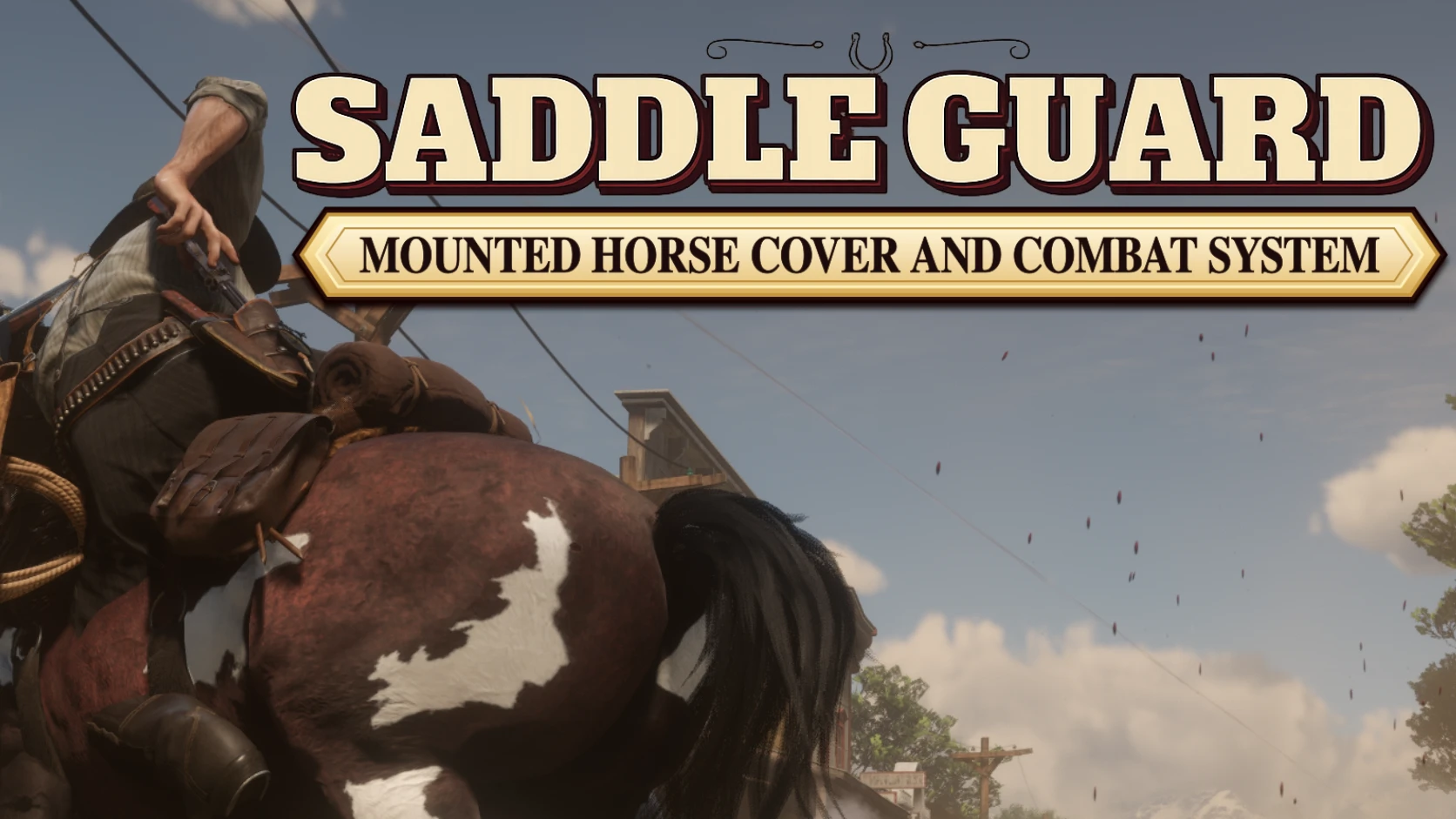
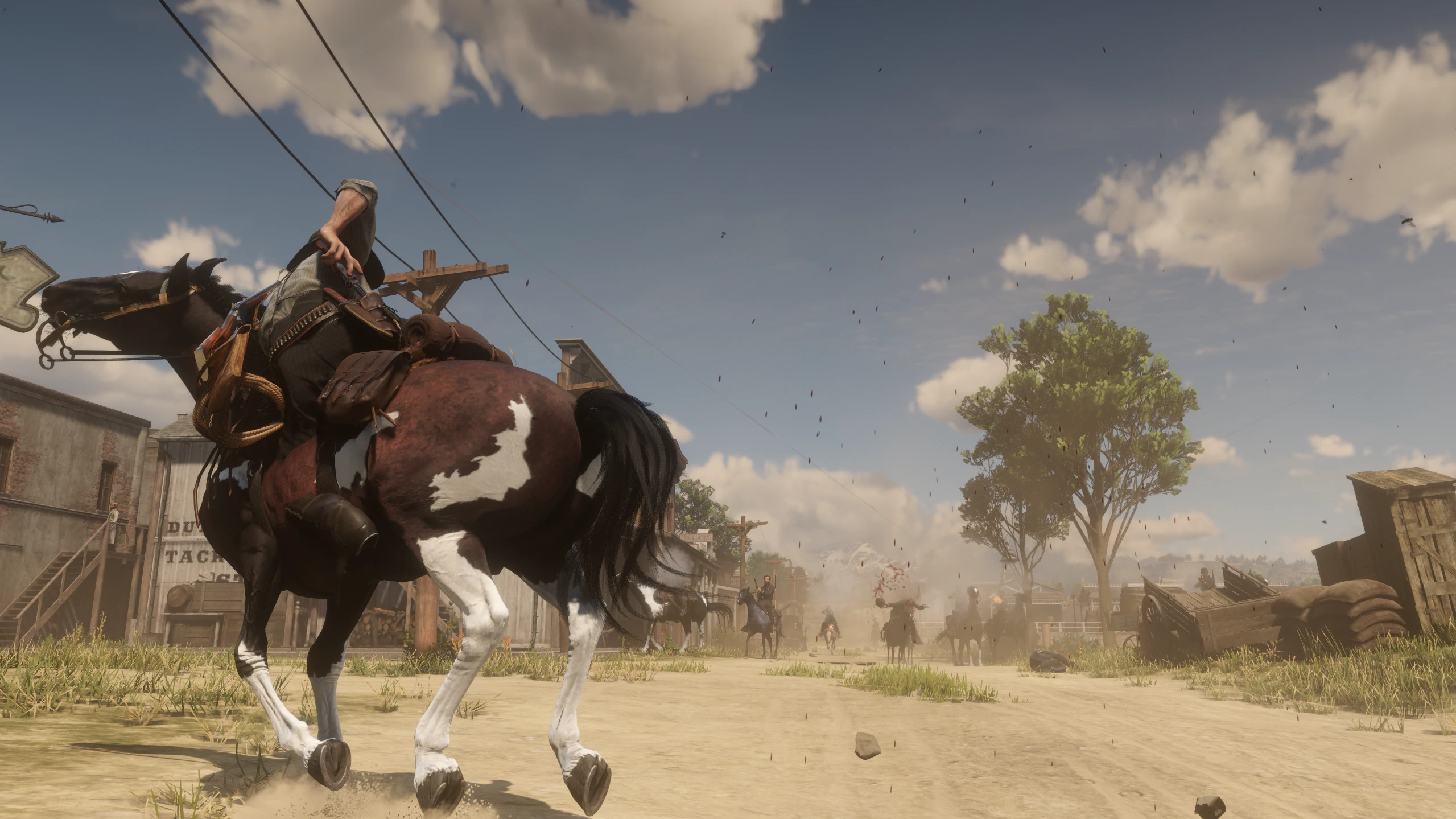
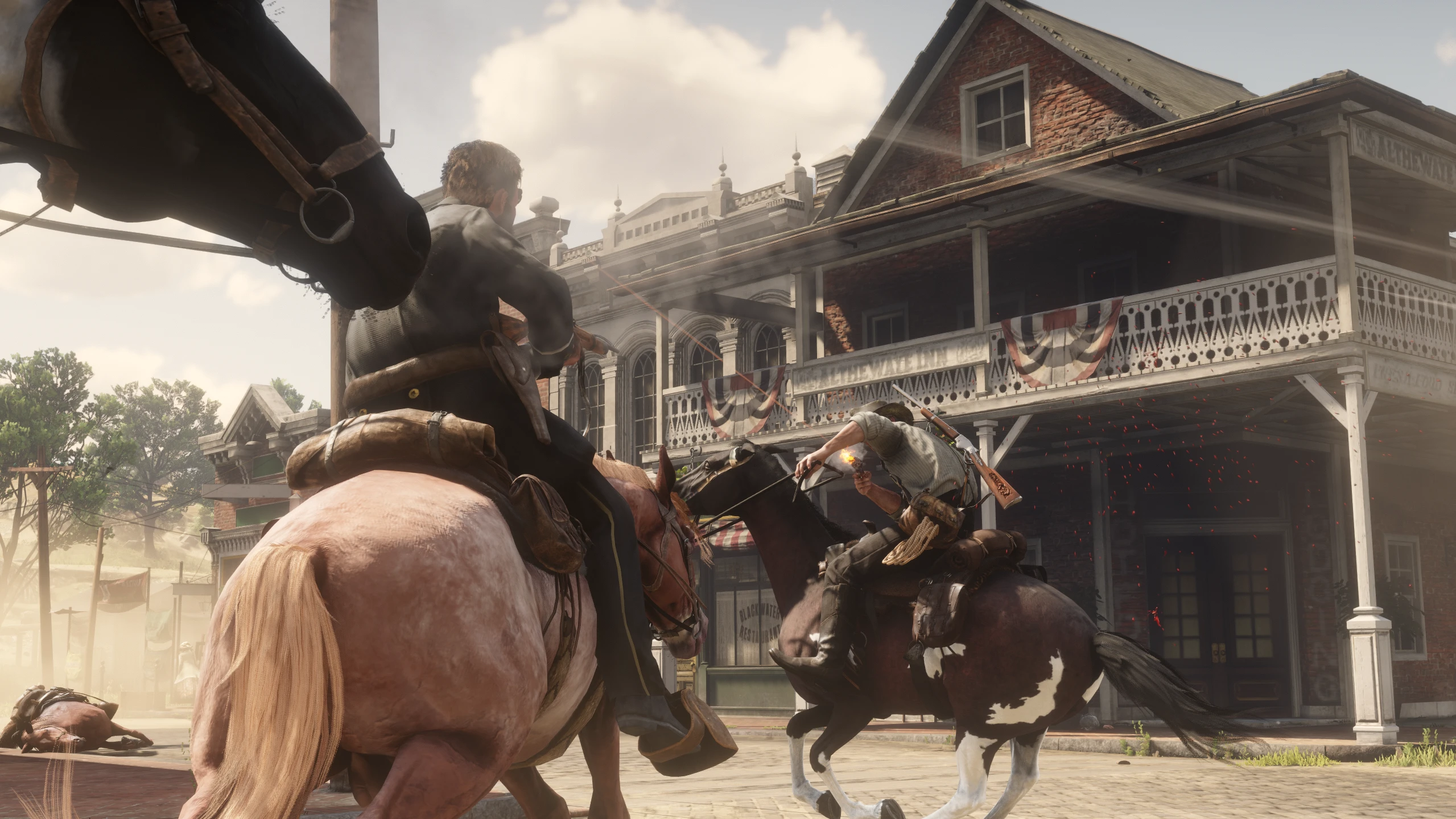
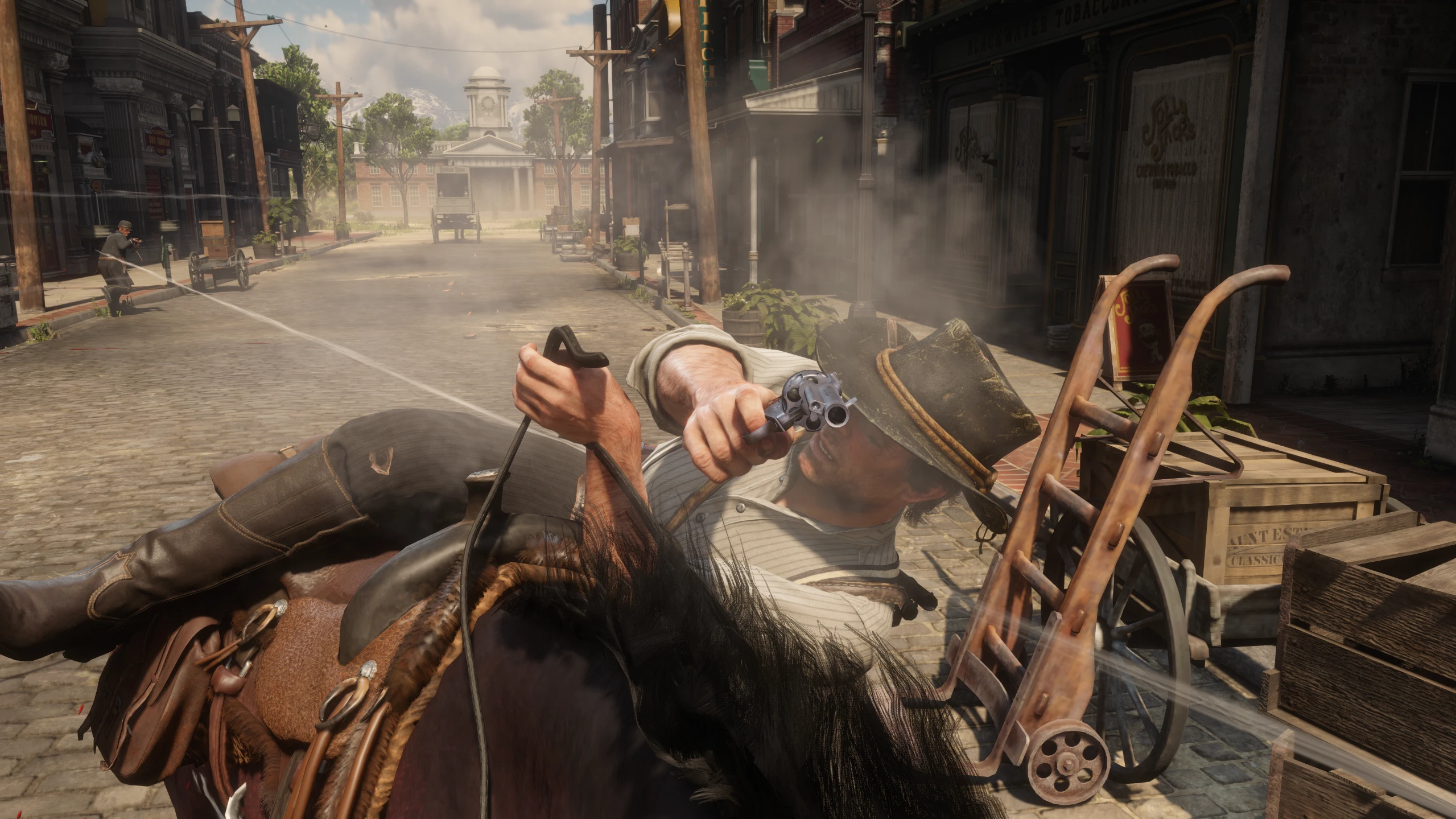
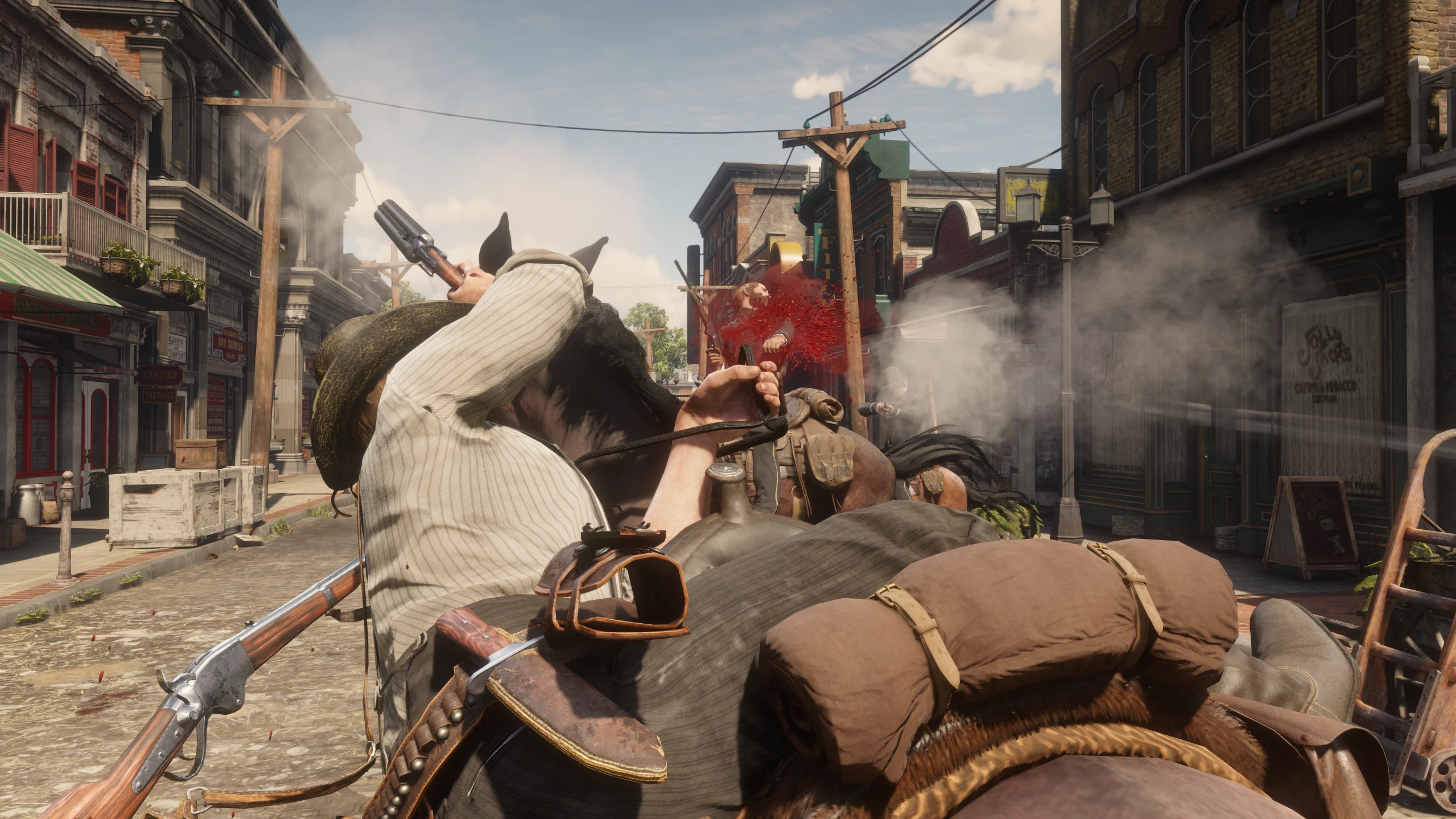
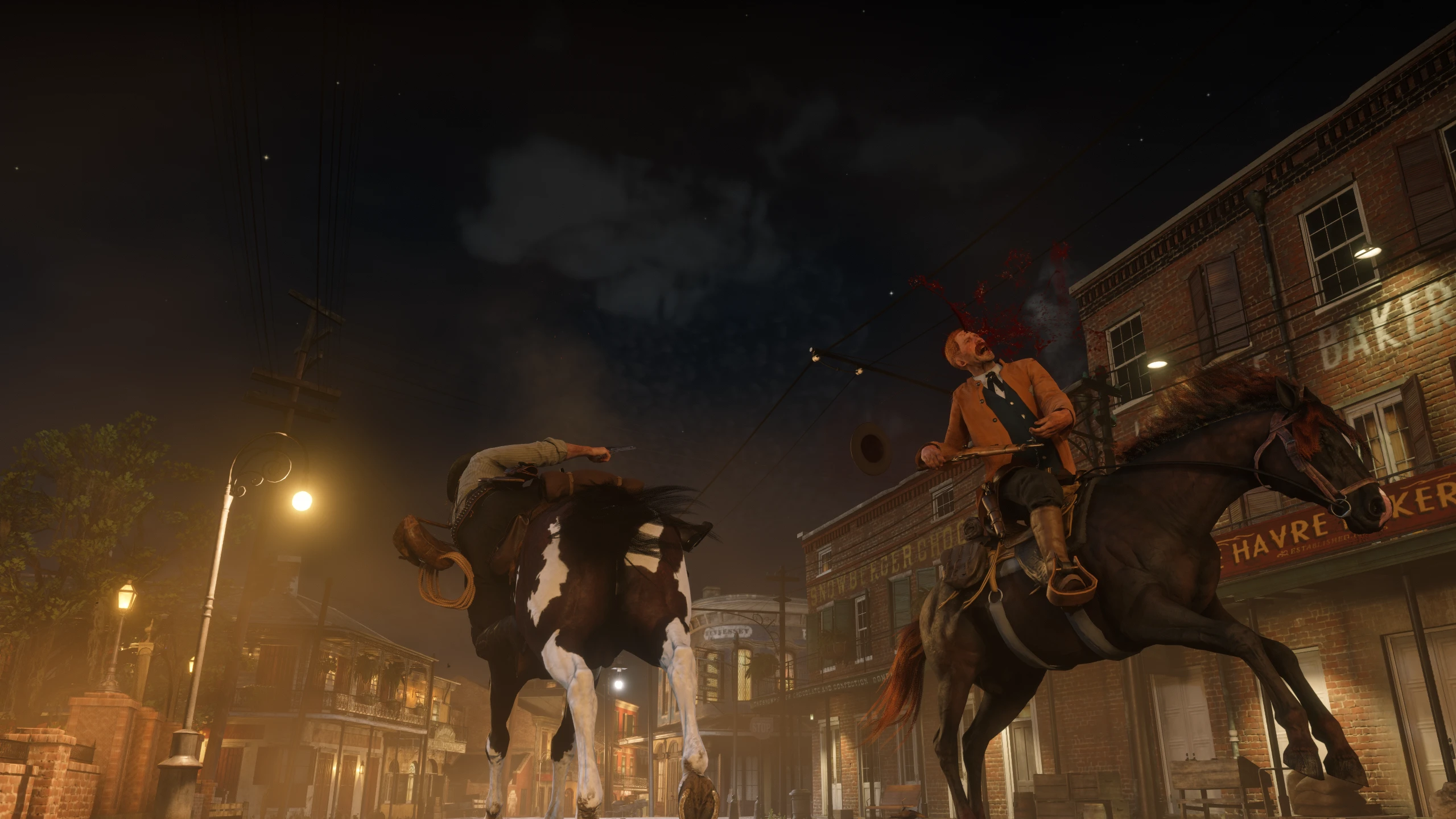
SaddleGuard adds a complete mounted cover system to Red Dead Redemption 2, allowing Arthur to lean to either side of his horse, aim, shoot, reload, switch between sidearms and react naturally to different combat inputs.
SaddleGuard introduces a functional horseback cover system for Red Dead Redemption 2 Story Mode.
Using the appropriate activation input for the selected edition, Arthur can take cover along either side of his horse and use supported weapons during combat.
The base horseback-cover animation was already present within the game’s files and internal systems, but it had not been developed into a complete player-controlled mechanic.
SaddleGuard expands and improves this foundation with dedicated systems for weapon handling, aiming, firing, reloading, stamina, camera shake, physical aiming limits, facial expressions, Arthur voice events and state recovery.
Separate packages are available for:
Keyboard and mouse.
PlayStation 4 / DualShock 4 — tested.
Xbox controller — experimental and not yet tested.
Download and install only the package intended for your input device.
MAIN FEATURES
Horseback cover on the left and right sides of the horse.
Persistent cover without an artificial duration limit.
Support for revolvers, pistols and the Sawed-Off Shotgun.
Aiming, firing and reloading while in cover.
Draw or holster the supported weapon using the control assigned to your edition.
Automatic storage of unsupported rifles and shotguns on the horse before entering cover.
Reloading through the game’s original ammunition and animation systems.
Improved handling of empty weapons and two sidearms of the same model.
No ammunition is intentionally added as a gameplay advantage.
Horizontal and vertical aiming limits.
Configurable front aiming tolerance near the horse’s head.
Optional stamina system.
Configurable stamina drain.
Progressive facial expressions during mounted cover.
Optional aiming facial expression.
Optional native Arthur voice events.
Configurable camera and aiming shake.
Configuration through
SaddleGuard.ini
Separate keyboard and mouse, PlayStation 4 and Xbox editions.
Weapon and animation state recovery whenever possible.
Not every aiming angle is available while using horseback cover.
Some directions are intentionally restricted by Arthur’s position, the horse and the physical limits of the animations.
DUAL WIELD BEHAVIOR
Dual Wield is not used while Arthur remains lowered in the horseback-cover position.
When Arthur enters cover with two sidearms equipped, the secondary weapon is preserved while only the primary weapon remains active.
If the primary sidearm is empty and the secondary sidearm is loaded, SaddleGuard may promote the loaded secondary before entering cover.
When Arthur rises from the covered position, the secondary weapon is restored whenever possible, allowing him to return to Dual Wield.
This behavior reduces animation problems and creates a more believable horseback-cover system.
CONTROLS
SaddleGuard uses separate packages for keyboard and mouse, PlayStation 4 and Xbox controls.
Install only one edition. Do not combine the ASI or INI files from different packages.
| Control | Function |
|---|---|
|
Enter or leave horseback cover |
|
Draw or holster the supported sidearm |
|
Request a manual reload |
|
Leave cover and smoothly dismount |
| Right Mouse Button | Aim |
| Left Mouse Button | Fire |
|
Press, hold and release to activate Arthur’s optional voice sequence |
The keyboard activation key can be changed through:
ActivationKey| Function | DualShock 4 Control |
|---|---|
| Enter or leave horseback cover | Hold
, then press |
| Draw or holster the supported sidearm |
|
| Request a manual reload |
|
| Leave cover and smoothly dismount |
|
| Aim / fire |
/ |
| Arthur voice sequence | Press, hold and release
|
Hold
L2before pressing
SQUARE.
This prevents a normal Square press from activating horseback cover when Arthur is close to another horse or performing another native action.
| Function | Xbox Control |
|---|---|
| Enter or leave horseback cover | Hold
, then press |
| Draw or holster the supported sidearm |
|
| Request a manual reload |
|
| Leave cover and smoothly dismount |
|
| Aim / fire |
/ |
| Arthur voice sequence | Press, hold and release
|
EXPERIMENTAL XBOX EDITION
The Xbox controller edition has not yet been tested.
Please report controls that do not respond, input conflicts, crashes or any feature that does not behave as described.
If basic Xbox compatibility cannot be confirmed, this experimental edition may be removed.
CONFIGURATION
The
SaddleGuard.inifile allows you to configure the stamina system, facial expressions, Arthur voice events, shake intensity and aiming limits.
The keyboard and controller packages may also contain settings specific to their input method.
Close the game before editing the file.
Change only the value placed after the
=sign and use a period for decimal values.
Keep the
SaddleGuard.asiand
SaddleGuard.inifiles from the same package together.
Do not combine the INI from one edition with the ASI from another edition.
| Setting | Default | Function |
|---|---|---|
|
|
Keyboard and mouse edition only. Defines the key used to enter or leave horseback cover.
corresponds to . |
|
|
Enables or disables SaddleGuard’s complete stamina system. |
|
|
Defines the amount of stamina consumed per second when the stamina system is enabled. |
|
|
Enables or disables SaddleGuard’s facial-expression progression. |
|
|
Enables or disables the temporary aiming facial expression. |
|
|
Enables or disables Arthur’s optional mounted voice sequence. |
|
|
Defines the front horizontal firing boundary. |
|
|
Adds aiming tolerance near the horse’s forward centerline. |
|
|
Defines the rear horizontal firing boundary. |
|
|
Defines the lowest permitted vertical firing angle. |
|
|
Defines the highest permitted vertical firing angle. |
|
|
Controls camera and aiming-shake intensity. |
Controller Edition Settings
Controller editions include their own input-support settings.
Keep the controller-support settings enabled in the INI supplied with the selected controller package.
For the PlayStation 4 edition:
EnablePS4ControllerSupport=1Enables the native DualShock 4 input route.
PS4ActivationRequiresAim=1Requires
L2to be held when
SQUAREis pressed.
Use the INI supplied with the Xbox package for the experimental Xbox edition.
Stamina System
-
EnableStaminaSystem=1enables stamina drain, exhaustion exit and exhaustion ragdoll.
-
EnableStaminaSystem=0completely disables SaddleGuard’s stamina system.
-
StaminaDrainPerSecond=0.00disables only the continuous stamina drain while keeping exhaustion detection active.
Facial Expressions
-
EnableFacialExpressions=1enables progressive facial expressions during mounted cover.
-
EnableFacialExpressions=0disables every facial-expression request made by SaddleGuard.
-
EnableAimFacialOverride=1allows the temporary aiming expression while the player is aiming.
Arthur Voice Events
EnableArthurVoiceEvents=1enables Arthur’s optional voice sequence.
The activation input depends on the installed edition:
-
SHIFTon keyboard and mouse.
-
X / CROSSon DualShock 4.
-
Aon Xbox controllers.
Horizontal Aiming Limits
- Lower
AimSectorInnerDegreesvalues allow Arthur to fire closer to the horse’s head and forward direction.
-
AimSectorInnerDegrees=0.0allows the normal firing sector to reach the forward centerline.
- Higher
FrontAimToleranceDegreesvalues allow the firing sector to extend slightly farther beyond that line.
Front aiming tolerance helps prevent the reticle from disappearing during small camera movements near the horse’s head.
- Higher
AimSectorOuterDegreesvalues allow Arthur to fire farther toward the horse’s rear.
Vertical Aiming Limits
- More negative
MinimumAimPitchDegreesvalues allow Arthur to aim farther downward.
- Higher
MaximumAimPitchDegreesvalues allow Arthur to aim farther upward.
Camera and Aiming Shake
AimShakeIntensityworks independently from the stamina system.
Use
AimShakeIntensity=0.00to completely disable the camera and aiming shake created by SaddleGuard.
During development and testing, SaddleGuard was used alongside:
- Extended Player Animations
- Enhanced Brawling
- Ped Damage Overhaul — PDO/PDOR
- Rampage Trainer
- Dive Crawling
- Terrain Texture Overhaul
- Weapon Smoke Particle Fix
- GunFX
- Mods that modify health or damage.
- Injury and dizziness systems.
- Stamina-related modifications.
- Mods that add or modify animations.
- Mods that alter camera effects.
Compatibility may vary when another modification directly controls the same weapon, holster, camera, animation, stamina, controller input or mounted-combat systems.
The keyboard and mouse edition and the PlayStation 4 edition have been tested.
The Xbox edition is experimental and has not yet been tested.
Use only one SaddleGuard edition at a time.
Quick Draw has not yet been tested with SaddleGuard.
Its compatibility is currently unknown.
Compatibility with every possible mod and input-device combination cannot be guaranteed.
KNOWN ISSUES
When Arthur enters horseback cover without a weapon already equipped and the player presses
TAB, the complete drawing animation may occasionally fail to appear.
During some attempts, the weapon may also remain temporarily holstered and unavailable.
Retrying the draw, holstering and drawing the weapon again, or leaving and re-entering horseback cover may restore normal behavior.
Very rapid and repeated
TABinputs may also cause a brief visual mismatch between Arthur’s animation and the actual weapon state.
These occurrences are rare and generally do not affect the main gameplay system.
This edition has been tested, but different controller configurations, remapping software and connection methods may produce unexpected input conflicts.
Please report any controller-specific bug or incorrect behavior.
The Xbox edition is experimental and has not yet been tested.
Please report any control that does not respond, any incorrect button mapping, input conflict, crash or feature that does not work as described.
If basic compatibility cannot be confirmed, the experimental Xbox edition may be removed.
- Install ScriptHookRDR2 V2 and Dinput8.
- Download the correct SaddleGuard package for your input device:
- Keyboard and mouse.
- PlayStation 4 / DualShock 4.
- Xbox controller — experimental.
- Place
SaddleGuard.asiand
SaddleGuard.iniinside the main Red Dead Redemption 2 directory.
- Both files must be placed beside
RDR2.exe- Do not mix files from different SaddleGuard editions.
- Launch Story Mode.
- Mount a horse and use the activation control assigned to your edition.
Remove the following files from the main game directory:
-
SaddleGuard.asi -
SaddleGuard.ini
- A legitimate PC copy of Red Dead Redemption 2 purchased through Steam or another official platform.
- ScriptHookRDR2 V2 and Dinput8.
- Story Mode.
- One supported SaddleGuard input edition:
- Keyboard and mouse.
- PlayStation 4 / DualShock 4 — tested.
- Xbox controller — experimental and not yet tested.
Lenny’s Mod Loader is not required.
Keyboard and mouse, PlayStation 4 and Xbox support are distributed as separate packages.
Install only one edition and keep its
SaddleGuard.asiand
SaddleGuard.initogether.
STORY MODE ONLY
Do not use SaddleGuard in Red Dead Online or RedM.
AUTHORSHIP AND IMPLEMENTATION
SaddleGuard is an original project conceived, designed and directed by me, with technical assistance throughout its development and testing.
The base horseback-cover animation already existed within Red Dead Redemption 2’s files and internal systems, but it had not been implemented as a complete player-controlled combat mechanic.
I defined the project’s functionality, behavior and overall design.
The system was implemented, tested and refined with technical assistance based on my specifications, evaluations and feedback.
SaddleGuard expands the original animation with weapon handling, aiming, firing, reloading, state preservation, stamina mechanics, facial expressions, native Arthur voice events, shake effects, physical aiming limits, controller-specific input support, compatibility measures and state-recovery systems.
Credits:
T1Lord
Downloads
| Name | Format | Size | Description |
|---|---|---|---|
| SaddleGuard-PC-EDITION-2.0.zip | ZIP | 34.62 KB | SaddleGuard 2.0.0 adds progressive facial expressions, voice events, improved empty-weapon handling, reloads and same-model weapon switching, cover and dismount fixes, new INI options, and separate keyboard, PS4 and Xbox editions. |
| SaddleGuard-XBOX-EDITION-Experimental-2.0.zip | ZIP | 36.85 KB | |
| SaddleGuard-PS4-EDITION-2.0.zip | ZIP | 43.10 KB |
To start download click the filename. To open archive files use one of these programs: WinRAR, 7-Zip, WinZip. Some mod archives may need to be extracted before the mods will work.