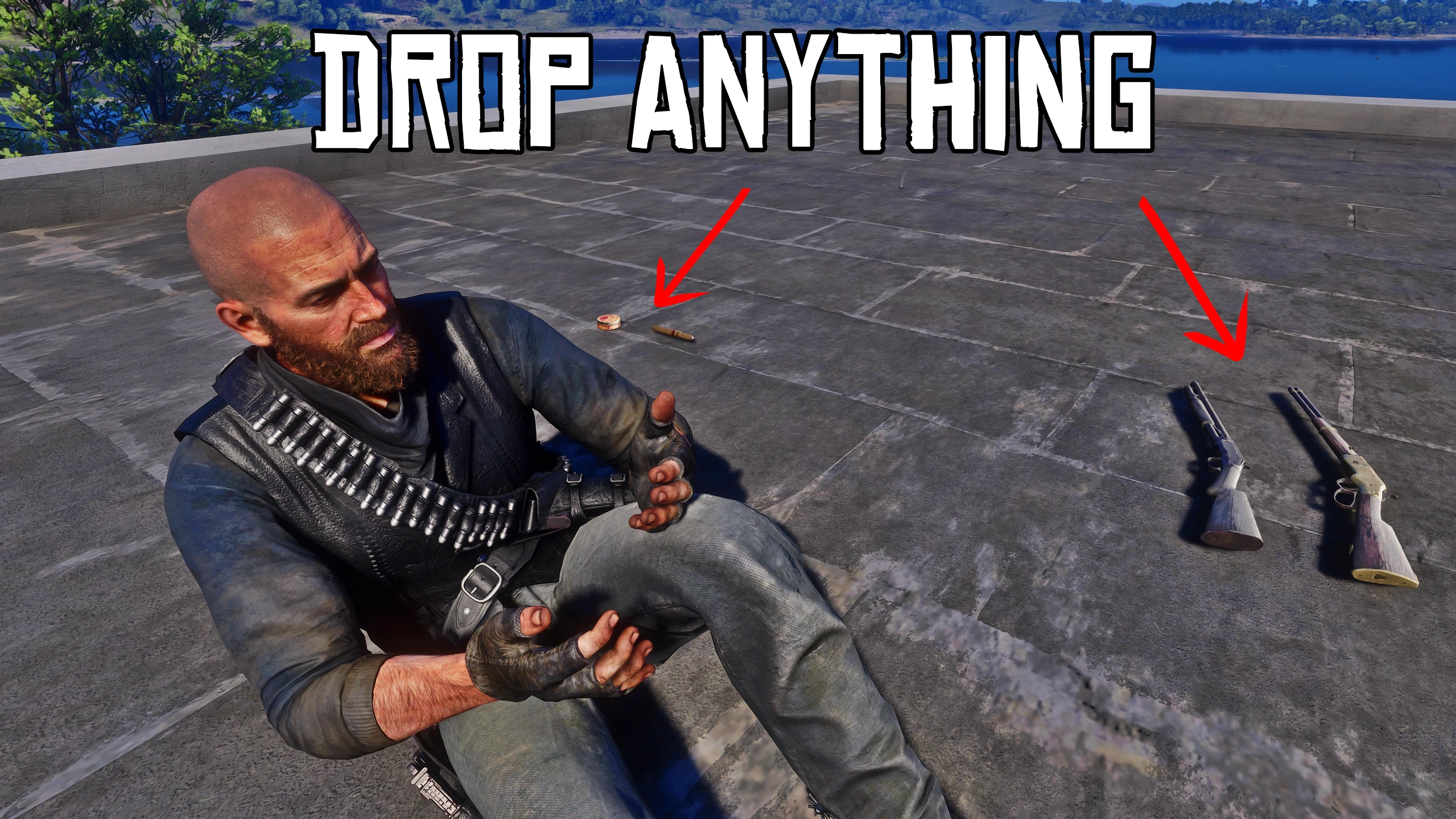
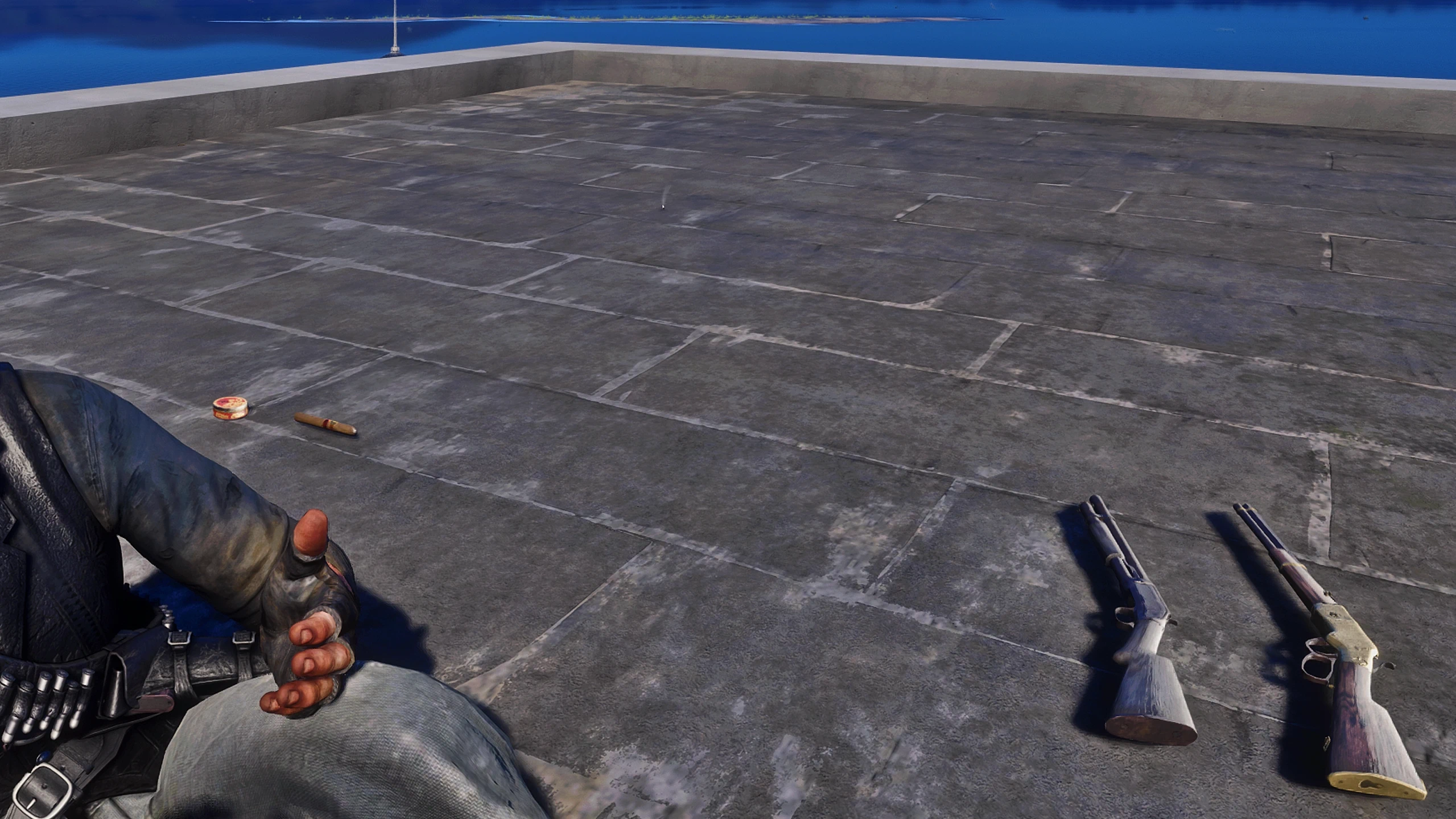
Discard anything, weapons included, straight from the game’s own weapon wheel and satchel. What you discard lies on the ground with the game’s pickup glow, and you can pick it up again: weapons come back with their components and engravings. Essentials can never be lost. No key to bind, nothing to configure.
The problem
In RDR2 you can’t get rid of a weapon. The rifle you picked up from a dead man stays with you forever, and half of your satchel can’t be discarded at all. What the game does let you discard simply vanishes.
What this mod does
You can discard anything, weapons included, and it lies on the ground where you can pick it up again. The satchel and the weapon wheel stay the game’s own: the mod only adds its prompts to them, drawn exactly like the game’s.
Weapon wheel
Highlight a weapon and hold Space (“Discard”): it leaves your character and lies on the ground.
Works for guns, the bow, knives, the lasso, throwables, and the items of the wheel’s second tab.
For anything you carry several of (dynamite, throwing knives, tonics…), hold F (“Discard All”) drops the whole stack. “Discard” drops exactly one.
On foot, your character takes the long gun from his back, his shoulder or his hands and drops it once the wheel is closed. It lands where he drops it. Sidearms, knives, the lasso and items are dropped with a small throw of the hand.
Works on horseback too, including the weapons stored on your horse: the object lands beside your mount.
Satchel
The game’s own “Discard” and “Discard All” now put the item on the ground instead of destroying it.
Items the game never lets you discard (documents, kit, unique items, legendary trophies…) get the same two prompts.
On foot, your character drops what you discarded once the satchel is closed.
On the ground
The object glows like any pickup in the game.
Walk up to it and press Enter (“Pick Up”), with the item’s name shown like any game prompt.
A weapon comes back as it was: components, engravings, selected ammo and its place on your character.
What happens to what you leave behind
Leave something on the ground for 15 minutes, or walk more than 150 metres away, and it is gone for good.
What the game never lets you lose (hunting knife, lasso, lantern, documents, kit…) is never lost: it comes back to you by itself.
If the game moves you (mission, cutscene, death, fast travel), nothing is lost: what was on the ground comes back to you.
Features
Discard and Discard All on every weapon and item, from the game’s own weapon wheel and satchel
Discarded things are real objects on the ground, with the game’s pickup glow and a “Pick Up” prompt
Weapons keep their components, engravings and selected ammo
Prompts identical to the game’s hold prompts, in the game’s language
Works on foot and on horseback
Drop animations for weapons and satchel items, and a pick-up animation
Keyboard and controller (X / Square = Discard, Y / Triangle = Discard All)
Essentials can never be lost
Nothing to configure, and an optional .ini if you want other keys or no animations
Optional settings
The mod works without any file. Put DropAnything.ini next to the .asi only if you want to change something:
DropAnimation=0 / PickUpAnimation=0: no drop animation, no pick-up animation.
DiscardKey, DiscardAllKey, PickUpKey: other keyboard keys.
DiscardButton, DiscardAllButton, PickUpButton: other controller buttons, for custom controller layouts.
The prompts show the key or the button you chose.
These keys are for the mod’s own prompts. The game’s own “Discard” in the satchel keeps the key set in the game’s controls.
Requirements
ScriptHookRDR2 by Alexander Blade
Installation
Drag DropAnything.asi into your main Red Dead Redemption 2 folder, the same folder as RDR2.exe. That’s all. DropAnything.ini is optional.
Good to know
You pick things up on foot.
Tested on game version 1491.50, with keyboard and mouse. Controller support is included; tell me if something is off.
To uninstall: pick up what you left on the ground, then delete DropAnything.asi (and DropAnything.ini and DropAnything.dat if they are there).
Credits:
HUUSTL3R
Downloads
| Name | Format | Size |
|---|---|---|
| Drop-Anything-1.1.zip | ZIP | 143.97 KB |
To start download click the filename. To open archive files use one of these programs: WinRAR, 7-Zip, WinZip. Some mod archives may need to be extracted before the mods will work.