A simple Windows GUI tool for backing up local Assetto Corsa Rally save files.
Assetto Corsa Rally currently stores save data locally, so this tool lets you quickly copy your .sav files to a separate backup folder. Each backup creates a new timestamped folder, so older backups are kept safely without overwriting previous ones.
Features
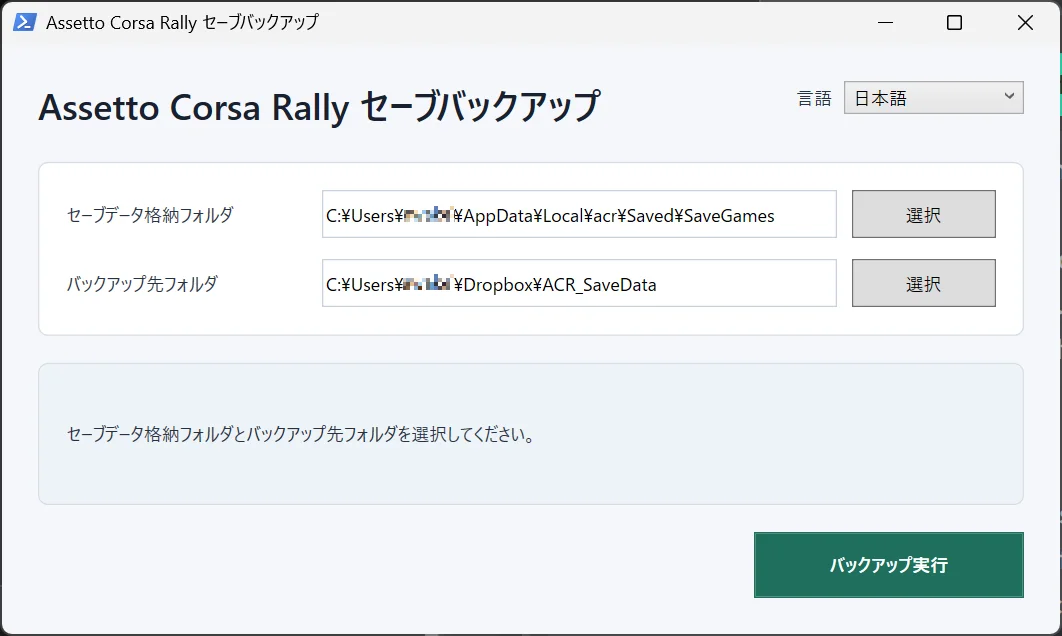
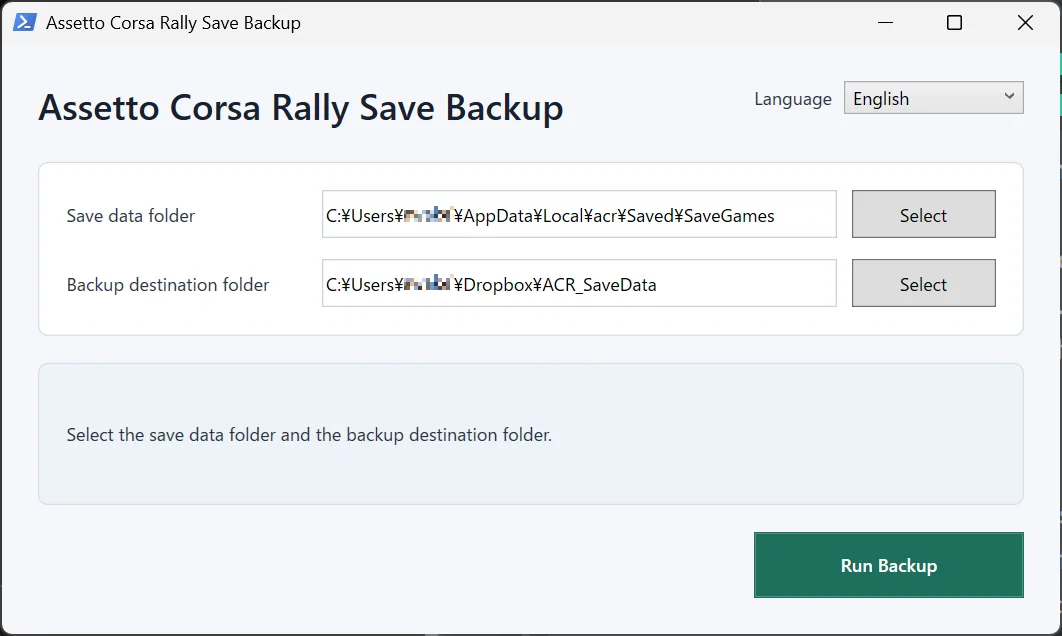
Select your Assetto Corsa Rally save data folder
Select your backup destination folder
Create a new timestamped backup folder each time
Copy .sav files without modifying the original save data
Remember selected folders between launches
Japanese and English interface support
No external runtime required
How to Use
Extract the ZIP file.
Run Run_ACRSaveBackup.bat.
Select your save data folder.
Select your backup destination folder.
Click Run Backup.
Example save folder:
C:\Users\User\App Data\Local\acr\Saved\SaveGames
Notes
This tool only copies .sav files from the selected folder. It does not edit, delete, or overwrite your original save data. Closing the game before running a backup is recommended.
Credits:
muneniku
Downloads
| Name | Format | Size |
|---|---|---|
| acr-save-backup.zip | ZIP | 8.10 KB |
To start download click the filename. To open archive files use one of these programs: WinRAR, 7-Zip, WinZip. Some mod archives may need to be extracted before the mods will work.