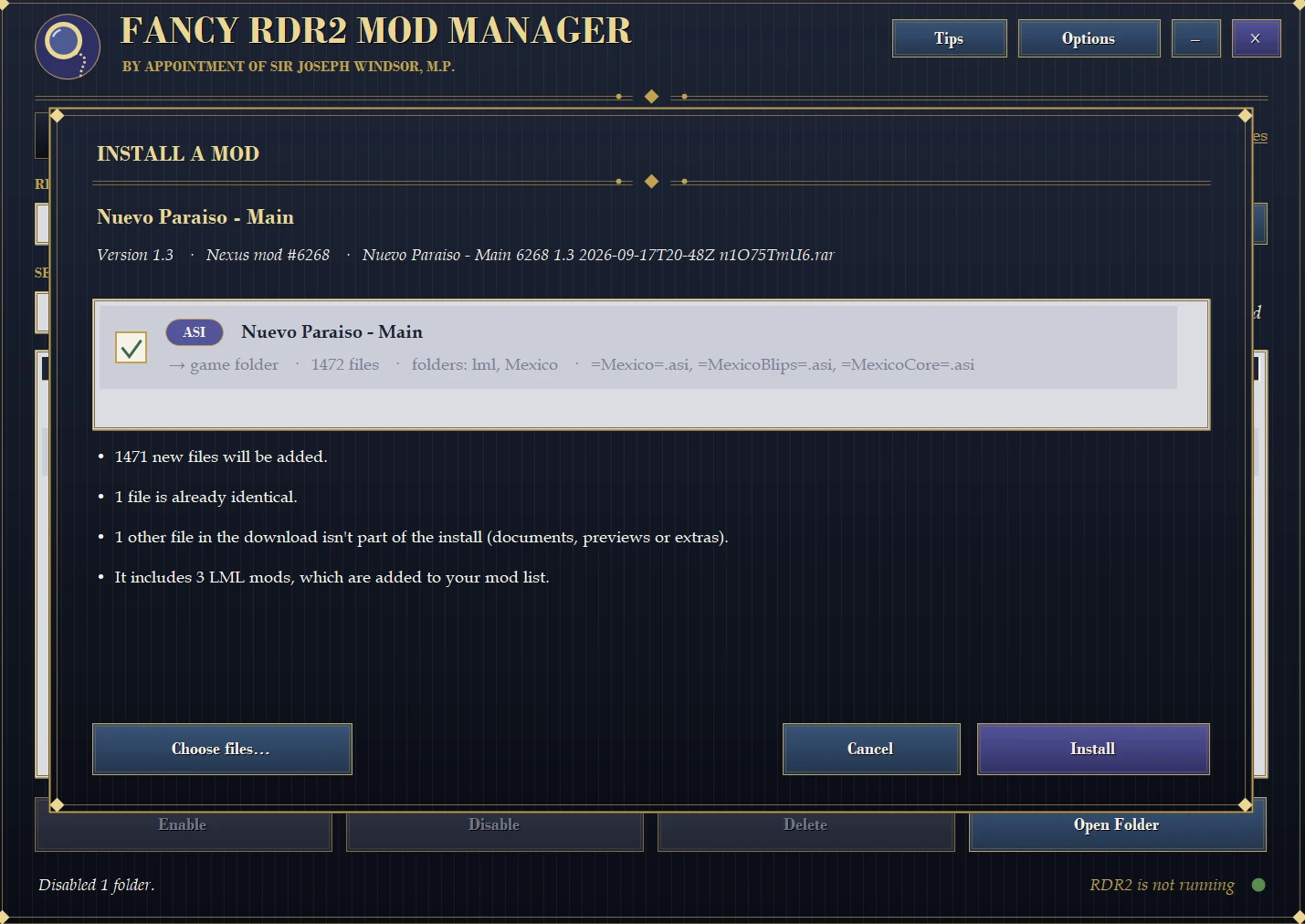
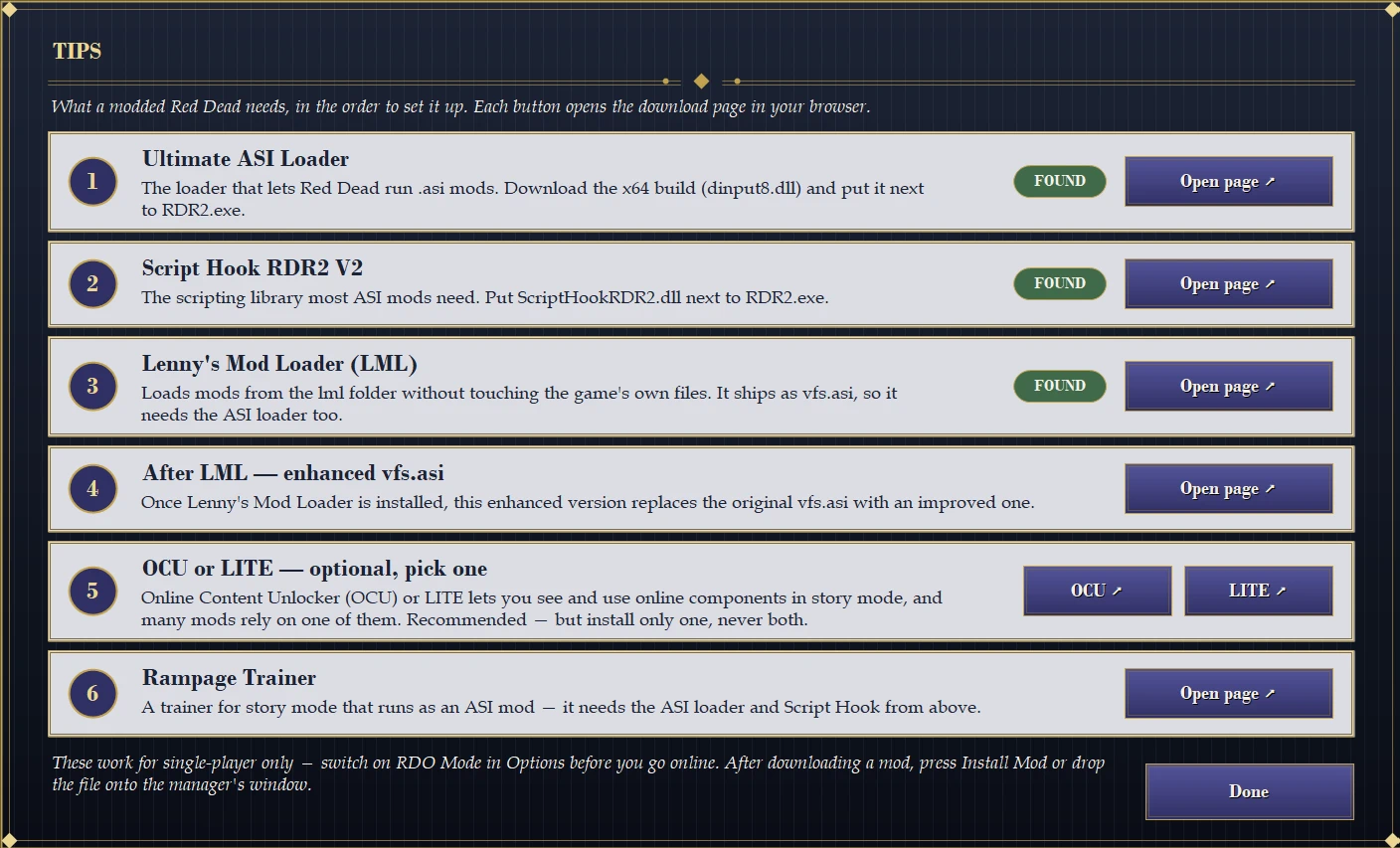
- Press Install Mod…, pick a download from Nexus (a zip, 7z or rar, a folder, or loose files) and the manager works out how it installs – ASI scripts, LML mods, or both. You can also drag and drop a download onto the window
- Check & Install shows you what will happen before anything is touched: new files, files it replaces, files that are already identical, and settings files of yours (.ini and similar) that it leaves alone
- Folder tree preview – see exactly where every file lands in your game folder, with colour badges for new, replaces yours, identical and yours kept. Hide it with one click if you don’t need it
- Choose files… lets you tick or untick individual files, for example to leave out readme files (documents start out unticked)
- Undo any install – right-click anything the manager installed and pick Uninstall. Files it replaced are backed up first (up to a size limit) and put back as they were. The enhanced vfs.asi replaces the original without a backup
- Download watcher – when a new mod lands in your Downloads folder, a banner offers to install it. Can be switched off in Options
- The install window also lets you manage your downloads, you can delete the ones you no longer need
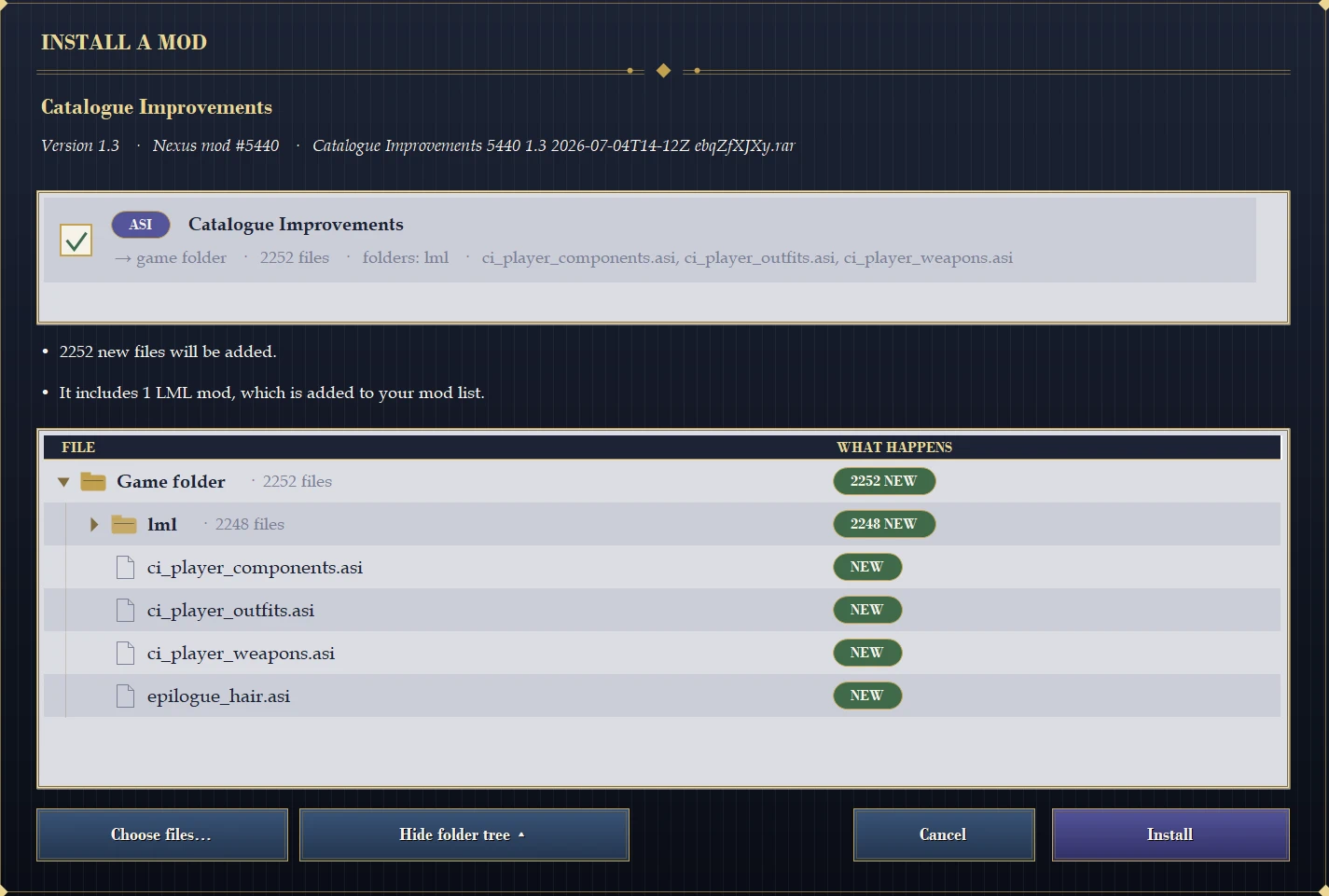
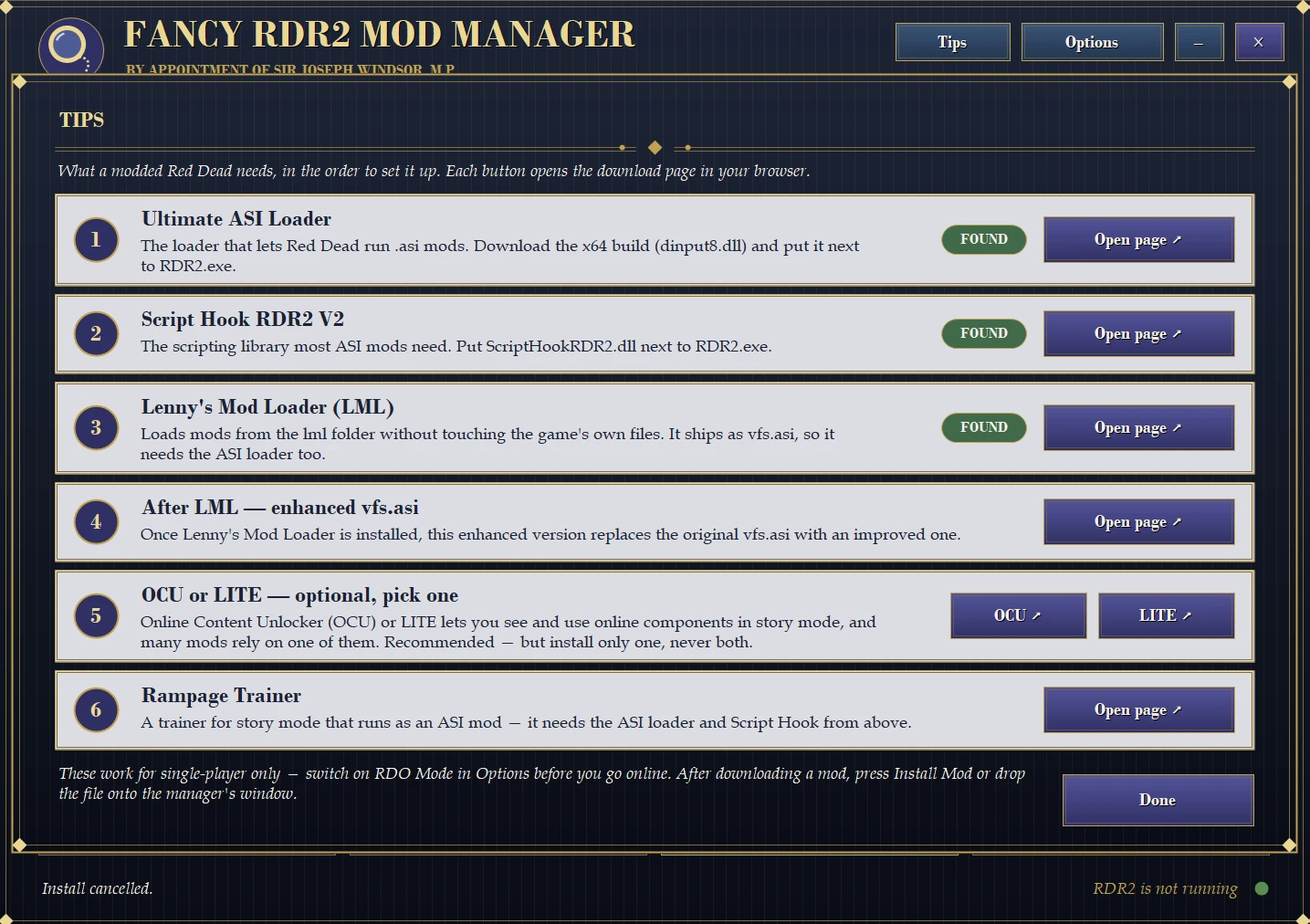
- A short guide to the setup most mods need, with links and a found / not found check: Ultimate ASI Loader, Lenny’s Mod Loader, Script Hook V2, the enhanced vfs.asi for LML, OCU or LITE (only one of them, never both) and Rampage Trainer
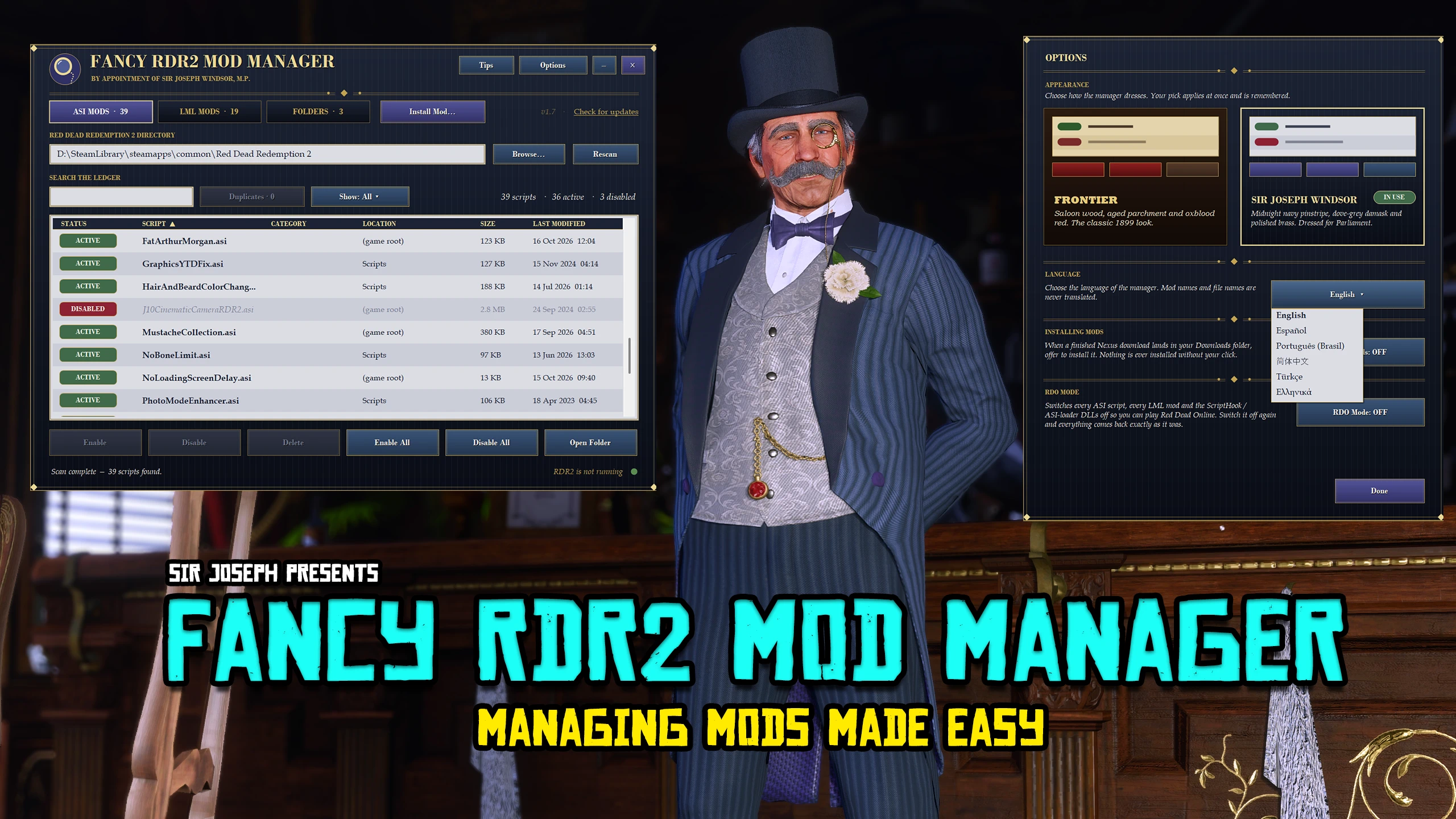
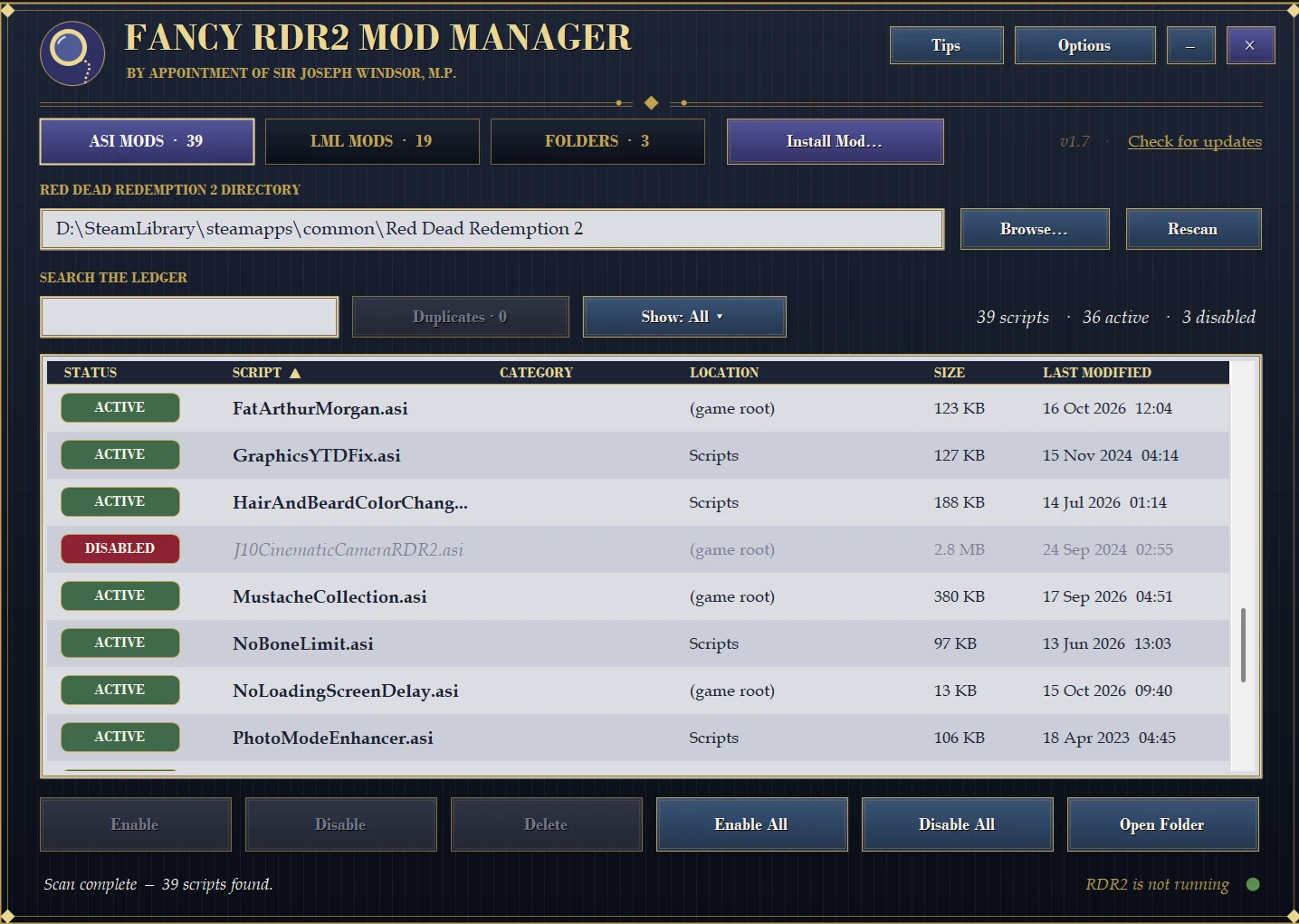
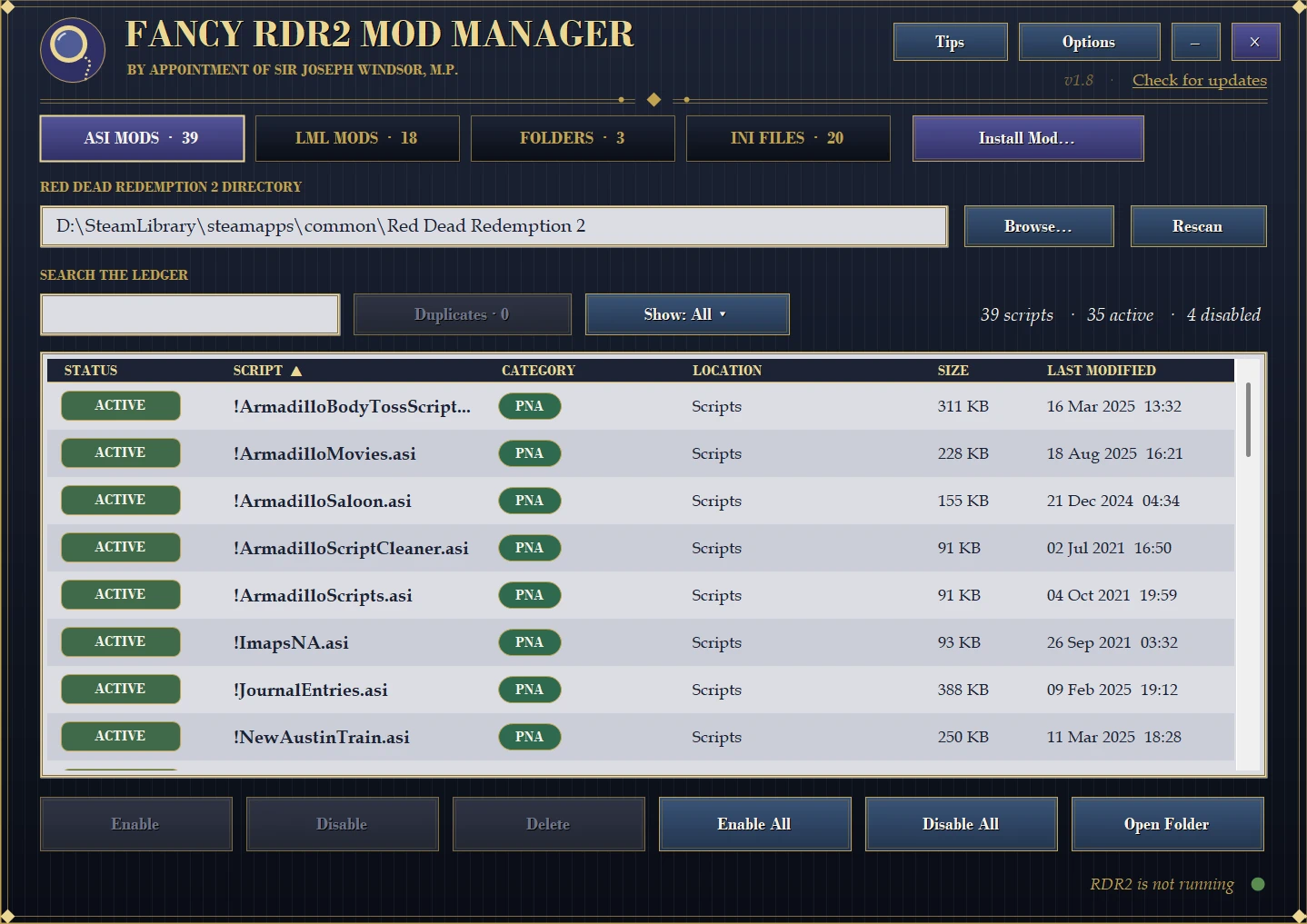
- Scans your game folder and every subfolder for .asi scripts
- Enable / Disable (a disabled script is simply renamed to .asi.disabled – nothing is deleted)
- Enable All / Disable All, search, sort by any column, open the script’s folder in Explorer and .ini if the .asi has one.
- Categories (new) – create your own coloured categories (Horses, Weapons, Graphics…), assign scripts from the right-click menu, filter the list by category and search by it
- Duplicate safeguard – scripts sharing a name are tagged DUPLICATE, the other copy’s location is shown, and you’re warned before two same-named scripts end up active together
- Delete sends the file to the Recycle Bin, so it’s always recoverable
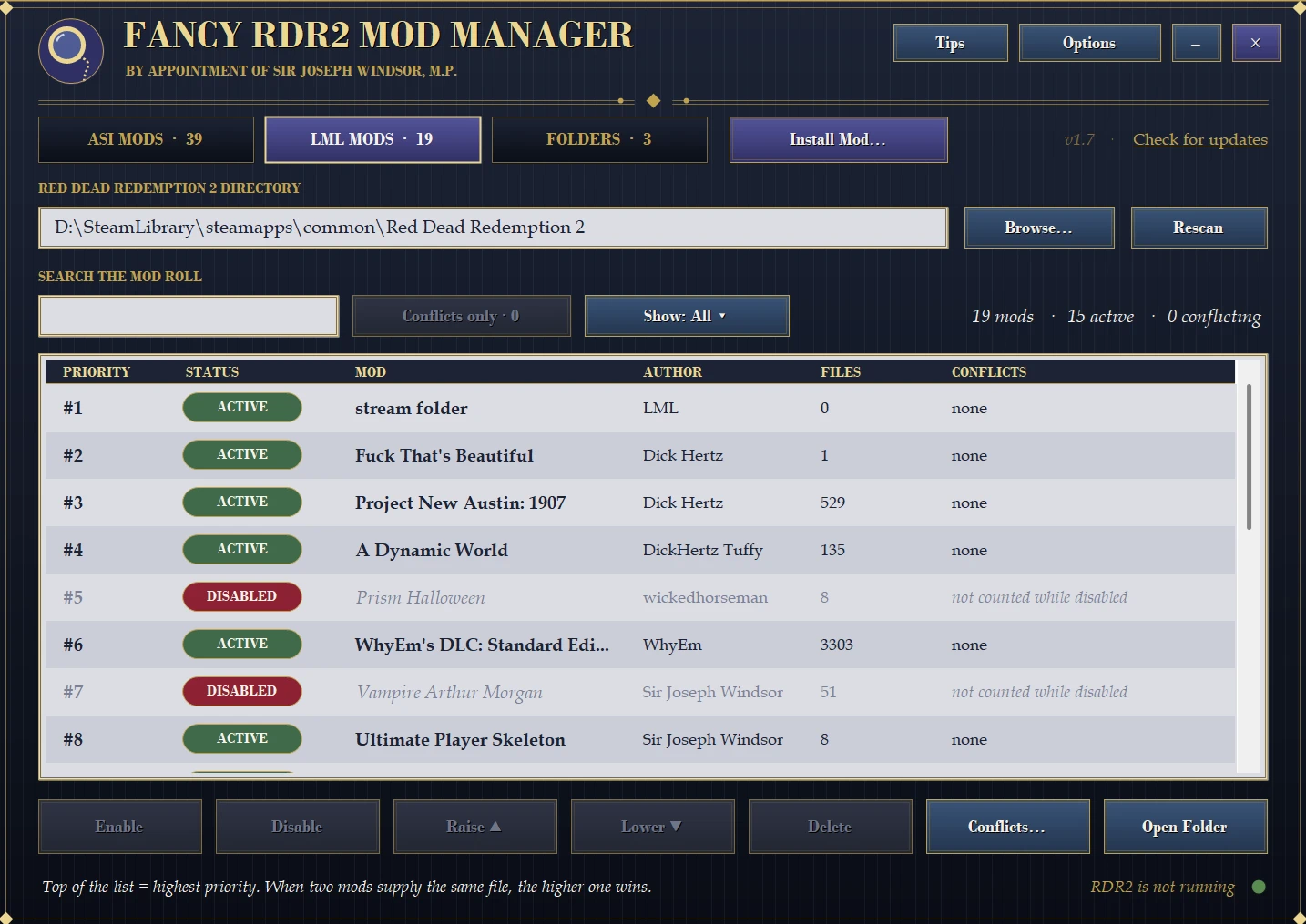
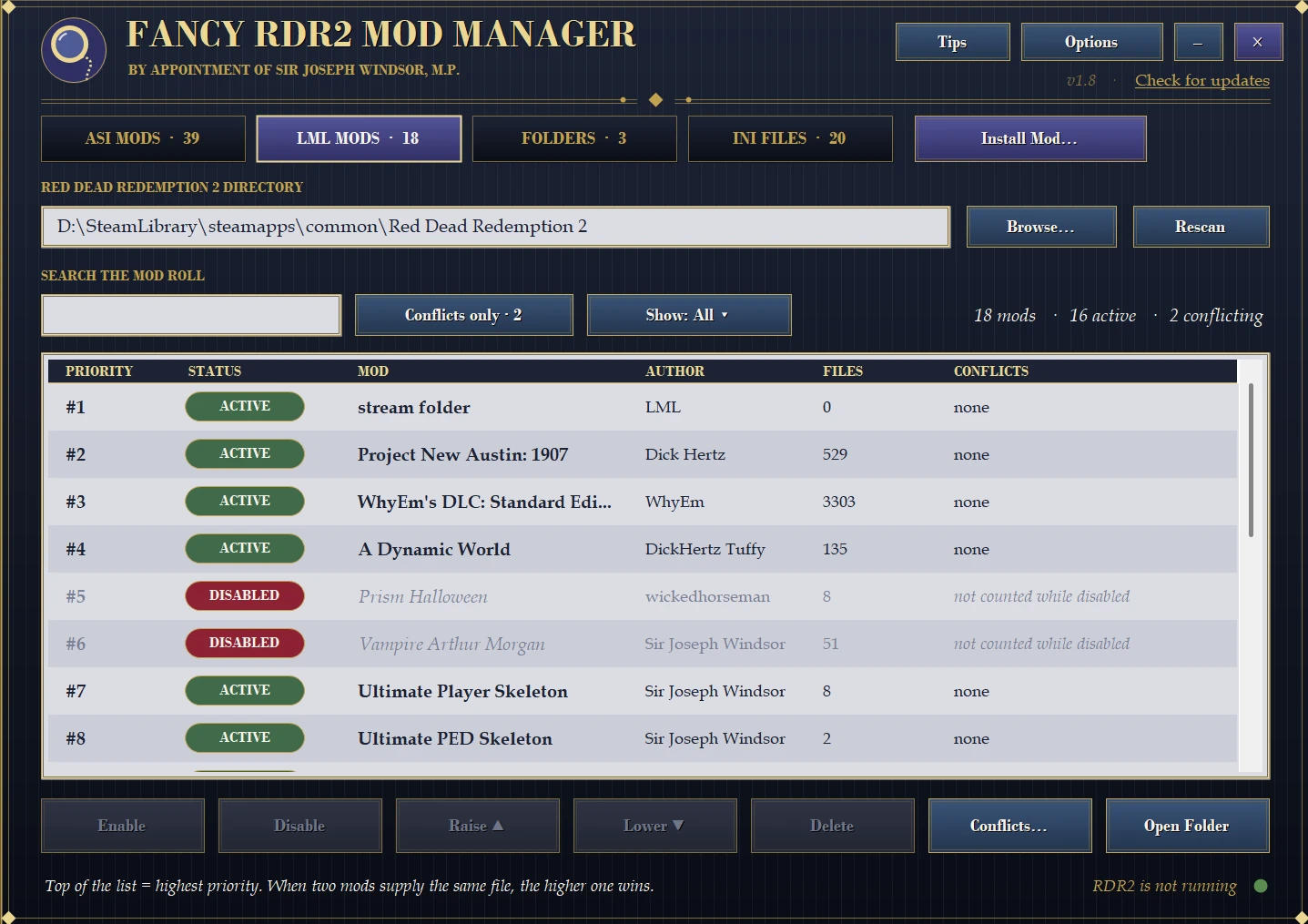
- Reads Lenny’s Mod Loader’s own lml\mods.xml – the same list your mod manager uses – and shows every mod with its status: ACTIVE, DISABLED, MISSING (listed but the folder is gone) or UNLISTED (folder present but not registered)
- Enable / Disable any mod, with author and file counts read from its install.xml
- Priority control – Raise and Lower a mod’s priority (#1 at the top wins). Works on several mods at once
- Conflict scanner – finds files supplied by more than one enabled mod, counts for each mod how many it wins and how many it loses, and opens a Conflicts window that lists every contested file, the winner, and who gets overridden. One click copies the whole report to share with mod authors
- Switch off single files inside a mod from the Conflicts window – they’re kept safely aside, can be restored any time, and (new) can now also be deleted from the Disabled Files list
- “Conflicts only” filter, search, and delete (folder to Recycle Bin and its mods.xml entry removed together)
- Your mods.xml is backed up automatically (as mods.xml.asimanager.bak) before the first change each session
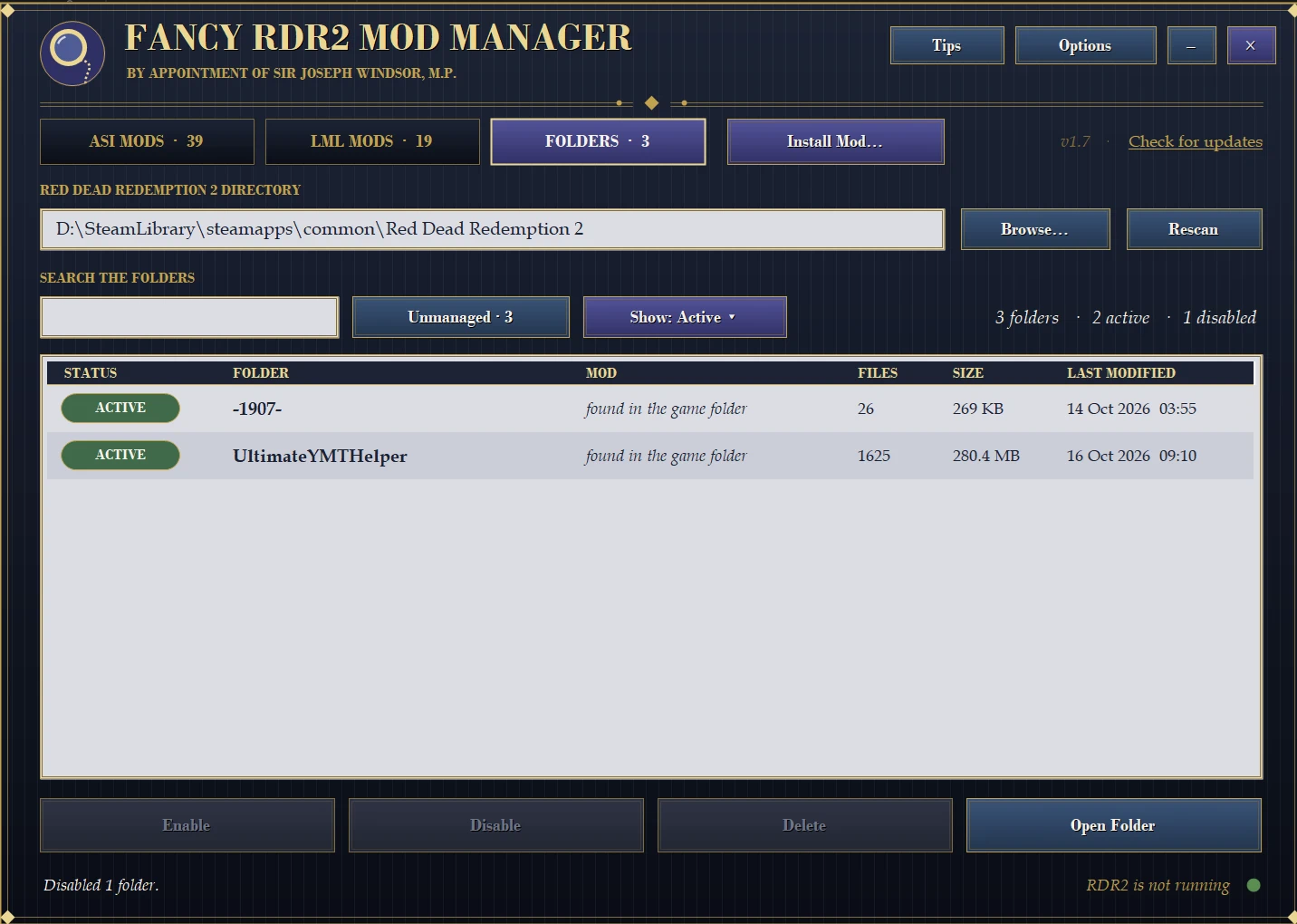
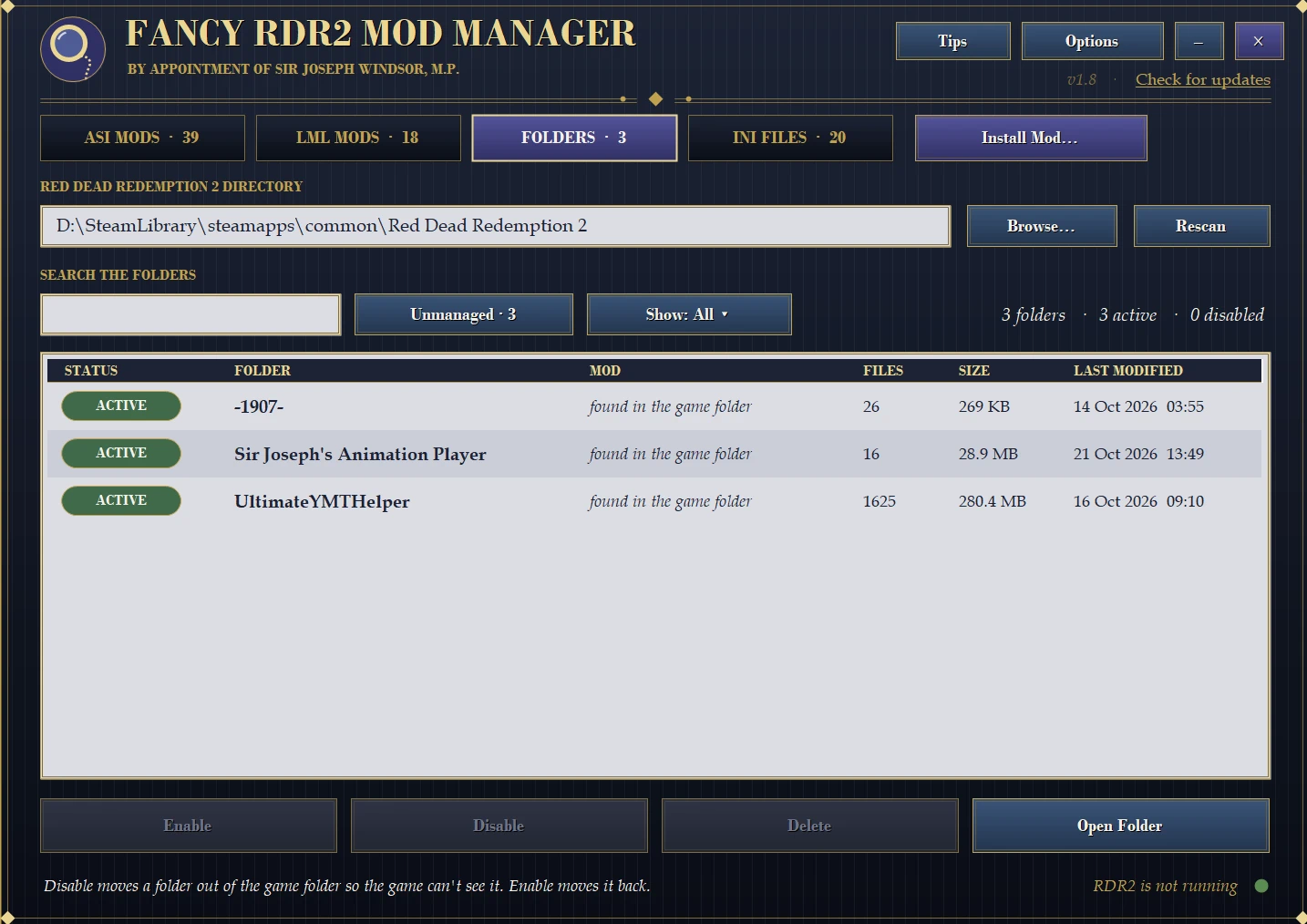
- Some mods keep plain folders (xml and data files) right in your game folder. The new FOLDERS tab lists them all – the ones the manager installed and ones you added by hand years ago – with the mod they belong to, file count and size
- Disable / Enable a folder: Disable moves it out of the game folder into the manager’s own stash so the game can’t see it, and Enable moves it straight back. Also Delete (to the Recycle Bin), Open Folder and a filter for folders the manager didn’t install
- Vanilla game folders (x64, Redistributables, lml, scripts…) are never listed, so you can’t switch off something the game needs
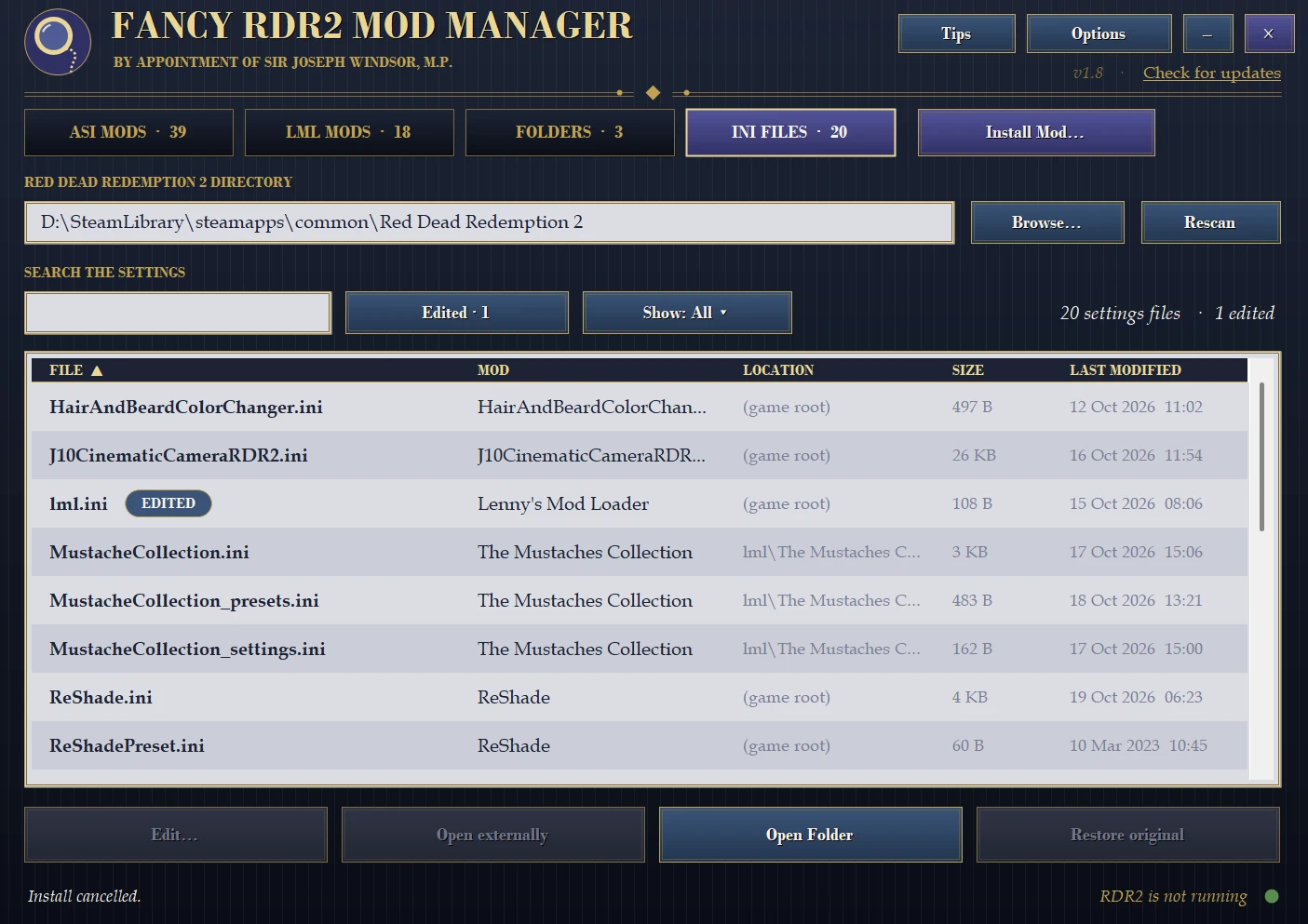
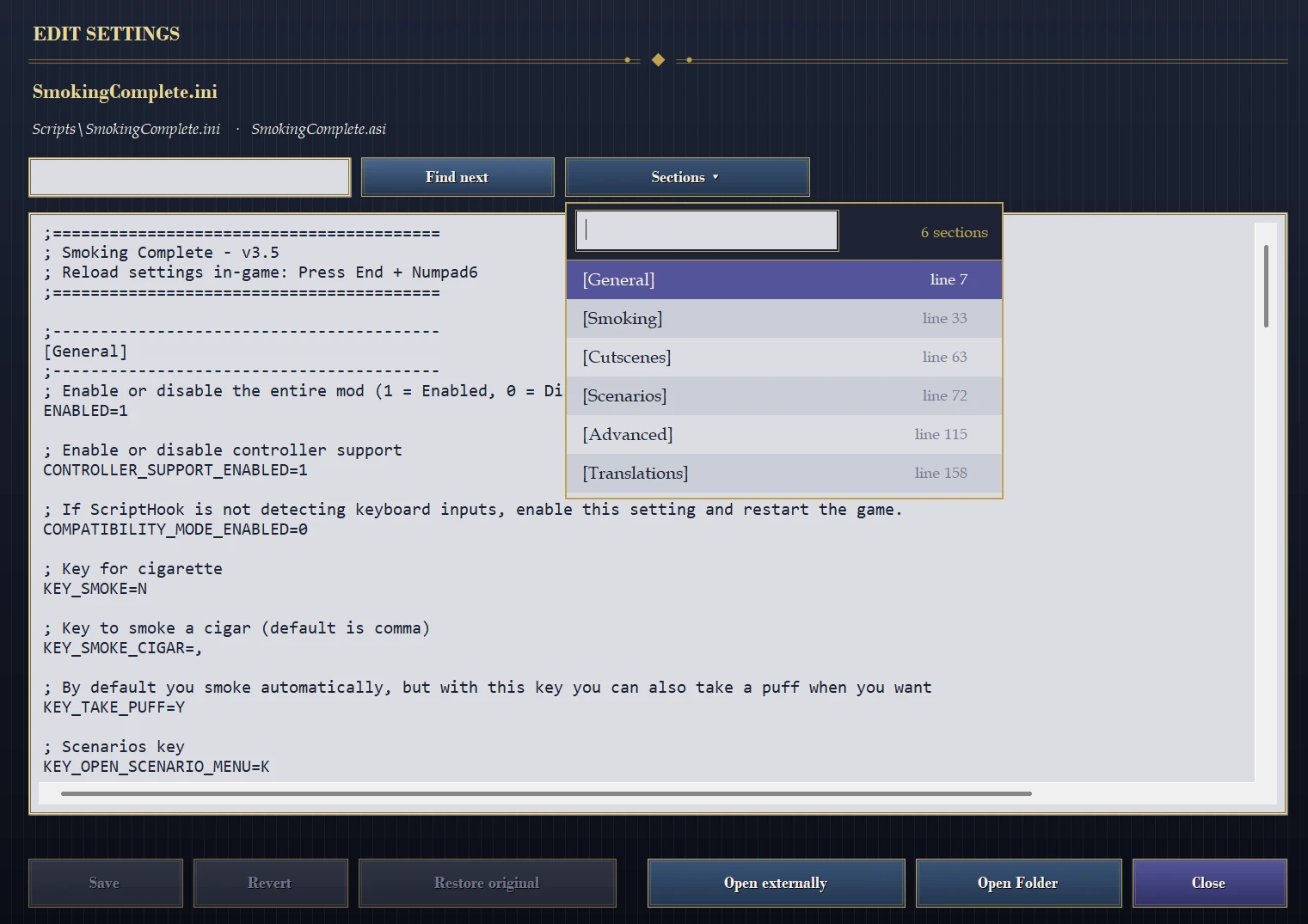
- Manage all of the .ini’s easily within the mod manager
- In Options, flip RDO Mode: ON and every ASI script and every LML mod is switched off, ready for Red Dead Online
- Flip it OFF and everything comes back exactly as it was – including the scripts and mods you had deliberately left disabled. If the saved setup is ever lost, it simply enables everything

- Finds your game automatically (Steam, Rockstar Launcher and common install locations) – or press Browse
- Single .exe, no installer.
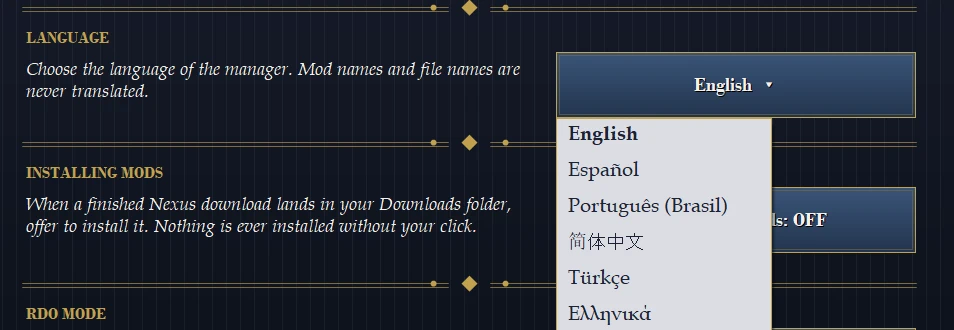
- Languages support: Chinese, Portuguese, Spanish, French, German, Russian, Ukrainian, Turkish and Greek!
1. Download the file and extract Fancy RDR2 Mod Manager.exe anywhere you like (Desktop, your game folder, a tools folder – it doesn’t matter).
2. Double-click it. It will look for your game by itself; if it can’t, press Browse and pick the folder that contains RDR2.exe.
3. Use the ASI MODS, LML MODS and FOLDERS tabs at the top, and Install Mod… to add new mods. That’s it.
Uninstalling: delete the .exe. Optionally also delete the FancyRDR2ModManager folder inside %APPDATA%, which only holds your game path, theme, categories, install records (used for Uninstall) and RDO Mode memory.
Updating: Simply download the latest update and replace the .exe
Credits:
SirJosephWindsor
Downloads
| Name | Format | Size |
|---|---|---|
| Sir-Josephs-Fancy-RDR2-Mod-Manager-1.12.rar | RAR | 4.39 MB |
To start download click the filename. To open archive files use one of these programs: WinRAR, 7-Zip, WinZip. Some mod archives may need to be extracted before the mods will work.