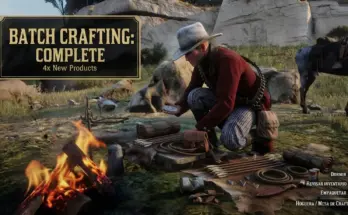
– Infinite Horse Cargo turns the active saddle horse’s animal cargo into a persistent virtual ledger built for hunting without the usual one-carcass or limited-pelt restriction.
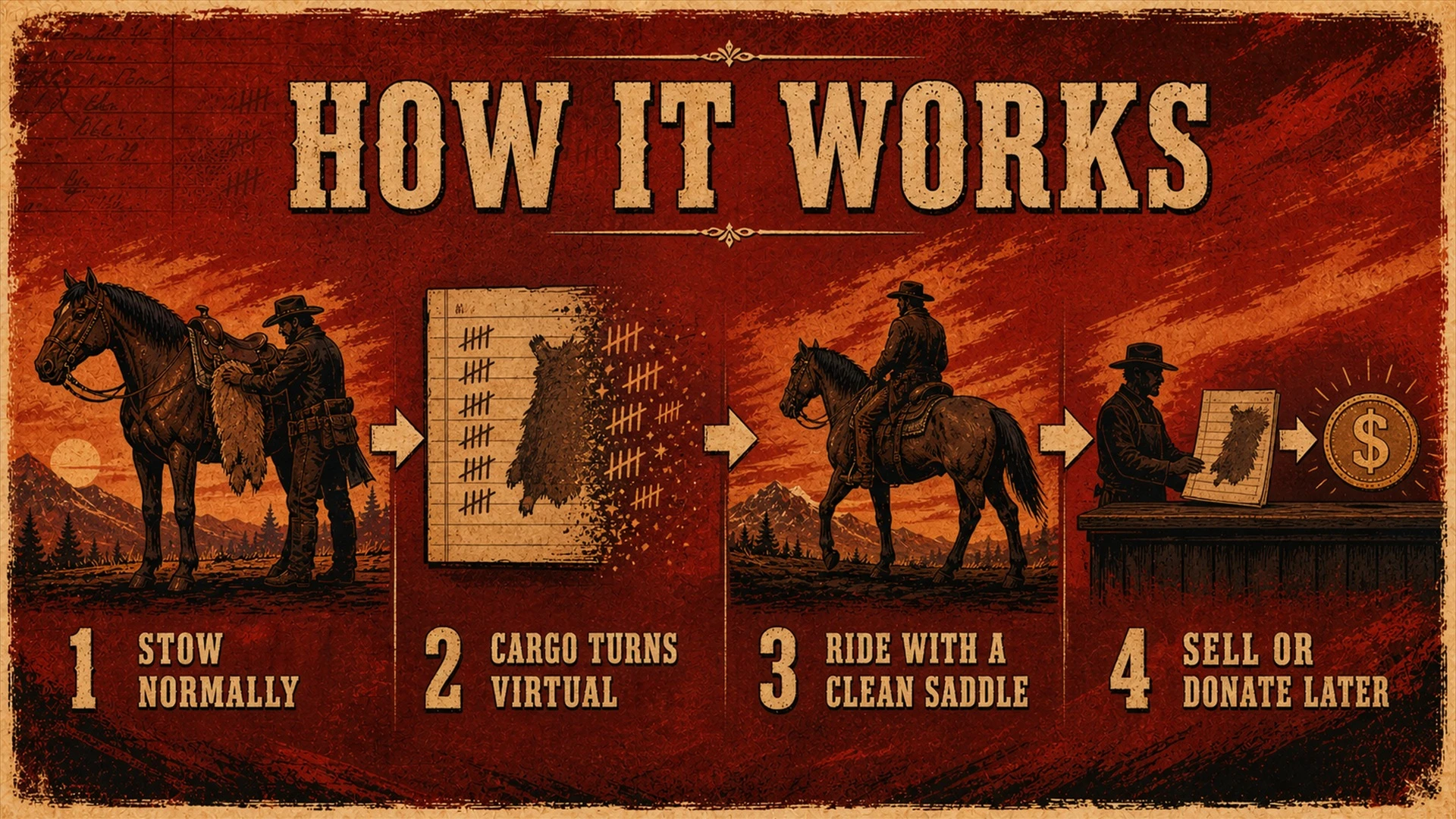
– Stow a supported animal carcass, pelt, hide or skin using the game’s normal interaction. The mod records the cargo and safely removes its world entity, keeping the horse visually clear and preventing stored items from clipping into or falling through the horse. Additional items can then be stowed without replacing or deleting earlier records.
– Version 1.2.0 introduced the immersive three-position display. When enabled, up to three of the oldest compatible animal carcasses can be recreated in their proper positions: left side, right side and back. Every position is monitored independently. Brief animation or streaming interruptions no longer cause immediate deletion, and a persistently detached display is recovered with conservative timing.
– Version 1.3.0 hardens that system for long-term use. The mod waits until Story Mode and the saddle horse are stable, reconstructs eligible carcass displays one position at a time, and then reports the verified ledger total during gameplay. Large pelts and remaining cargo stay virtual for safety but remain stored and available to the Trapper or Pearson.
– The persistence system uses an atomic primary ledger, an interrupted-save recovery candidate and a backup copy. Temporary LML manager read failures are treated as indeterminate and cannot erase cargo. Only a confirmed explicit disable or package removal during stable gameplay performs the intentional cleanup.
– The mod never forces a large back-slot carcass onto a side mount. If the ledger has no compatible carcass for a position, that position remains empty. All additional carcasses and all large pelts, hides and skins stay virtual.
– At a supported native seller interaction, such as the Trapper or Pearson, the normal displays are removed and the newest stored record is temporarily presented through an invisible transaction bridge. A confirmed sale or donation permanently removes that item from the virtual ledger. Unsold records remain stored.
– The mod is fully automatic. It has no activation hotkey or custom menu. It runs only while enabled in Lenny’s Mod Loader and performs cleanup when disabled or removed.
FEATURES
– No configured storage cap for supported animal cargo
– Supports animal carcasses, regular pelts and recognized large hides or skins
– Optional three-position carcass display inspired by community feedback
– Independent, conservative attachment recovery for left, right and back displays
– Immersive three-position display enabled by default
– Optional all-virtual maximum-stability mode
– Safe post-load display reconstruction after saves, exits and restarts
– Redundant checksum-validated ledger recovery
– Shutdown-safe LML activation and cleanup detection
– Staggered one-position-at-a-time cold-start restoration
– Bounded UTC diagnostic activity log
– Visible restored-ledger summary after loading
– Preserves unsold cargo after normal saves, game exits and restarts
– Saves changes immediately to a dedicated, validated storage file
– Permanently synchronizes completed Trapper and Pearson sales or donations
– Protects verified human companions using the player’s horse during free roam and missions
– Suspends generated display entities during stowing, shops and loading transitions
– Clears virtual cargo when the player dies or the tracked horse dies
– Automatic LML activation and cleanup with no hotkeys
– Polished in-game status, storage, transfer and warning notifications
REQUIREMENTS
– Red Dead Redemption 2 Story Mode
– Lenny’s Mod Loader (LML)
– ScriptHookRDR2 and the Ultimate ASI loader
INSTALLATION
1. Install the current versions of Lenny’s Mod Loader, ScriptHookRDR2 and an ASI loader.
2. Extract the contents of the archive directly into the Red Dead Redemption 2 game directory – the folder containing RDR2.exe.
3. Allow Windows or your archive manager to merge the included lml folder.
4. Confirm that these files exist:
<RDR2 game directory>\InfiniteHorseCargo.asi
<RDR2 game directory>\lml\InfiniteHorseCargo\install.xml
<RDR2 game directory>\lml\InfiniteHorseCargo\InfiniteHorseCargo.ini
5. Open LML Mod Manager and make sure Infinite Horse Cargo is enabled.
6. Launch Story Mode. The mod starts automatically; there is no hotkey.
CONFIGURATION
– Close the game, then edit:
<RDR2 game directory>\lml\InfiniteHorseCargo\InfiniteHorseCargo.ini
KeepFirstThreeCarcassesVisible=true
– true is the immersive release default.
– It displays up to three oldest slot-compatible animal carcasses during safe normal play: one left, one right and one back.
– Remaining carcasses and every large pelt, hide and skin remain virtual.
– false keeps every stored item invisible as an optional maximum-stability mode.
– The v1.1.0 key KeepFirstCarcassVisible is still recognized for existing users, although the new key takes priority if both are present.
– With the option enabled, the normal horse-cargo interaction can retrieve any visible carcass.
– The correct ledger record is removed and the change is saved immediately.
– Re-stowing that carcass adds it as the newest record.
HOW TO USE
– Use the normal in-game Stow interaction on the active saddle horse.
– Once accepted, the animal cargo is added to the virtual horse ledger.
– Continue hunting and stowing as usual.
– Visit the Trapper or Pearson to sell or donate stored items through the native game interface.
– Stored records are presented sequentially, newest first, as transactions are completed.
PERSISTENCE
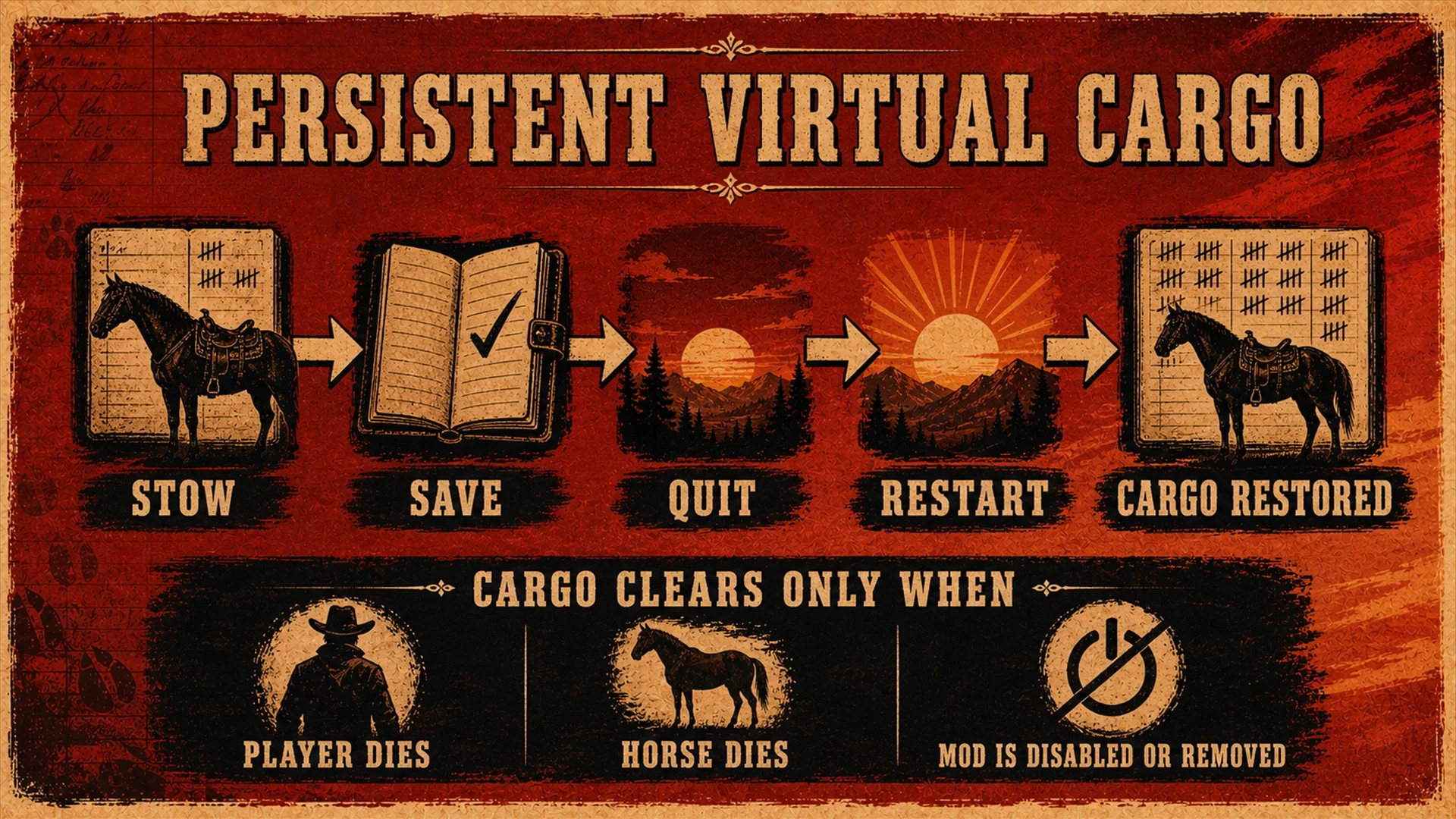
– Unsold supported carcasses, pelts, hides and skins survive normal saves, game exits and restarts. The mod writes its ledger immediately to:
<RDR2 game directory>\lml\InfiniteHorseCargo\InfiniteHorseCargo.dat
<RDR2 game directory>\lml\InfiniteHorseCargo\InfiniteHorseCargo.dat.bak
– These files are created automatically and are not included in the download.
– Keep both files when updating or troubleshooting.
– The virtual ledger is independent of the active RDR2 save and is shared across Story Mode save slots and horses.
– Loading an older save does not roll the mod’s ledger back.
– After loading, the configured carcass displays are reconstructed only when a living saddle horse has remained stable for one second.
– The LEDGER RESTORED notice confirms the recovered record count.
– If the mod reports that disk saving is unavailable, changes made during that session may not survive a restart.
LIMITATIONS AND EXPECTED BEHAVIOR
– “Unlimited” means the mod has no configured item-count cap. Available memory and disk space remain practical technical limits.
– Only animal cargo RDR2 recognizes as a stowed carcass, mounted pelt or mounted large hide/skin can be recorded. Satchel materials, meat, loose items and human bodies are not virtualized.
– Large pelts, hides and skins intentionally remain virtual even when the display option is enabled.
– Visible mode can show at most one compatible carcass in each native left, right and back position. Large back-slot animals are not forced onto the sides.
– Visible mode relies on RDR2’s ordinary carcass attachment system. Collision and ragdoll are disabled, attachment is confirmed and brief detach reports are debounced, but unusual scripted scenes or conflicts with other mods may still affect native attachments.
– Post-load display reconstruction is deferred around loading, sellers, stowing and verified companions. Large pelts remain virtual after loading by design.
– A third side-compatible carcass may occupy the free back position. Large back-only animals are not forced onto side positions.
– Temporary LML state or file-read failures never clear the ledger. Explicit disablement or package removal must be confirmed during stable gameplay.
– The primary, interrupted-save and backup ledgers are checksum-validated; damaged copies are quarantined when recovery is required.
– Virtual records have no custom browser or retrieval menu.
– The seller bridge presents records sequentially, newest first. The next item may appear only after the current sale or donation is confirmed by the game.
– While a verified human companion is using the player’s horse, display and seller presentation are deferred to protect the companion and mission scripting.
– The virtual ledger is shared across save slots and horses rather than attached to one RDR2 save file.
– Player death, tracked-horse death, disabling the mod in LML, deleting the mod or uninstalling it clears the virtual ledger by design.
– Support is designed around native Trapper and Pearson interfaces. Other vendors, custom animals and heavily scripted mission variants depend on how they expose cargo to the base game.
– Story Mode only; not intended for Red Dead Online.
UPDATING FROM AN EARLIER VERSION
– Fully close RDR2 before updating.
– Never replace an ASI while it is loaded in a running game process.
– Extract the v1.3.0 archive into the game directory and overwrite the existing files.
– Do not delete lml\InfiniteHorseCargo first; it contains InfiniteHorseCargo.dat and its recovery copy.
– Affected v1.2.0 users whose cargo is still available should copy InfiniteHorseCargo.dat somewhere safe after the latest stow confirmation and before closing the old build.
– Restore that copy after the cold update only if the original disappeared.
– Records already erased by an earlier build cannot be reconstructed automatically.
DIAGNOSTIC LOG
– InfiniteHorseCargo.log is generated automatically in lml\InfiniteHorseCargo.
– It records UTC-timestamped lifecycle, LML, persistence, stow, display, retrieval, seller, transition, death and cleanup activity.
– It rotates at approximately 512 KB to InfiniteHorseCargo.log.old.
– Include both files when reporting a reproducible problem.
UNINSTALLATION
Disabling or removing the mod intentionally deletes its virtual cargo. Sell or donate anything you want to retain before uninstalling.
1. Disable Infinite Horse Cargo in LML while Story Mode is running.
2. Wait about 10 seconds so cleanup can finish, then close the game.
3. Delete InfiniteHorseCargo.asi from the game directory.
4. Delete the lml\InfiniteHorseCargo folder.
Credits:
MichaelLuchian
Downloads
| Name | Format | Size |
|---|---|---|
| InfiniteHorseCargo-LML-V1.3.0.zip | ZIP | 218.49 KB |
To start download click the filename. To open archive files use one of these programs: WinRAR, 7-Zip, WinZip. Some mod archives may need to be extracted before the mods will work.