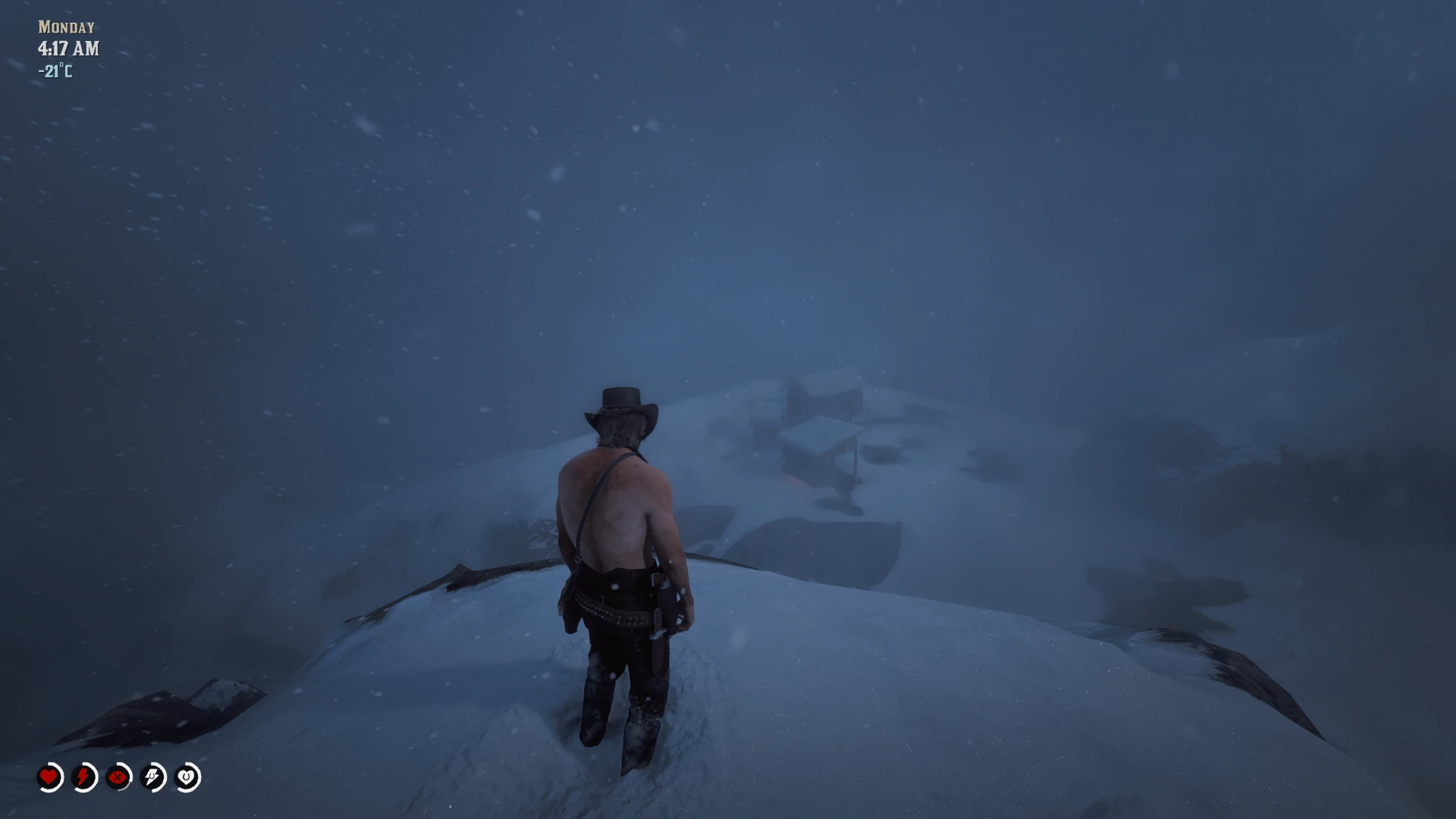
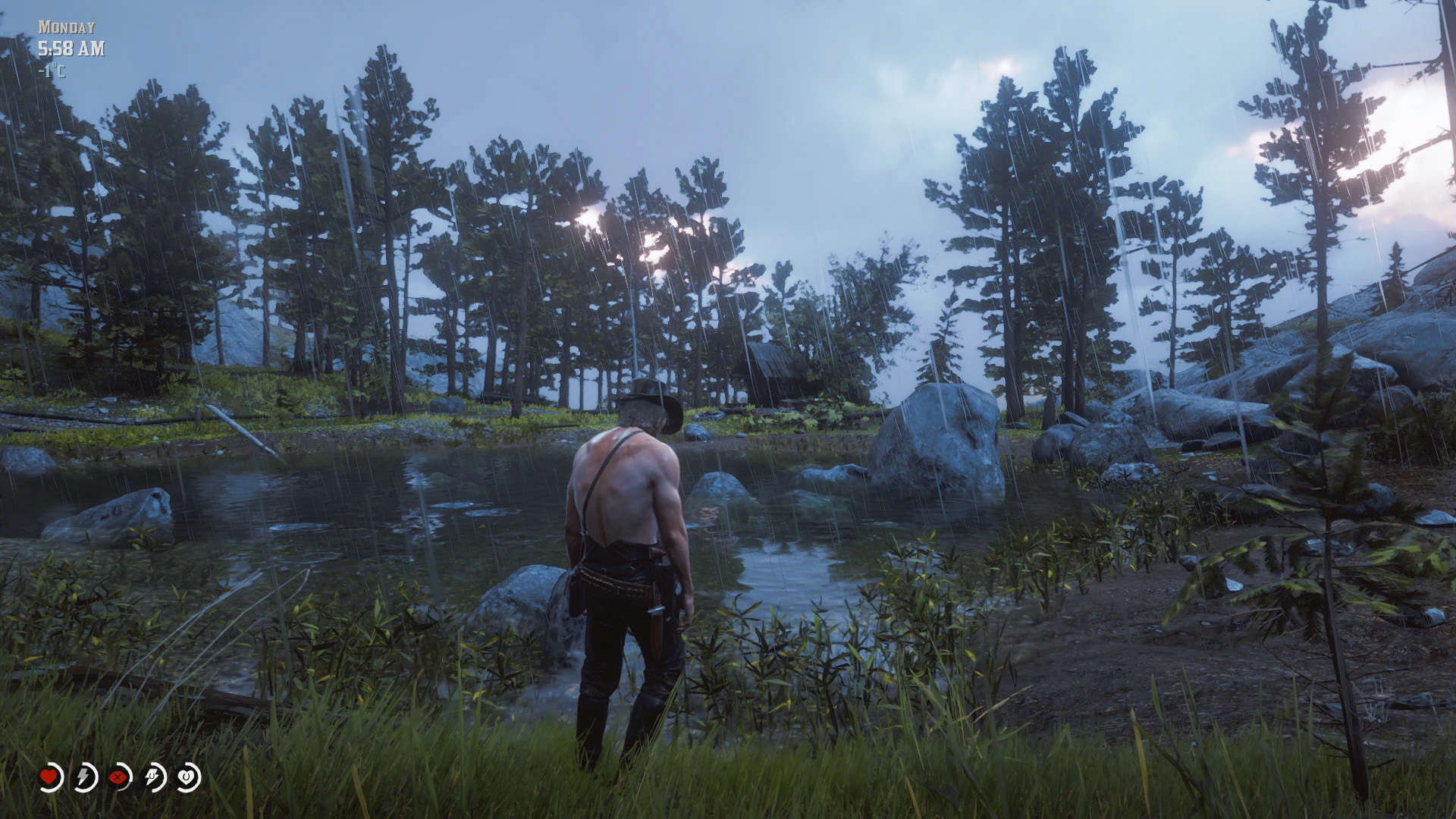
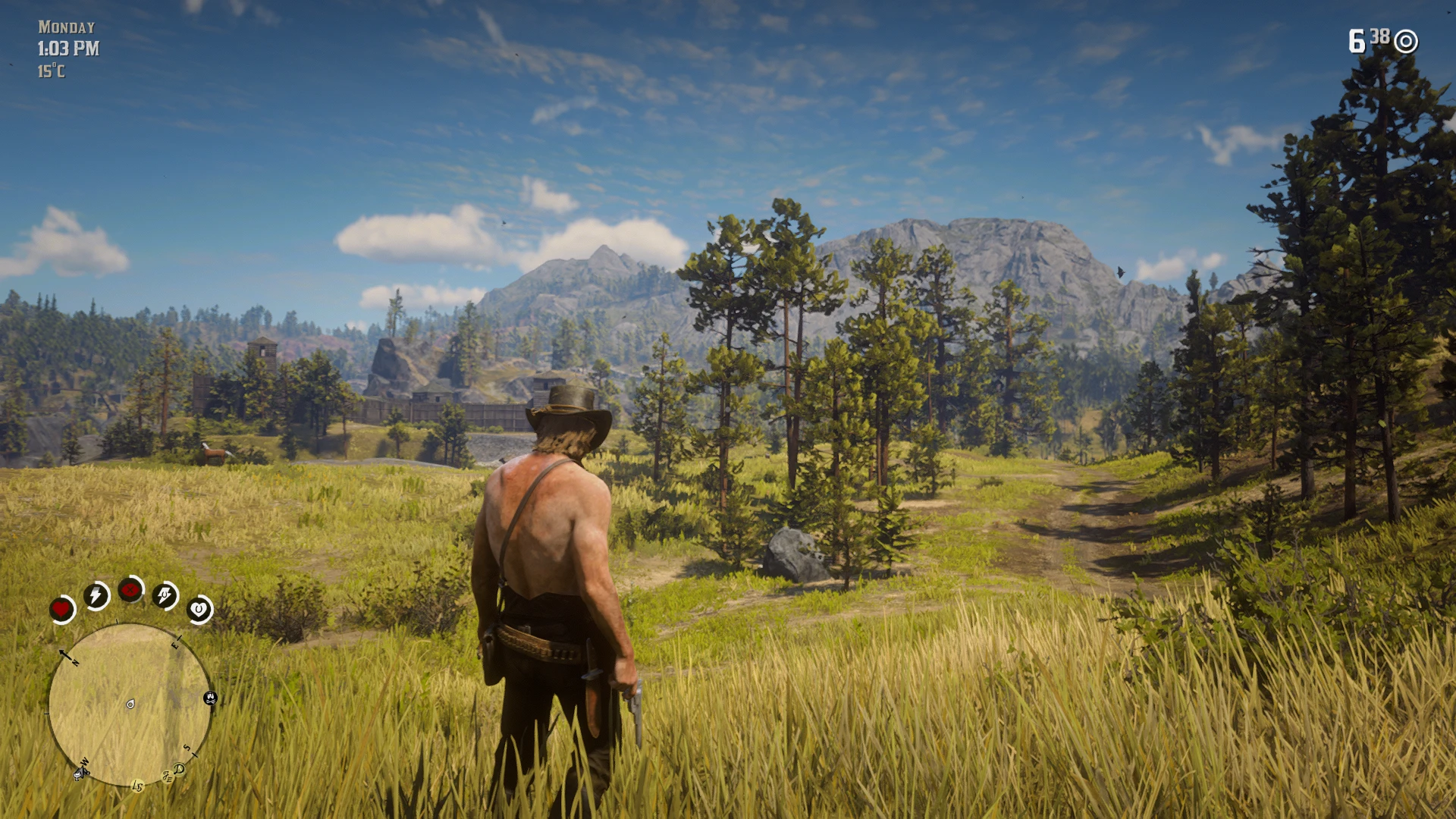
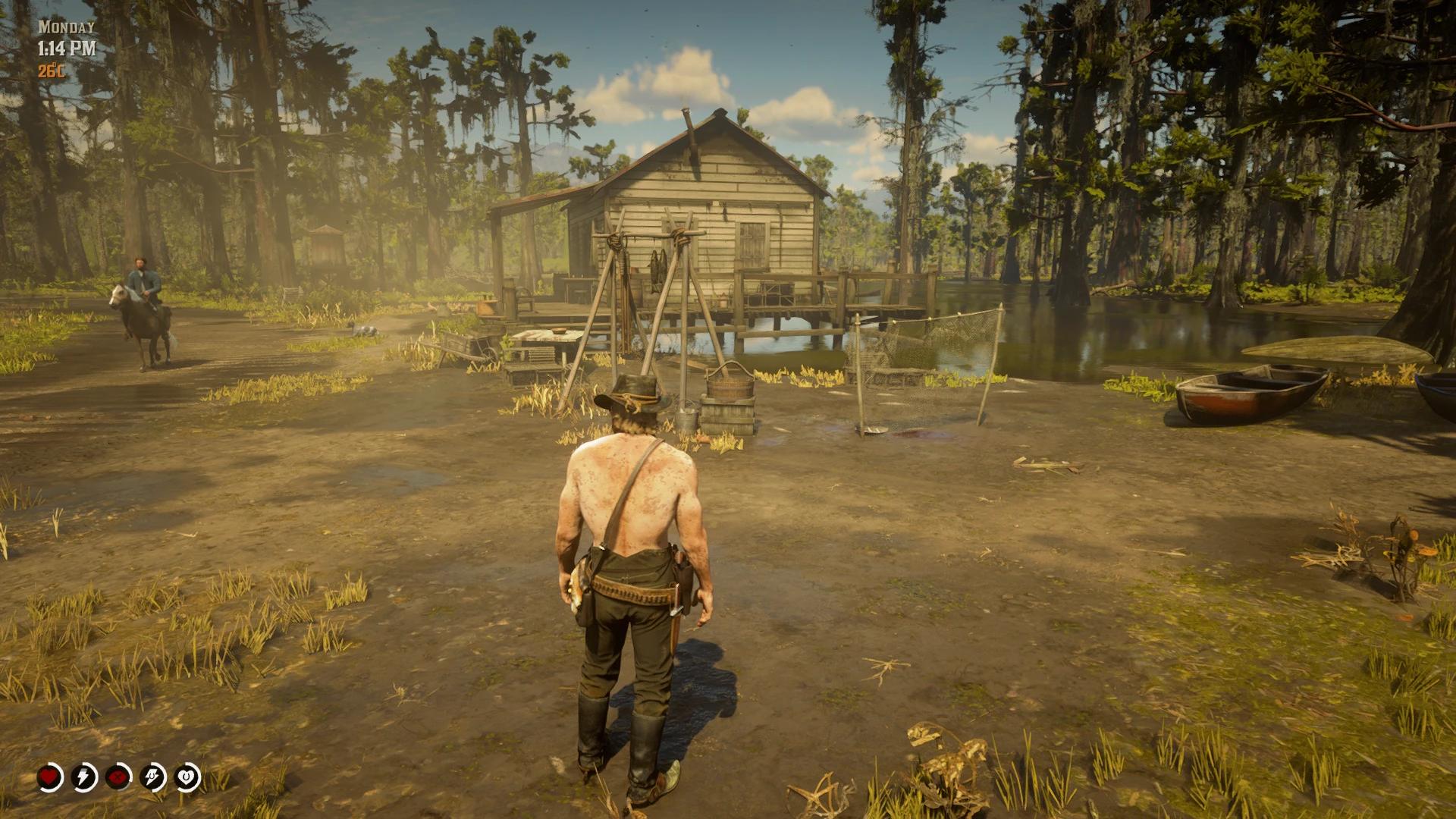
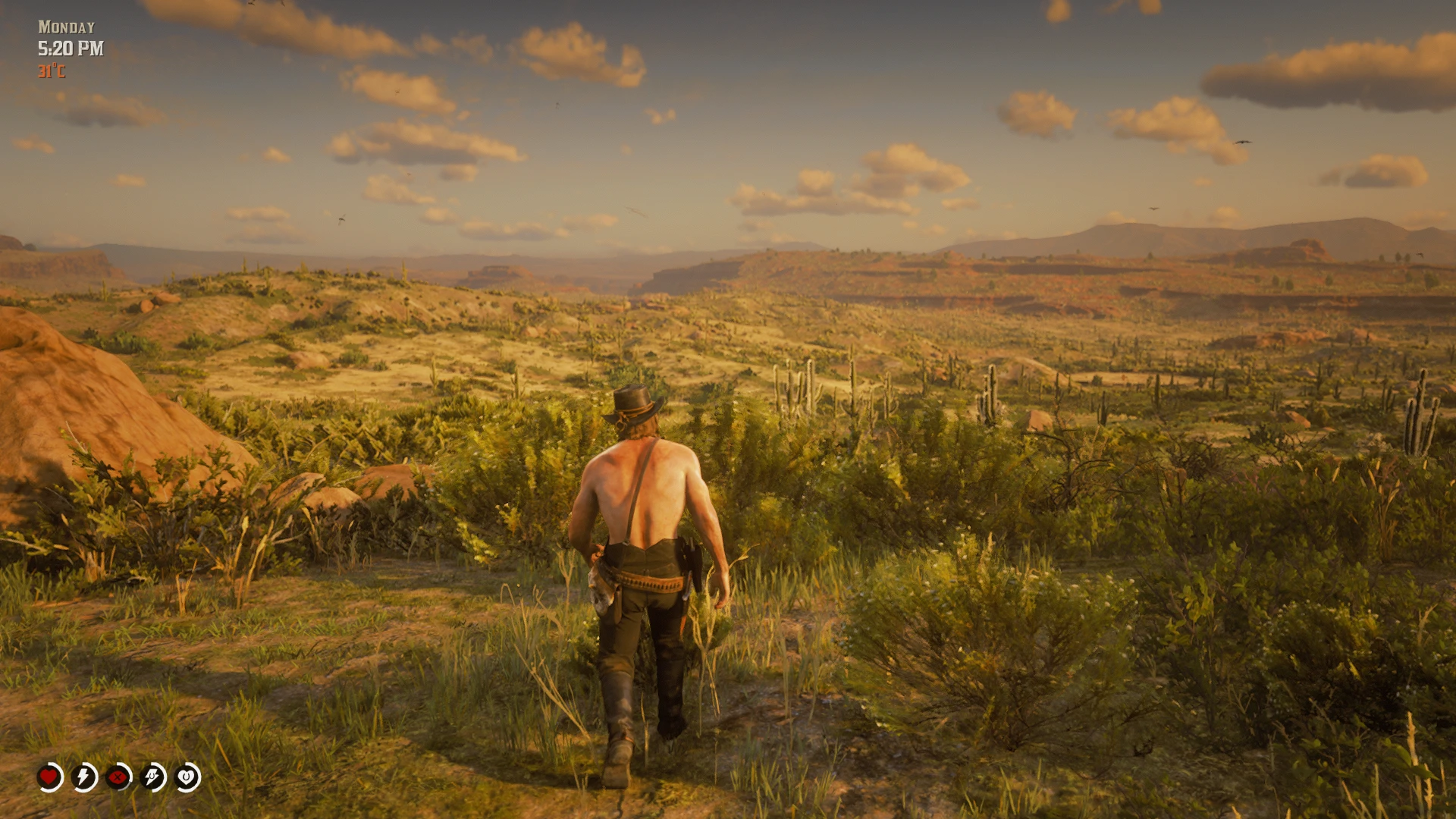
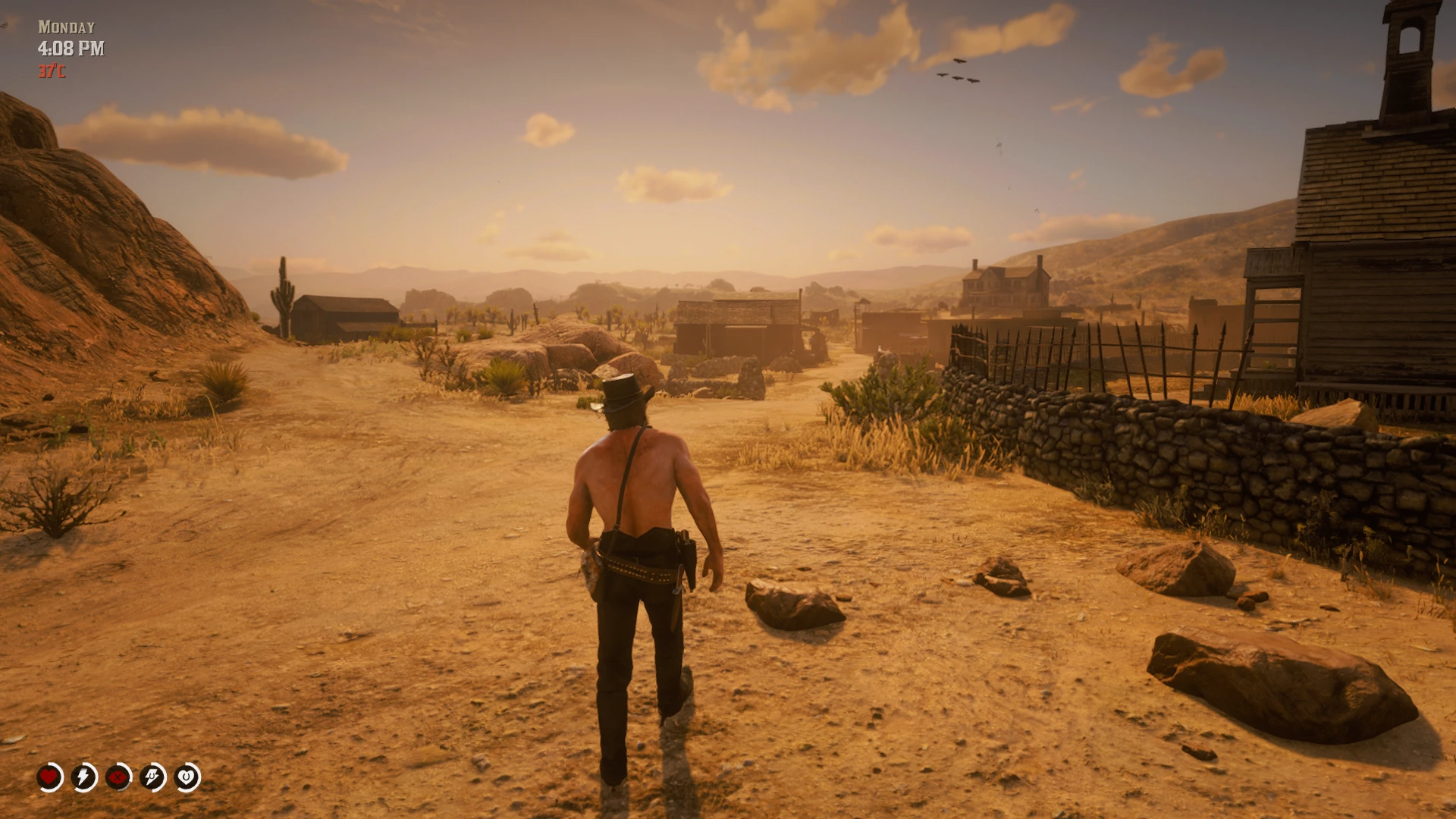
Persistent Time and Temperature Display adds a clean, unobtrusive in-game clock, weekday display, and ambient-temperature readout to Red Dead Redemption 2.
The weekday appears above the clock and supports full or abbreviated names, built-in language options, and editable custom translations. The temperature display can gradually change colour as the environment becomes colder or hotter, blending smoothly between configurable neutral, cold, and hot colours.
The HUD automatically stays out of the way during cutscenes, scripted cameras, fades, scopes, binoculars, tutorials, and selected menus. Position, size, spacing, colours, opacity, time format, temperature units, weekday format and language, visibility behaviour, and controls can all be configured through the included INI.
Version 1.7 also introduces optional Sunday observance and pilgrimage mechanics. After Arthur sleeps into Sunday morning, he may be appointed a chapter-appropriate pilgrimage destination somewhere in the world. Completing the pilgrimage and preserving an unbroken Sunday can grant honour rewards, while configurable actions such as losing honour, becoming wanted, gambling, drunkenness, entering a mission, or using a weapon on sacred ground can break the observance.
The optional fatigue and sleep system tracks how long Arthur remains awake. Tiredness produces increasingly frequent clock-blink reminders, while exhaustion causes continuous blinking, progressively reduces the maximum value of Arthur’s inner cores, and eventually restricts Health recovery until he sleeps. Fatigue thresholds, optional clock colours, blinking, mission behaviour, core restrictions, sleep recovery, and persistence are configurable.
TimeTempDisplay Classic provides the complete weekday, clock, and dynamically coloured temperature HUD. Sunday observance, fatigue, and custom sleep recovery are disabled by default.
TimeTempDisplay Plus uses the same HUD preset while enabling Sunday observance, pilgrimage, fatigue, and custom sleep recovery by default.
Both downloads use the same ASI. Only their default INI presets differ.
Installation
Install Alexander Blade’s ScriptHookRDR2 or another compatible ASI loader.
Extract the downloaded archive.
Copy the following files into the main folder containing RDR2.exe:
TimeTempDisplay.asi
TimeTempDisplay.ini
Start the game.
Press F10 to temporarily hide or show the HUD.
Press F11 after editing the INI to reload supported settings without restarting the game. Settings marked BOOT ONLY require a complete restart.
Main features
Displays the current in-game weekday, time, and ambient temperature
12-hour or 24-hour time display
Celsius, Fahrenheit, or automatic unit selection
Full or abbreviated weekday names
Built-in weekday language options and editable custom translations
Dynamic temperature colouring with configurable neutral, cold, and hot endpoints
Smooth colour blending between temperature ranges
Independent position, size, spacing, and colour settings for the weekday, clock, and temperature
Configurable opacity, text shadow, and fade-in
Separate weekday, clock, and temperature switches
Automatic hiding during cinematic and interface-heavy moments
Optional hiding during missions, help messages, or Radar Off mode
Configurable HUD toggle and INI reload keys
Optional Sunday features
Sunday observance activated by sleeping into Sunday morning
Chapter-aware pilgrimage destinations across the world
Churches, graves, monuments, burial grounds, and other spiritual locations
Configurable pilgrimage duration and return window
Map marker and atmospheric pilgrimage messages
Immediate honour reward for completing the pilgrimage
Additional Monday honour reward for preserving an unbroken Sunday
Configurable break conditions for honour loss, wanted levels, missions, gambling, drunkenness, and weapon use on sacred ground
Optional suppression of ambient bounty hunters on Sundays
Sunday colour override and fortified inner cores
Persistent Sunday and pilgrimage progress
Optional fatigue and sleep features
Tracks how long Arthur remains awake
Increasingly frequent double-blink reminders while tired
Continuous clock blinking at full exhaustion
Optional fatigue clock colours and progressive colour blending
Progressive limits on Arthur’s Health, Stamina, and Dead Eye inner cores
Restricted outer Health recovery at full exhaustion until Arthur sleeps
Configurable sleep recovery for Health, Stamina, and Dead Eye
Optional replacement of vanilla sleep recovery
Configurable tired and exhausted thresholds
Optional mission-time exclusion
Persistent fatigue across complete game shutdowns and restarts
Important notes
The fatigue system may conflict with other mods that continuously modify cores, fortified cores, outer Health, or sleep recovery.
Fatigue persistence is stored in:
TimeTempDisplay_Fatigue.state
Sunday and pilgrimage persistence is stored in:
TimeTempDisplay_Sunday.state
These states are global to the installation and are shared across save slots.
An incomplete pilgrimage resumes after restarting the game, including its destination and accumulated progress. However, the pilgrimage map marker may not reappear after fully quitting and restarting Red Dead Redemption 2.
Requirements
Red Dead Redemption 2 for PC
Alexander Blade’s ScriptHookRDR2 or another compatible ASI loader
Shout-outs
Inspired by On Screen Clock by crossed99, Humidity and Temperature Overhaul Final Cut by Bolmin, and Realistic Sleep Recharge by ChunkLeChuck. Their work helped inform the clock, ambient-temperature, and sleep-recovery functionality used in this mod.
Developed with coding assistance from ChatGPT by OpenAI.
Concept, feature design, configuration, and in-game testing by the mod author.
Credits:
MerlinsCry
Downloads
| Name | Format | Size | Description |
|---|---|---|---|
| TimeTempDisplayV1.7-Plus.rar | RAR | 93.88 KB | TimeTempDisplay Plus adds an optional Sunday observance and pilgrimage system, alongside the full fatigue and sleep system, making extended wakefulness affect Arthur’s clock, cores, Health recovery, and need for sleep. |
| TimeTempDisplayV1.7-Classic.rar | RAR | 93.90 KB | TimeTempDisplay Classic adds a clean, configurable weekday, clock and temperature HUD with parchment-style colours and dynamic temperature tinting, without enabling the optional Sunday, fatigue or sleep systems. |
To start download click the filename. To open archive files use one of these programs: WinRAR, 7-Zip, WinZip. Some mod archives may need to be extracted before the mods will work.