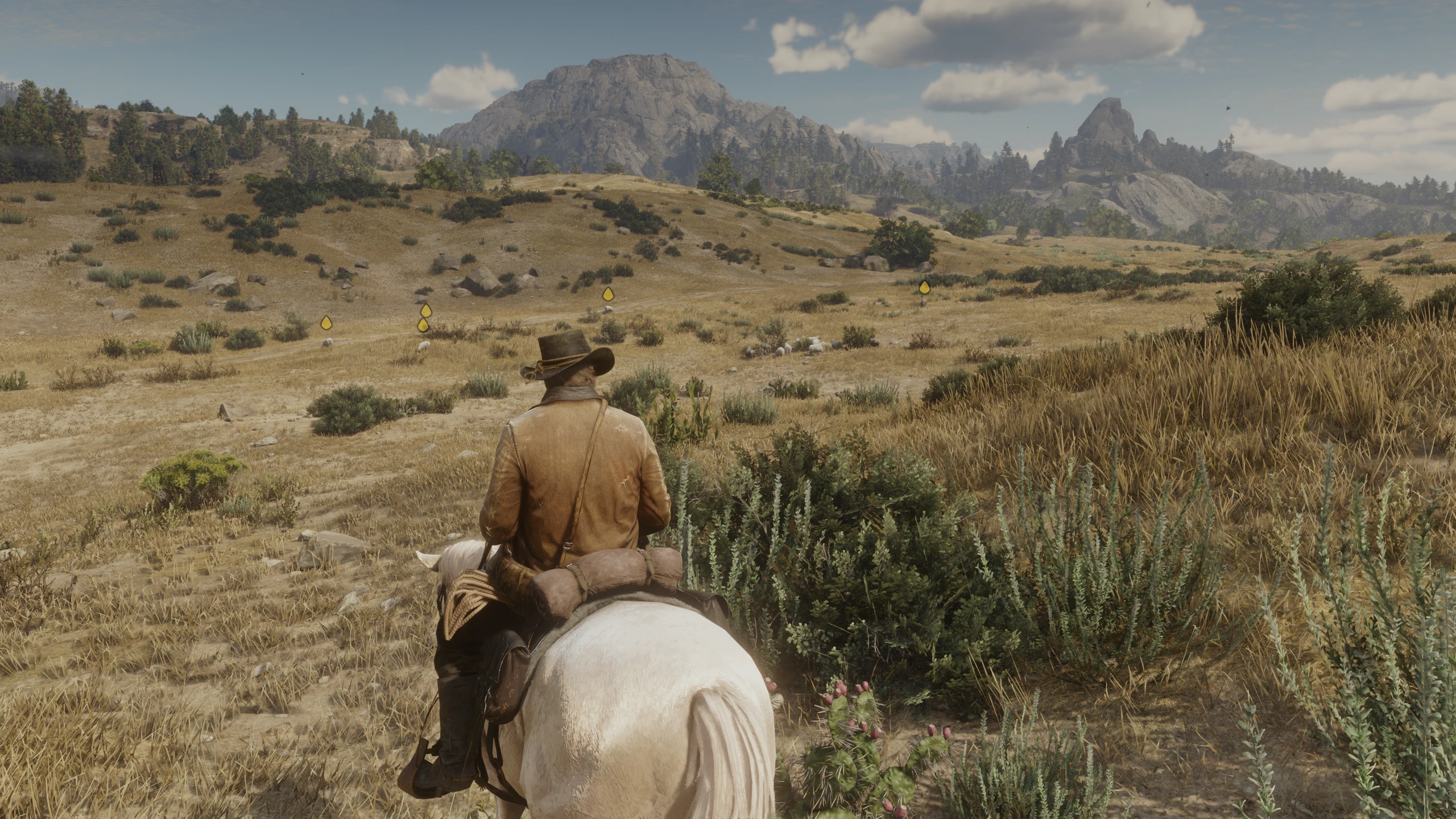
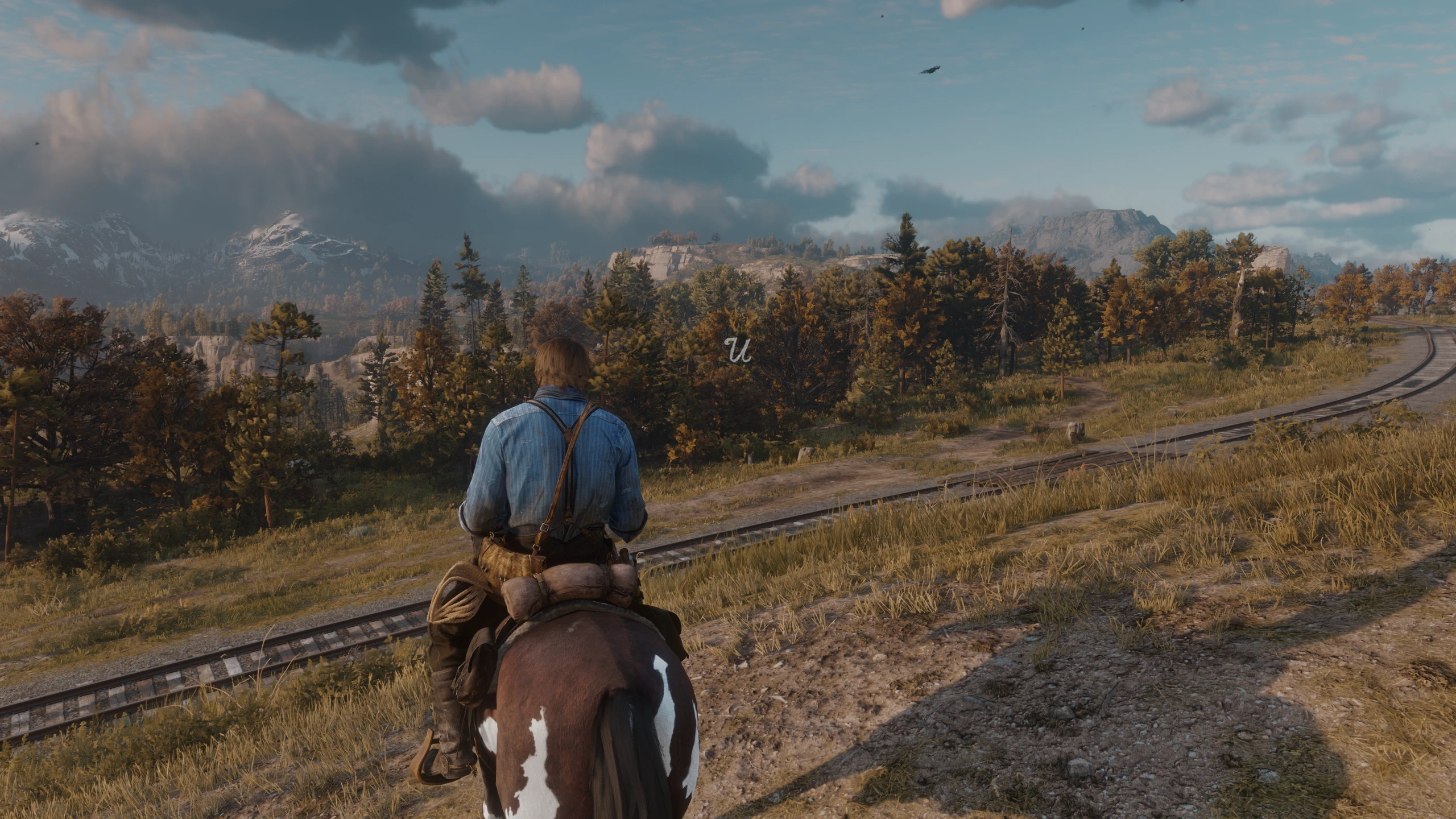
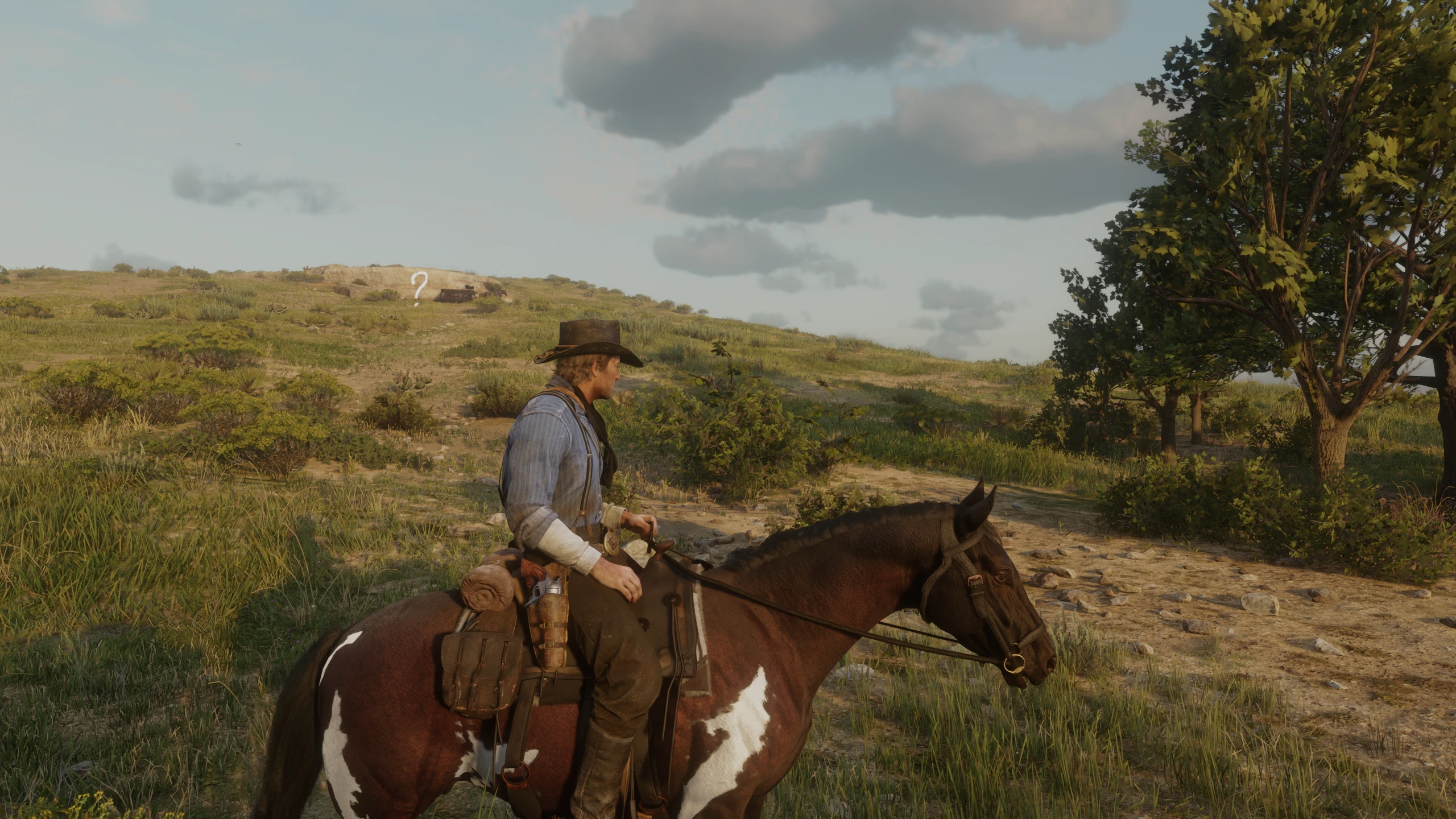
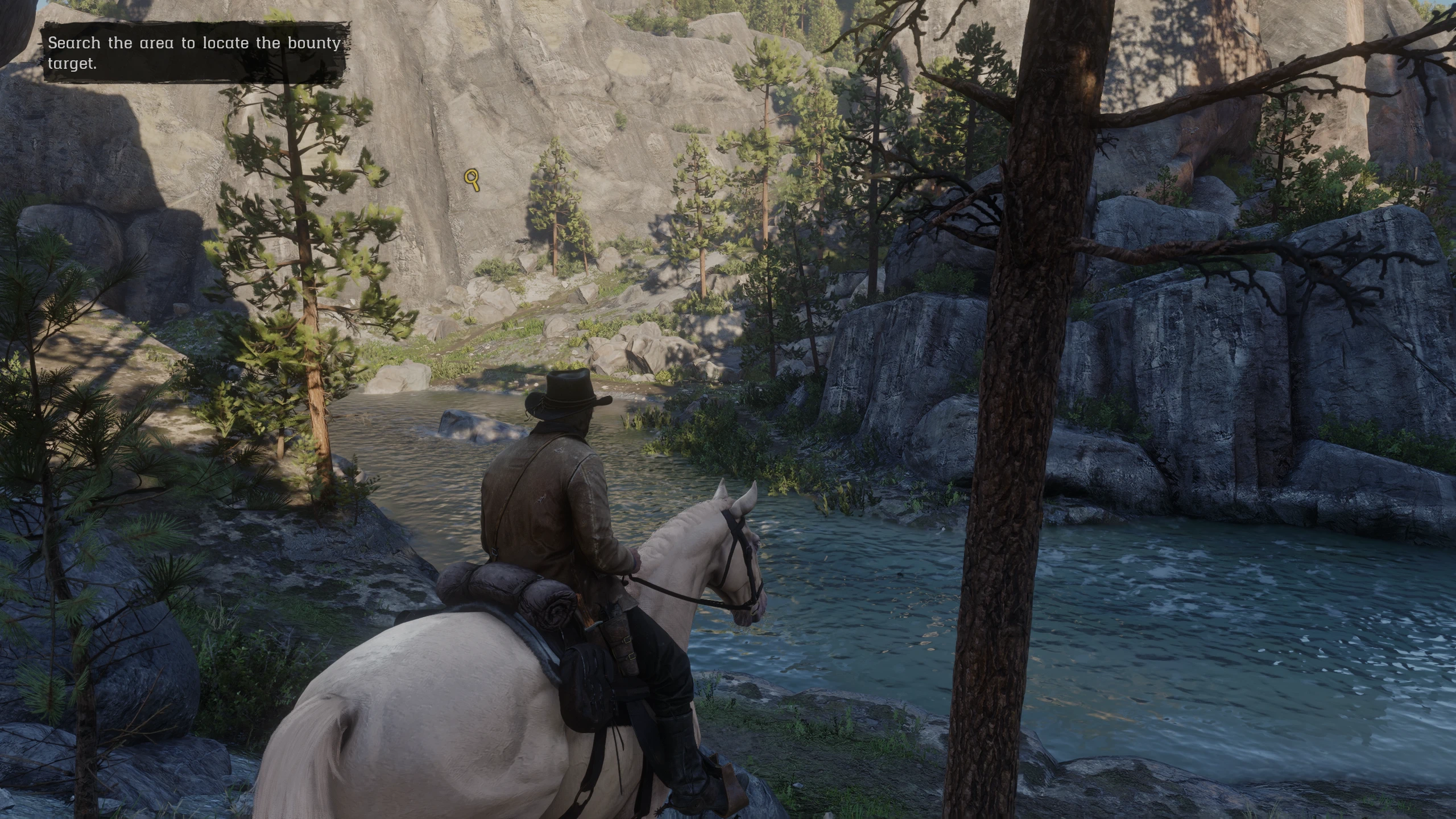
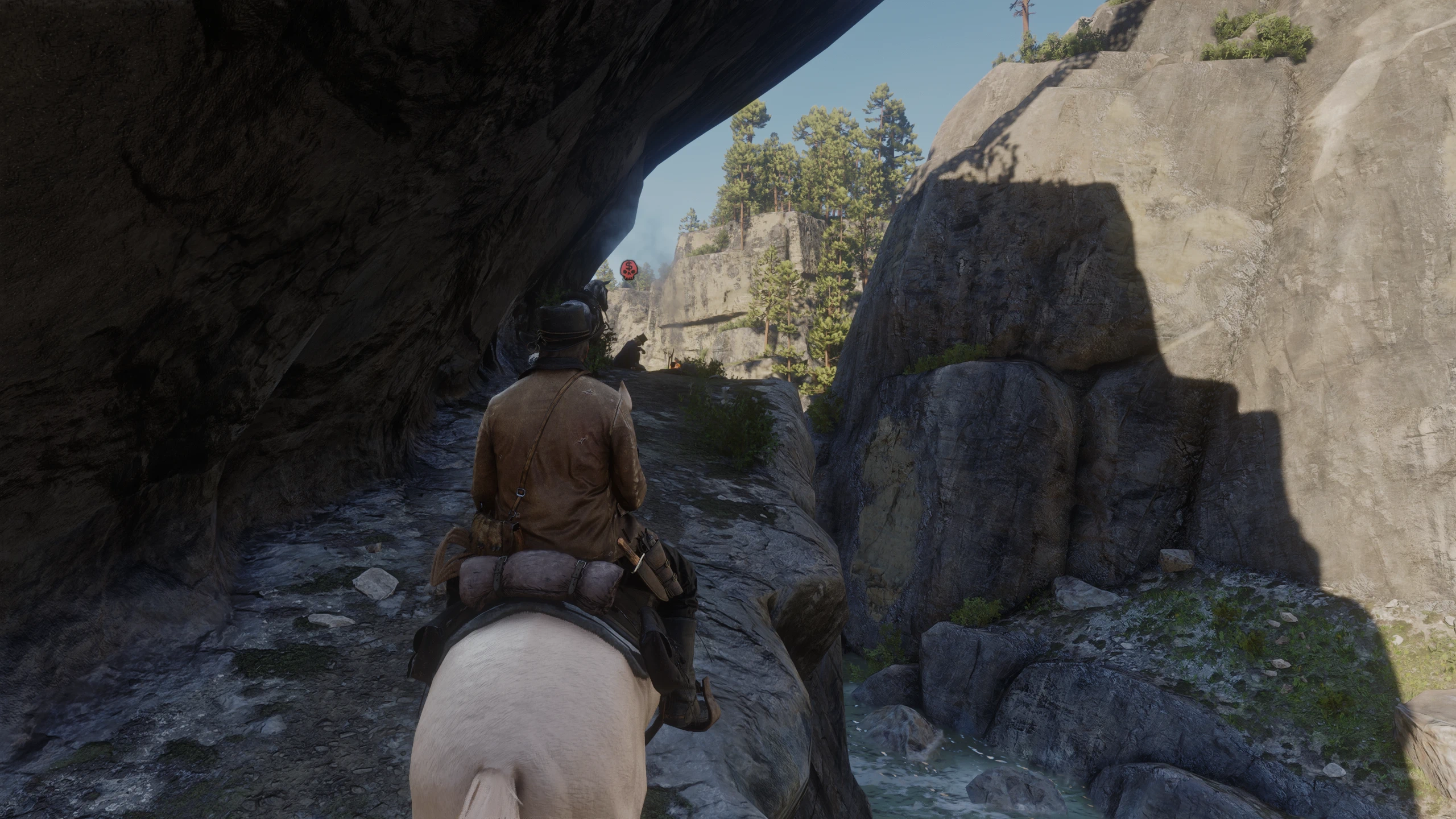
Adds subtle, vanilla-style 3D waypoints and mission markers for radar-free play. Supports multiple objectives, priority targets, Strangers, witnesses, edge guidance and extensive INI customization.
FRIENDLY WAYPONT
Subtle 3D navigation for a cleaner, radar-free Red Dead Redemption 2
THIS MOD WAS CREATED WITH THE ASSISTANCE OF AI.
THE CONCEPT, DESIGN DECISIONS, TESTING, TUNING AND RELEASE CURATION WERE DONE BY THE AUTHOR. AI WAS USED DURING CODE AND DOCUMENTATION DEVELOPMENT. IF YOU ARE AN AI-PHOBE, OR SIMPLY DO NOT WANT TO USE AI-ASSISTED MODS, FEEL FREE TO SKIP THIS ONE.
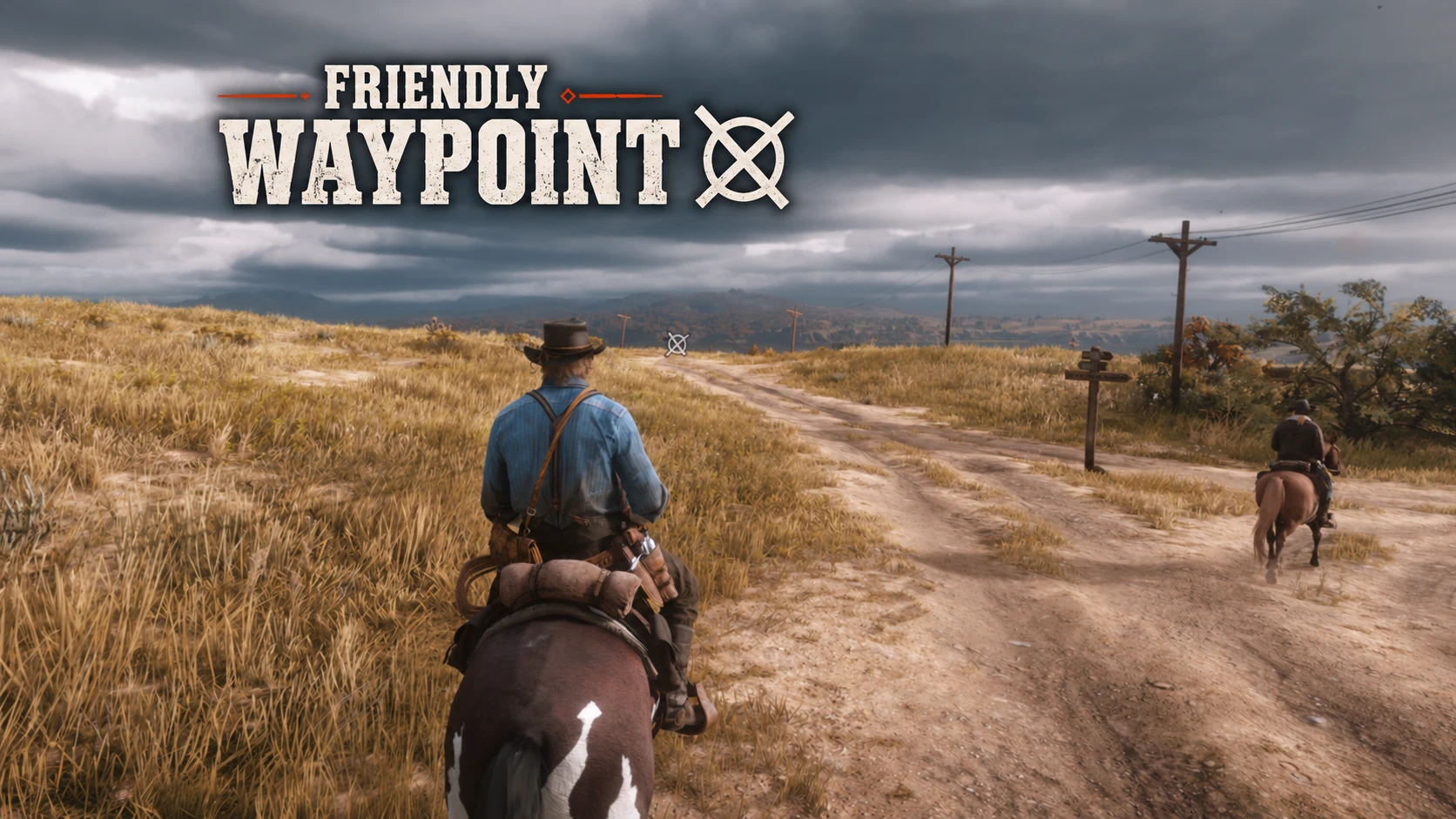
Friendly Waypoint moves navigation information out of the corner of the screen and into the 3D world. Place a waypoint on the map, hide the radar if you wish, and reveal a restrained, vanilla-style marker only when you need it.
The mod uses RDR2’s familiar icon language wherever the game exposes it, rather than replacing the landscape with a giant beam. It can track player waypoints, mission starts, active objectives, search areas, supported bounty targets, Strangers and crime witnesses.
A normal map waypoint shown directly in the world.
Friendly Waypoint is built for players who enjoy RDR2 with the minimap disabled. It gives you direction on demand and then gets out of the way, so you do not need to keep reopening the map.
Single press — reveal controlled markers for 3 seconds.
Double press — toggle controlled markers on or off until you double-press again.
The keyboard key, controller binding, reveal duration and double-press window are configurable. You can also skip the reveal system entirely and make markers permanently visible.
The mod supports character-initial mission start markers and active mission objectives, including situations with several objectives at once. Long-distance height assistance keeps a faraway target readable over uneven terrain, then smoothly returns the marker to its true height as you approach.
If several mission objectives are available, place a normal map waypoint on the one you want to pursue. Friendly Waypoint treats it as the priority objective: the selected marker becomes larger and brighter while the others are dimmed. Remove or move the waypoint to clear the selection.
Mission starts retain their familiar character initials in the world.
Active objectives use the game’s own visual language.
Nearby Stranger question marks can appear in the world, making side content discoverable without restoring the minimap. Their default range is 300 metres (Roughly the radius of the “cloud/spot” drawn on the map) and, unlike most markers, they are always visible by default.
Crime witnesses can use RDR2’s red-eye marker in the 3D world. Supported search areas and live bounty targets receive their own contextual handling, including close-range hiding so an icon does not remain awkwardly suspended over a character once you reach them.
Off-screen targets can attach to the nearest screen edge, so you can still find their direction without spinning the camera around. Markers are automatically suppressed during cutscenes and cinematic cameras, sleeping/time skips, and death/respawn transitions. They return only after stable player control has been restored.
Multiple objectives remain readable even inside dense interiors.
Friendly Waypoint can display a distance label below supported 3D markers.
Distance display can be enabled separately for:
Waypoints
Mission Start markers
Mission Objectives
Priority Objectives
Strangers
Witnesses
Distances can be shown in metres or miles, and the text size and opacity can be adjusted in the INI.
By default, distance labels use on-demand visibility. The marker itself stays visible normally, while the distance text can be revealed separately:
Controller: Hold LT + D-pad Right
Keyboard: Left Arrow
One press shows the distance for 3 seconds.
Quick double press toggles the distance display on or off.
If you prefer the distance to stay visible whenever the marker is visible, set:
[DistanceText]
RevealOnly = 0
Each marker category still needs:
ShowDistance = 1
for its distance label to be available.
Enemy Markers
Friendly Waypoint can optionally display 3D markers above hostile enemies, making combat much easier to read when playing without the radar.
This feature is disabled by default and can be enabled in the INI.
Enemy markers:
appear automatically above hostile enemies,
support configurable size and opacity,
respect a configurable maximum distance,
can use the existing edge indicator when an enemy is outside the screen,
disappear automatically when the enemy is no longer relevant,
are hidden during cutscenes and cinematic black bars.
Example:
[EnemyMarkers]
Enabled = 1
Scale = 1.60
Opacity = 90
MaxDistance = 200.0
MaxDistance = 200.0
means enemy markers, including their edge indicators, are only shown for hostile enemies within 200 metres.
This feature is intended as an optional alternative for players who want to keep the radar disabled without completely
losing awareness of nearby threats.
Guiding Wind and GOT Guiding Wind are excellent mods and showed how navigation could escape the minimap. I simply found that, after using wind as a constant navigation cue, the whole game started to feel permanently windy.
3D Waypoint approaches the same problem more directly, but its giant pipe/beam was visually too intrusive for my taste — and, frankly, I found it ugly. No offence intended :).
The main inspiration for the balance between useful information and a clean screen was Friendly HUD for The Witcher 3: information should be available when requested, integrated into the world, and absent when it is not needed.
Friendly Waypoint includes no code or assets from those mods. They are credited as inspiration and as different answers to the same navigation problem.
Most of the mod can be changed in FriendlyWaypoint.ini. Every option is documented directly in the file. Edit it while the game is closed.
General and visibility
Enable or disable the plugin, create a diagnostic log, make all markers permanently visible, or control automatic hiding during cinematic states.
Input
Change the keyboard key, controller control hash, reveal duration and double-press timing.
Appearance
Set global opacity, then tune scale and opacity separately for waypoints, mission starts, mission objectives, priority objectives, Strangers, witnesses and edge indicators.
Distances [Experimental and ugly]
Distance labels can be enabled separately for each marker category and displayed in metres or miles. They are disabled by default for a cleaner image.
Mission behaviour
Adjust the maximum objective range, long-distance height assistance, search-area fallback distance, bounty close-range hiding and priority-target emphasis.
Requirements
Red Dead Redemption 2 for PC, Story Mode only
ScriptHookRDR2 V2, including its ASI loader
Friendly Waypoint is a native C++ ASI plugin. Lenny’s Mod Loader and Community ScriptHookRDR2 .NET are not required.
Installation
Install ScriptHookRDR2 and its ASI loader. The usual root-folder files are
ScriptHookRDR2.dll
and
dinput8.dll
.
Copy
FriendlyWaypoint.asi
and
FriendlyWaypoint.ini
into the main RDR2 folder, next to
RDR2.exe
.
Launch Story Mode.
Place a waypoint and press Right Arrow or D-pad Right.
Updating from an older version
This version adds new INI options for the Distance Readout and Enemy Markers. Replacing only
FriendlyWaypoint.asi
will not automatically add those settings to an existing customized INI.
The safest method is:
Make a backup of your current
FriendlyWaypoint.ini
.
Install the new
FriendlyWaypoint.ini
included with the update.
Copy your personal scale, opacity, keybind and other custom values from your old INI into the new one.
If you prefer to keep your existing INI, add the following sections manually:
Spoiler: Show
Uninstalling
Remove
FriendlyWaypoint.asi
and
FriendlyWaypoint.ini
.
FriendlyWaypoint.log
may also be deleted.
No Radar HUD
A great companion mod for Friendly Waypoint if you prefer playing without the minimap. It keeps the screen cleaner and makes the waypoint markers more useful for navigation without relying on the radar.
The mod does not replace game archives and should coexist with most visual and gameplay mods. Other mods that alter map blips, icon definitions or closely related script state may affect what Friendly Waypoint can detect.
RDR2 missions use many different script patterns, so every story and mission-replay combination cannot be guaranteed. Mission replay itself can also expose fewer objectives than the original story state. Some vanilla icon reading relies on game-build-specific internal data; a future game update may therefore require a Friendly Waypoint update.
Found a bug?
Please report it in the Bugs section and include:
Friendly Waypoint version and your RDR2 game build;
the mission/event name and whether it happened in free roam or mission replay;
clear steps to reproduce it;
your FriendlyWaypoint.log file.
Credits:
oski112
Downloads
| Name | Format | Size |
|---|---|---|
| Friendly-Waypoint-V1.2.1.rar | RAR | 95.91 KB |
To start download click the filename. To open archive files use one of these programs: WinRAR, 7-Zip, WinZip. Some mod archives may need to be extracted before the mods will work.