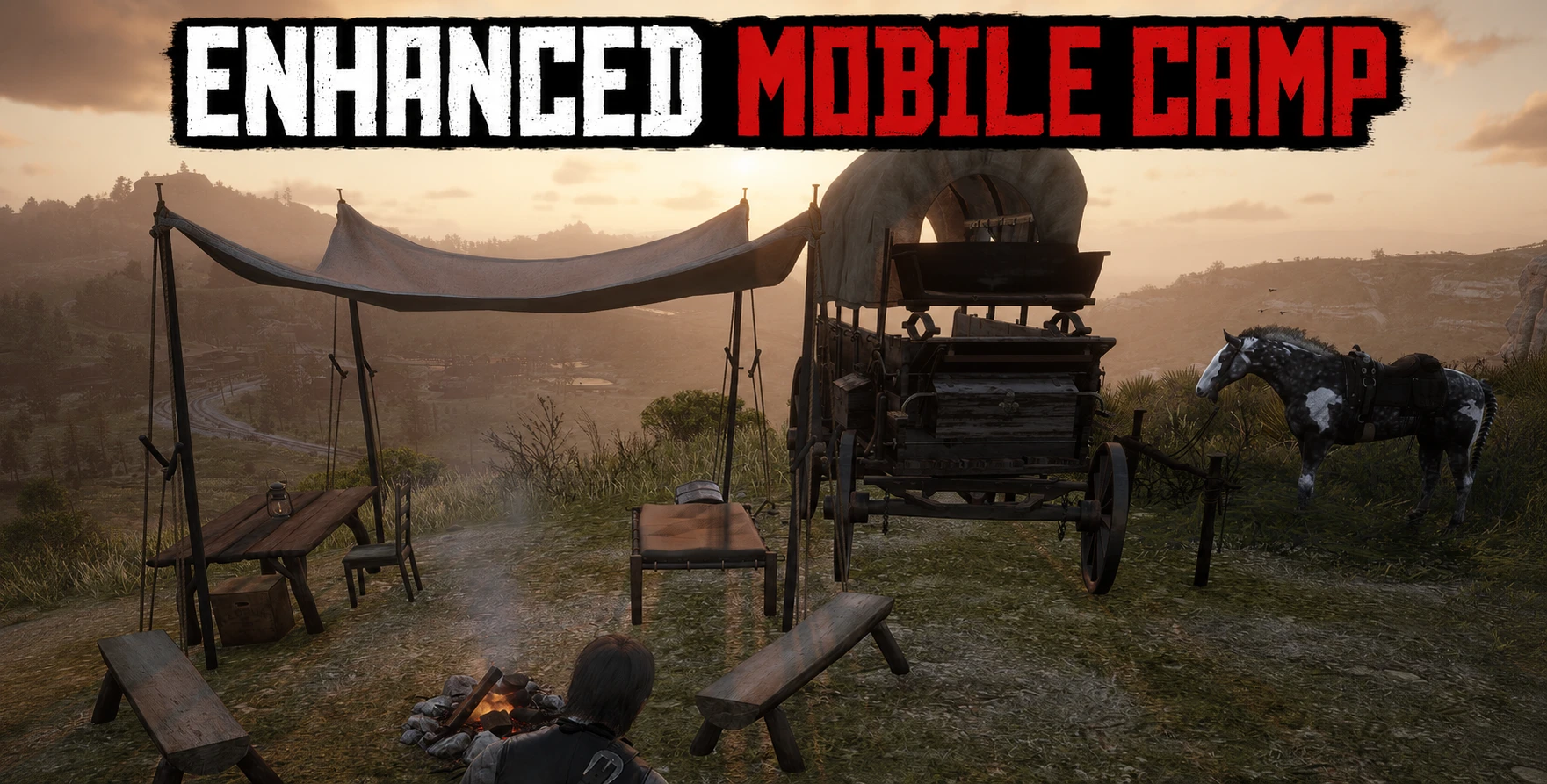
Enhanced Mobile Camp adds a more detailed and practical mobile camp setup to Red Dead Redemption 2. The camp can be placed and removed at any time with a configurable hotkey and includes a functional campfire, usable bed, and a horse hitching spot.
The camp is designed to feel closer to a proper travelling camp, with a wagon, shelter, furniture, benches, and additional camp props. When the camp is placed, nearby vegetation that would interfere with the setup is removed automatically.
Features
Build and remove the camp with a configurable hotkey
Default toggle key: F9
Functional campfire
Usable bed
Horse hitching spot
Automatic cleanup when moving too far away
Configurable cleanup distance
Vegetation clearing around the camp placement area
INI-based configuration
Reload INI changes while the game is running
Default controls:
F9: Build / remove camp
F10: Reload INI settings in-game
You can change the build/remove key in the INI:
ToggleKey=F9
You can change the reload key with:
ReloadKey=F10
INI Notes
The INI file allows you to change hotkeys and several advanced settings.
Changing the keybinds is safe and intended.
Changing other INI values is done at your own risk. Most non-keybind settings are advanced placement, cleanup, prop, and behavior values. Incorrect values may cause misplaced props, broken camp layout, missing objects, or other unexpected behavior.
You can edit the INI while the game is running. After saving your changes, press the reload key, F10 by default, to apply the updated values without restarting the game.
Installation
Install ScriptHookRDR2.
Place the ASI file in your Red Dead Redemption 2 main directory.
Place the INI file in the same folder as the ASI.
Make sure the INI has the same name as the ASI.
Start the game and press F9 to build or remove the camp.
Disclaimer: Nearby vegetation is cleared when the camp is placed, but trees are not removed.
Notes
Sometimes the desk may not spawn correctly. If this happens, simply remove the camp and build it again. This only seems to happen when placing a camp shortly after starting the game.
Credits:
Kontrovers
Downloads
| Name | Format | Size |
|---|---|---|
| Enhanced-Mobile-Camp.zip | ZIP | 69.08 KB |
To start download click the filename. To open archive files use one of these programs: WinRAR, 7-Zip, WinZip. Some mod archives may need to be extracted before the mods will work.