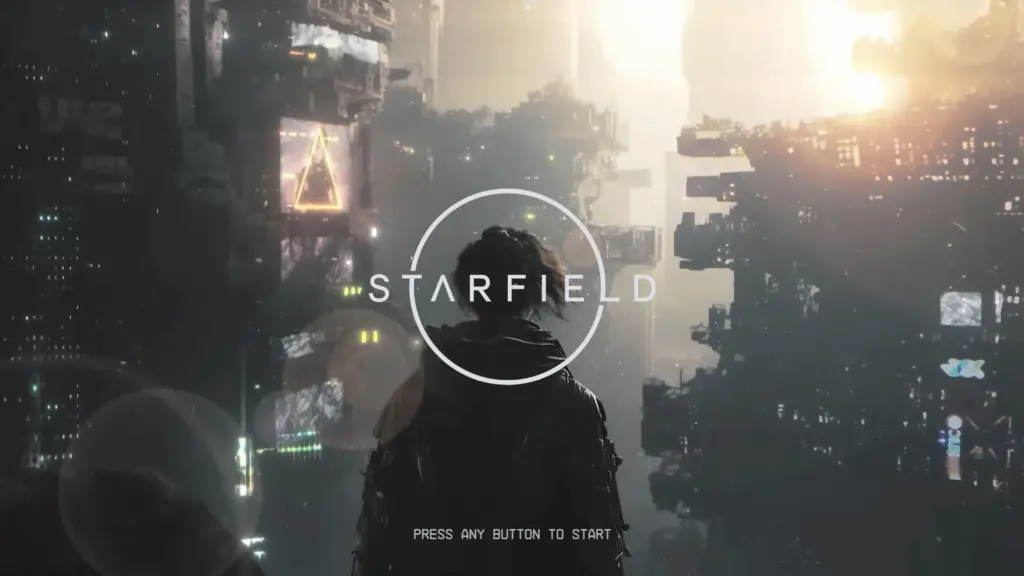
Changes the main menu screen with an animated image that gives off a more Blade Runner vibe.
Just thought I would share my edited version of the main menu.
How to install
Place the Data folder into Starfield install location.
Example being C:\Program files (x86)\Steam\steamapps\common
Edit your StarfieldCustom.ini located in Documents/My Games/Starfield
If you don’t have a StarfieldCustom.ini create one by making a StarfieldCustom.txt and renaming it to StarfieldCustom.ini
It should look like this below.
[Archive]
bInvalidateOlderFiles=1
sResourceDataDirsFinal=
Credits:
ZoNE79
Downloads
| Name | Format | Size |
|---|---|---|
| Main-Menu-Replacer-1-0.rar | RAR | 140.96 MB |
To start download click the filename. To open archive files use one of these programs: WinRAR, 7-Zip, WinZip. Some mod archives may need to be extracted before the mods will work.