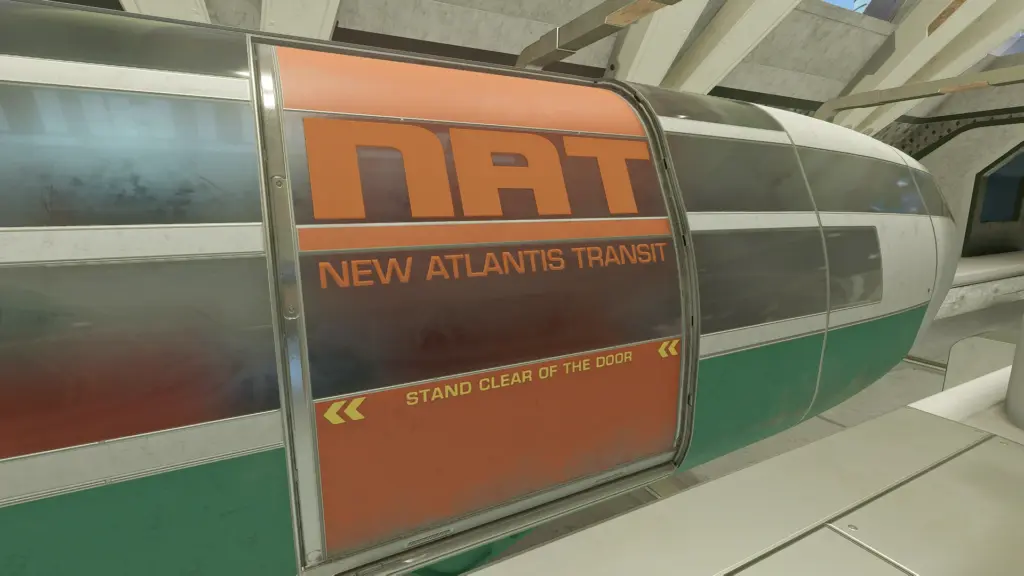
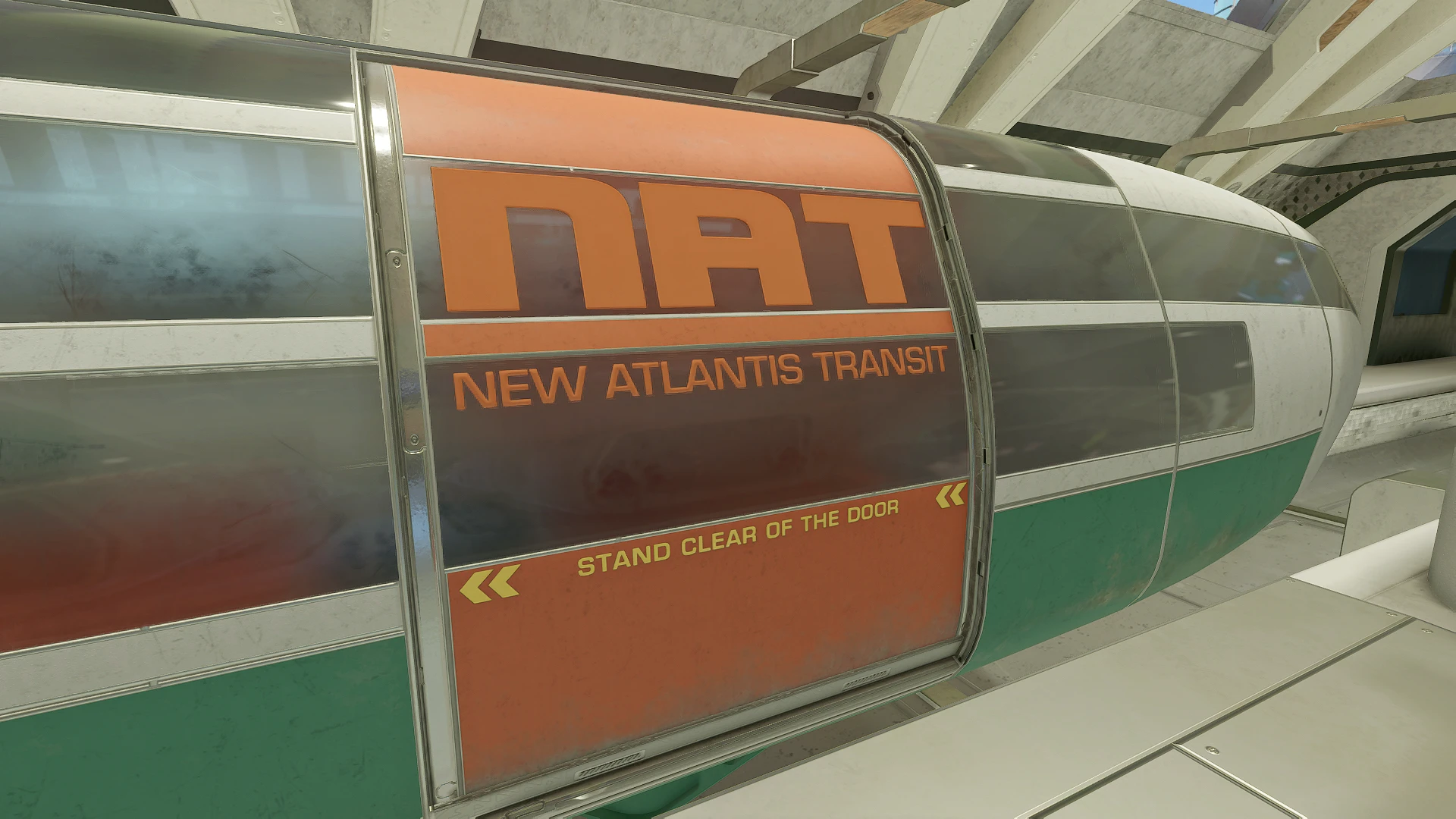
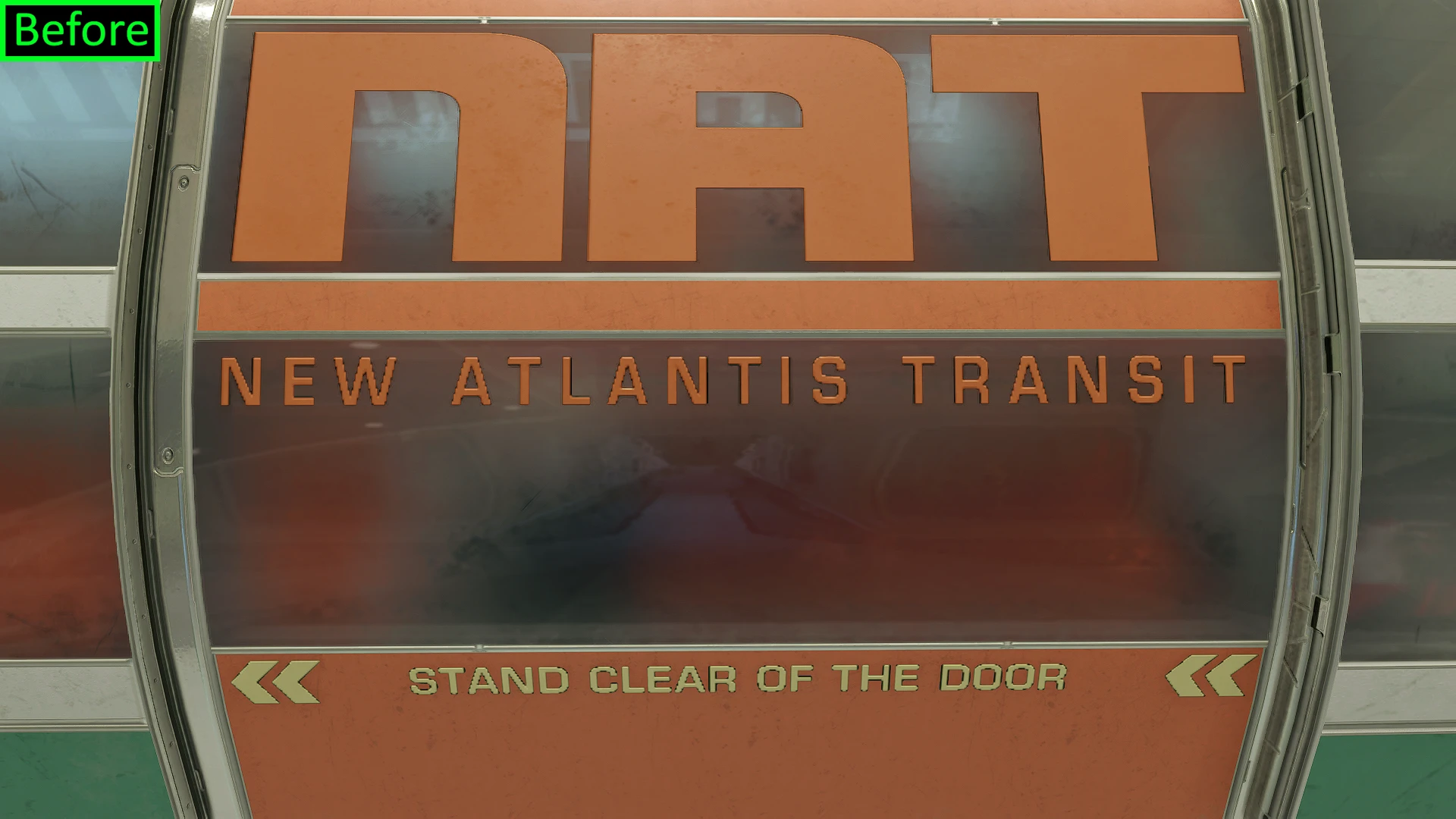
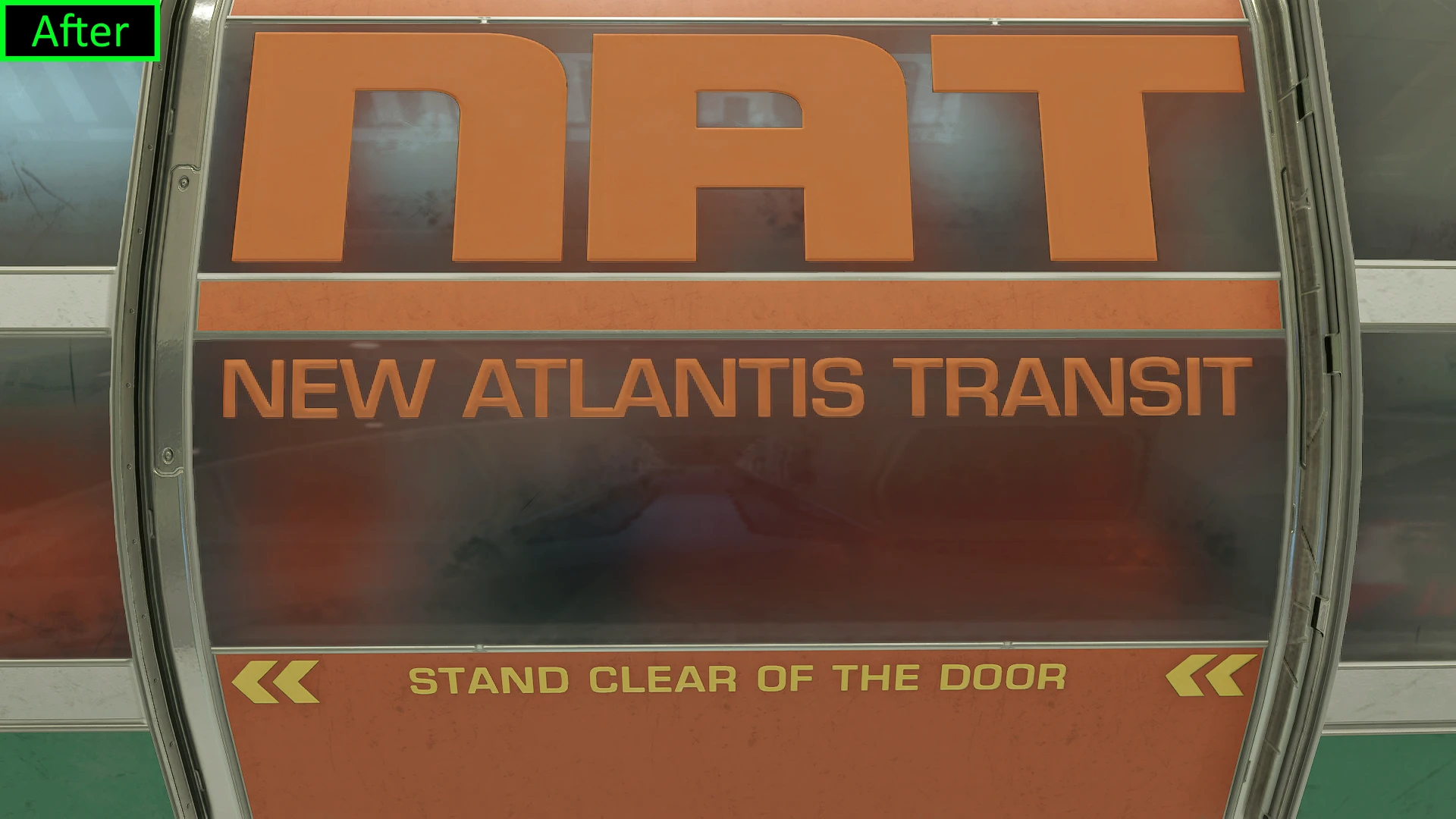
Not sure about you all, but the low-res blocky lettering had been bugging me for quite a while now whenever I’d use the tram. The letter spacing felt a bit too wide for my tastes as well, so I just swapped it in for an existing alternative and cleaned things up. Remade the normal too for smoother embossing.
Chose your preferred resolution, in this case I simply put 4k as the main one for the sharpest lettering (since it’s regularly right up in your face, having it looking as crisp as possible is preferable imo).
Installation:
If modding for the first time, make sure archive invalidation is enabled in your StarfieldCustom.ini by following these instructions: Howto: Archive Invalidation
– MO2: Like any other mod.
– Vortex: Should install like any other mod with the recent update.
Both managers: make sure it’s placed below / loaded after any other mod it may conflict with.
– Manual installation: Unzip and place the “textures” folder inside your “data” folder located here: Documents\My Games\Starfield\
Credits:
VenomSnake26
Downloads
| Name | Format | Size |
|---|---|---|
| Improved-NAT-Door-Lettering-2K-1-0.rar | RAR | 1.35 MB |
| Improved-NAT-Door-Lettering-4K-1-0.rar | RAR | 4.16 MB |
| Improved-NAT-Door-Lettering-2K-1-1.rar | RAR | 594.32 KB |
| Improved-NAT-Door-Lettering-4K-1-1.rar | RAR | 1.76 MB |
| Improved-NAT-Lettering-4K-1-3.rar | RAR | 1.23 MB |
| Improved-NAT-Lettering-2K-1-3.rar | RAR | 406.71 KB |
To start download click the filename. To open archive files use one of these programs: WinRAR, 7-Zip, WinZip. Some mod archives may need to be extracted before the mods will work.