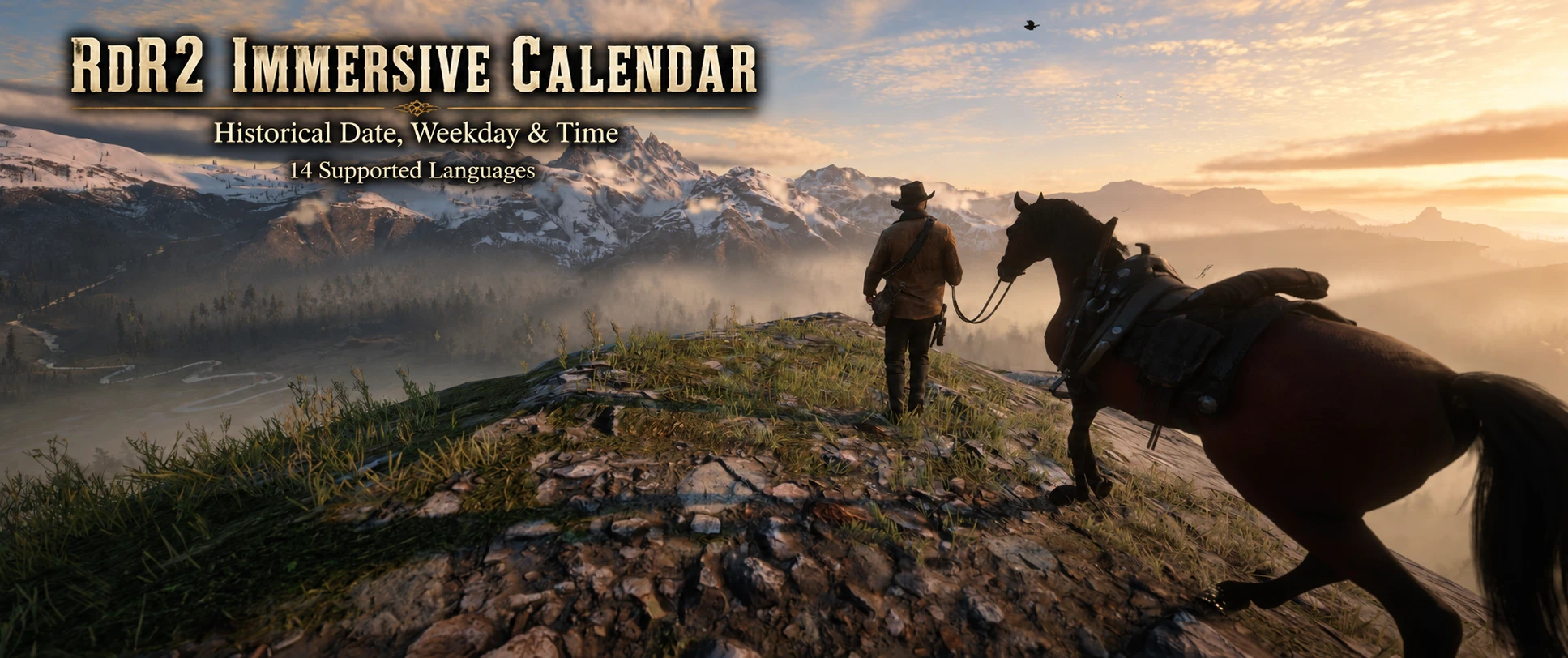
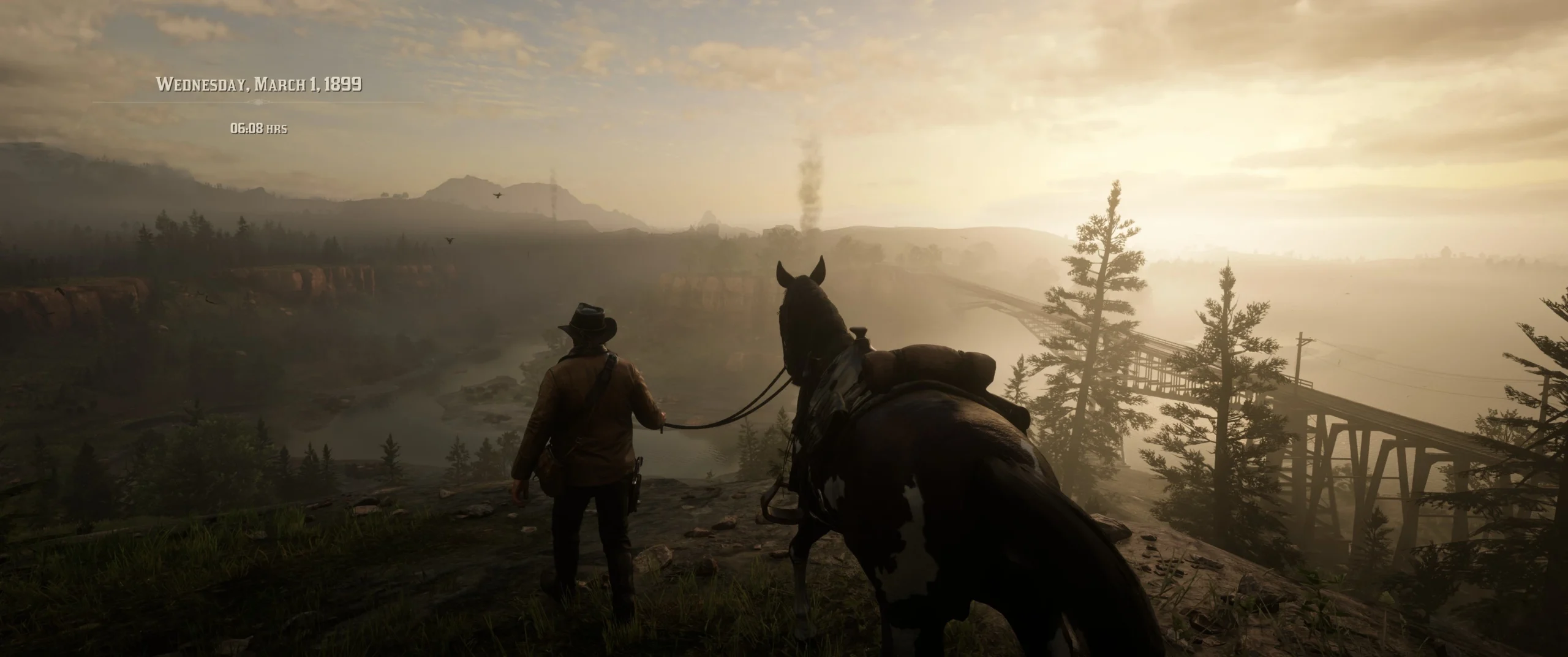
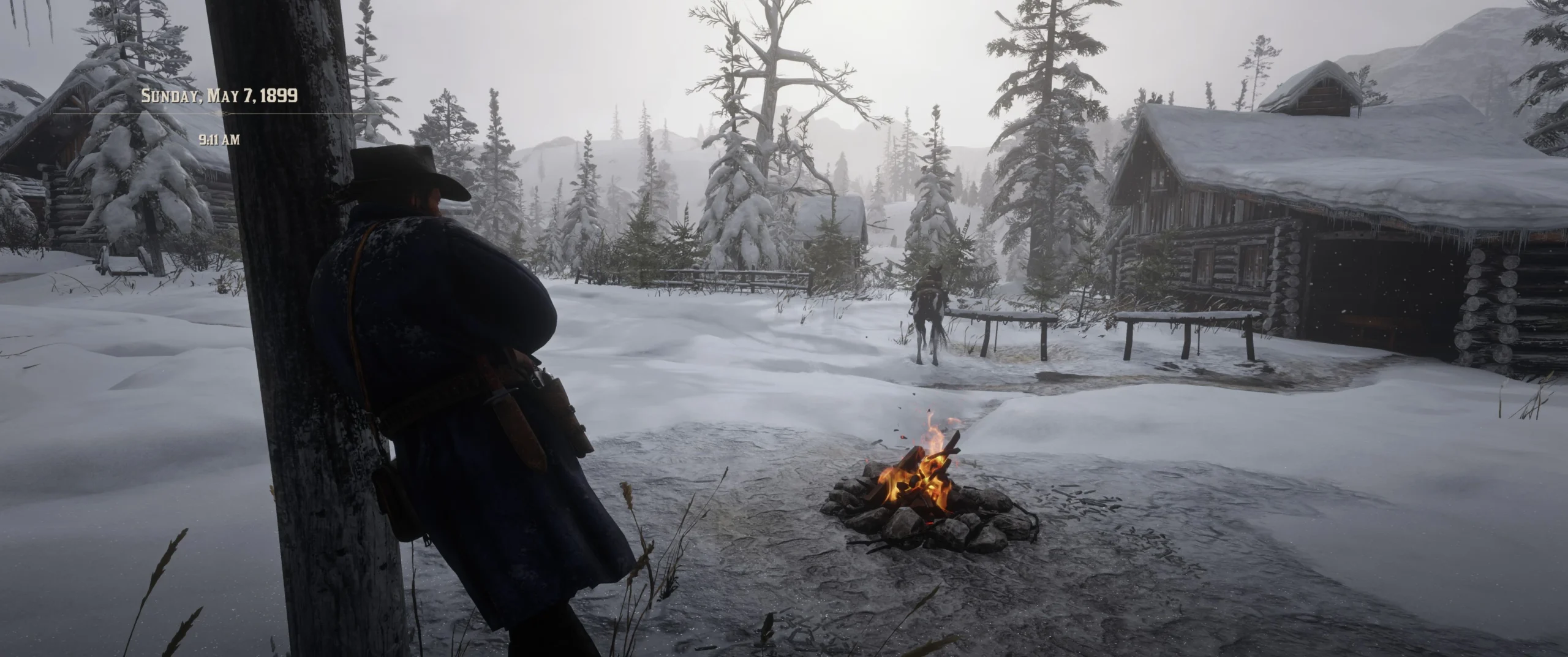
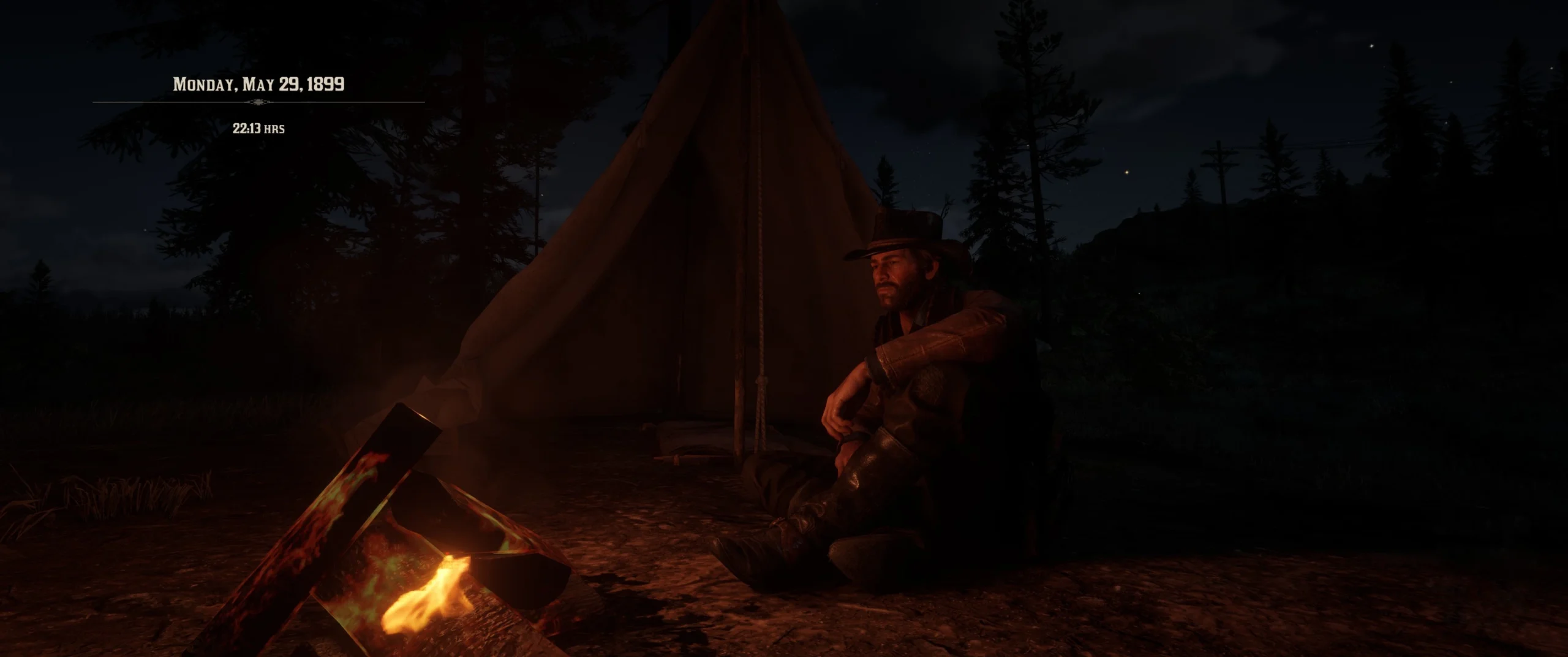
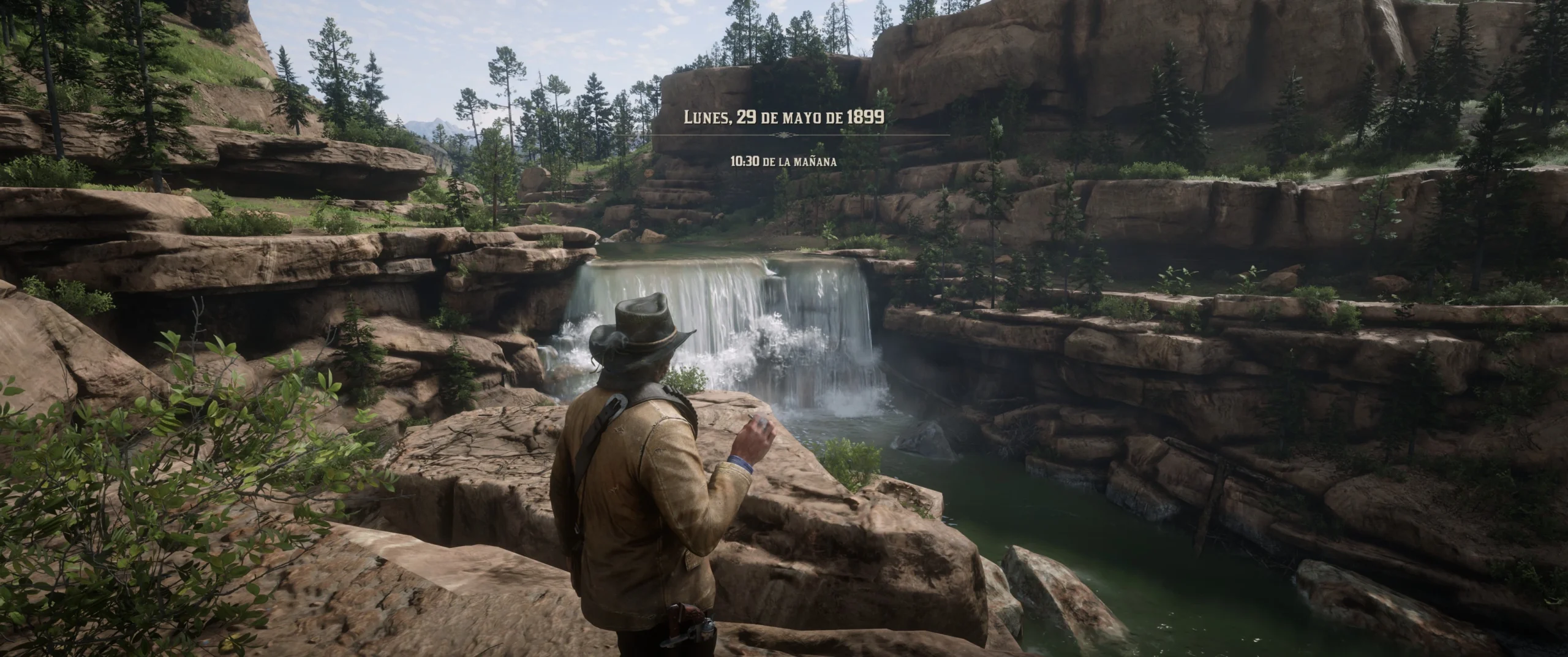
Immersive Calendar adds the current in-game date and its historically calculated weekday to RDR2, with an optional localized clock. Its period-inspired appearance blends into the game’s existing status display.
The calendar follows Rockstar’s game clock – including mission time jumps, chapter transitions and the epilogue. It does not alter time, saves or gameplay.
A NOTE ON STORY CONSISTENCY
RDR2’s internal calendar does not always align perfectly with the story’s dialogue and implied timeline. For example, Hosea mentions May during the snowy introduction, while Rockstar’s internal calendar begins on February 5, 1899.
Scripted missions can also create inconsistencies. The game may set or advance the time of day without always advancing the calendar date in the way the story would suggest. Narrative time jumps are also not always reflected consistently in the internal calendar.
Immersive Calendar normally displays the date provided by Rockstar’s internal game clock and calculates the corresponding weekday.
Version 2.0.1 adds the optional Consistency Mode (+89 Days). When enabled, the displayed calendar date is shifted forward by exactly 89 calendar days whenever the raw RDR2 game year is 1899. This changes the game’s internal starting date of February 5, 1899 to May 5, 1899, placing the beginning of the story directly in early May and matching Hosea’s dialogue much more closely.
The corresponding weekday is recalculated from the shifted date, so Sunday, February 5, 1899 becomes Friday, May 5, 1899.
The actual RDR2 game clock is never modified. Time of day, weather, temperatures, missions and other game systems continue to use Rockstar’s original internal date. Because of this, weather or temperatures may occasionally feel too cold for the displayed date, especially in warmer regions.
Because the offset applies to the displayed date throughout the raw game year 1899, the displayed calendar can reach 1900 before Rockstar’s internal calendar does. The offset stops automatically as soon as the raw game year is no longer 1899.
Consistency Mode is therefore automatically ignored except in 1899, including the Epilogue in 1907.
WHAT’S NEW IN 2.2.2
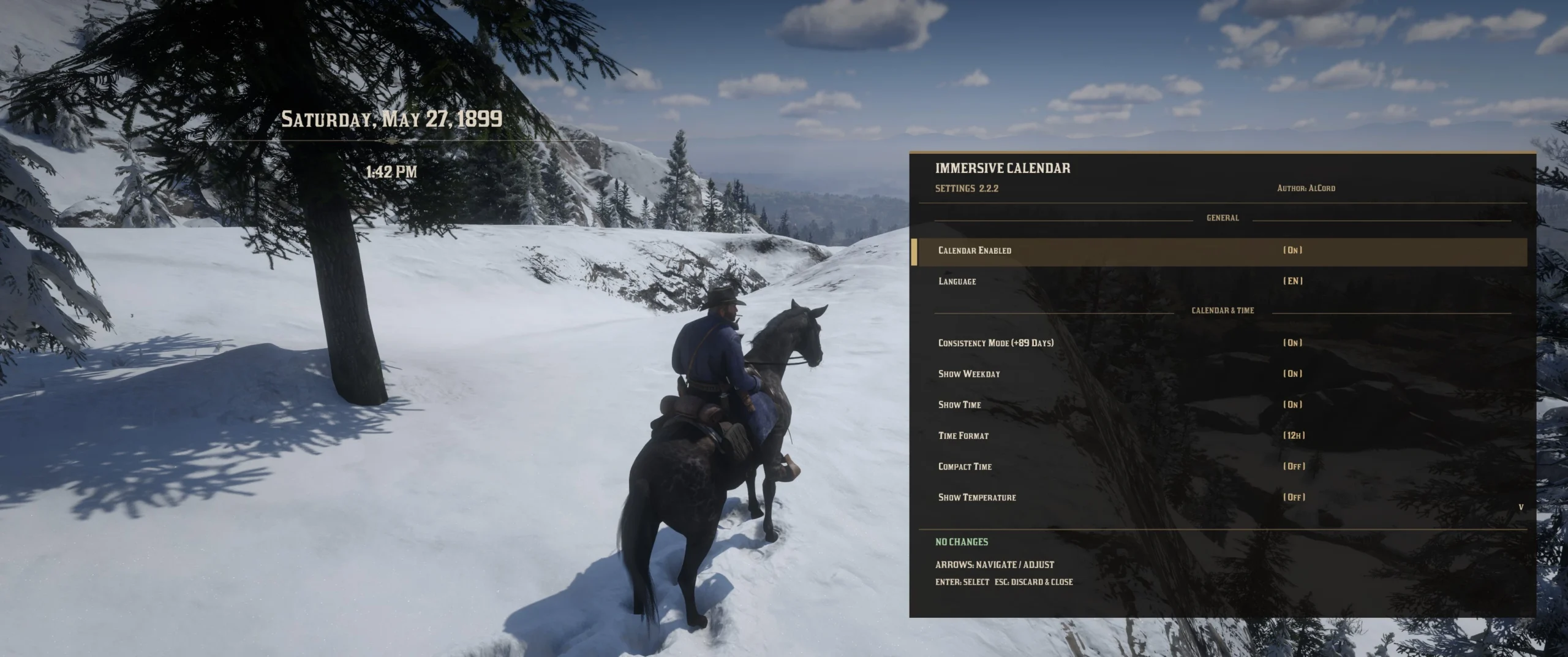
Divider Shadow & Improved F9 Menu
The decorative divider can now use an optional adjustable shadow, helping it remain visible against bright backgrounds.
The new Divider Shadow and Divider Shadow Strength options are available directly in the F9 menu and can also be configured through the INI.
The F9 settings menu has also been reorganized into clear visual sections, making the growing number of calendar, time, visibility, divider, appearance, position and control options easier to navigate.
FEATURES AT A GLANCE
HISTORICAL CALENDAR
Date and Gregorian weekday taken from the in-game date, not your PC’s calendar.
OPTIONAL CLOCK
12-/24-hour time, localized wording, compact mode and decorative divider.
OPTIONAL LIVE TEMPERATURE
Display the current in-game temperature next to the clock, with automatic Celsius/Fahrenheit selection and localized formatting.
14 LANGUAGES + AUTO
Follow RDR2’s current text language automatically or select a calendar language manually.
CONSISTENCY MODE (+89 DAYS)
Optionally shifts the displayed date forward by 89 days to better match RDR2’s May 1899 story setting.
PERSONAL DISPLAY
Change placement, font size, color, opacity, shadow and display duration.
F9 SETTINGS MENU
Adjust settings in-game, preview changes live, save, discard or restore defaults.
YOUR LANGUAGE, YOUR CALENDAR
English, German, French, Spanish, Latin American Spanish, Italian, Portuguese, Brazilian Portuguese, Polish, Russian, Japanese, Korean, Simplified Chinese and Traditional Chinese.
AUTO follows your current RDR2 text language, not your Windows language. The settings menu itself remains in English.
Note: For Japanese, Korean and Chinese characters, RDR2 must load the corresponding font library. Match the game’s text language or use AUTO if characters appear as boxes.
INSTALLATION & CONTROLS
Requirements: ScriptHookRDR2 V2 and an ASI Loader, on RDR2 for Windows x64.
1. Close RDR2 and extract the archive.
2. Copy RDR2_Immersive_Calendar.asi and RDR2_Immersive_Calendar.ini next to RDR2.exe.
3. Launch the game.
NUMPAD0 — Display the calendar (Num Lock ON).
D-pad Down or ALT — Original RDR2 status action (default controller or keyboard binding).
F9 — Open the in-game settings menu.
The calendar appears temporarily (5 seconds by default); it is not a permanent toggle. The additional clock is off by default: enable Show Time in F9 to display it.
Updating? Replace the ASI. Back up and keep your personal INI to retain your settings; check the included new INI/README for newly documented options. Keyboard bindings are edited in the INI and require a game restart.
PLACE IT YOUR WAY
Move the calendar anywhere that suits your HUD layout. Position X and Y are adjustable directly in F9; Restore Defaults brings it back if you accidentally move it off-screen.
COMPATIBILITY & SUPPORT
Immersive Calendar is designed to be compatible with virtually all other RDR2 mods.
It only reads the game’s internal date and time without modifying the game clock, save files, gameplay mechanics or other game data.
Conflicts are therefore unlikely, although overlapping keyboard shortcuts or HUD elements may require minor configuration adjustments.
Tested by the author on RDR2 build 1491.50 with ScriptHookRDR2 V2. Other builds and launcher combinations have not been confirmed. The mod uses RDR2’s own UI rendering; no extra font or texture files are needed.
Found a bug or an incorrect translation? Please use the Bugs or Posts tab and include your game build, mod version and relevant settings.
RECOMMENDED IMMERSIVE MODS
Immersive Calendar should pair well with the following mods:
• A Dynamic World
• Blackwater Fireworks
Credits:
AlCord
Downloads
| Name | Format | Size |
|---|---|---|
| ImmersiveCalendar-V2.2.2.zip | ZIP | 48.00 KB |
To start download click the filename. To open archive files use one of these programs: WinRAR, 7-Zip, WinZip. Some mod archives may need to be extracted before the mods will work.