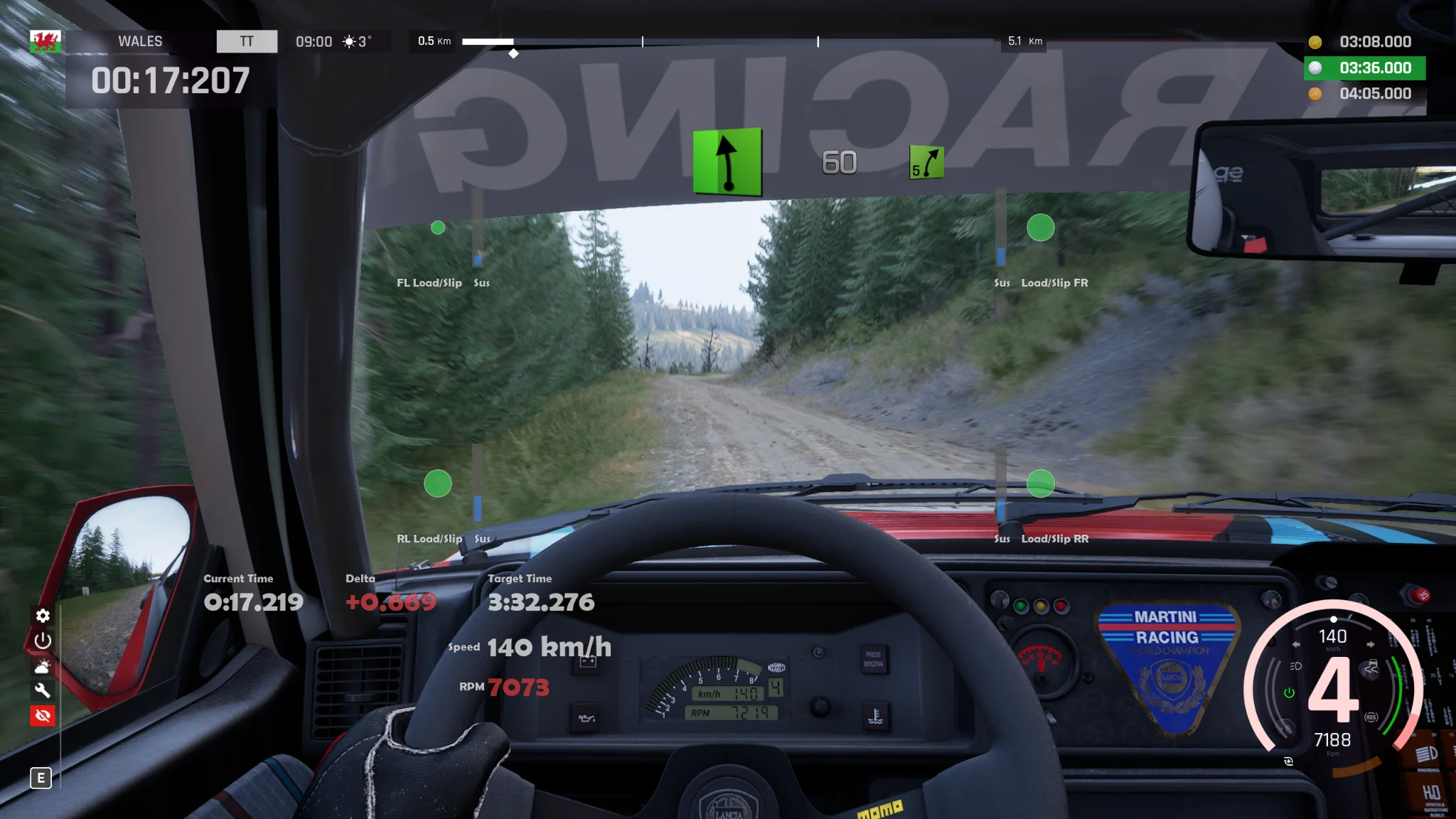
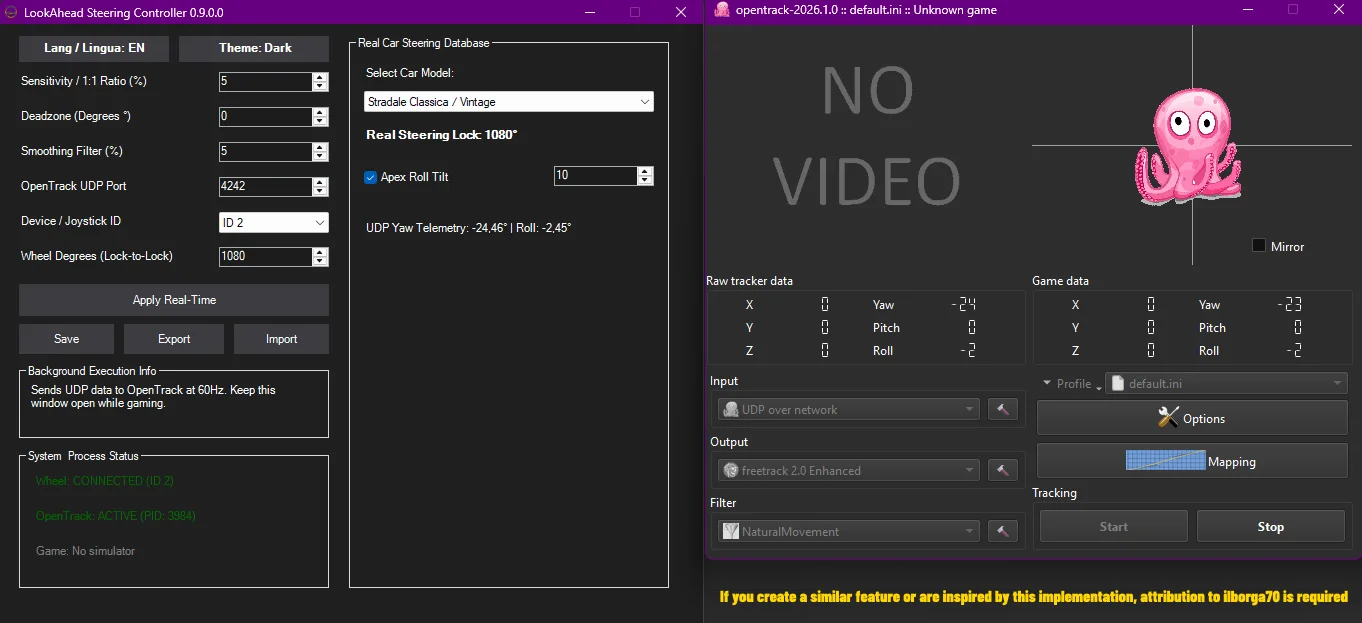
LookAhead Steering Controller is a lightweight, standalone suite that converts your steering wheel rotation into toward the inside of a corner, without needing to install or run OpenTrack.
🇬🇧 What’s New in Version 0.9.0.0
– Dynamic Apex Roll Tilt: Added natural camera roll/tilt toward the corner apex when steering.
– UI Controls: Added an ON/OFF toggle for the roll tilt along with an intensity percentage adjustment slider/spinbox.
– Complete UDP Telemetry: Real-time display of both Yaw and Roll values sent to OpenTrack at 60Hz.
– JSON Configuration Save: Integrated automatic saving and loading for the Roll Tilt settings in the JSON configuration file.
ACRally-LookAhead-Steering-Controller-GitHub
🚀Quick Installation (First Time Only)
1. Download the mod’s .zip archive.
2. Extract ALL the contents of the ZIP directly into the game’s root folder:
`…\SteamLibrary\steamapps\common\Assetto Corsa Rally\`
3. Overwrite when prompted by Windows to merge the `acr` folder.
Note: The manual build will add the mod (`LookAhead Steering Controller.exe`) in path (`…\SteamLibrary\steamapps\common\Assetto Corsa Rally\`) and (`dinput8.dll`) (`AssettoCorsaRallyHeadTracking.asi`) in path (`acr\Binaries\Win64\`).
🎮 How to Use
1. In the game folder, run `LookAhead Steering Controller.exe`.
2. Select your device/steering wheel from the drop-down menu.
3. Adjust the desired sensitivity (recommended starting at 5% for natural movement) and click Apply Real-Time.
4. Leave the program open and launch Assetto Corsa Rally from Steam.
5. Get in the car and switch to Cockpit/Helmet View.
6. Set the actual degrees of the car in use in your driving controller, for example, Lancia Delta (720°).
7. Also set the actual degrees of the car in use in the LookAhead Steering Controller program, for example, Lancia Delta (720°).
🛠️ Technical Features
Direct UDP Protocol: Sends data directly to the game engine (zero latency).
No external programs: OpenTrack is not necessary.
Natural Movement Filter: Stabilizes the signal and avoids jerkiness during sudden steering inputs.
🎮 Windows Security & SimRacing: Why exclude the LookAhead Steering Controller? 🏎️💨
Have you noticed this file in the Windows Defender exclusions?
Let’s break down why adding lookahead steering controller.exe is essential for your setup! 👇
🛡️ 1. Preventing False Positives (Unjustified Blocks).
This program is a third-party utility designed to calculate wheel movements and camera angles for racing simulators.
Because it reads hardware data and shares it directly with other software (like OpenTrack), Windows Defender might mistake this behavior for malicious activity (like a keylogger).
Adding it to your exclusions stops Windows from blocking or deleting it by mistake!
⚡ 2. Eliminating Micro-Stuttering & Input Lag.
Windows Antivirus scans files in real-time.
As shown in the software window, this controller transmits data at a very high frequency (60Hz — 60 times per second).
If the antivirus analyzed every single data packet while you were driving, it would cause:
📈 Abnormal CPU spikes
⏱️ Delayed inputs (input lag)
🛑 Micro-stuttering during your races
📂 3. Why the Entire D:\ Drive is Excluded.
You can also see that the whole D:\ folder is listed.
Sim-racers often do this to prevent Microsoft Defender from constantly scanning heavy game files installed on a secondary HDD or SSD.
This significantly improves overall loading times and game fluidity!
🔬 Is this file 100% safe?
Yes! If you are worried about security, the file has been fully analyzed on Jotti’s malware scan.
The results show 0/13 scanners reporting malware, meaning top antiviruses like Kaspersky, BitDefender, and Avast found absolutely nothing.
🔗 Check the full safety report here: https://virusscan.jotti.org/it-IT/filescanjob/g84ynyzizw
Pro-Sim Utilities Hub – Free Tools for SimRacers
Web dashboard dedicated to anyone looking to improve immersion and driving precision on their simulator without spending a fortune on extra hardware.
🌐 Official Website & Presets:https://ilborga70.github.io/Pro-Sim-Utilities-Hub/
🛠️ What you’ll find on the site:
📐 Pro-Sim FOV Utility: A mathematical calculator for FOV and camera position (single or triple monitor setups).
🎥 LookAhead Steering Controller: Dynamic camera movement in turns based on your steering input (no VR headset or head-tracking sensors required).
📦 Dedicated LookAhead Downloads:
Ready-to-download versions specifically built for Richard Burns Rally (RBR), ACRally, and Assetto Corsa Evo.
⚙️ Integrated Preset Configurator:
Includes a guide with recommended settings (Sensitivity, Smoothing, Deadzone, Roll Tilt) tailored for every discipline: GT3, Formula, Rally, Drift, Karting, Hillclimb, and Touge, as well as tips to eliminate input lag and motion sickness.
📜 Credits & Licenses
LookAhead Steering Controller by `ilborga70`
Downloads
| Name | Format | Size |
|---|---|---|
| ACRally-LookAhead-Steering-Controller-v0.9.0.0.zip | ZIP | 4.49 MB |
To start download click the filename. To open archive files use one of these programs: WinRAR, 7-Zip, WinZip. Some mod archives may need to be extracted before the mods will work.