ACR Overlay is a desktop app that records your Assetto Corsa Rally runs and displays telemetry as a real-time overlay on top of the game during a race. It reads vehicle data from the game’s shared memory and computes its own distance-based delta between your current run and a past best run.
Inspired by uzuramc’s ACR Stage Delta, I built this from scratch to suit my own workflow. Many thanks to them.
Key Features:
Race recording (fully automatic) — Detects stage-clock movement to start and stop recording on its own. No buttons at all; only completed runs are saved to SQLite. Runs accumulate per track × car.
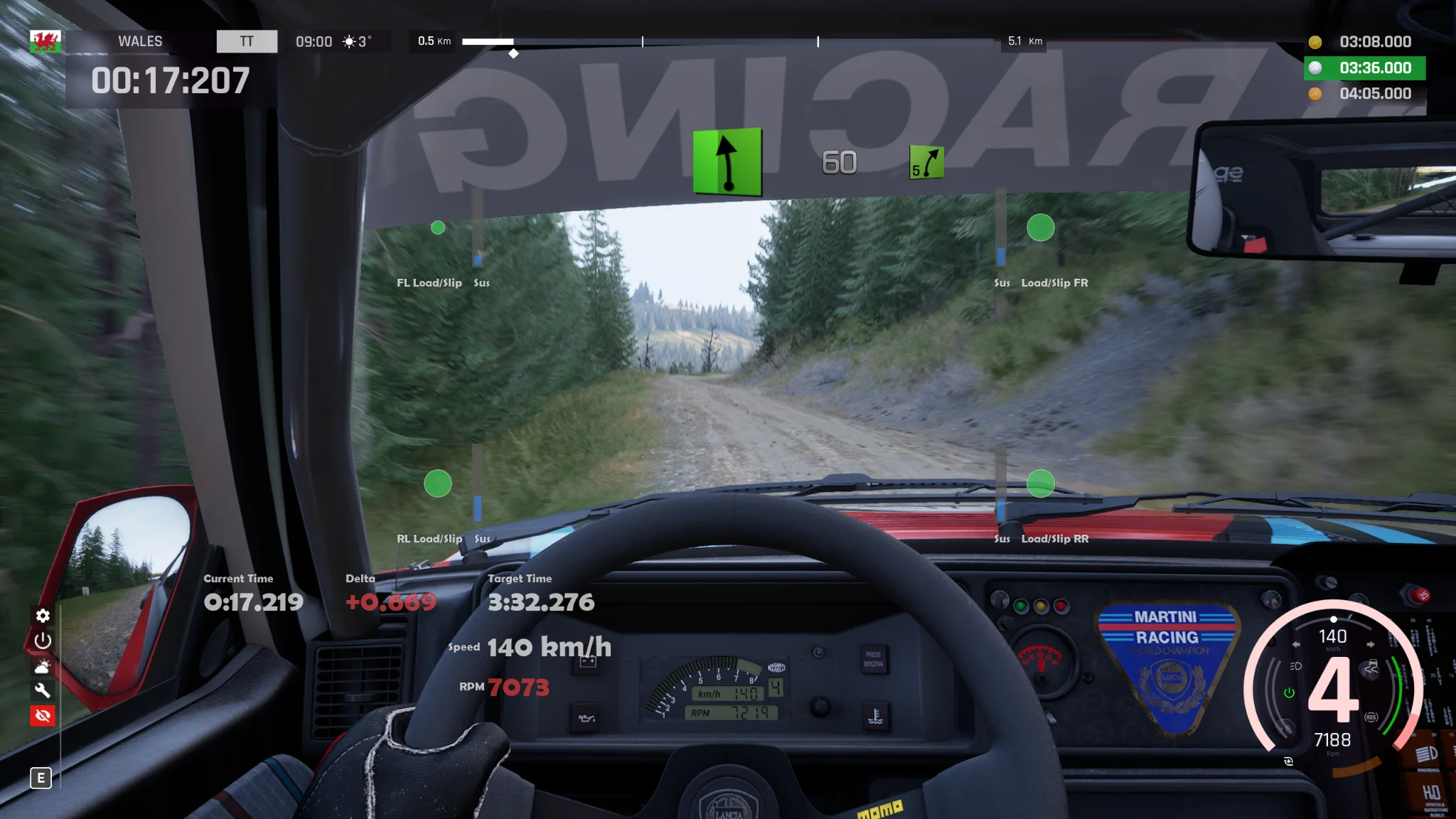
Real-time overlay — A transparent, click-through, always-on-top overlay drawn over the game. Mouse and keyboard input pass straight through to the game, so it never gets in the way of driving.
Rich telemetry readouts — Run time / best time / delta / speed / gear / RPM / throttle & brake / steering angle / per-wheel load, slip, tyre temperature, brake wear, and suspension travel. The delta is colour-coded faster/slower, and RPM shifts white → orange → red as it approaches the redline.
Per-item configuration — For every widget you can individually set its item, kind (numeric text / vertical bar / horizontal bar / wheel-load circle / custom label), on-screen position, size, background colour, whether the background box shows, plus font and text size. Changes apply to a running overlay instantly (no restart).
Hide it outside of racing — Each widget can be set to “While Driving Only,” so it is automatically hidden whenever the stage clock is stopped (waiting to start, paused, replay, menus).
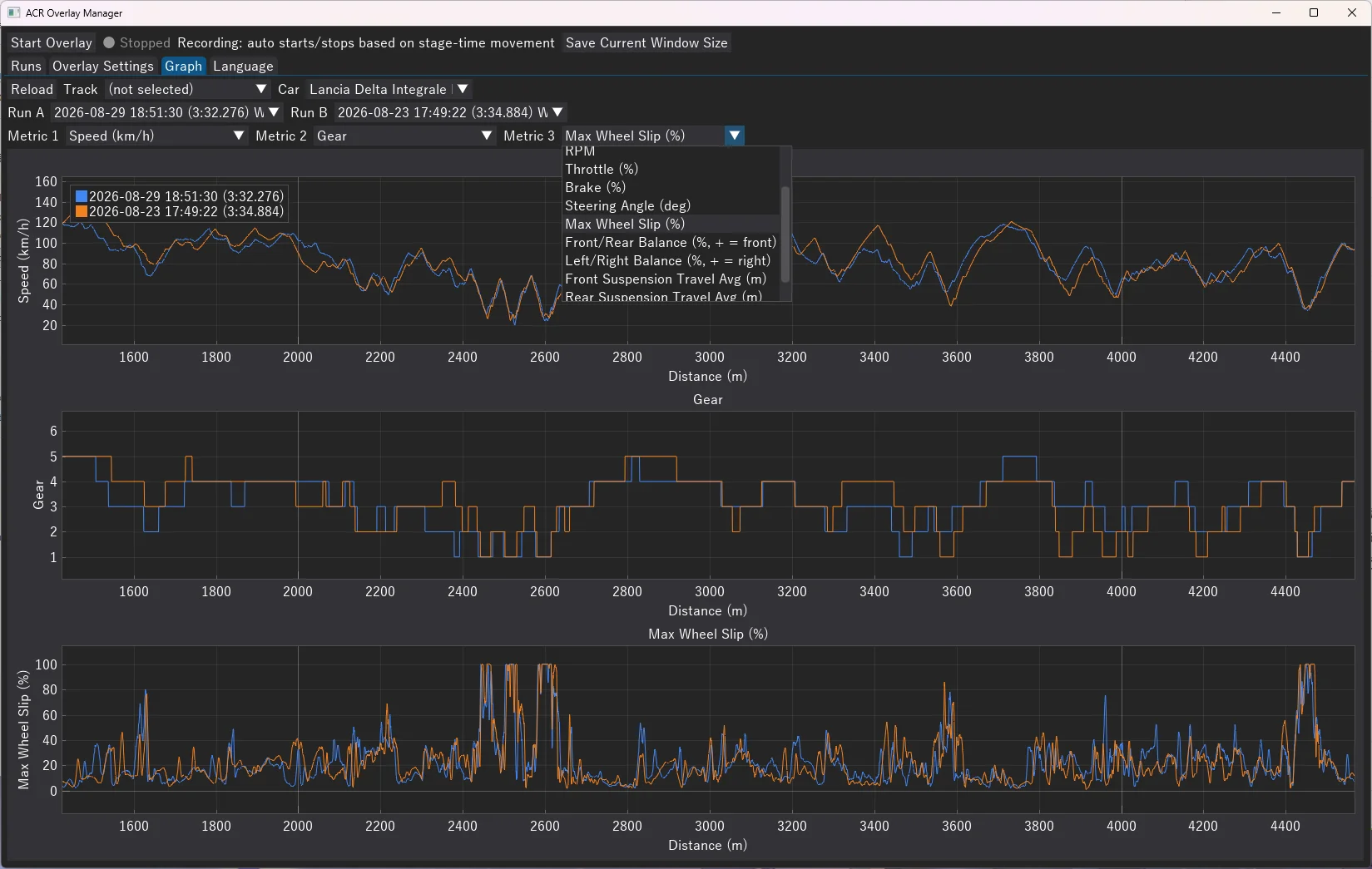
Run comparison analysis — Overlay two saved runs on a distance axis and compare 12 metrics — speed, load balance, slip, suspension travel, and more — as graphs.
Language:
Japanese / English
Usage:
Unzip files and read ACR_Overlay_Manual.en.html
Feedback and bug reports are welcome.
Credits:
HamChicchi
Downloads
| Name | Format | Size |
|---|---|---|
| ACR_TelemetryOverlay_v1.6.2.zip | ZIP | 18.99 MB |
| ACR_TelemetryOverlay_v1.2.zip | ZIP | 17.72 MB |
| ACR_TelemetryOverlay.zip | ZIP | 44.65 MB |
To start download click the filename. To open archive files use one of these programs: WinRAR, 7-Zip, WinZip. Some mod archives may need to be extracted before the mods will work.