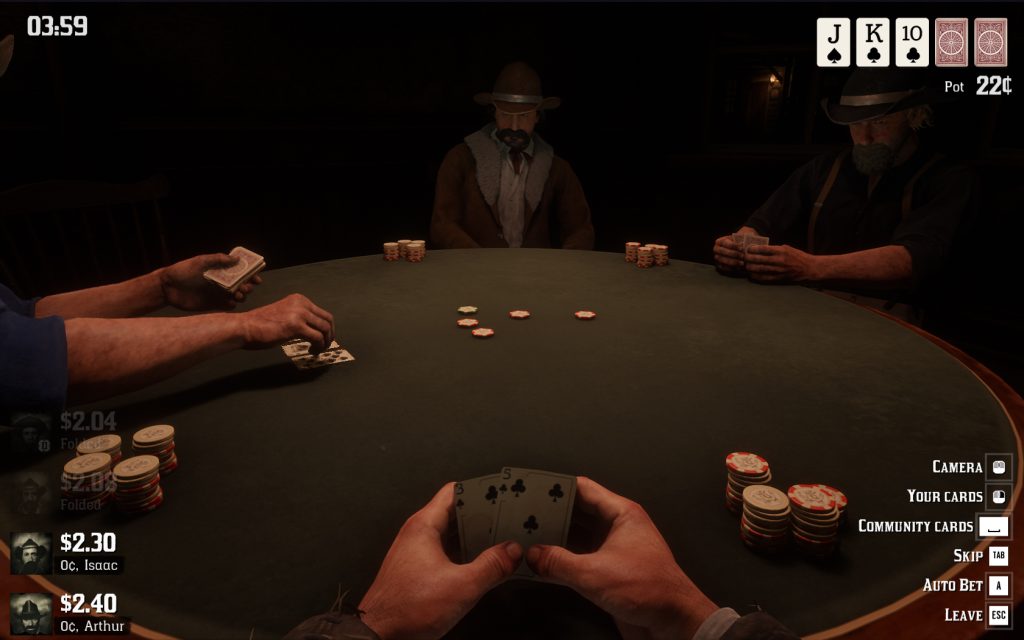
This mod adds a clock hud element in the top left corner of the screen that you can hide / display any time using a hotkey (‘insert’ key by default), so you can check the time during your evening poker games and won’t miss your bedtime ever again!
The clock is HIDDEN BY DEFAULT. Use the hotkey or change the settings to ‘on by default’ in the ini file.
Check the ini options to:
– Customize the hotkey.
– Adjust the size and position of the clock.
– Set if it should be on screen by default when you start the game.
Installation:
Download OnScreenClock.rar, extract it and drop the files into your Red Dead Redemption 2 game folder.
You’re going to need Script Hook By Alexander Blade.
Credits:
crossed99
Downloads
| Name | Format | Size |
|---|---|---|
| OnScreenClock_AM_PM.rar | RAR | 113.77 KB |
To start download click the filename. To open archive files use one of these programs: WinRAR, 7-Zip, WinZip. Some mod archives may need to be extracted before the mods will work.