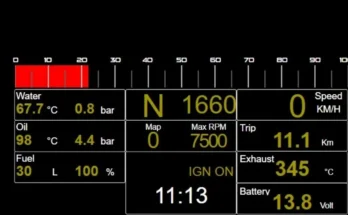
This tool allows you to simulate an analog handbrake in Assetto Corsa Rally even when using a digital button.
The handbrake signal is generated by progressively increasing a virtual axis based on how long the button is held, with optional linear or exponential curves.
This is not a physically realistic implementation: the signal is time-based, not pressure or force based.
It is intended as a “better than nothing” solution for users without access to a real analog handbrake.
In my case it worked better than a purely digital handbrake, because it still provides a certain degree of modulation, even though it obviously cannot be compared to a real handbrake that measures force or pressure.
Naturally, some people may not like this approach or may consider it a pointless idea.
Key Features
Converts a digital button into a virtual analog handbrake
Linear or exponential response (configurable via .ini)
Tested with Assetto Corsa Rally, AC Evo and AC with CSP, but should work with any sim
Notes
This solution requires multiple software components and manual configuration.
It is intended for users who enjoy experimenting and who are not concerned about potential system instability that may arise from using multiple software layers.
This tool is developed by me, an enthusiast, and tested on limited personal setups.
The app is offered “as is” and compatibility with all systems cannot be guaranteed.
For this reason the source code is included so that in case you can make it working on your system by yourself.
The app is written in AutoHotkey v1 (64-bit).
In case you appreciate, modify and share it, please just credit me for the idea
26/12/25
UPDATE: MORE DETAILED INSTRUCTIONS (after the negative reviews because for someone not working)
First of all, please make sure you have followed the README instructions and configured the .ini file with the correct values for your system.
If it’s still not working:
Try running Handbrake.exe as Administrator (usually not required).
Make sure no other instances of Handbrake are running. Before running it after editing the .ini close any from the system tray (right-click → Exit).
I’m trying now to provide more detailed explanations. As mentioned, this “workaround” is not particularly easy to configure, and therefore it’s difficult to guarantee that it will always work for everyone.
I won’t cover how to install or configure vJoy and X360ce, as there are plenty of YouTube tutorials available. I’ll simply put here some screen of my system.
1. vJoy Configuration
Open Configure vJoy.
I Would suggest to enable a dedicated vJoy device for this utility.
Note the vJoy Device number (ID). This is the number you must use as JoystickID in the .ini file.
Set the X-axis (number 1) to simplify configuration.
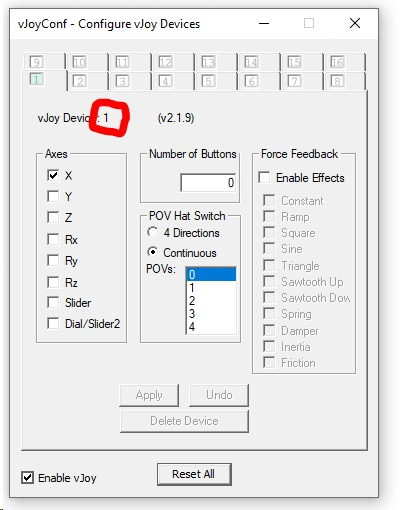
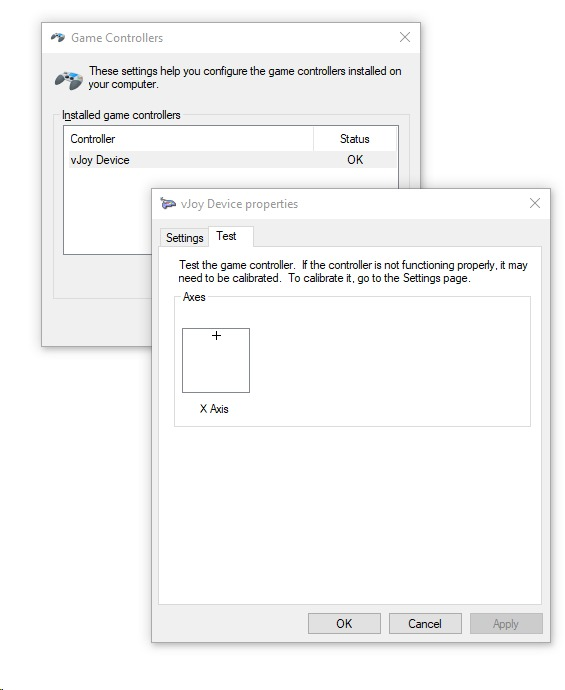
Example .ini for my setup:
JoystickID=1
AxisIndex=1
Adjust the numbers according to your system.
2. RealJoyID and RealJoyButton
Use the provided utility: DetectID_Button_Joy.exe (inside the Utility folder).
Press the button you want to use as the handbrake.
Record the values and update the .ini file.
Close the utility from the system tray (right-click → Exit)
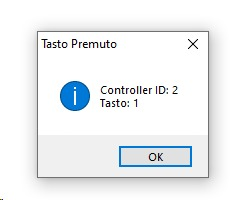
Example values from my system:
RealJoyID=2
RealJoyButton=1
Replace with your system’s values.
3. X360ce Configuration
Some newer games (like ACR) do not recognize vJoy directly, so X360ce is required.
Map the X360ce virtual pad to the vJoy device.
Map the vJoy X-axis to an analog axis of the X360 virtual pad (for example the right trigger).
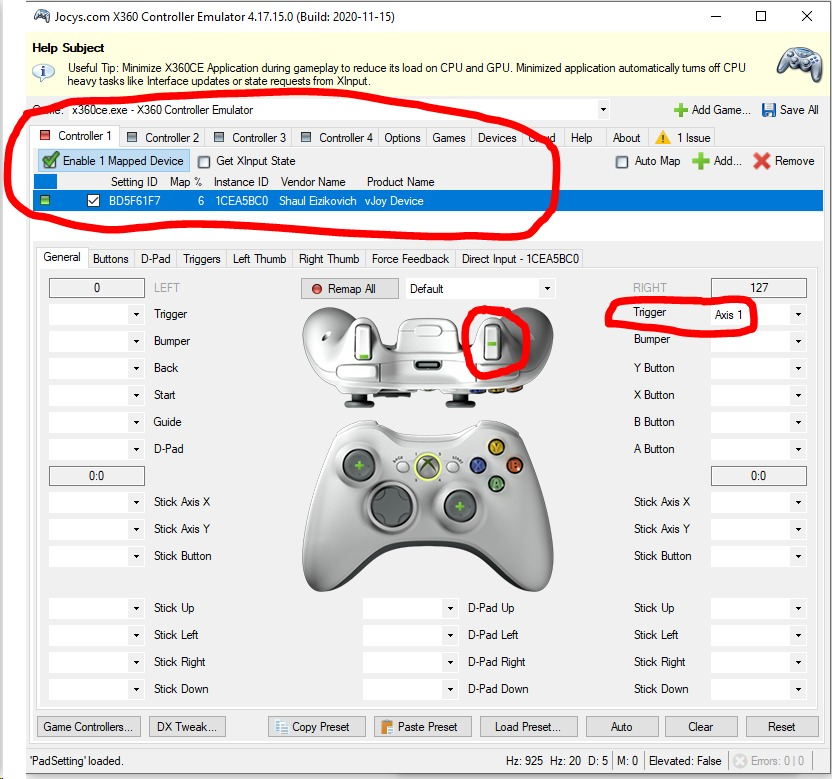
4. Run Handbrake.exe
Before running be sure there are no other conflicting instances of handbrake.exe. In case close from the system tray (right-click → Exit)
Assuming the .ini properly configured for your system, run Handbrake.exe. It will run in background in the system tray. Nothing will appear on the screen, the program is working at game controller level.
Test everything in both the Joystick Control Panel and the X360ce panel to confirm it works. It should look like this when you push the handbrake button (look at the moving vJoy X axis and green right trigger slider)
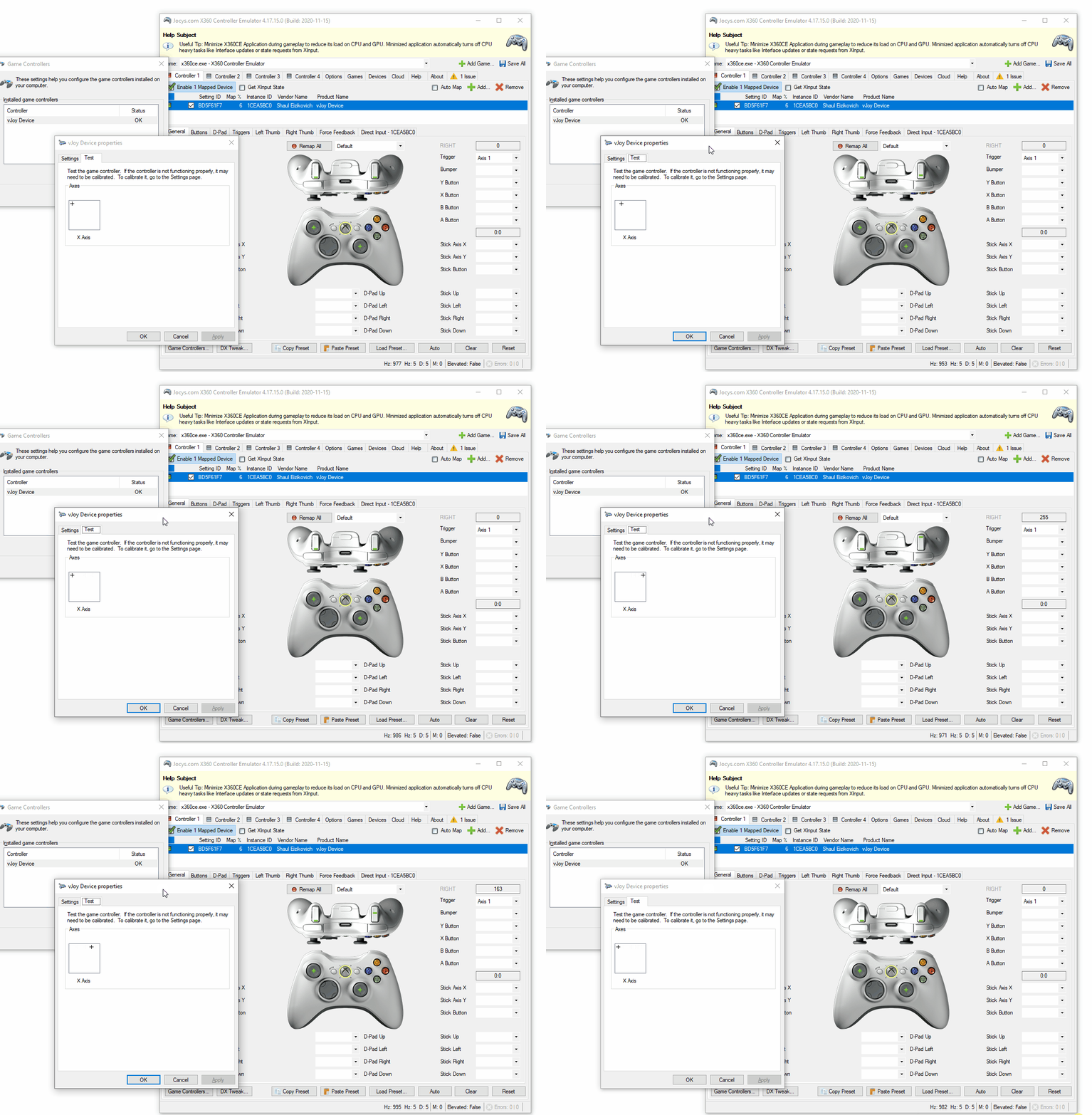
5. In-Game Setup
Open the simulator and configure the handbrake.
In ACR, select X360 pad and press the button you configured.
In other sims (e.g., Assetto Corsa), direct mapping of vJoy may work without X360ce.
Credits:
marcocale
Downloads
| Name | Format | Size |
|---|---|---|
| Handbrake.zip | ZIP | 1.20 MB |
To start download click the filename. To open archive files use one of these programs: WinRAR, 7-Zip, WinZip. Some mod archives may need to be extracted before the mods will work.