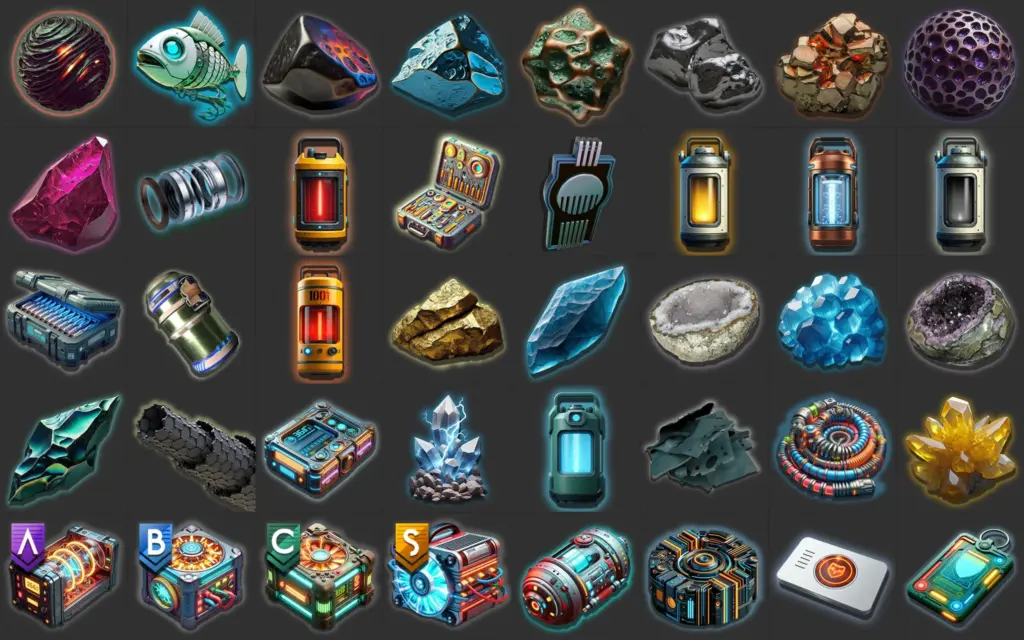
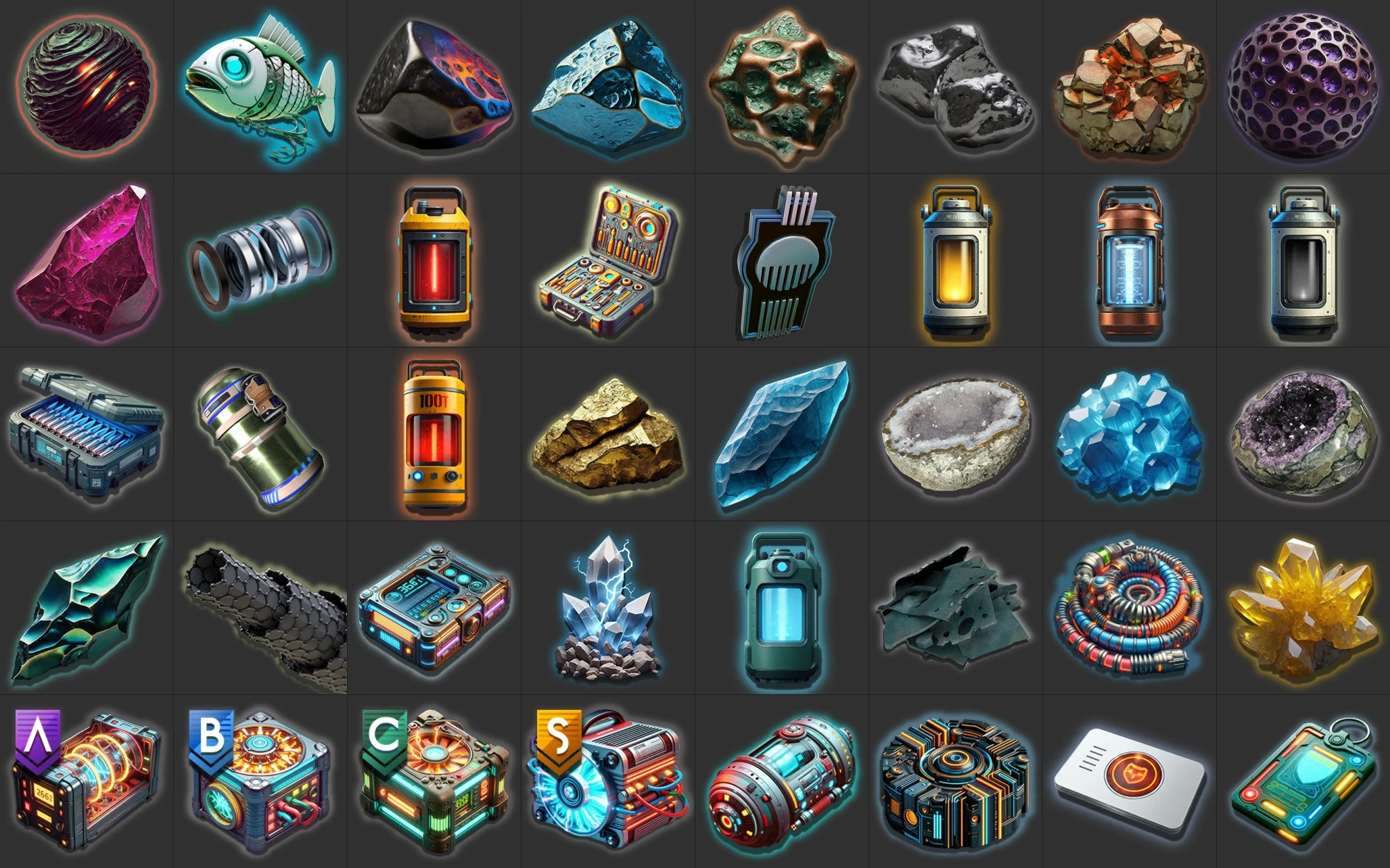
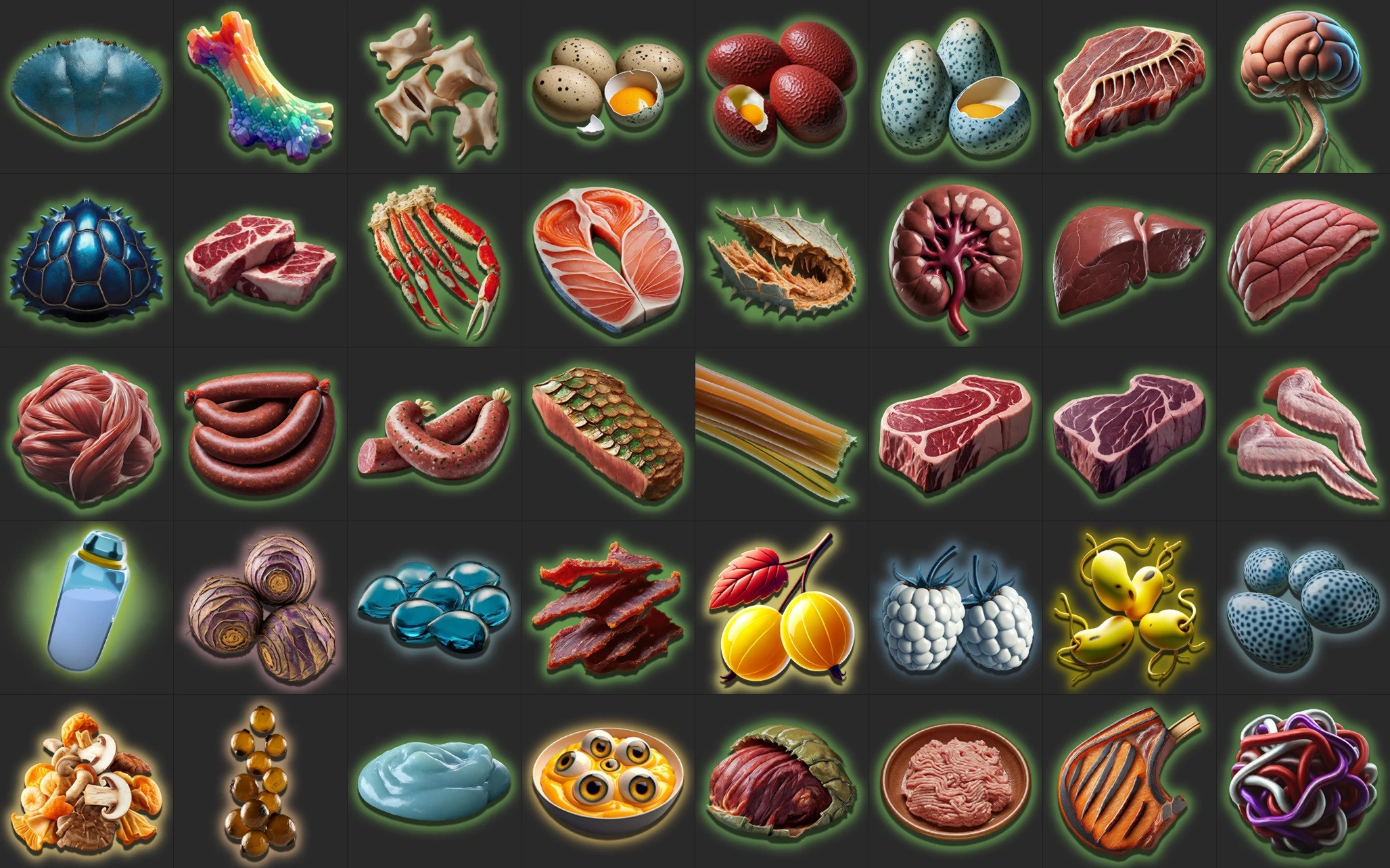
A collection of replacement icons for general -and cooking products. Enjoy 🙂
✅ Updated for Worlds Part II
✅ Patch mod – likely to work well with other Patch and Overwrite mods
Install
Unzip the mod and place the full folder in {NMS Install Folder}\GAMEDATA\MODS (not PCBANKS). Create a MODS folder if it doesn’t exist.
If the mod(s) still doesn’t work, make sure your mod settings file {NMS Install Folder}\SETTINGS\GCMODSETTINGS.MXML is not set to DisableAllMods=true.
* The LUA file is an aid for merging with other mods, using AMUMSS, or modding yourself. If you don’t need either, you can safely ignore it.
Change-log
1.84: Added a few more icons; Synced to game version 5.58
Compatibility
changes made in the following files:
An EXML patch for the following file – should be non-conflicting:
– METADATA/REALITY/TABLES/NMS_REALITY_GCPRODUCTTABLE.MBIN
Credits:
lMonk
Downloads
| Name | Format | Size |
|---|---|---|
| Product-Icons-1-84.zip | ZIP | 3.43 MB |
To start download click the filename. To open archive files use one of these programs: WinRAR, 7-Zip, WinZip. Some mod archives may need to be extracted before the mods will work.