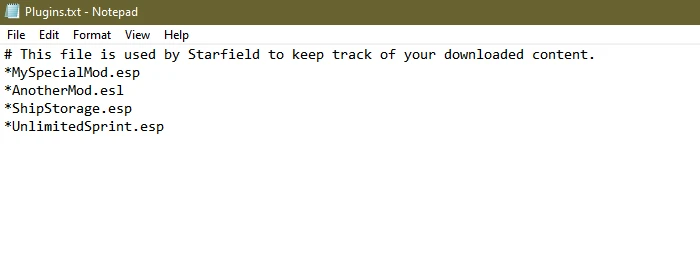
Restores Plugins.txt functionality as in previous BGS games and does nothing more. Yes, that means you don’t have to use sTestFile1 any longer.
Plugins.txt Path
C:\Users\
SFSE Installation
Extract & install as you would any other SFSE mod. The final directory should resemble this path:
C:\Program Files (x86)\Steam\steamapps\common\Starfield\Data\SFSE\Plugins\SFPluginsTxtEnabler.dll
SFSE Uninstallation
Delete “SFPluginsTxtEnabler.dll” as mentioned above.
Gamepass ASI Installation
Gamepass ASI Uninstallation
Delete “SFPluginsTxtEnabler.dll” as mentioned above.
Troubleshooting/SFSE Logs
Log files are stored under your documents folder. e.g. “Documents\My Games\Starfield\SFSE\Logs\SFPluginsTxtEnabler.log”
Credits:
Nukem
Downloads
| Name | Format | Size |
|---|---|---|
| SFPTE-1_0-SFSE-1_7_33-1-0.zip | ZIP | 97.52 KB |
| SFPTE-1_0-Gamepass-ASI-1_7_33-1-0.zip | ZIP | 97.69 KB |
| SFPTE-1_1-Gamepass-ASI-1_7_36.zip | ZIP | 103.92 KB |
| SFPTE-1_1-SFSE-1_7_36.zip | ZIP | 103.85 KB |
| SFPTE-1_2-GamePassASI-1_8_86-1-2.zip | ZIP | 104.34 KB |
| SFPTE-1_2-SFSE-1_8_86-1-2.zip | ZIP | 104.41 KB |
| SFPTE-1_3-GamePassASI-1_12_30.zip | ZIP | 104.82 KB |
| SFPTE-1_3-SFSE-1_12_30.zip | ZIP | 104.81 KB |
To start download click the filename. To open archive files use one of these programs: WinRAR, 7-Zip, WinZip. Some mod archives may need to be extracted before the mods will work.